Built around the jobs self-employed people actually do
Know what to set aside from each payment
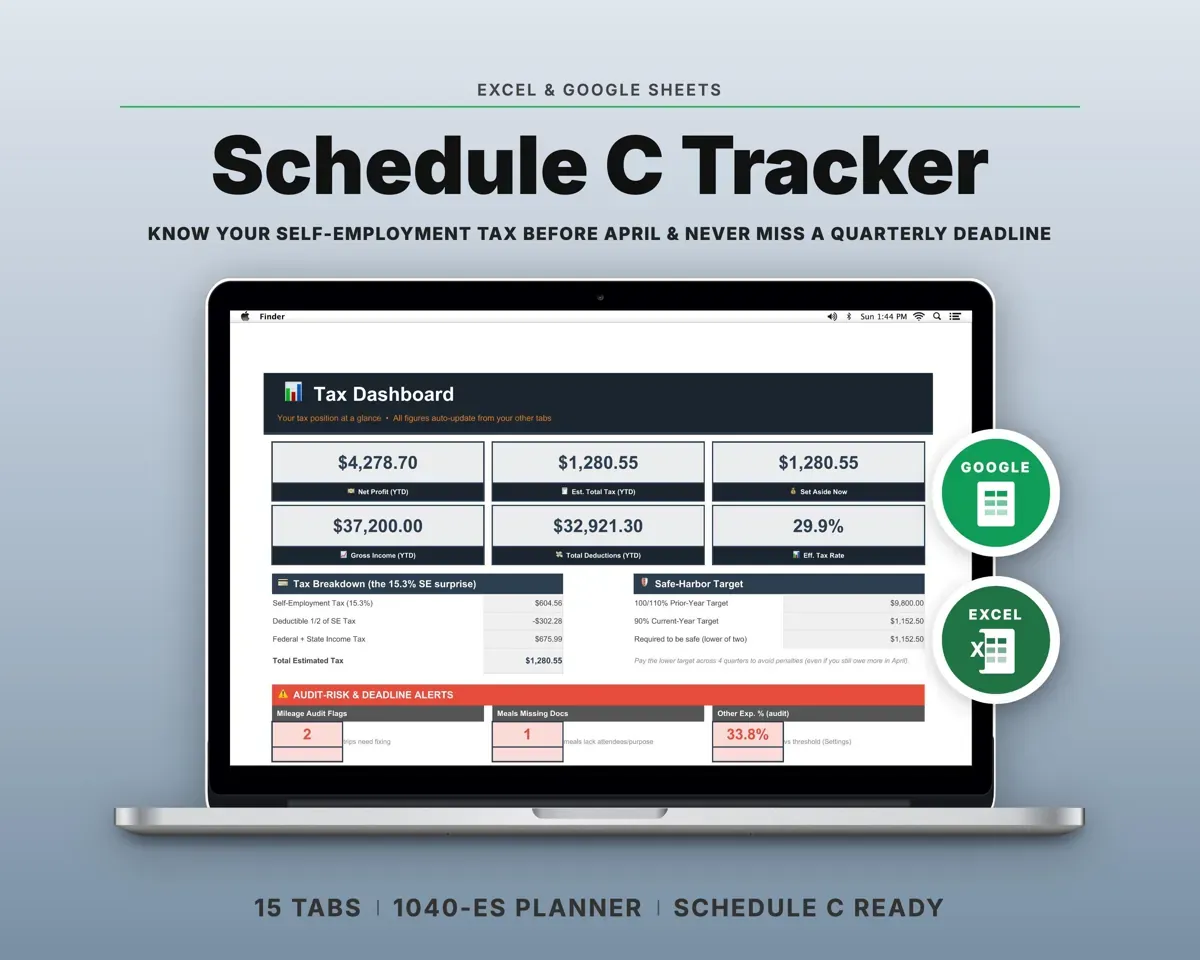
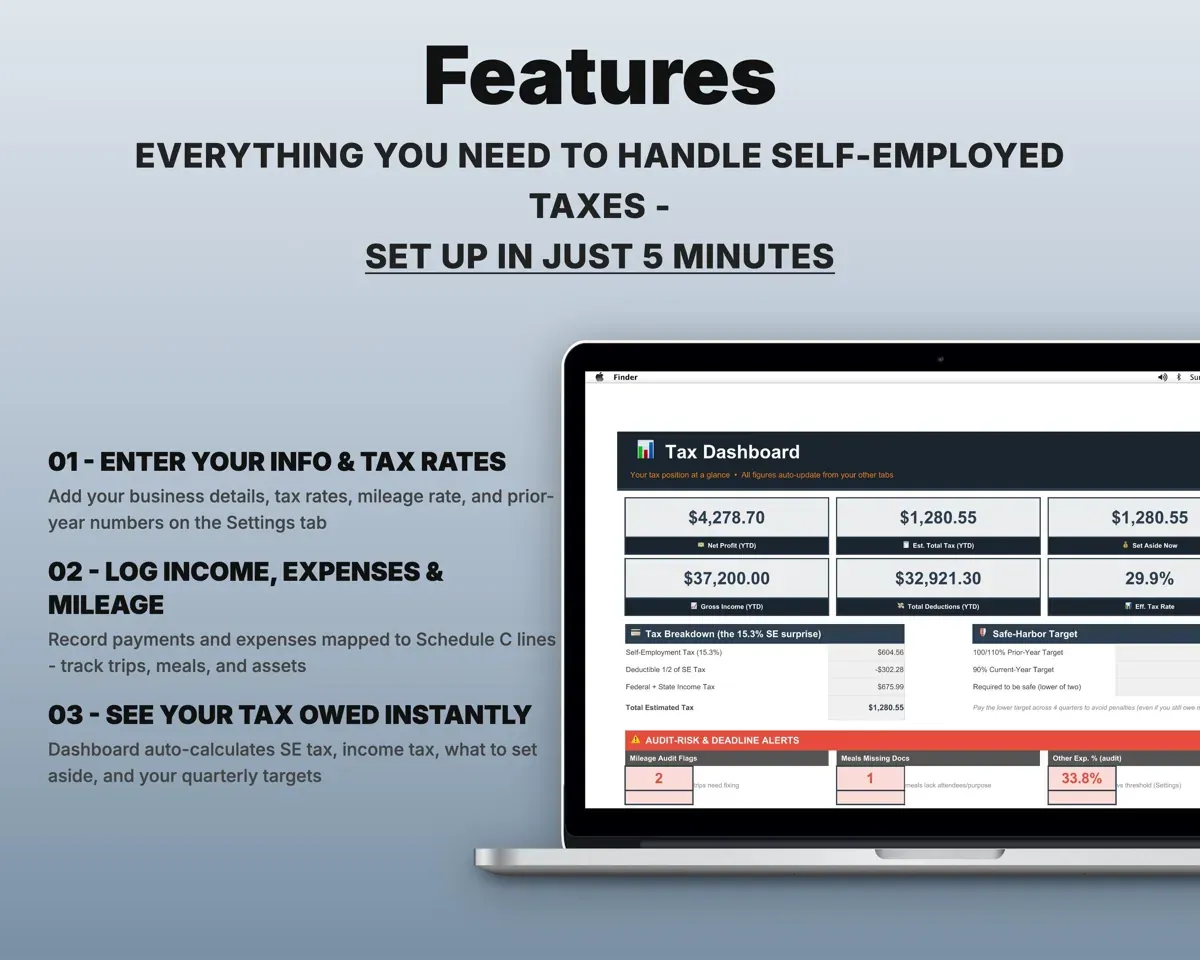
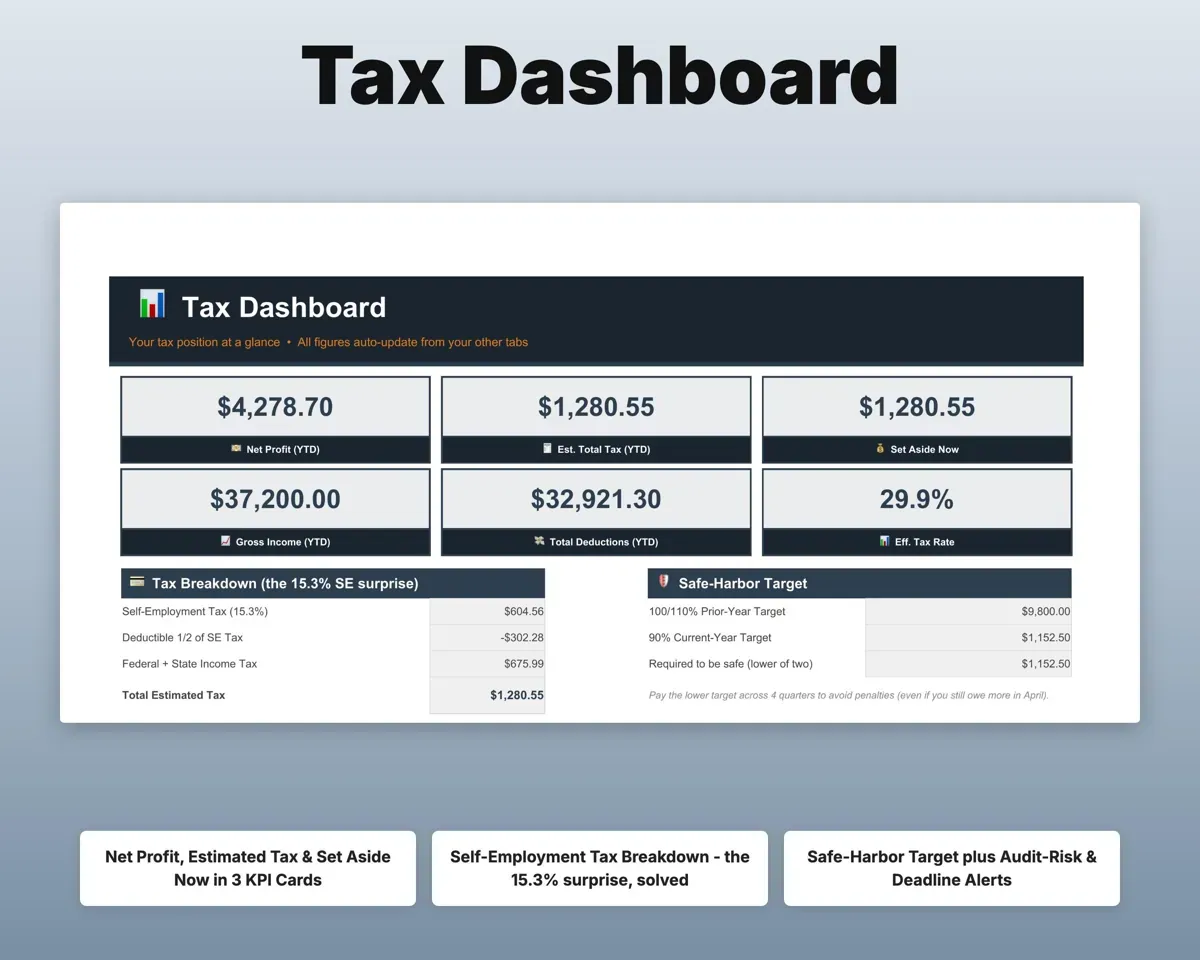
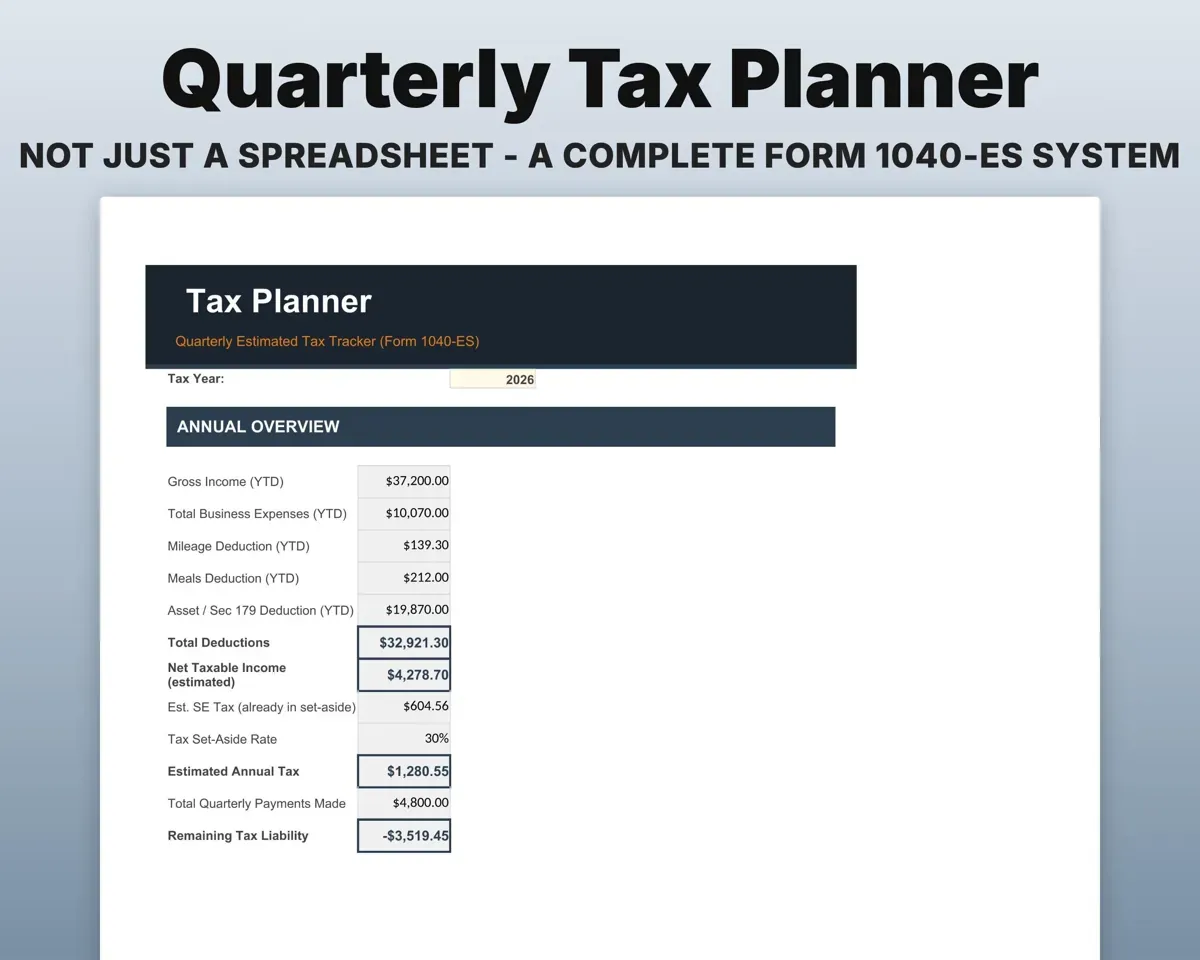
Log income as it comes in. The Dashboard shows self-employment tax, income tax and the total to set aside now.
Payments receivedAmount to set asideStay on top of quarterly payments
All four 1040-ES due dates are built in, with amounts paid and a safe-harbor target.
Payments madeSafe-harbor targetPut every expense on the right line
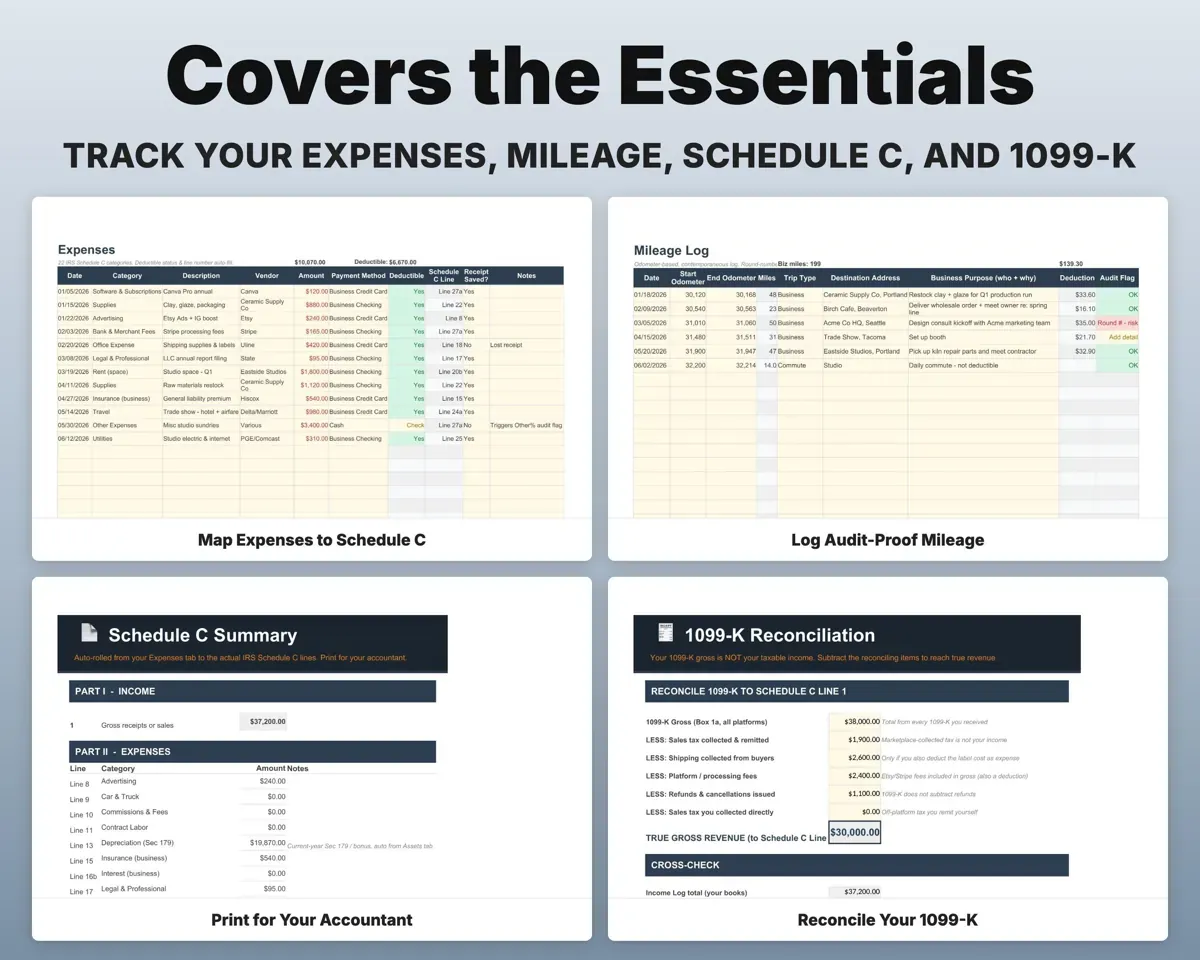
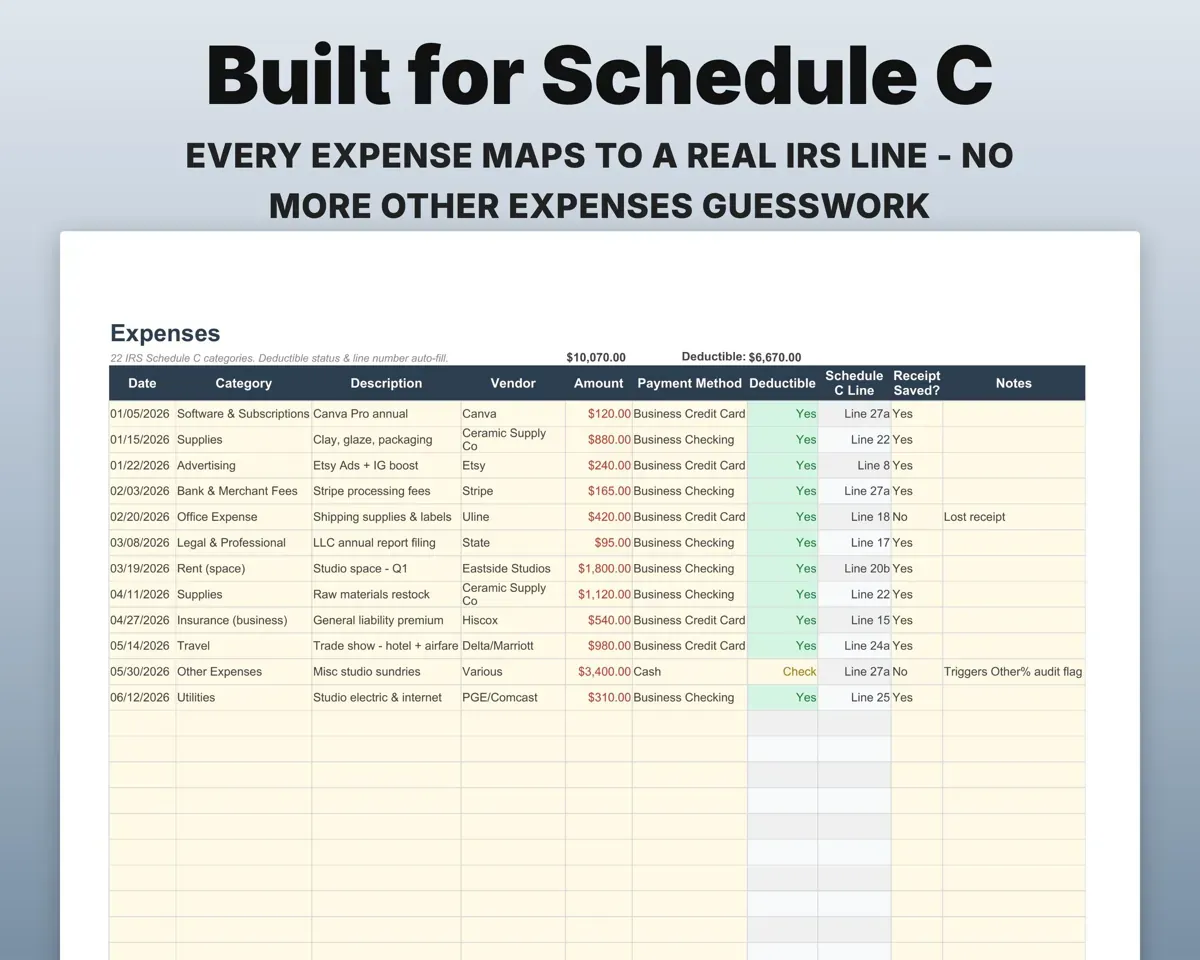
Expenses map to Schedule C lines 8 through 27 with notes on what qualifies. A gauge warns when too much lands in Other.
ExpensesSchedule C linesMatch your 1099-K to real revenue
Start from the 1099-K gross and subtract platform fees, shipping, refunds and sales tax to reach your Line 1 revenue.
1099-K gross, feesLine 1 revenueKeep mileage, meals and home office records
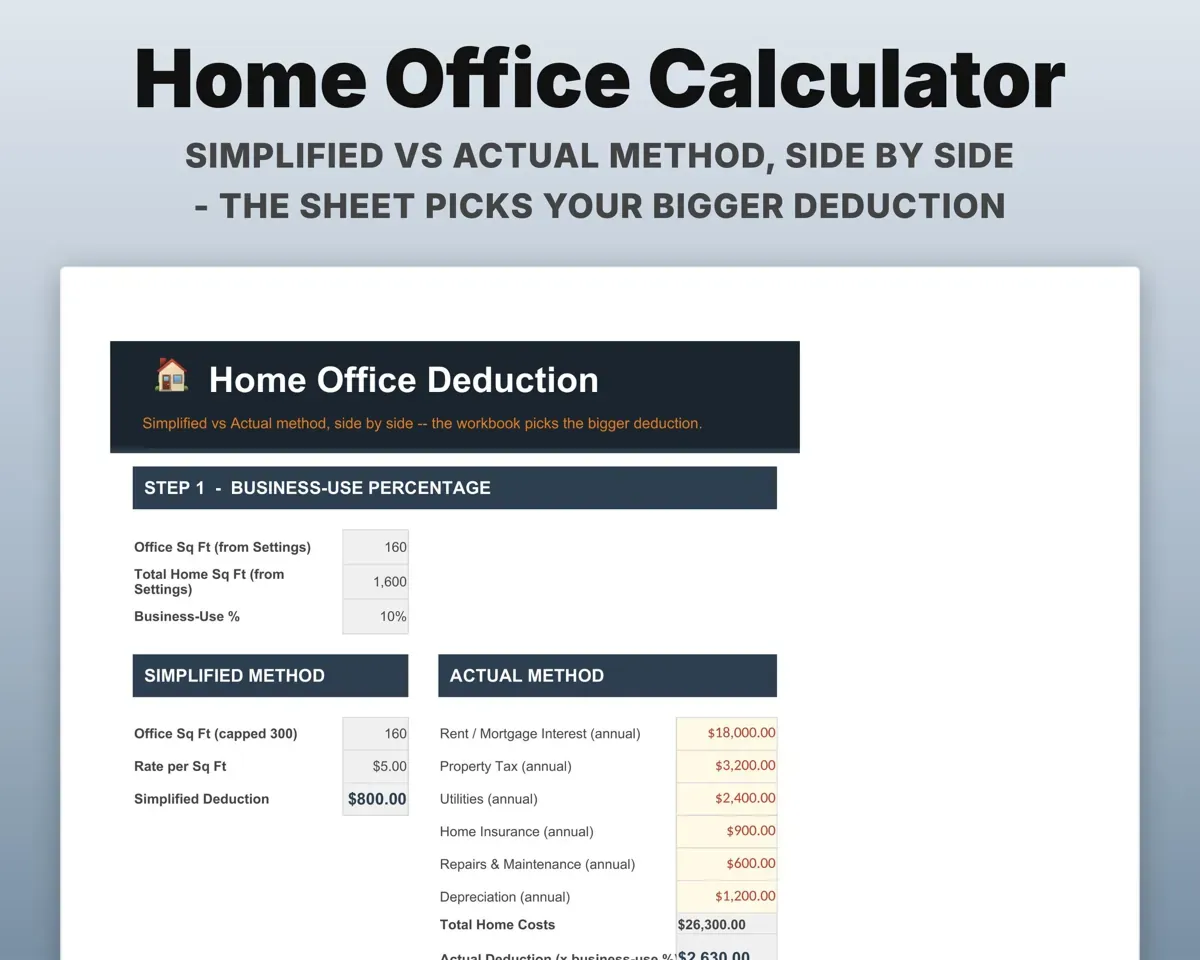
Odometer-based trips with round numbers flagged, meals at 50% with attendees and purpose, and home office by both methods with the larger one picked.
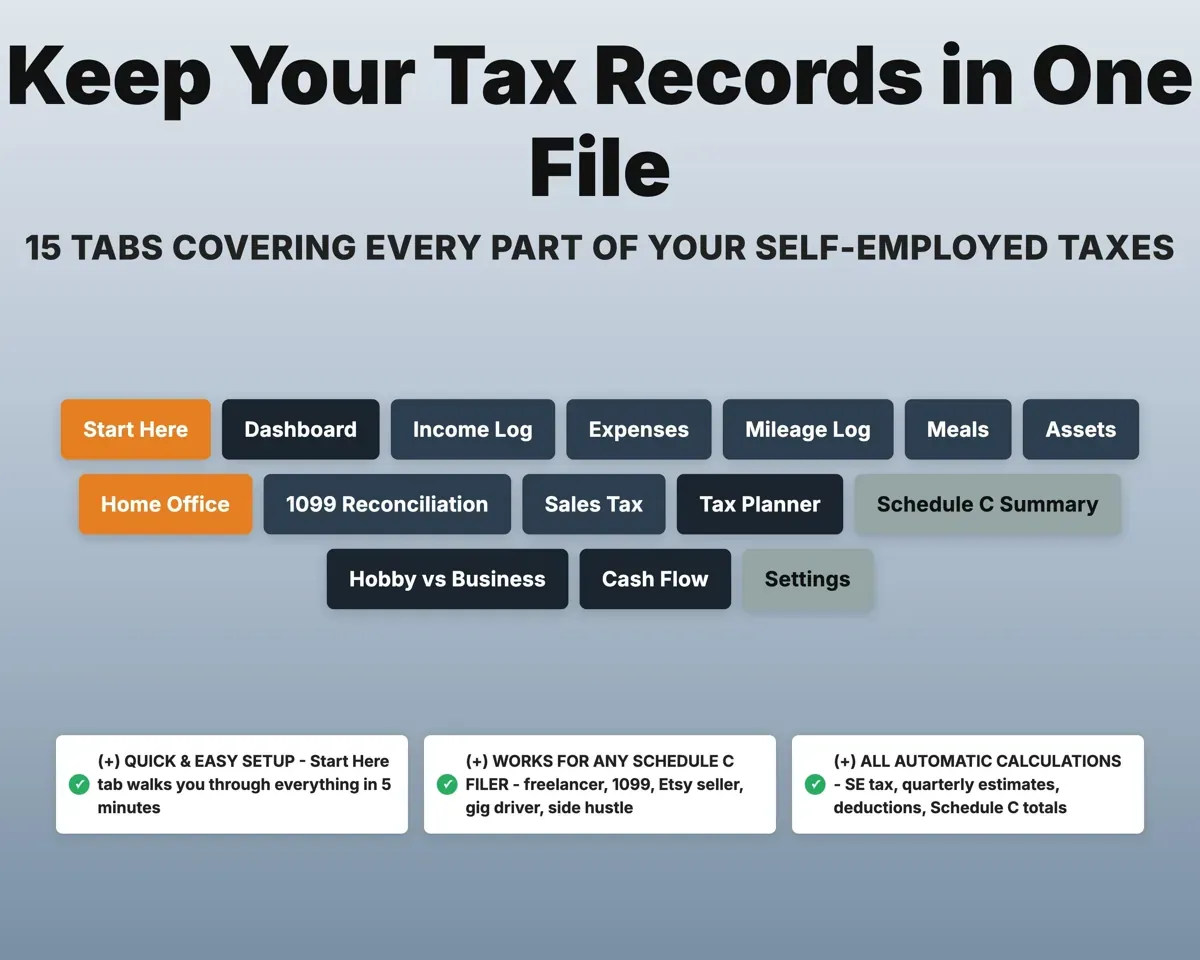
Trips, meals, sq ftDeduction totals15 tabs in one file
- Start Here
- Dashboard
- Income Log
- Expenses
- Mileage Log
- Meals
- Assets
- Home Office
- 1099 Reconciliation
- Sales Tax
- Tax Planner
- Schedule C Summary
- Hobby vs Business
- Cash Flow
- Settings
- Start Here
- Setup steps and a short guide to every tab.
- Dashboard
- Net profit, estimated tax and what to set aside now.
- Income Log
- Every payment with source, 1099 issuer and state.
- Expenses
- Costs mapped to Schedule C lines 8 to 27.
- Mileage Log
- Odometer-based trips with the deduction calculated.
- Meals
- Business meals at 50% with attendees and purpose.
- Assets
- Section 179 and bonus depreciation with business-use percent.
- Home Office
- Simplified and actual methods compared side by side.
- 1099 Reconciliation
- Your 1099-K gross worked down to taxable revenue.
- Sales Tax
- Sales by state and channel with nexus threshold flags.
- Tax Planner
- Quarterly estimated payments (Form 1040-ES) and balances.
- Schedule C Summary
- Totals rolled up to the IRS lines for your preparer.
- Hobby vs Business
- The 3-of-5-year profit test and 9-factor scorecard.
- Cash Flow
- Twelve months of income and expenses.
- Settings
- Business details, tax rates, prior-year figures and dropdowns.
Pair it with
“Excellent! Very easy to use.”
“Nice Organization for 4H projects”
Before you buy
Is this tax advice?
No. It organizes your records and estimates the math. Figures are estimates, so confirm final numbers with a tax professional.
Will it fit my kind of work?
If you file a Schedule C, it should: freelancers, 1099 contractors, online sellers, rideshare and delivery drivers, consultants and creators. Categories and rates are editable.
Does it handle depreciation on equipment?
Yes. The Assets tab tracks Section 179 and bonus depreciation with business-use percent and luxury auto limits.
What do I get?
An Excel file (.xlsx), a filled-in sample to look at, and a quick-start PDF guide with a link that makes your own copy in Google Sheets.
How does delivery work?
You get your download links right after checkout, and Stripe emails your receipt. There is nothing to ship and nothing to wait for.
How do I set it up in Google Sheets?
Open the quick-start PDF and click the Google Sheets link. Google makes a copy in your own Drive that only you can edit. You need a free Google account.
Will it work on a Mac?
Yes. It works in Excel on Mac and Windows, and in Google Sheets in any browser.
I'm not a spreadsheet person. Is that a problem?
No. You only type in the yellow cells. Everything in gray works itself out, and the Start Here tab shows you where to begin.
Can I get a refund?
Templates are digital downloads, so sales are final. If a file won't open, is broken or doesn't match its description, email hello@cleanpixelstudios.com within 30 days and we'll fix it, or refund you if we can't.
What if I get stuck?
Email hello@cleanpixelstudios.com and we'll help you get it working.
More in Small business & money
See all Small business & money templates
 Made by Clean Pixel Studios
We start every template by reading what people in that line of work say they struggle with, then build the spreadsheet around those problems. This one was made for self-employed people and nobody else.
How we build templatesSmall Business Tax Tracker Spreadsheet$19.99 · Excel + Google Sheets