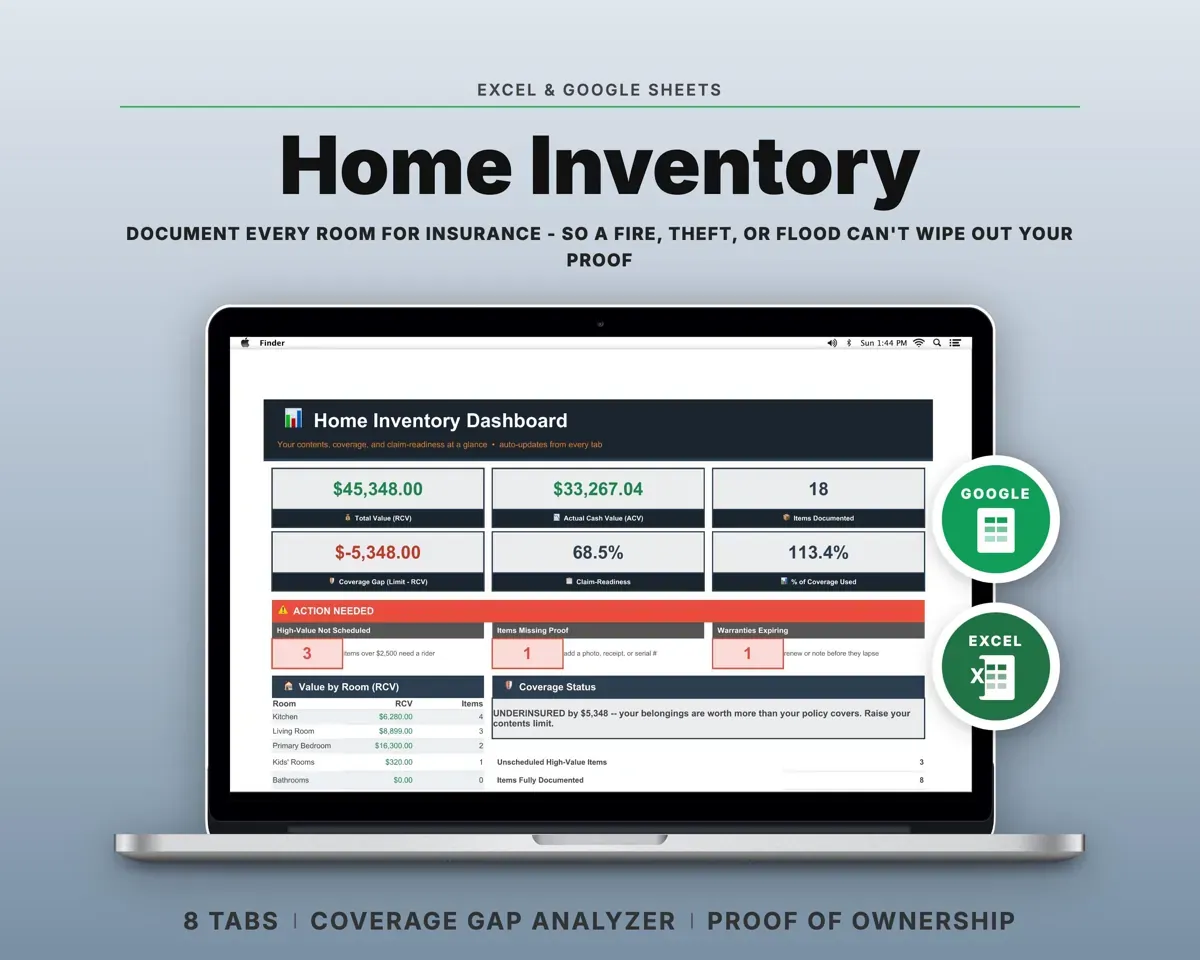
Built around the jobs homeowners actually do
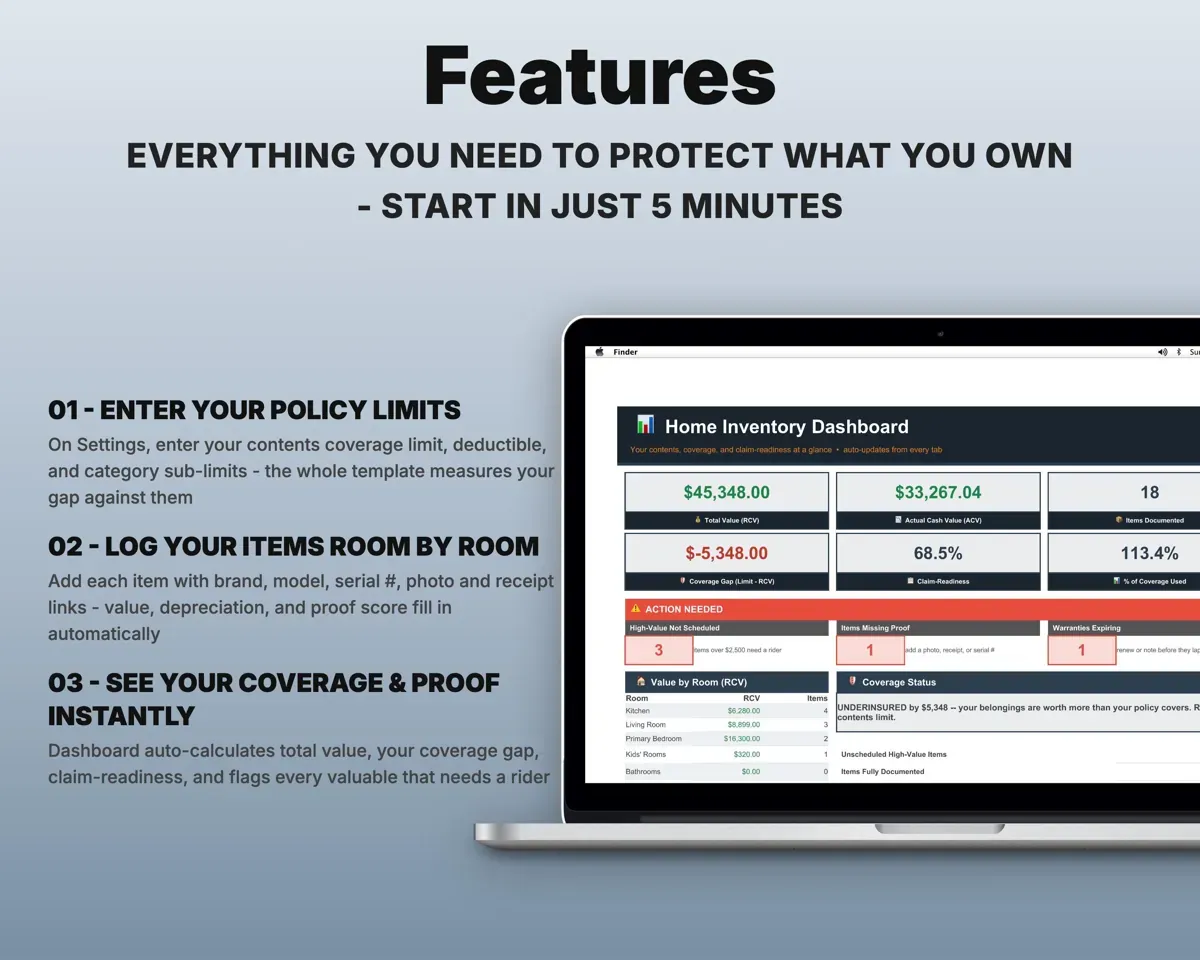
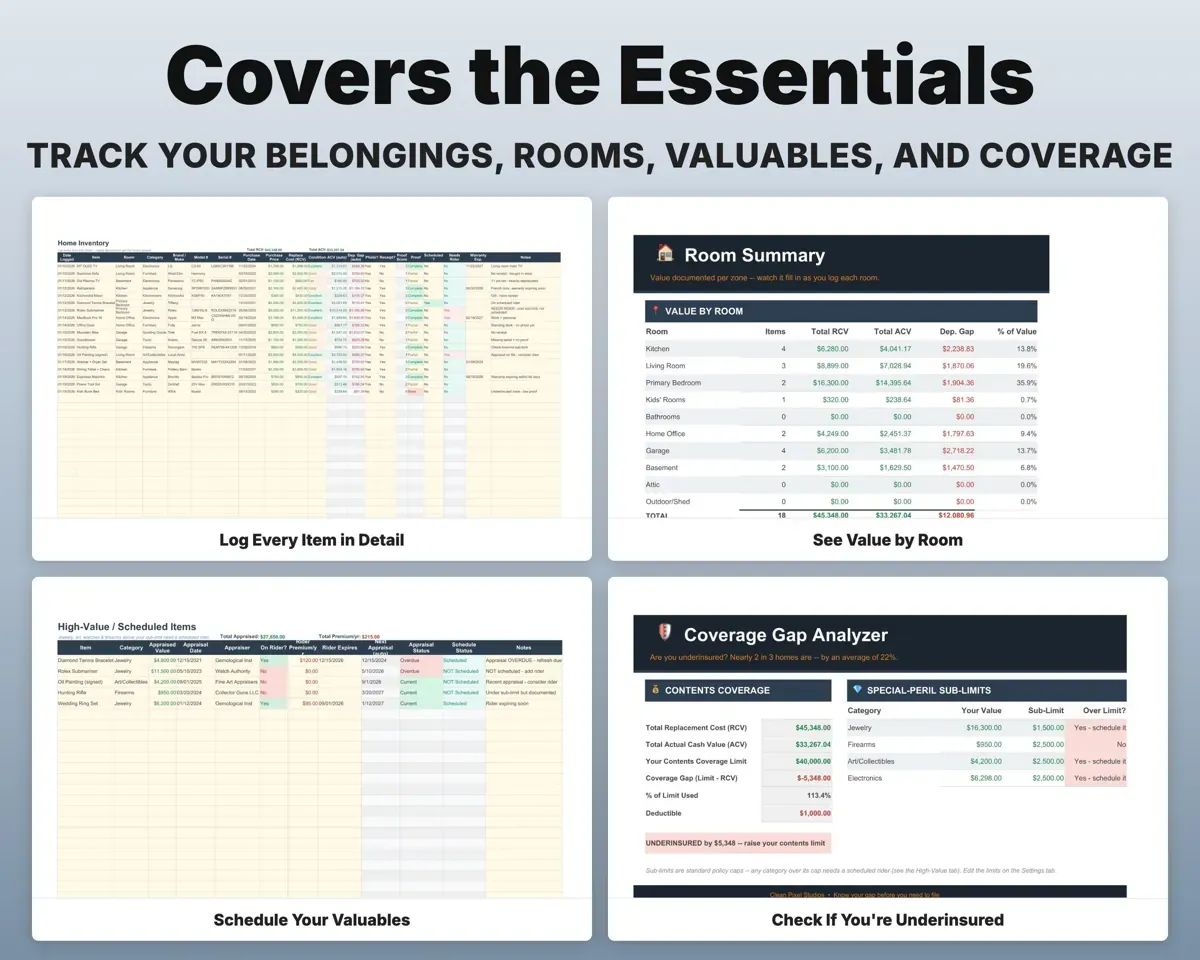
List what you own, room by room
Ten home zones with columns for brand, model, serial number, purchase date, replacement cost and condition, plus links to photos and receipts.
Item, model, serialValue by roomSee which items are missing proof
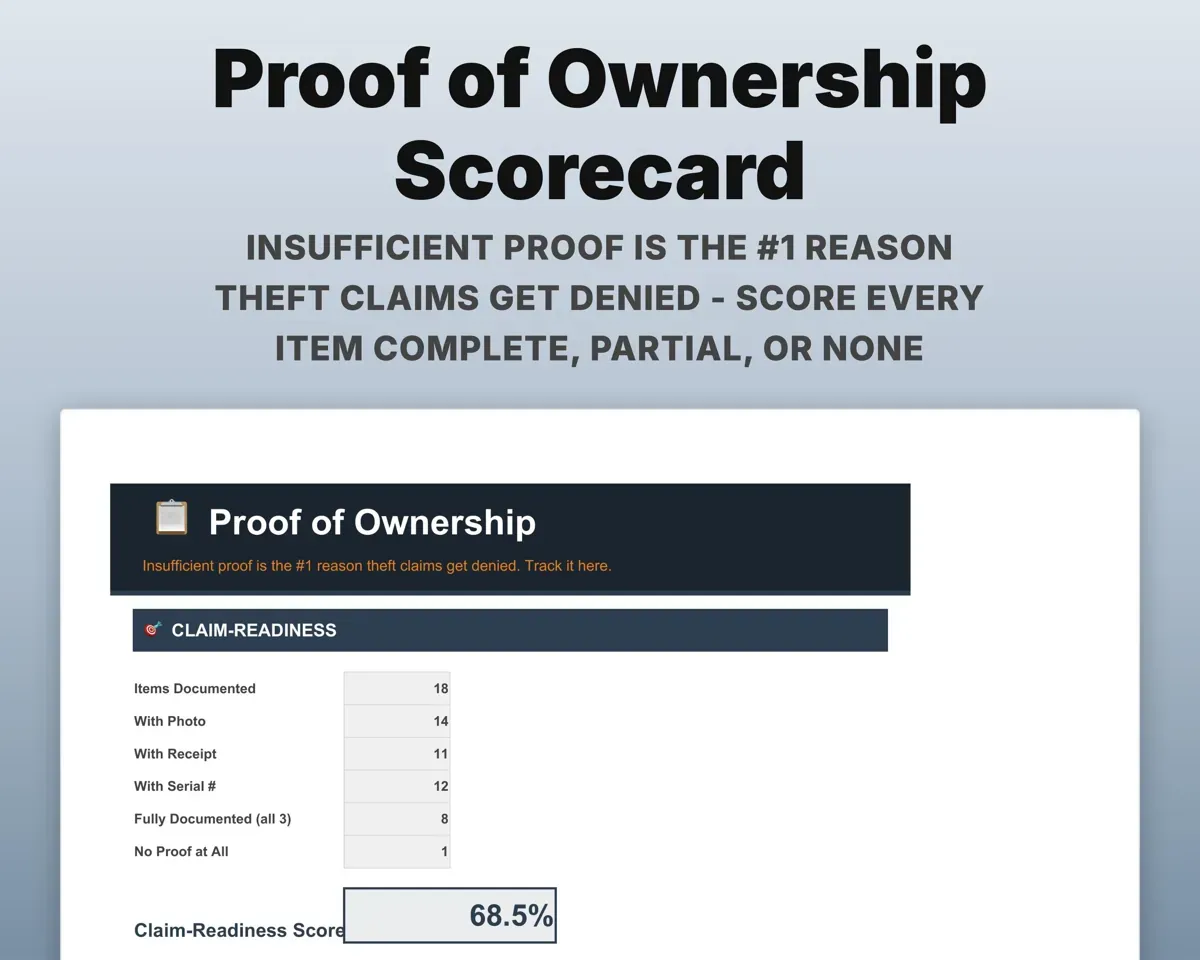
Each item gets a proof score of Complete, Partial or None based on whether it has a photo, a receipt and a serial number.
Photo and receipt linksProof scoreCheck your total against your policy limit
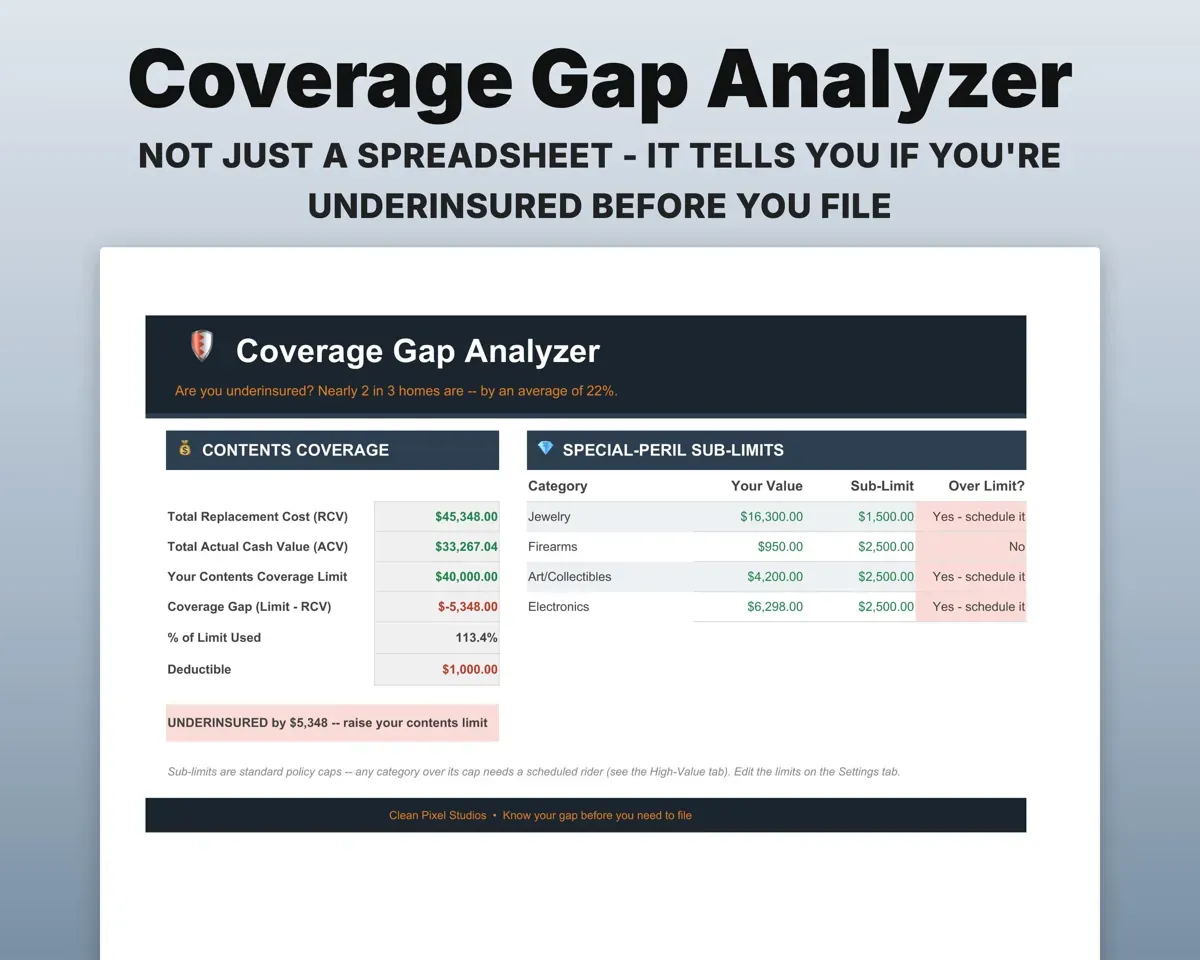
The Coverage Gap tab compares replacement cost to your contents limit and shows the difference. It also flags jewelry, firearms, art or electronics over a sub-limit.
Policy limit, sub-limitsCoverage gapKnow what items are worth today
Actual cash value is worked out from each item's age and category, so you can see the gap between replacement cost and depreciated value.
Purchase date, categoryActual cash valueKeep appraisals and riders current
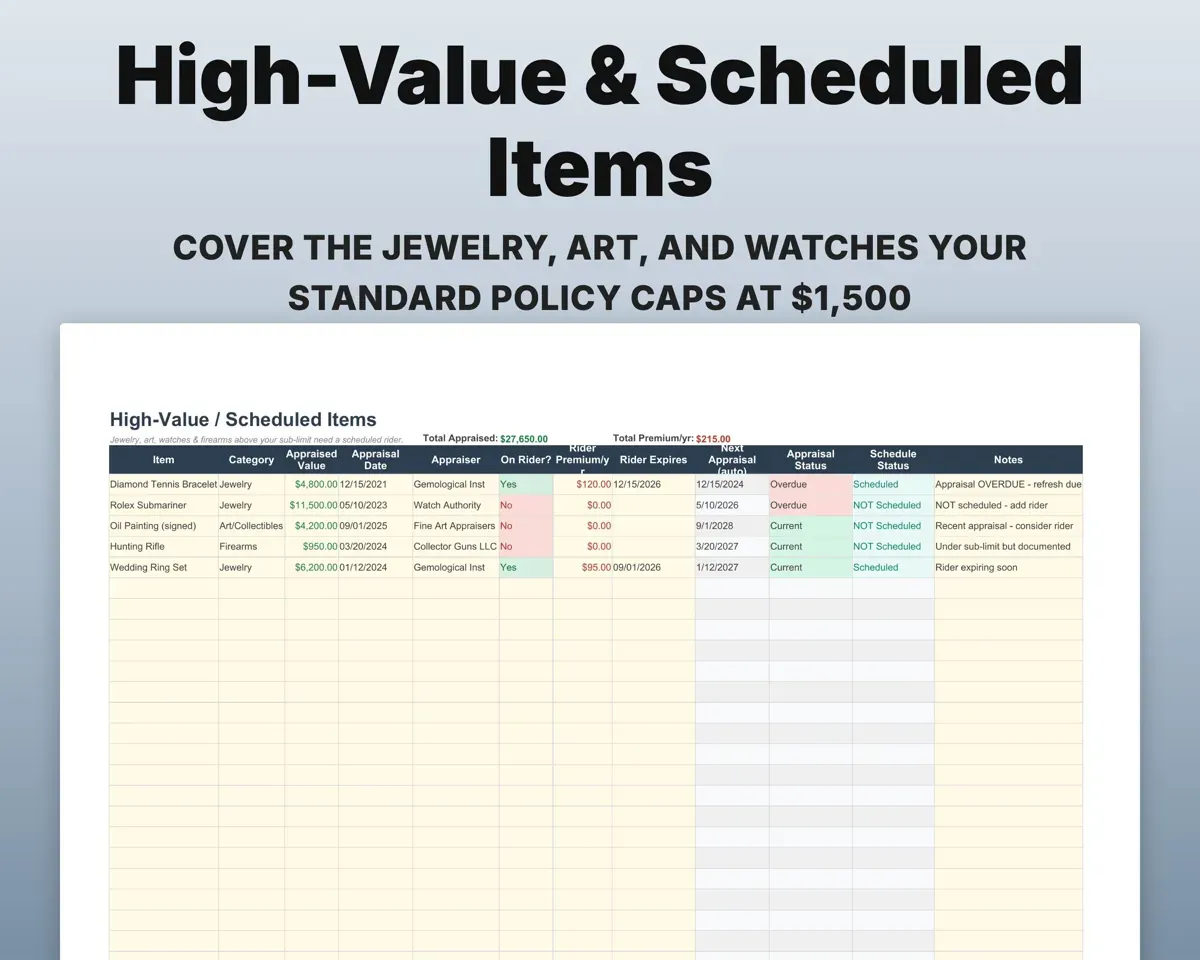
Track appraised value, appraisal date and rider status for jewelry, watches, art and firearms, with alerts when an appraisal is due.
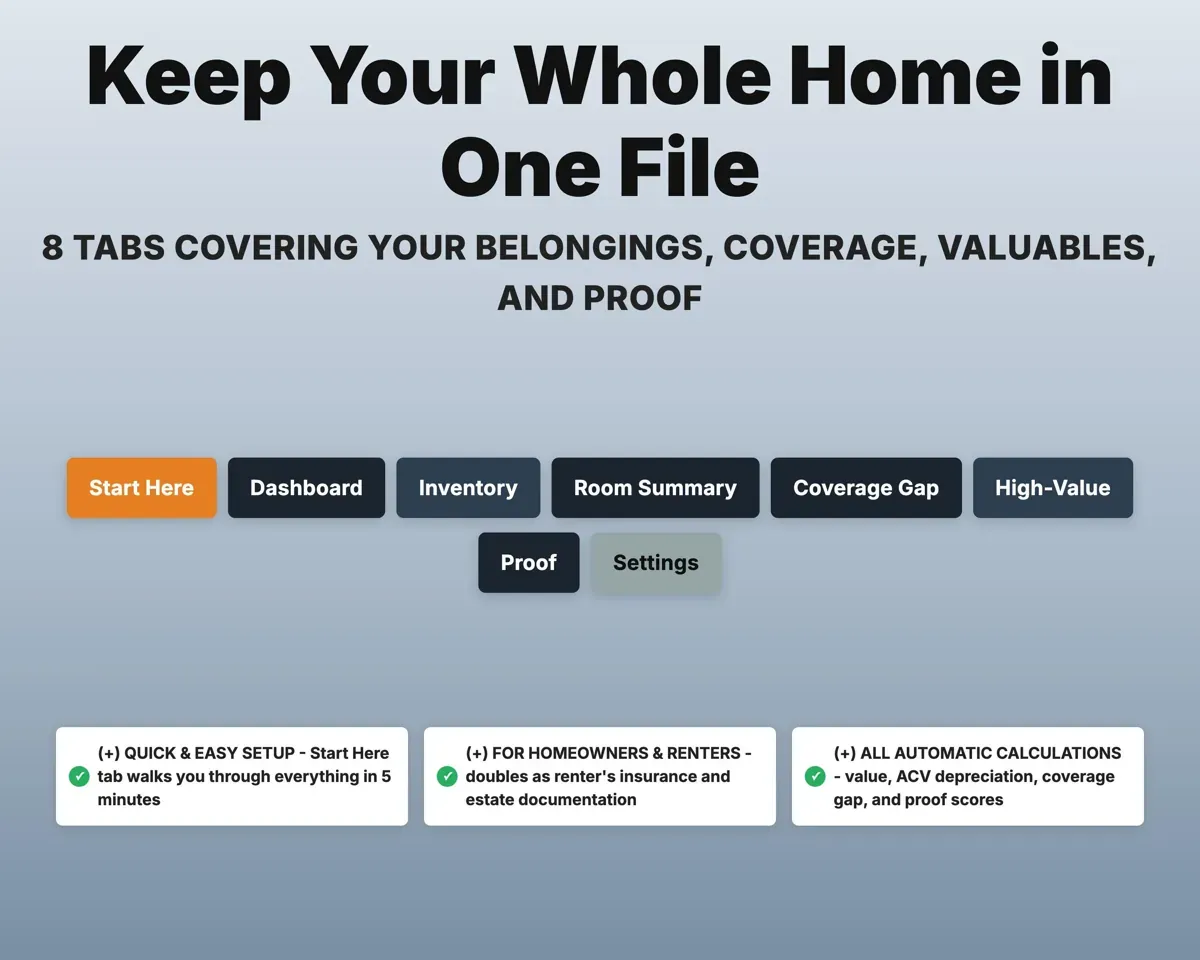
Appraisal dateNext appraisal due8 tabs in one file
- Start Here
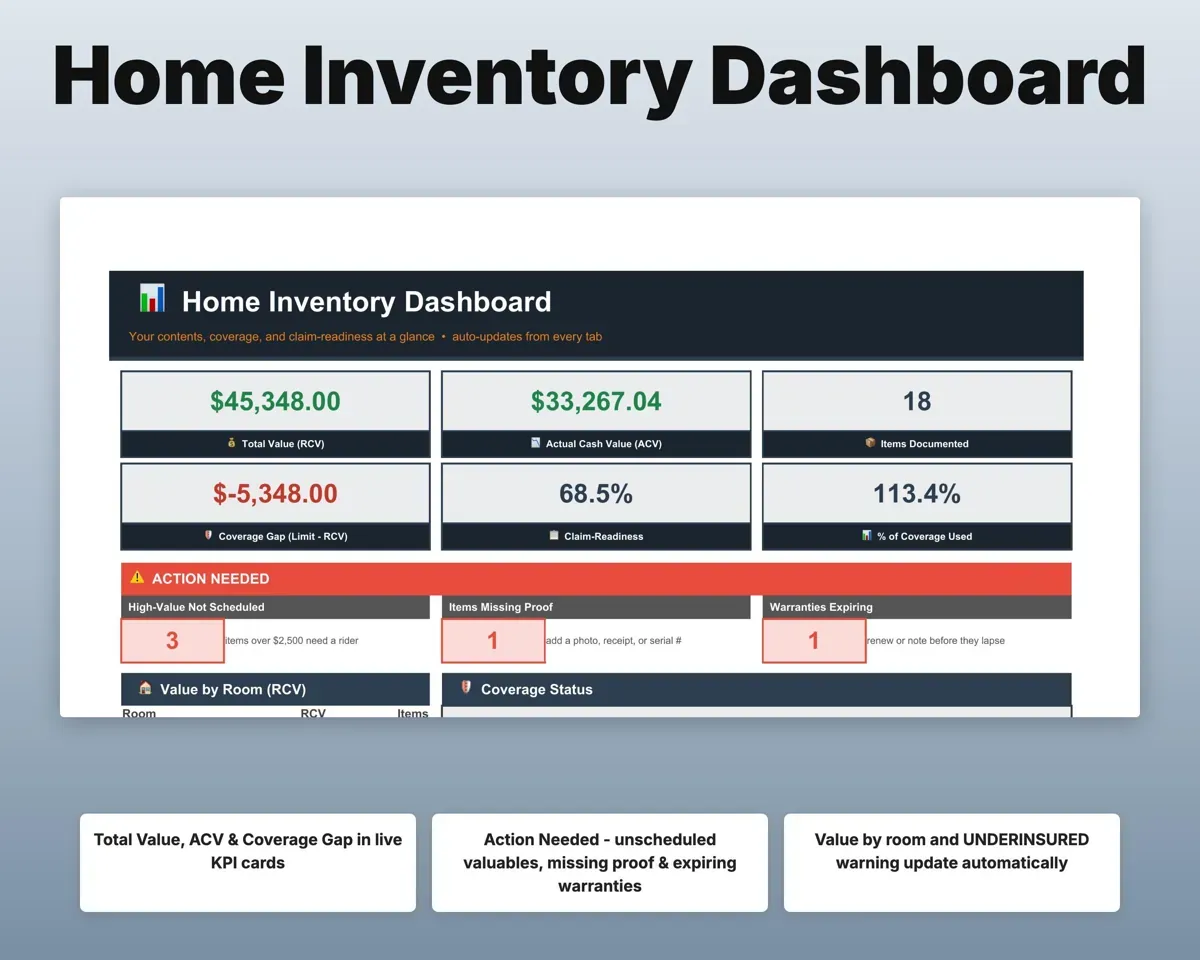
- Dashboard
- Inventory
- Room Summary
- Coverage Gap
- High-Value
- Proof
- Settings
- Start Here
- A short walkthrough, starting with one easy room.
- Dashboard
- Total value, coverage gap, claim readiness and to-dos.
- Inventory
- Every item with value, depreciation, proof score and rider flag.
- Room Summary
- Items, value and depreciation for each room.
- Coverage Gap
- Replacement cost against your policy limit and sub-limits.
- High-Value
- Appraised valuables with rider status and appraisal alerts.
- Proof
- How many items have a photo, receipt and serial number.
- Settings
- Coverage limit, deductible, sub-limits, depreciation table and lists.
Pair it with
“Excellent! Very easy to use.”
“Nice Organization for 4H projects”
Before you buy
Where do I start?
With one small spot, like a closet or the kitchen appliances. Start Here shows you how, and the Dashboard totals update with each item you add.
Where do photos and receipts go?
Keep them in a cloud folder such as Google Drive, Dropbox or iCloud and paste each link into the Photo and Receipt columns.
Is this insurance advice?
No. It organizes your belongings and coverage numbers. Confirm what your policy covers with your own agent.
What do I get?
An Excel file (.xlsx), a filled-in sample to look at, and a quick-start PDF guide with a link that makes your own copy in Google Sheets.
How does delivery work?
You get your download links right after checkout, and Stripe emails your receipt. There is nothing to ship and nothing to wait for.
How do I set it up in Google Sheets?
Open the quick-start PDF and click the Google Sheets link. Google makes a copy in your own Drive that only you can edit. You need a free Google account.
Will it work on a Mac?
Yes. It works in Excel on Mac and Windows, and in Google Sheets in any browser.
I'm not a spreadsheet person. Is that a problem?
No. You only type in the yellow cells. Everything in gray works itself out, and the Start Here tab shows you where to begin.
Can I get a refund?
Templates are digital downloads, so sales are final. If a file won't open, is broken or doesn't match its description, email hello@cleanpixelstudios.com within 30 days and we'll fix it, or refund you if we can't.
What if I get stuck?
Email hello@cleanpixelstudios.com and we'll help you get it working.
More in Home, hobbies & travel
See all Home, hobbies & travel templates
 Made by Clean Pixel Studios
We start every template by reading what people in that line of work say they struggle with, then build the spreadsheet around those problems. This one was made for homeowners and nobody else.
How we build templatesHome Inventory Spreadsheet$14.99 · Excel + Google Sheets