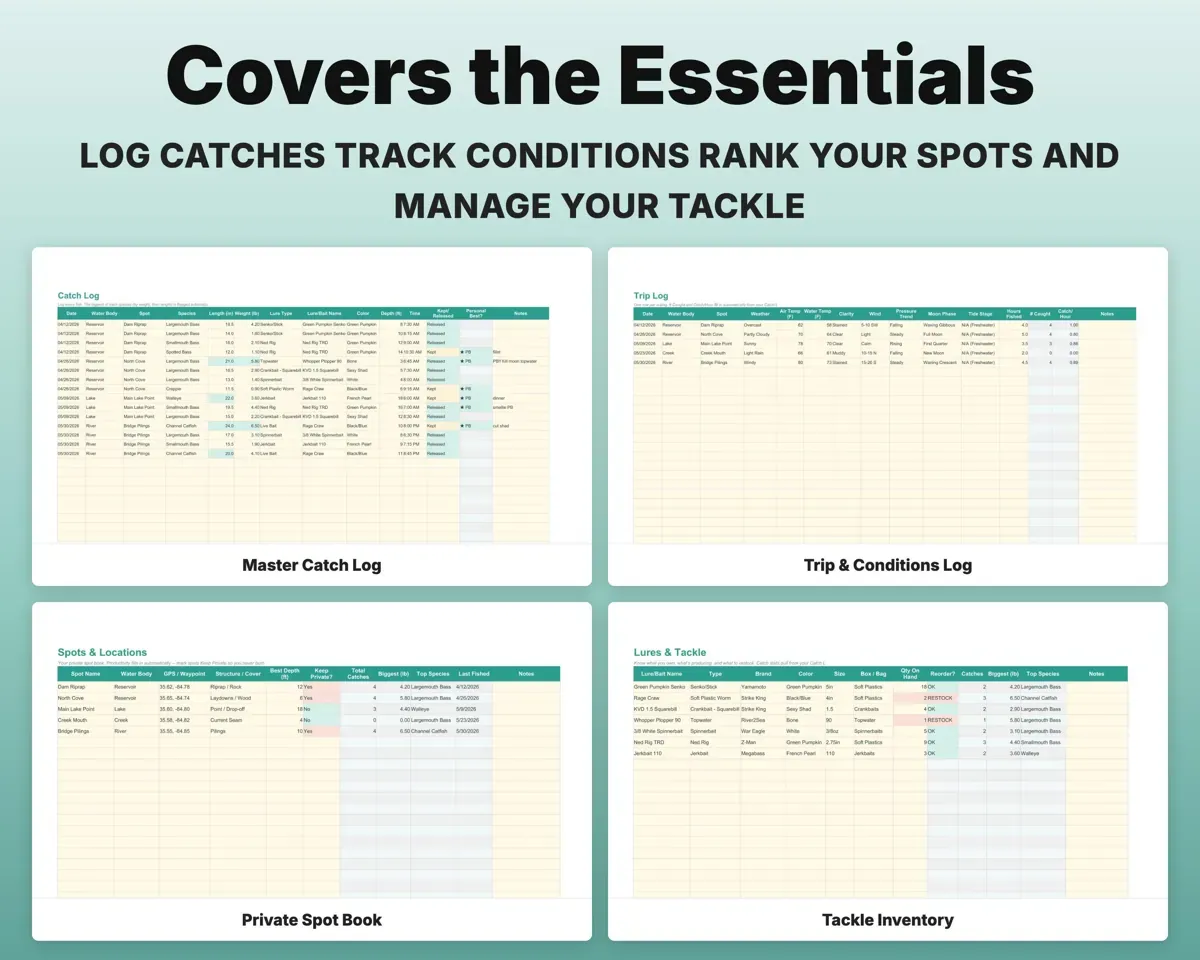
Built around the jobs anglers actually do
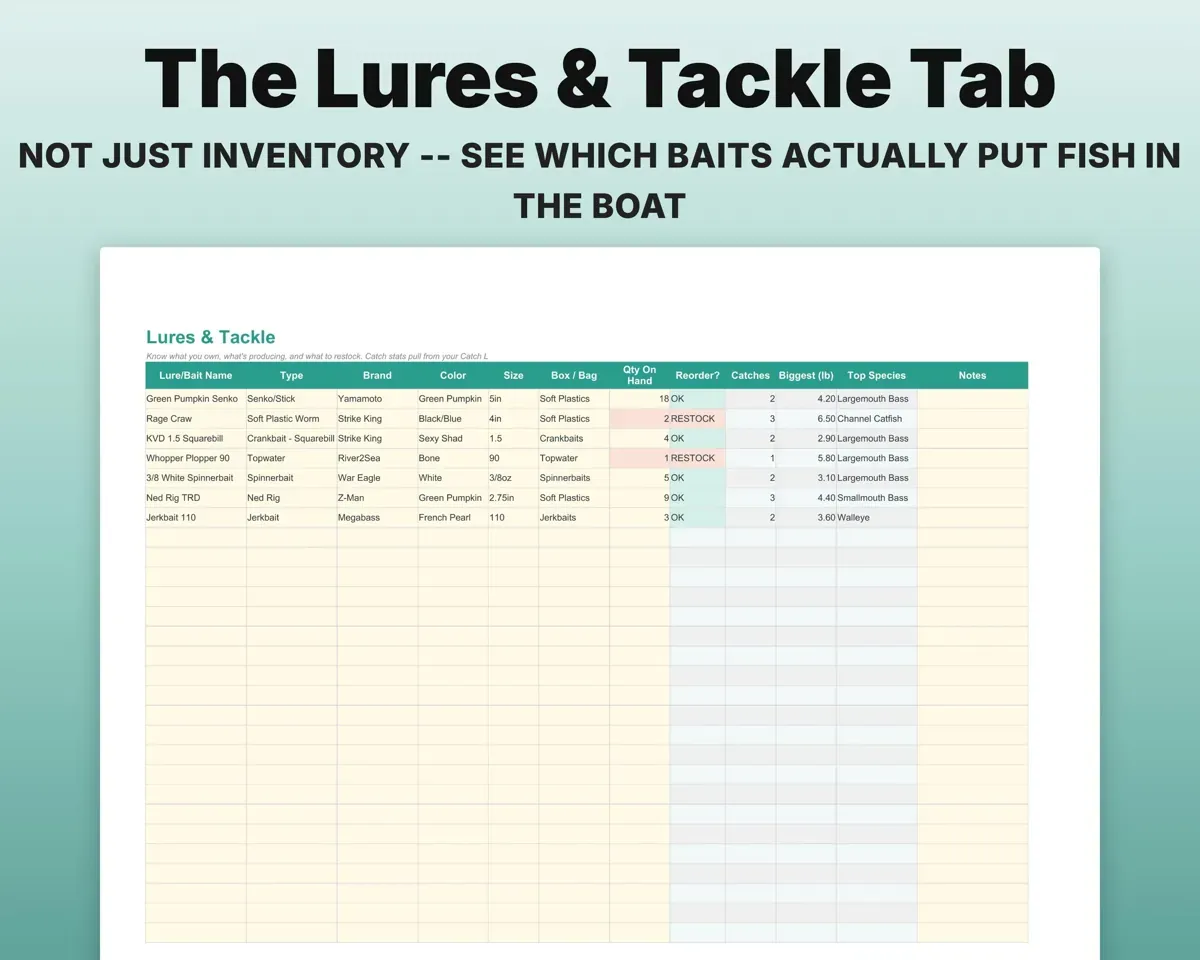
Learn which baits actually catch fish
The Lures tab reads your Catch Log and shows catches, biggest fish and top species for every bait. It also flags any lure that drops to your reorder level.
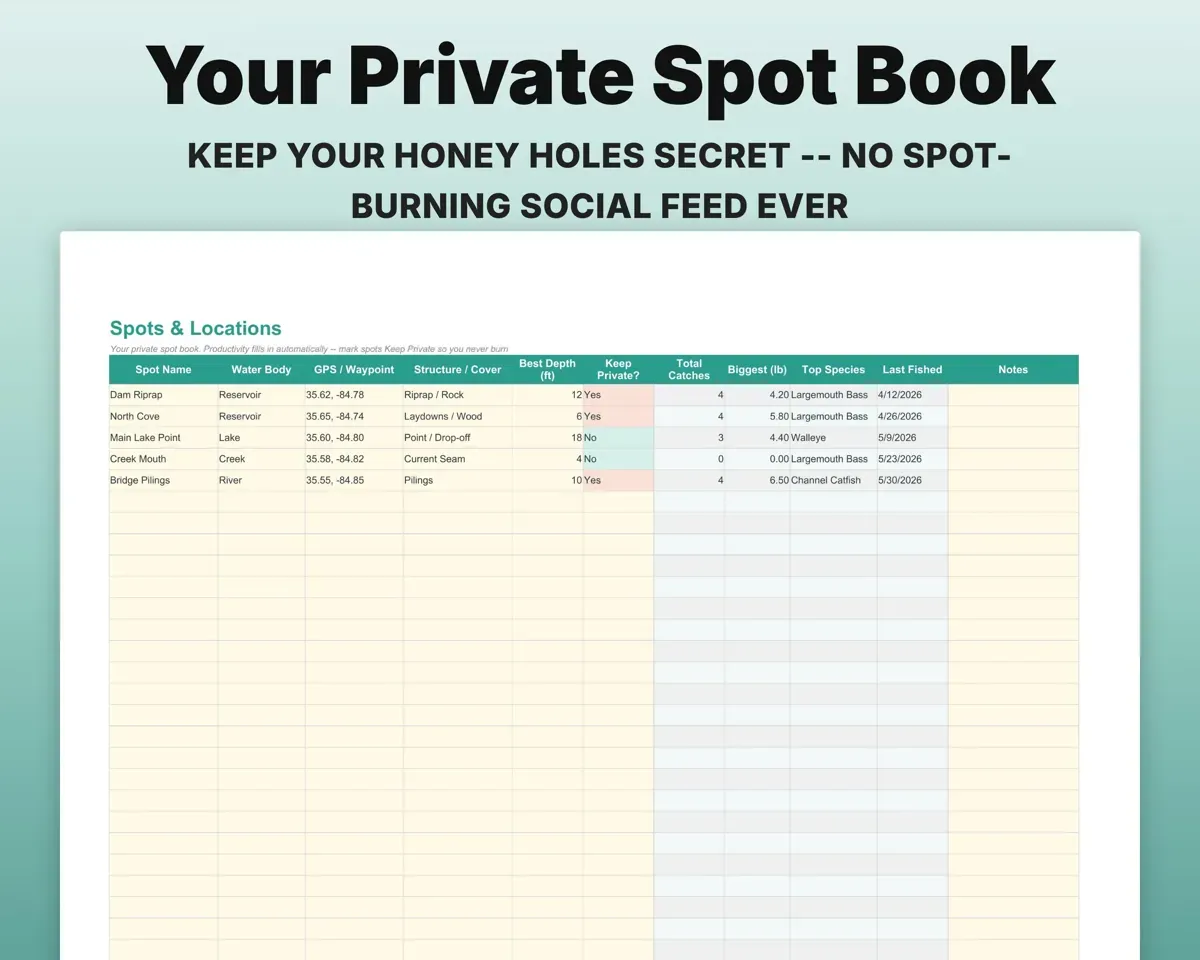
Lure, color, depthCatches per lureKeep a private spot book that ranks itself
Add a spot once. Catches, biggest fish, top species and last-fished date fill in from your log, and a Keep Private flag marks the ones you never share.
Spot, GPS waypointBest spots rankedSpot the patterns behind good days
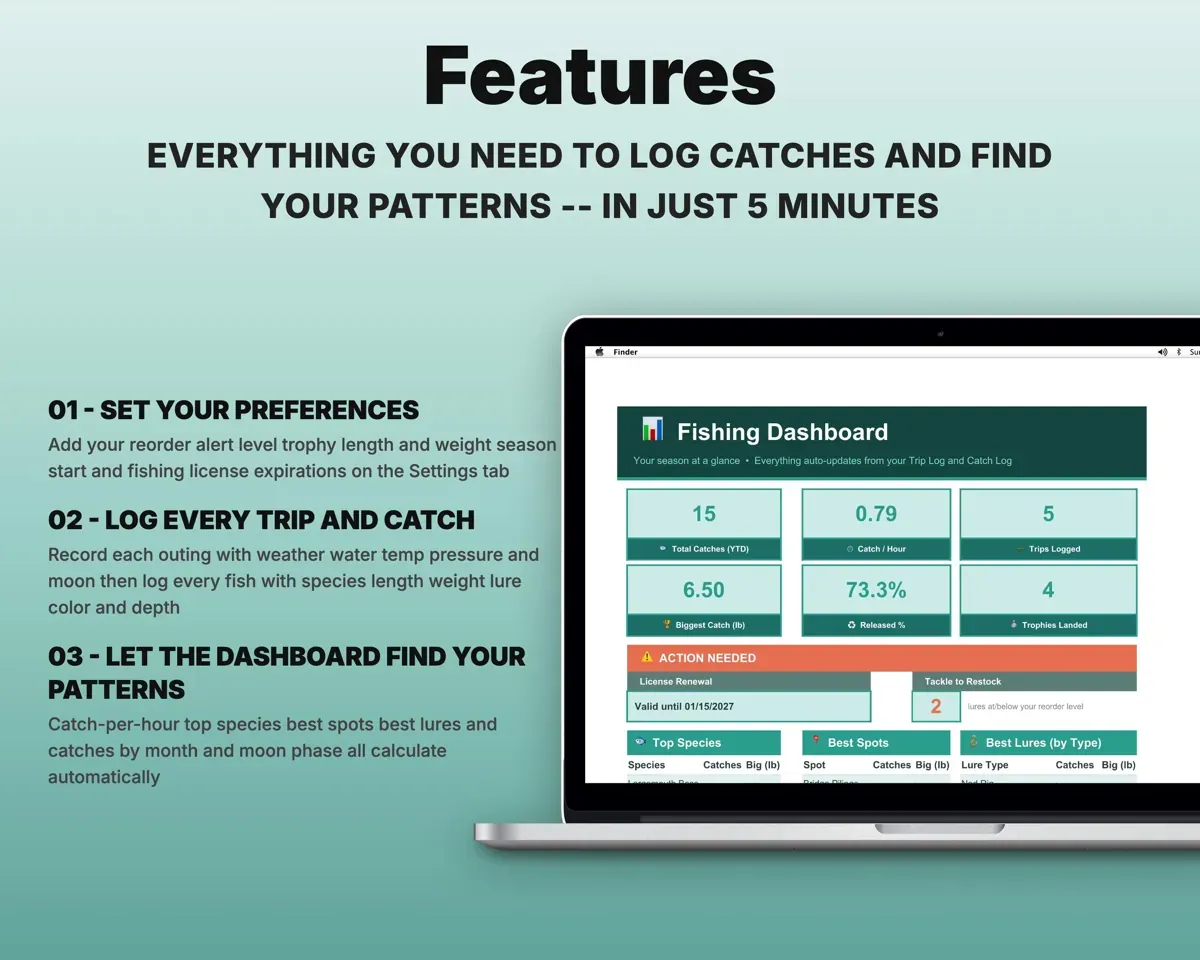
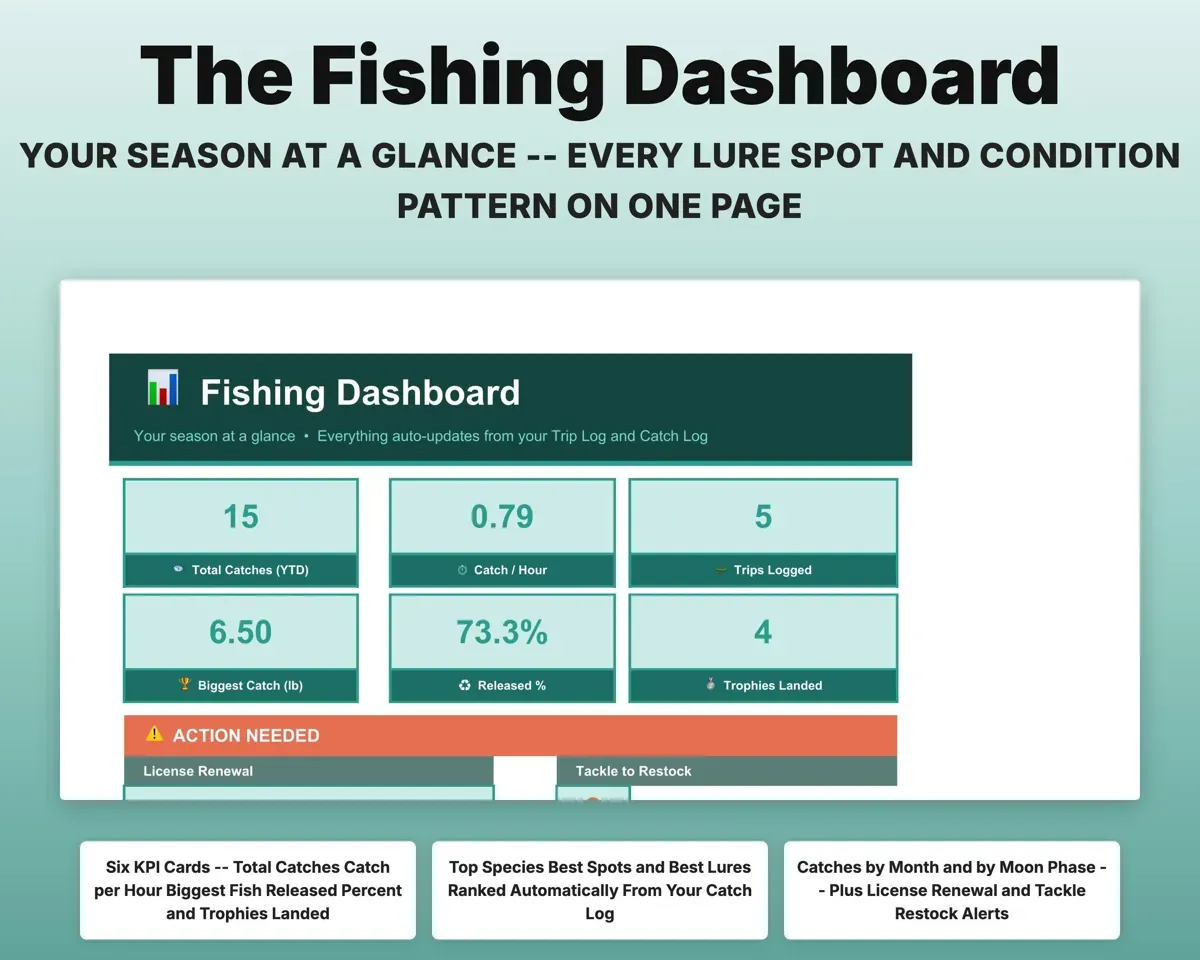
Log water temp, pressure trend, moon phase, tide, weather and clarity for each trip. The Dashboard sorts your catches by month and moon phase.
Temp, pressure, moonCatches by moon phaseCompare outings fairly with catch per hour
Record the hours fished on each trip and the sheet works out catch per hour, so a slow morning and a busy evening are measured the same way.
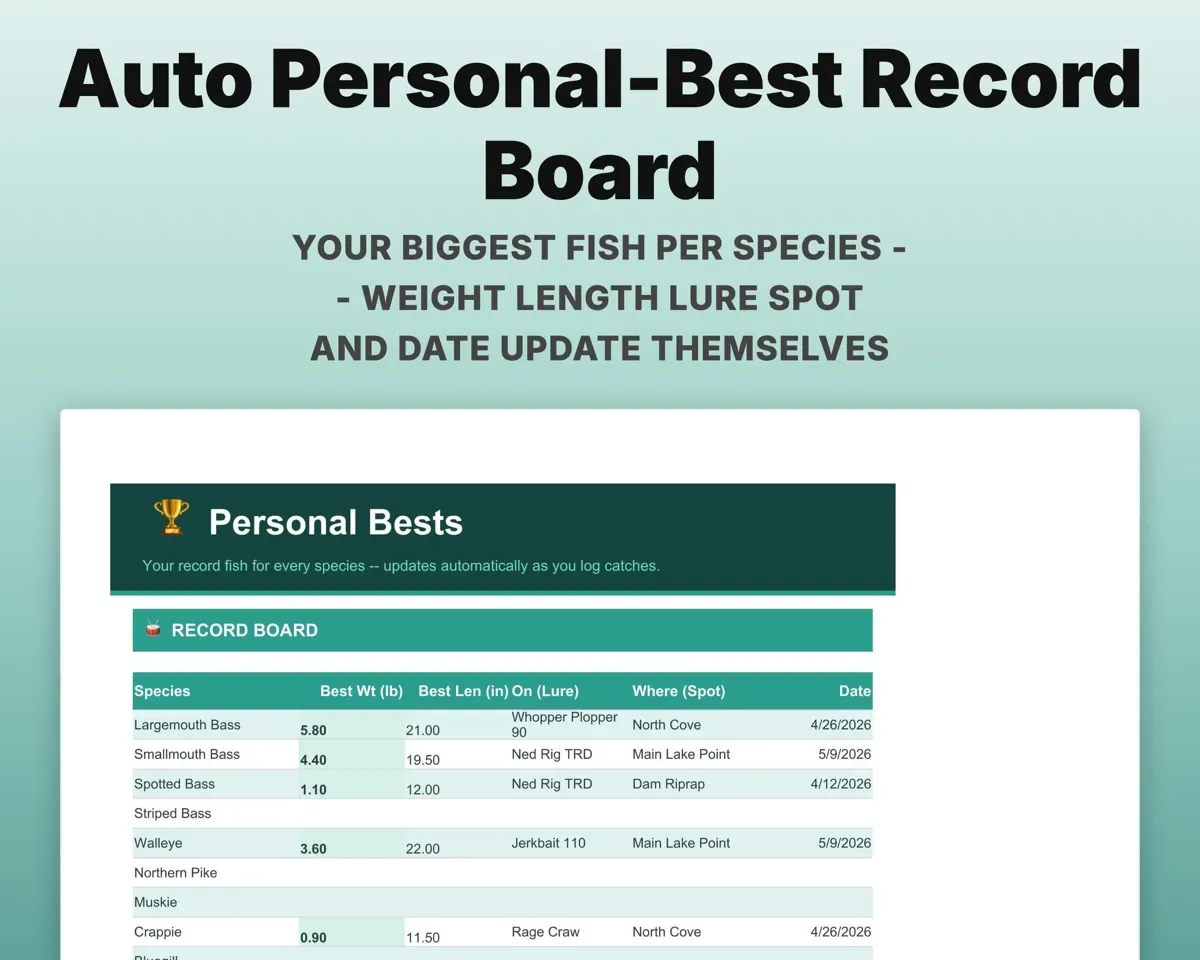
Hours fishedCatch per hourKeep a record board for every species
Your heaviest and longest fish of each species, with the lure, spot and date, updates as you log. The Catch Log stars each new best.
Species, weight, lengthPersonal bestNever fish on a lapsed license
Enter license and permit expiration dates on Settings. The Dashboard warns you 30 days before each one runs out.
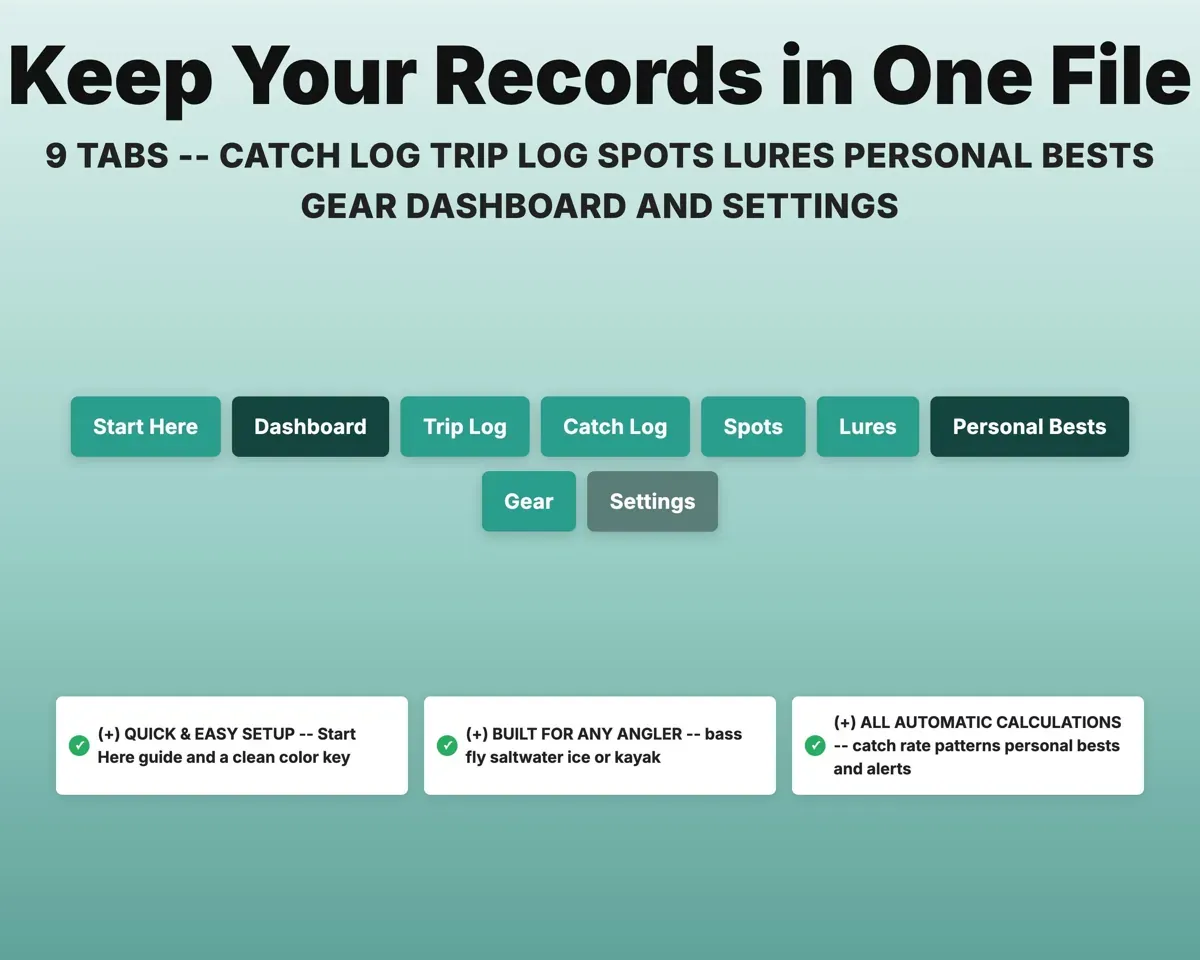
Expiration dates30-day warning9 tabs in one file
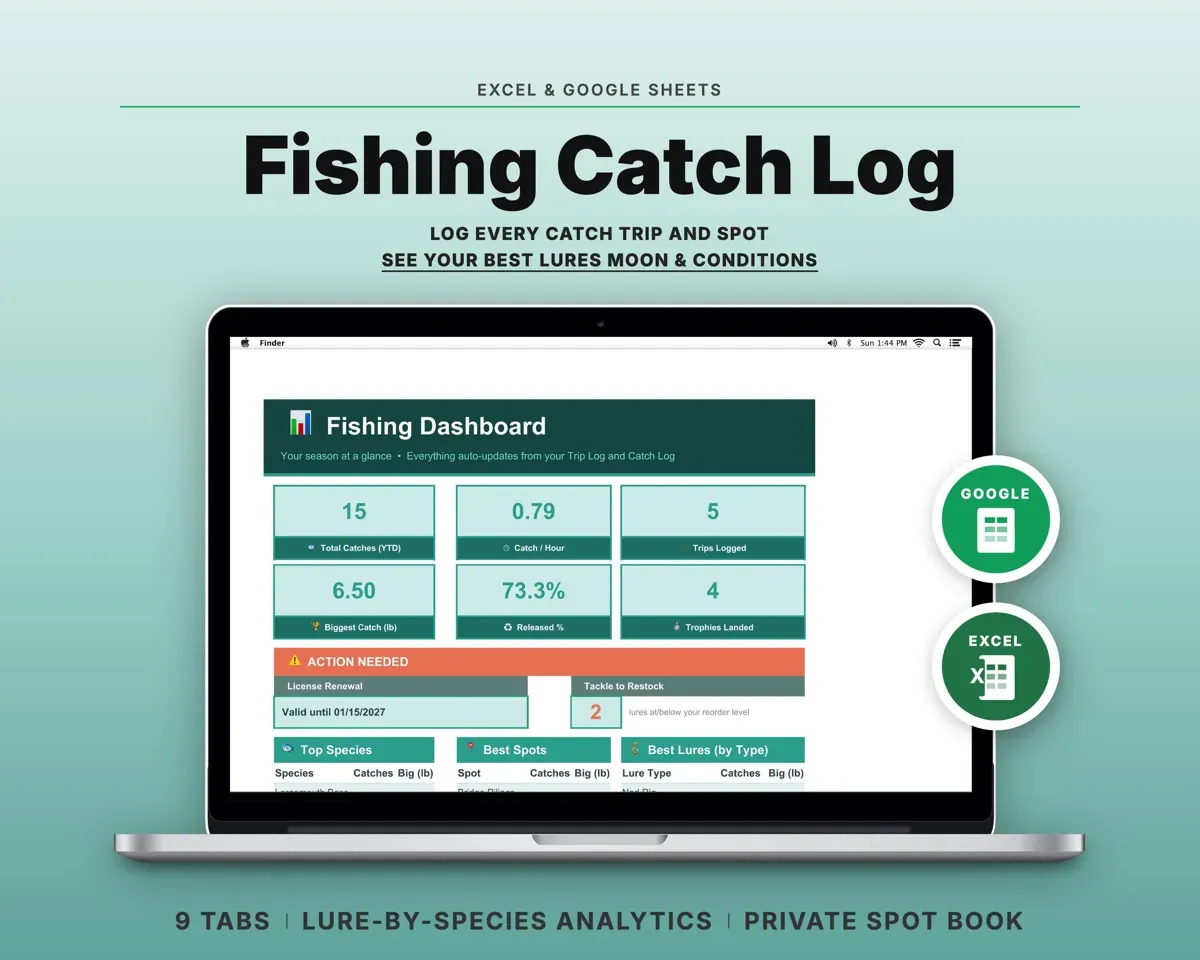
- Start Here
- Dashboard
- Trip Log
- Catch Log
- Spots
- Lures
- Personal Bests
- Gear
- Settings
- Start Here
- Setup steps, color key and a tour of every tab.
- Dashboard
- Catch rate, top species, best spots and lures, and alerts.
- Trip Log
- One row per outing with conditions and catch per hour.
- Catch Log
- Every fish landed, with personal bests flagged by species.
- Spots
- Your private spot book, ranked by what each spot produces.
- Lures
- Tackle inventory, lure results and restock alerts.
- Personal Bests
- Record weight and length for each species.
- Gear
- Rods, reels, line, electronics and how each is rigged.
- Settings
- Units, trophy sizes, license dates and your dropdown lists.
Pair it with
“Excellent! Very easy to use.”
“Nice Organization for 4H projects”
Before you buy
I fish for more than bass. Will it work?
Yes. The species list covers freshwater and inshore saltwater fish and is fully editable on Settings. The tide column is there for saltwater and can stay empty if you fish fresh water.
Are my spots kept private?
Yes. It is your own file, with no account, feed or public map. Each spot also has a Keep Private flag.
How many catches can it hold?
The Catch Log and Trip Log each have 500 rows, which covers several seasons for most anglers.
What do I get?
An Excel file (.xlsx), a filled-in sample to look at, and a quick-start PDF guide with a link that makes your own copy in Google Sheets.
How does delivery work?
You get your download links right after checkout, and Stripe emails your receipt. There is nothing to ship and nothing to wait for.
How do I set it up in Google Sheets?
Open the quick-start PDF and click the Google Sheets link. Google makes a copy in your own Drive that only you can edit. You need a free Google account.
Will it work on a Mac?
Yes. It works in Excel on Mac and Windows, and in Google Sheets in any browser.
I'm not a spreadsheet person. Is that a problem?
No. You only type in the yellow cells. Everything in gray works itself out, and the Start Here tab shows you where to begin.
Can I get a refund?
Templates are digital downloads, so sales are final. If a file won't open, is broken or doesn't match its description, email hello@cleanpixelstudios.com within 30 days and we'll fix it, or refund you if we can't.
What if I get stuck?
Email hello@cleanpixelstudios.com and we'll help you get it working.
More in Home, hobbies & travel
See all Home, hobbies & travel templates
 Made by Clean Pixel Studios
We start every template by reading what people in that line of work say they struggle with, then build the spreadsheet around those problems. This one was made for anglers and nobody else.
How we build templatesFishing Log Spreadsheet$13.99 · Excel + Google Sheets