Built around the jobs hunters actually do
Find out which stands actually produce
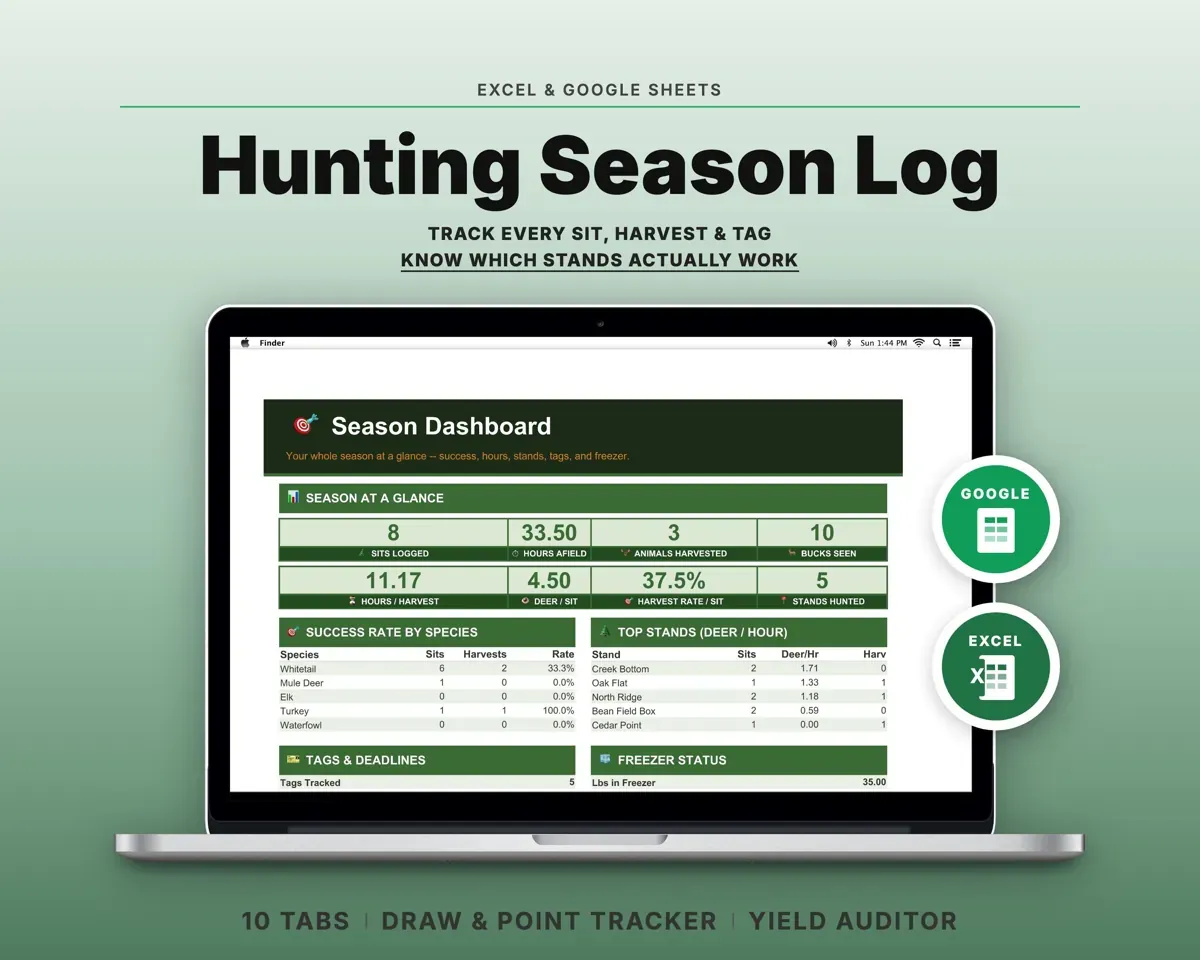
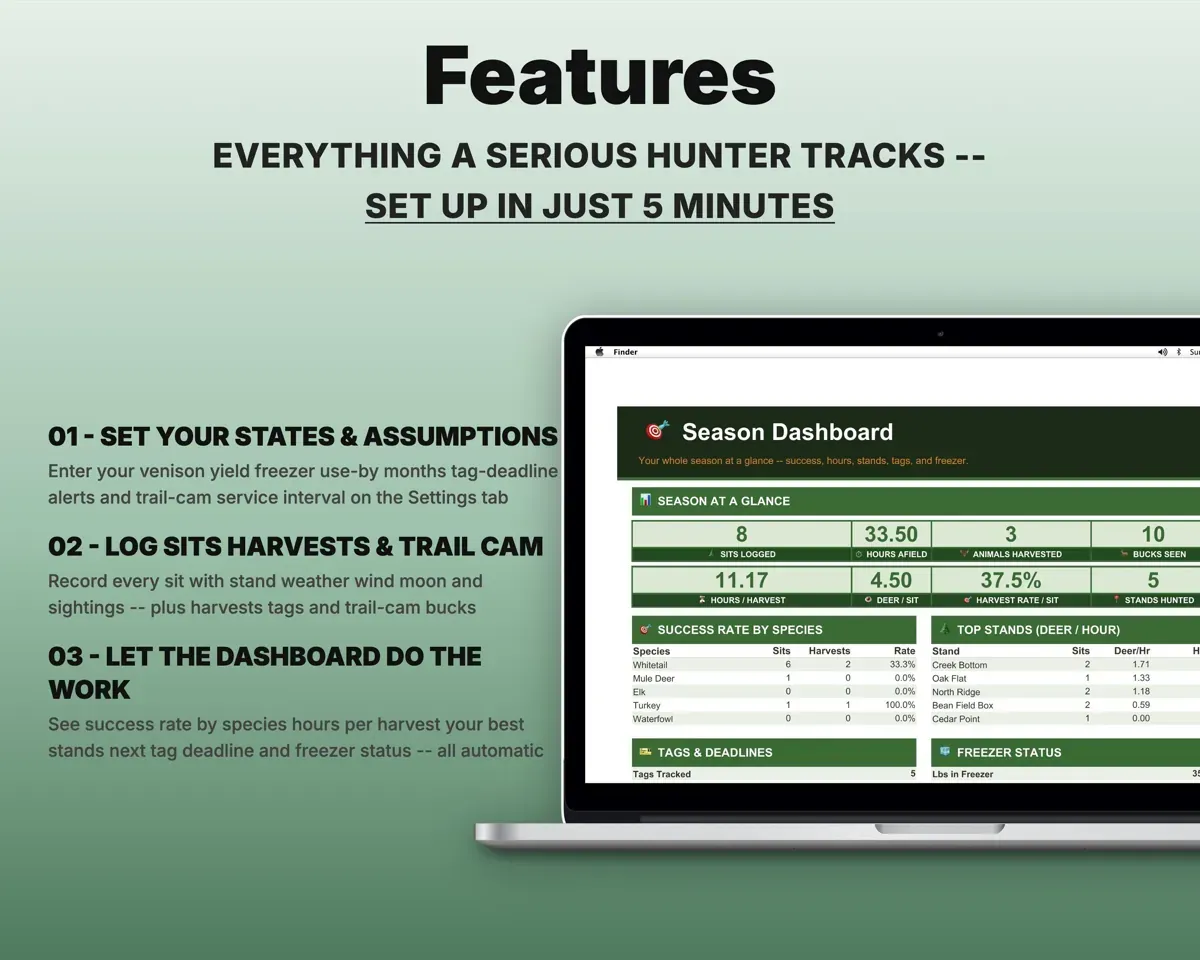
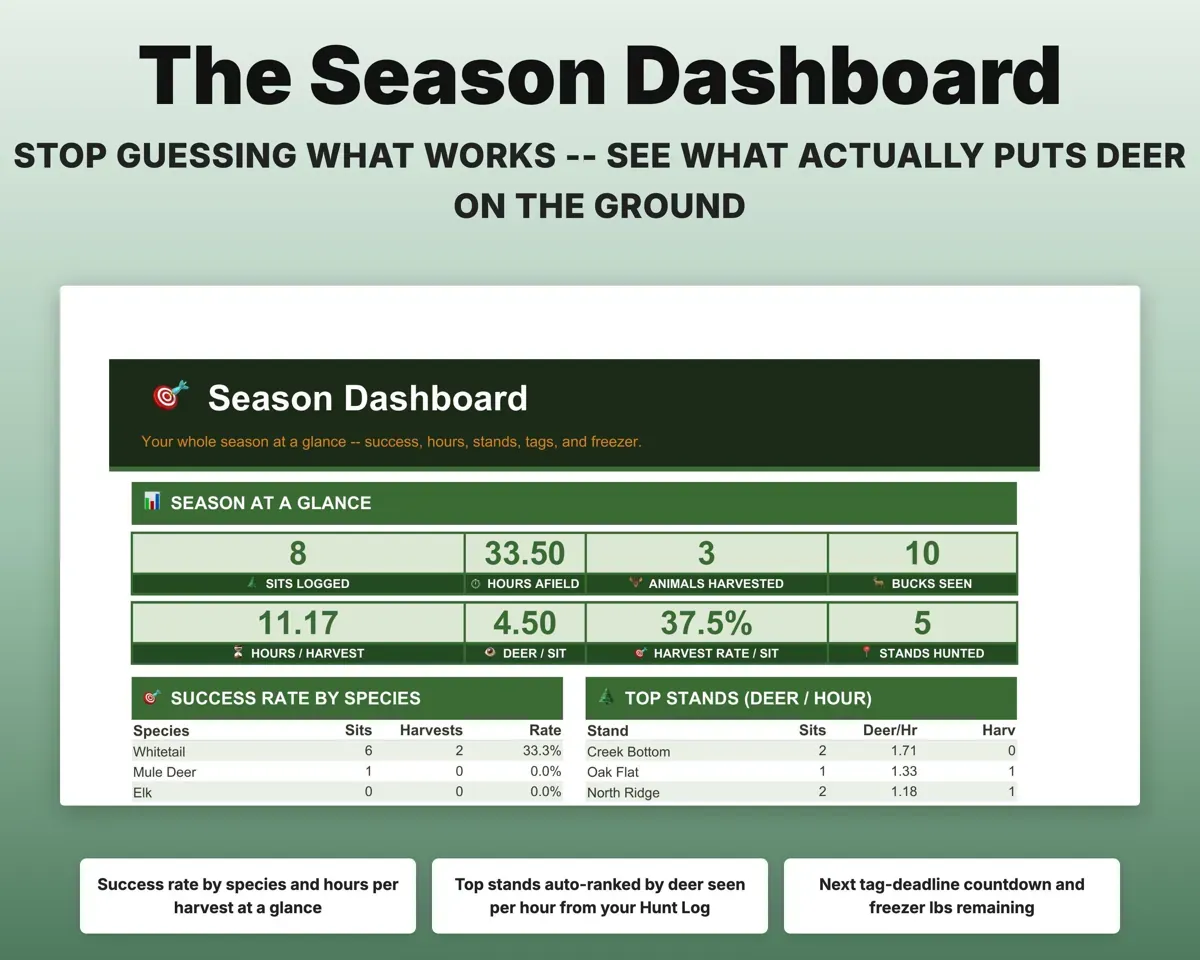
Log each sit with stand, weather, wind, moon, hours and deer seen. Stands rank by deer seen per hour, and the Dashboard shows success rate and hours per harvest.
Stand, wind, deer seenDeer seen per hourNever miss a draw deadline
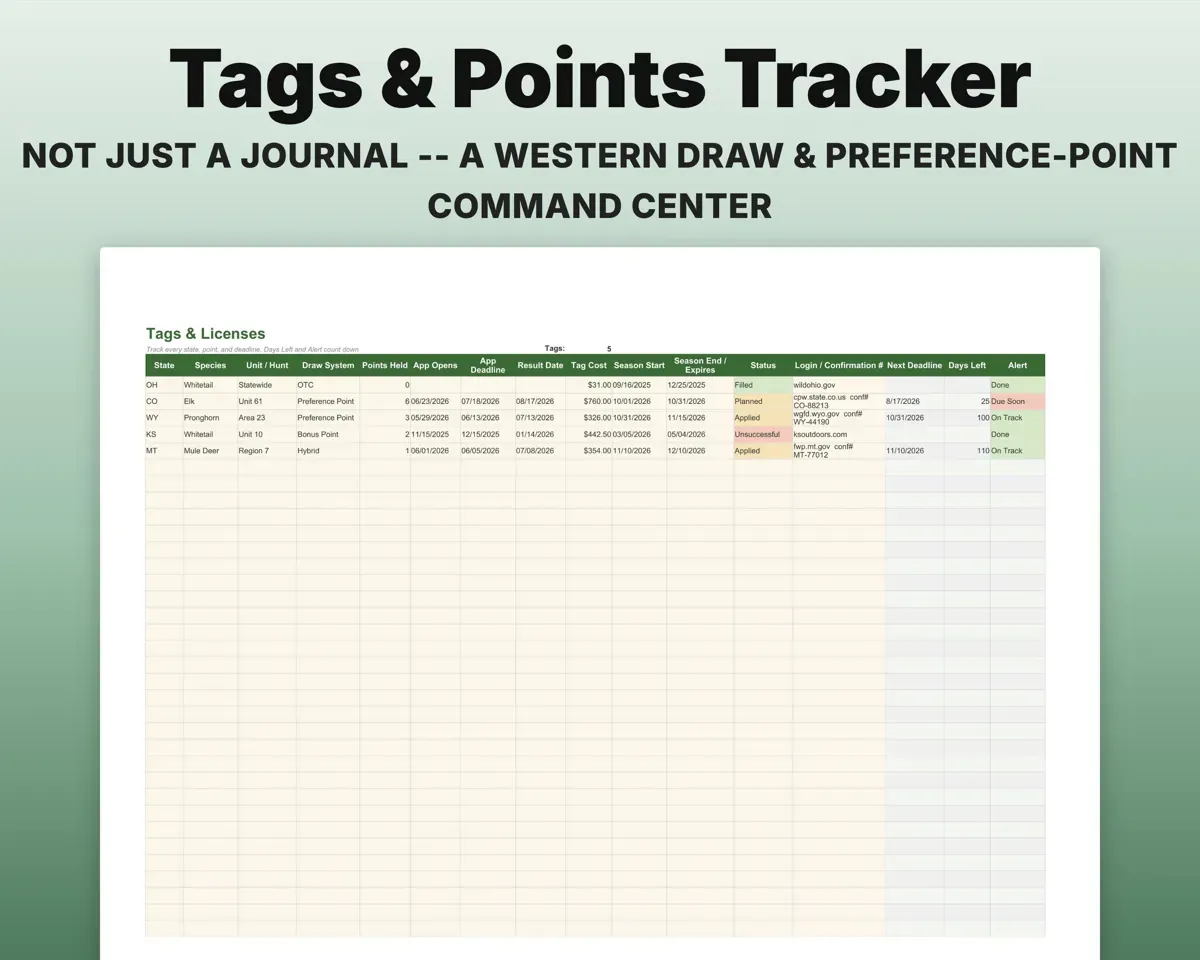
Track tags and preference points across states, with countdowns to application, draw and expiry dates.
Tags and pointsDays to next deadlinePattern bucks over several seasons
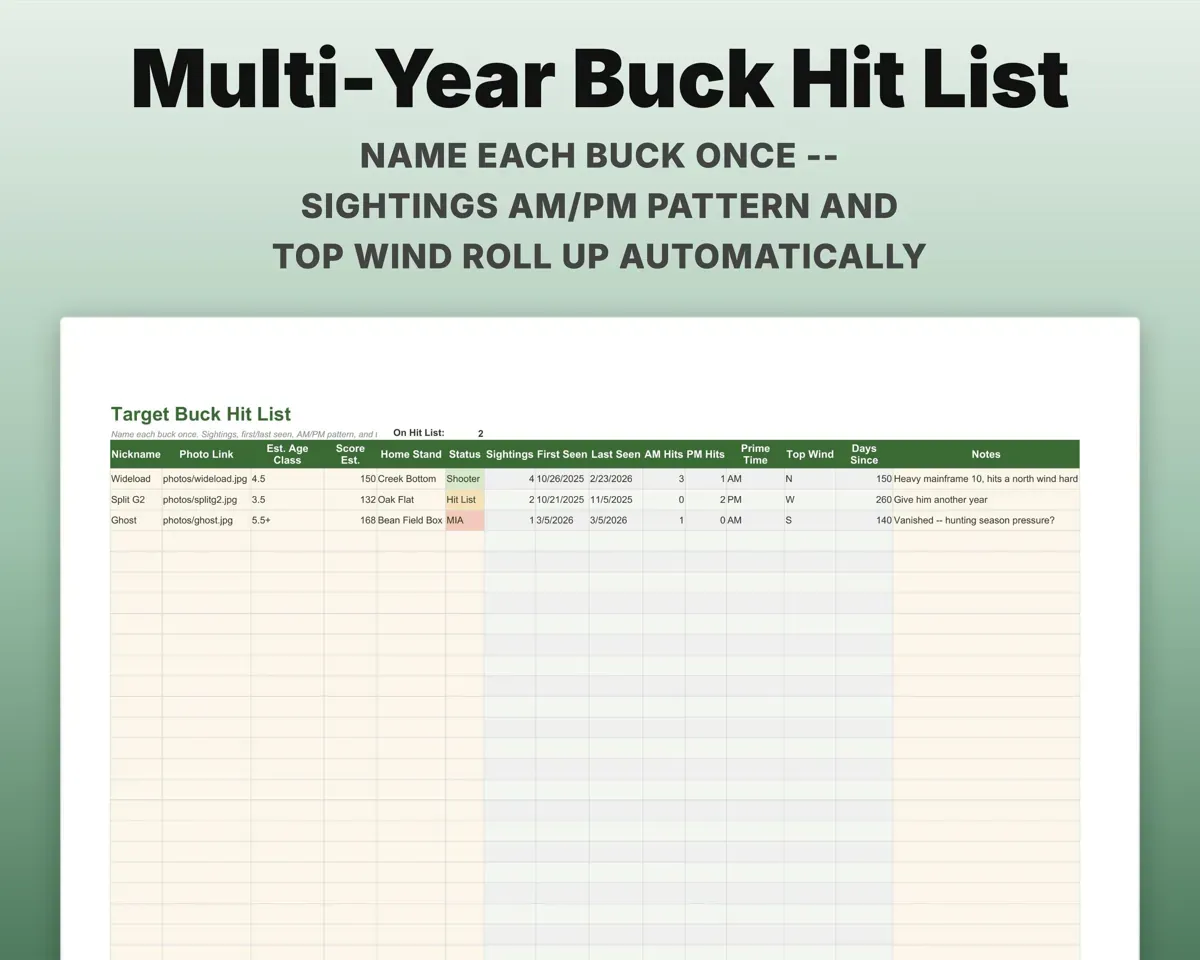
Name a buck once and every trail-cam sighting adds to his count, his AM or PM pattern and his most common wind.
Trail-cam sightingsAM/PM patternCheck your processor's yield
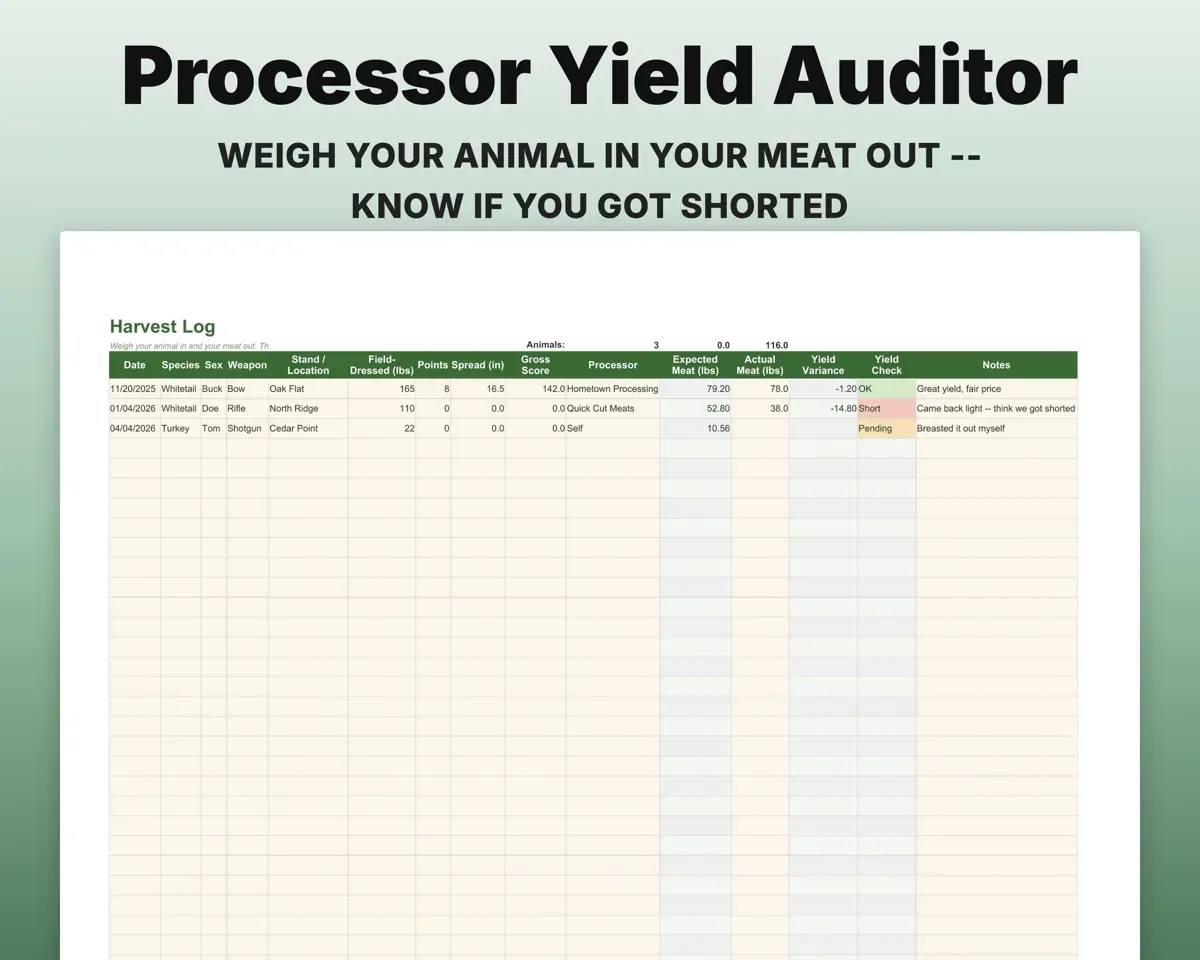
Enter field-dressed weight and the meat you got back. The sheet works out the expected yield and flags a return that comes up light.
Weight in, meat outYield checkEat the oldest venison first
Log packages by cut and source animal. Each gets a use-by date, and the Dashboard shows what to thaw first.
Cut and date packedUse-by dateKeep cameras and gear ready
A gear checklist and maintenance log, plus a camera register for batteries, SD cards and cellular renewals.
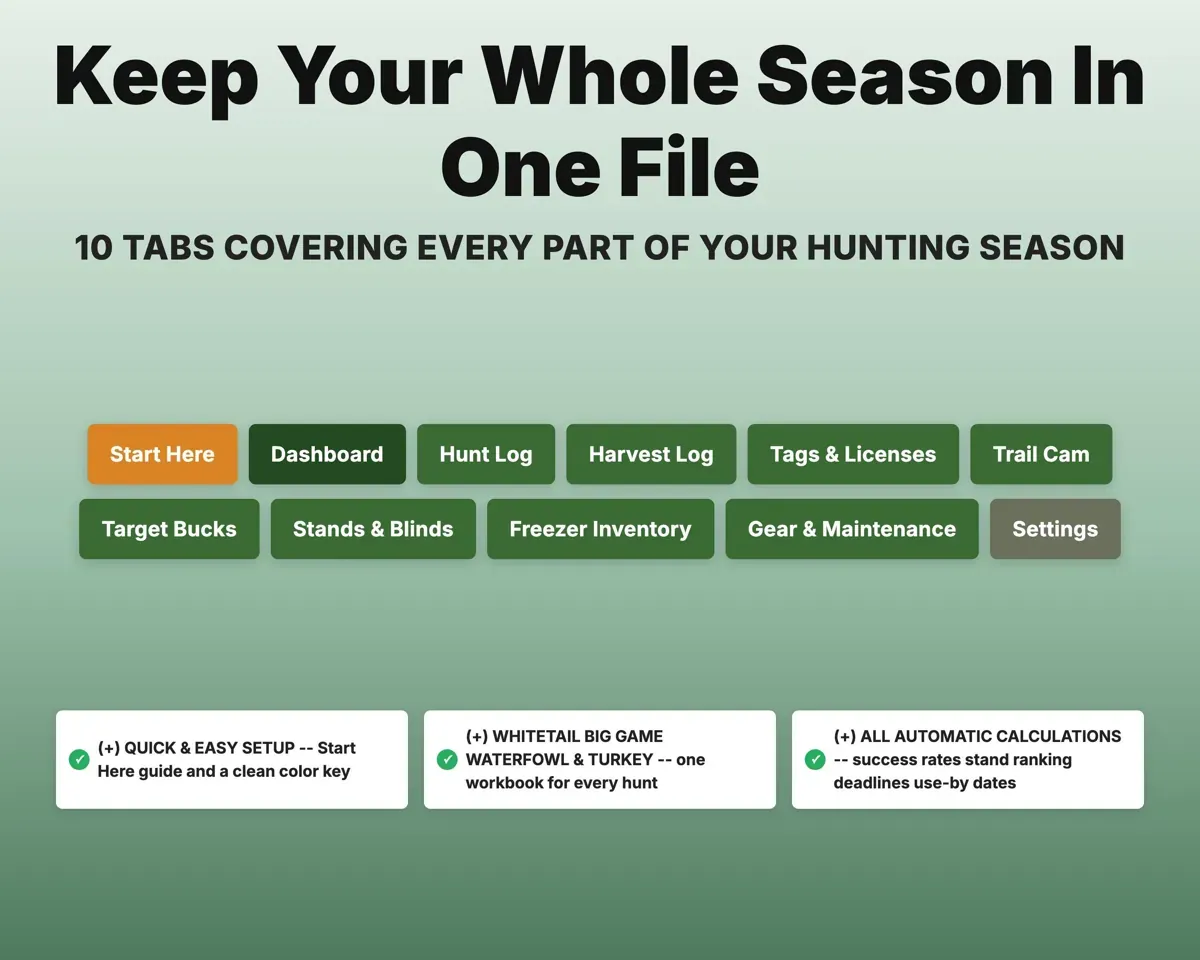
Gear and service datesReady or needs service11 tabs in one file
- Start Here
- Dashboard
- Hunt Log
- Harvest Log
- Tags & Licenses
- Trail Cam
- Target Bucks
- Stands & Blinds
- Freezer Inventory
- Gear & Maintenance
- Settings
- Start Here
- Setup steps and a guide to every tab.
- Dashboard
- Success rate, best stands, next deadline and freezer pounds.
- Hunt Log
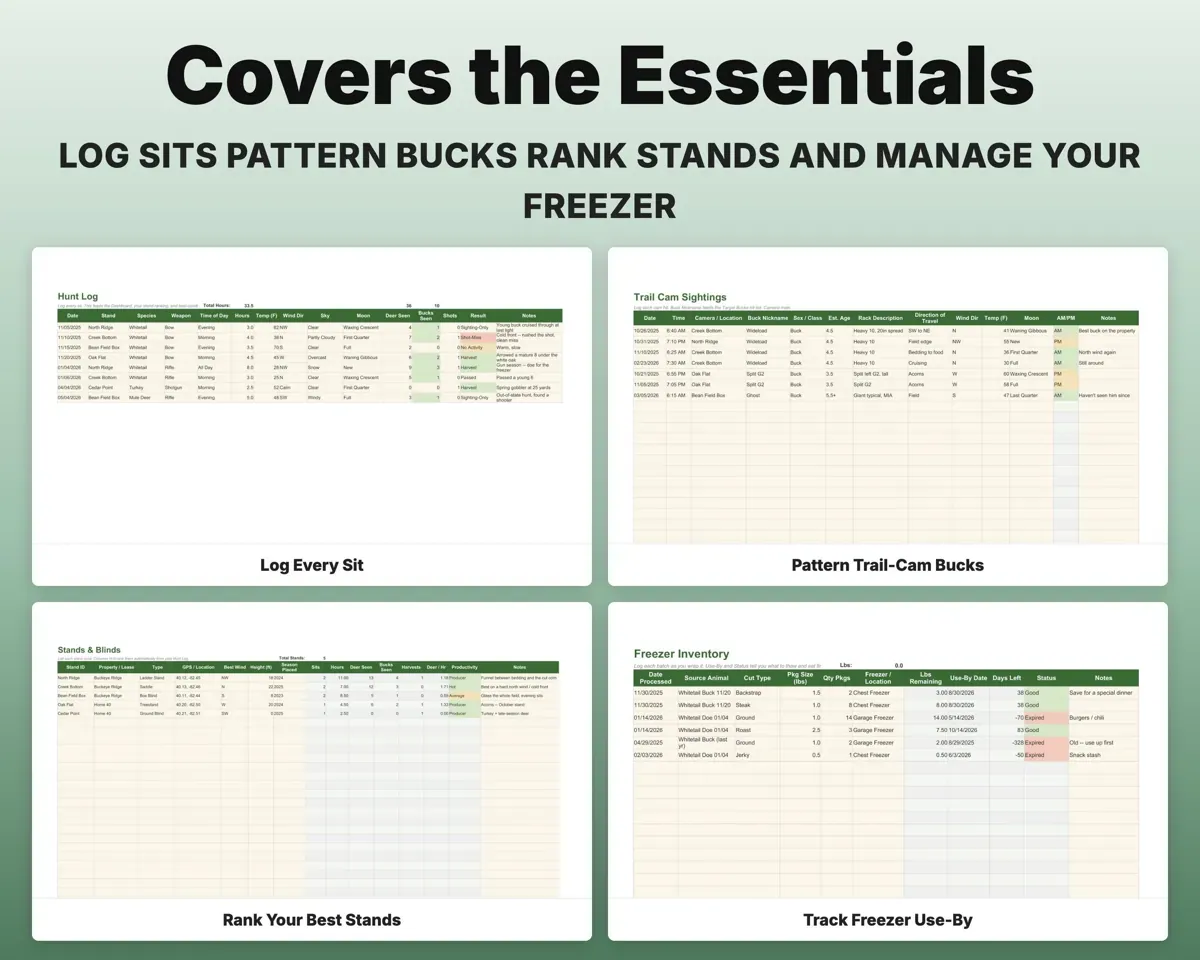
- Every sit with conditions, hours and deer seen.
- Harvest Log
- Harvests with antler score and a processor yield check.
- Tags & Licenses
- Tags and preference points with deadline countdowns.
- Trail Cam
- Sightings plus camera battery, SD and plan renewals.
- Target Bucks
- A multi-year hit list with each buck's pattern.
- Stands & Blinds
- Your stands ranked by deer seen per hour.
- Freezer Inventory
- Venison by cut and animal with use-by flags.
- Gear & Maintenance
- Gear checklist and service log.
- Settings
- Yield assumptions, use-by rules, alerts and dropdown lists.
Pair it with
“Excellent! Very easy to use.”
“Nice Organization for 4H projects”
Before you buy
Is it only for whitetail?
No. Tags & Licenses handles multi-state draws and points for elk, mule deer and pronghorn, and the logs cover any species.
Can I use it for turkey or waterfowl?
Yes. Species, weapons and stand types are editable dropdowns, so one file covers them all.
How does the yield check work?
It works out expected meat from field-dressed weight using the yield you set on Settings, then flags any return that comes in more than a few percent short.
What do I get?
An Excel file (.xlsx), a filled-in sample to look at, and a quick-start PDF guide with a link that makes your own copy in Google Sheets.
How does delivery work?
You get your download links right after checkout, and Stripe emails your receipt. There is nothing to ship and nothing to wait for.
How do I set it up in Google Sheets?
Open the quick-start PDF and click the Google Sheets link. Google makes a copy in your own Drive that only you can edit. You need a free Google account.
Will it work on a Mac?
Yes. It works in Excel on Mac and Windows, and in Google Sheets in any browser.
I'm not a spreadsheet person. Is that a problem?
No. You only type in the yellow cells. Everything in gray works itself out, and the Start Here tab shows you where to begin.
Can I get a refund?
Templates are digital downloads, so sales are final. If a file won't open, is broken or doesn't match its description, email hello@cleanpixelstudios.com within 30 days and we'll fix it, or refund you if we can't.
What if I get stuck?
Email hello@cleanpixelstudios.com and we'll help you get it working.
More in Home, hobbies & travel
See all Home, hobbies & travel templates
 Made by Clean Pixel Studios
We start every template by reading what people in that line of work say they struggle with, then build the spreadsheet around those problems. This one was made for hunters and nobody else.
How we build templatesHunting Season Log Spreadsheet$16.99 · Excel + Google Sheets