Built around the jobs RV travelers actually do
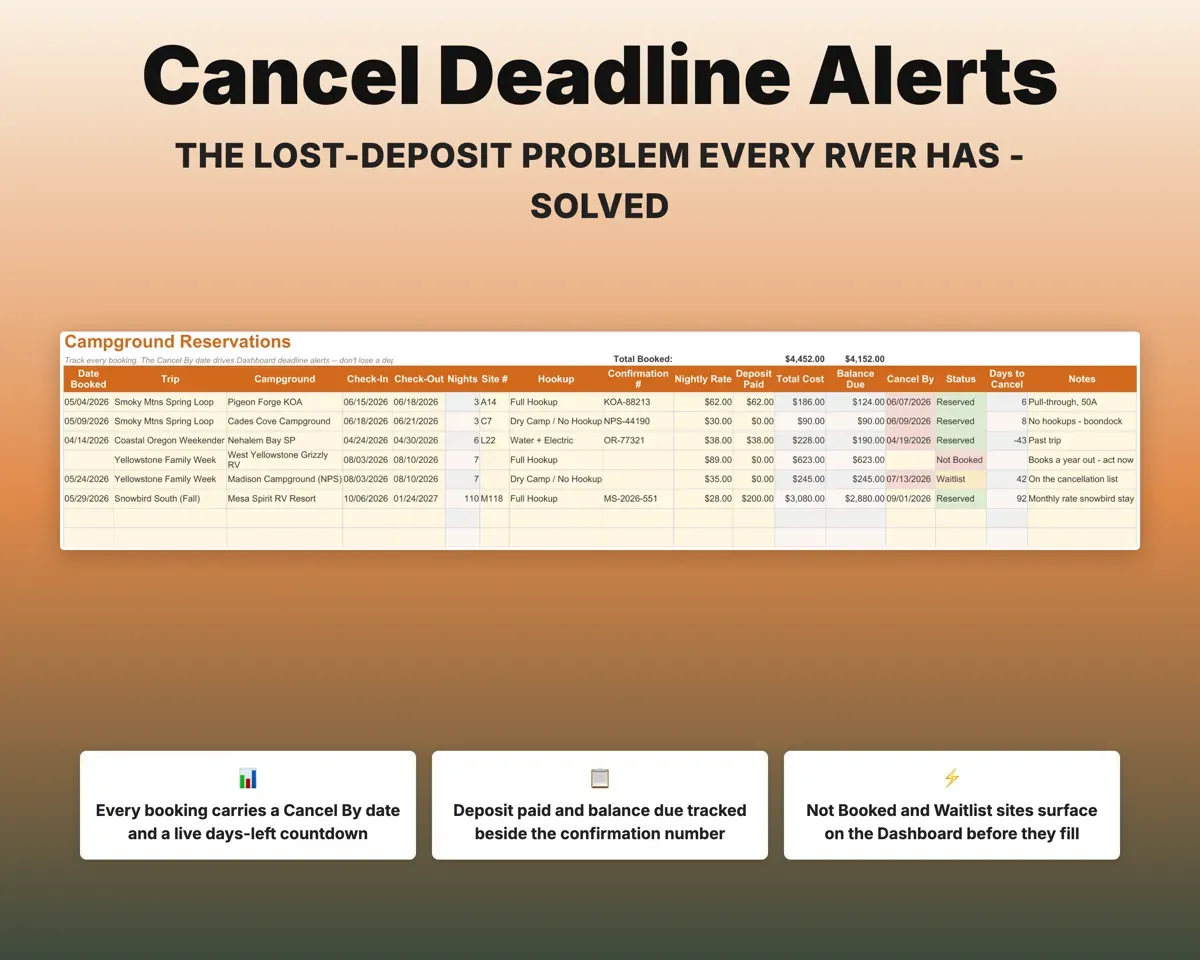
Never miss a cancel-by date
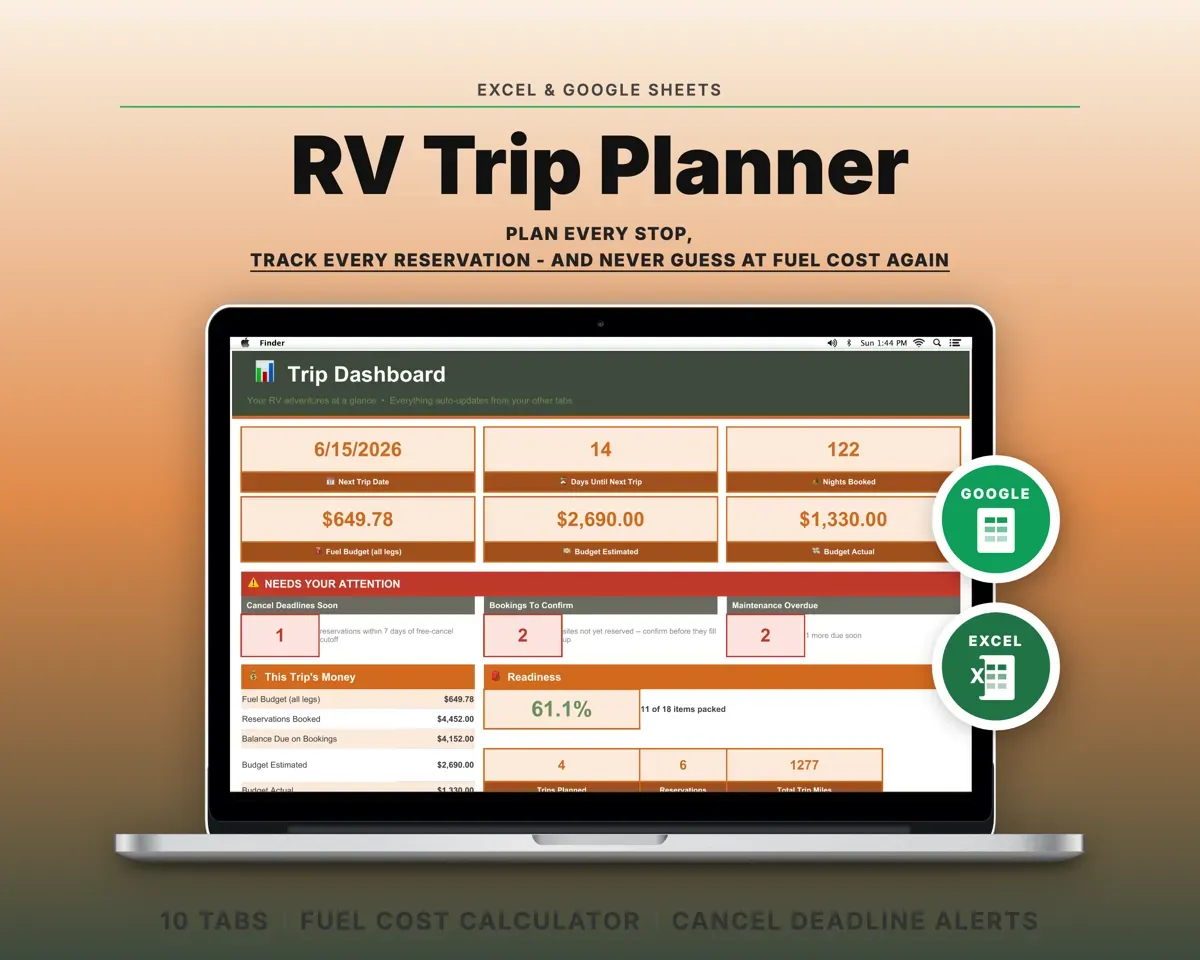
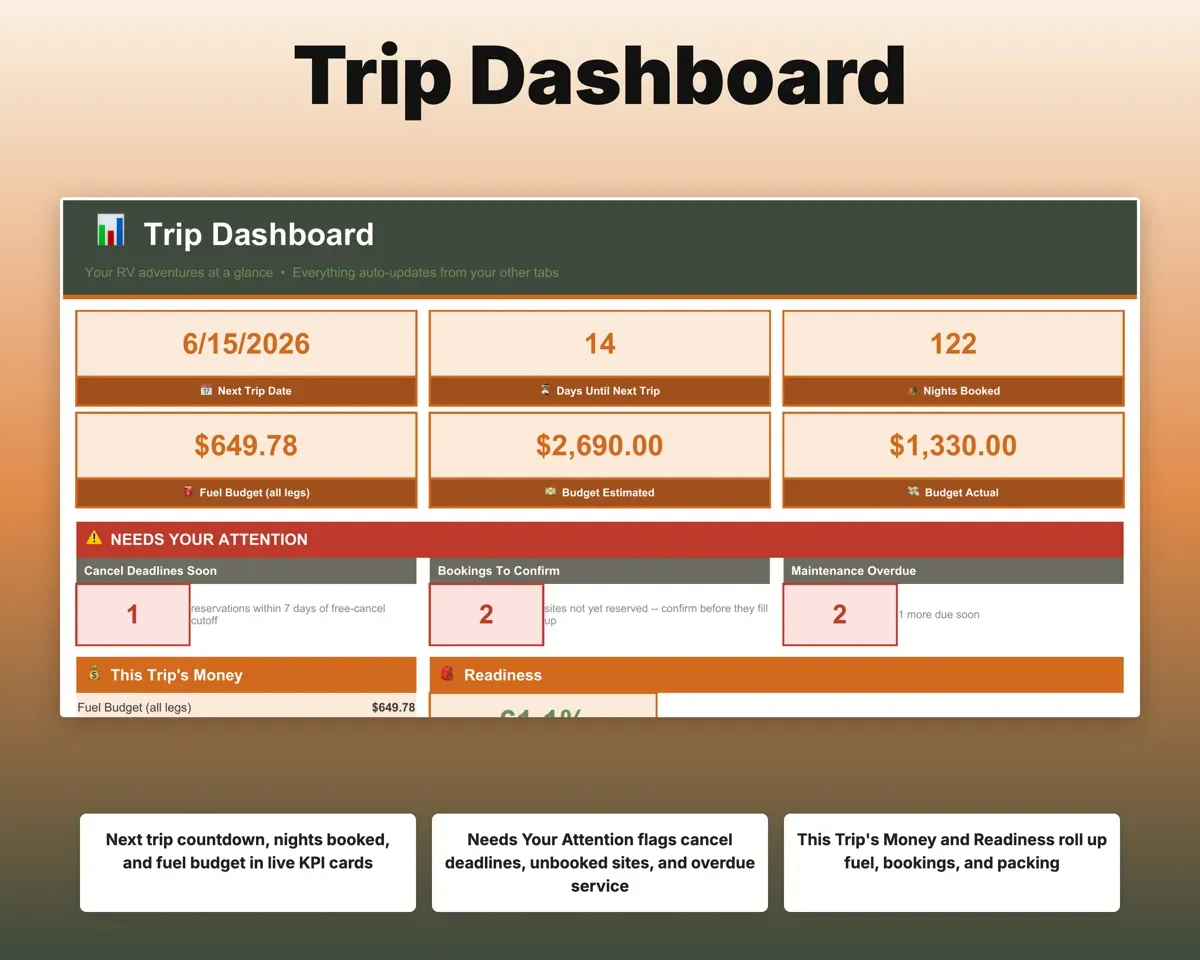
Each campground booking has a cancel-by date, deposit, balance and confirmation number. The Dashboard counts down deadlines in your warning window and lists sites not yet booked.
Cancel-by date, depositUpcoming deadlinesPrice the fuel before you leave
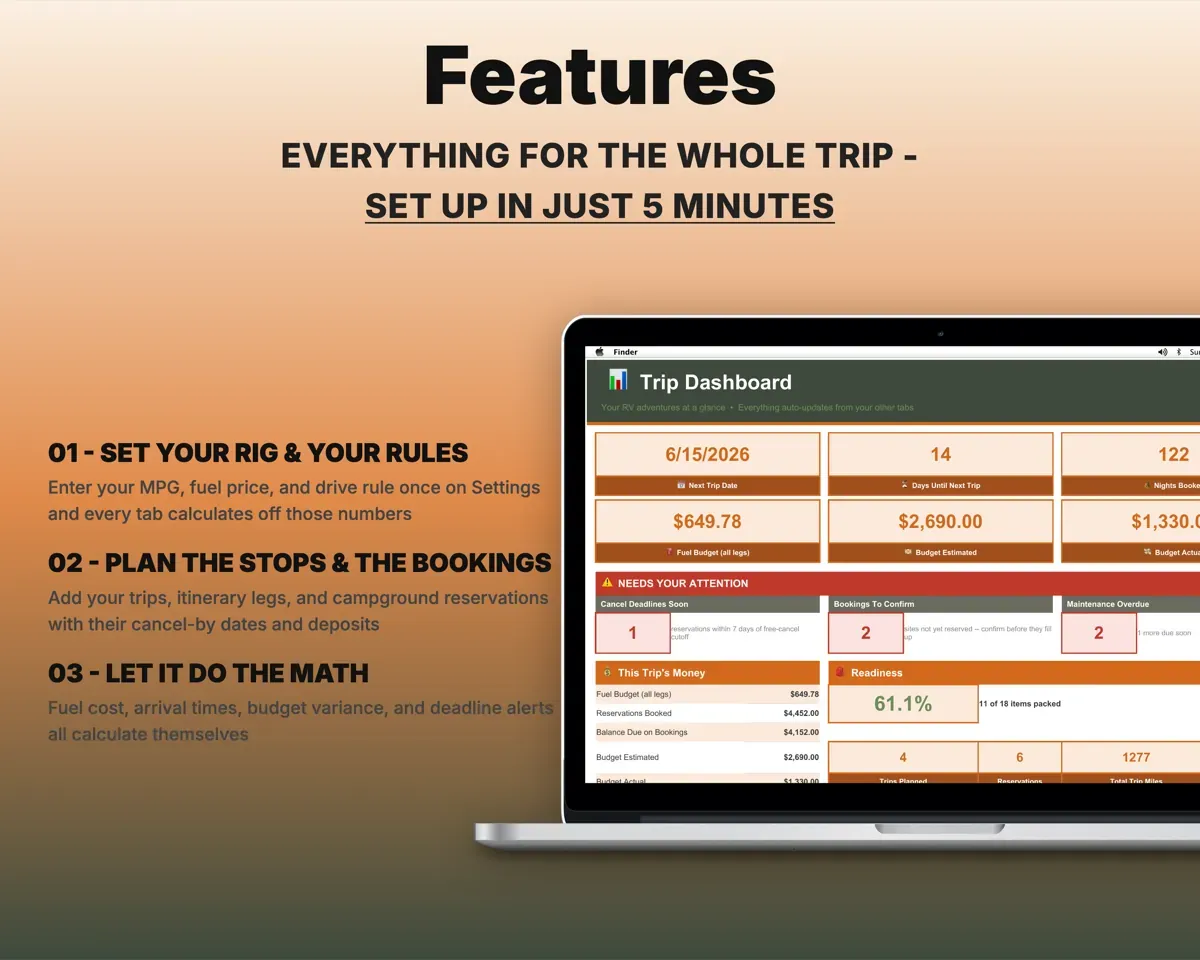
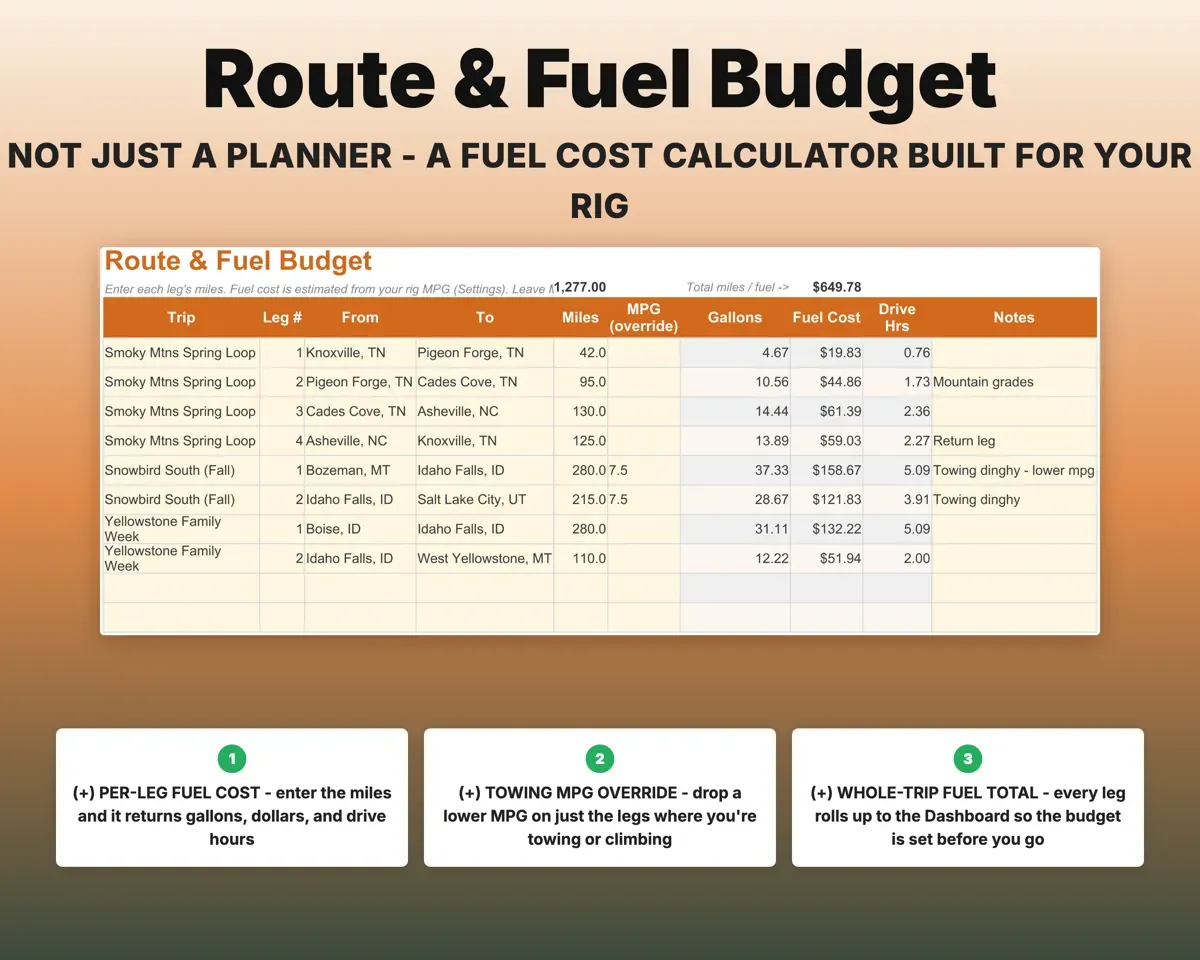
Enter miles for each leg. Your rig's MPG and fuel price give gallons, cost and drive hours, with a per-leg MPG override for towing days.
Miles per legFuel cost per legKeep drive days reasonable
Set your max miles per day and arrive-by hour. Each leg gets an arrival time and a flag if it runs too long or too late.
Stops, depart timeArrival time checkSee where the trip money went
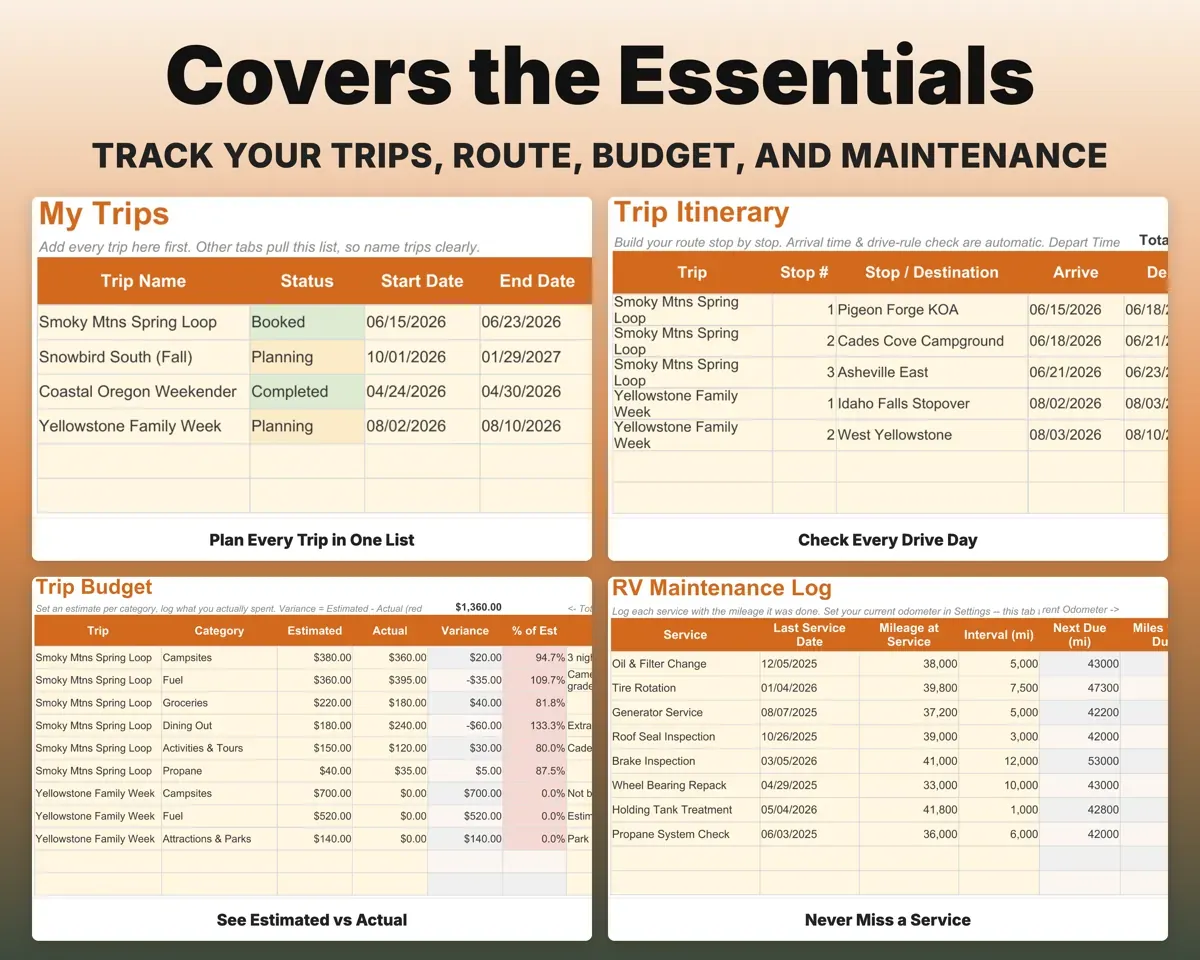
Set an estimate per category and log what you actually spent. The variance shows which categories ran over.
Estimate, actualVariance by categoryKnow what the rig needs next
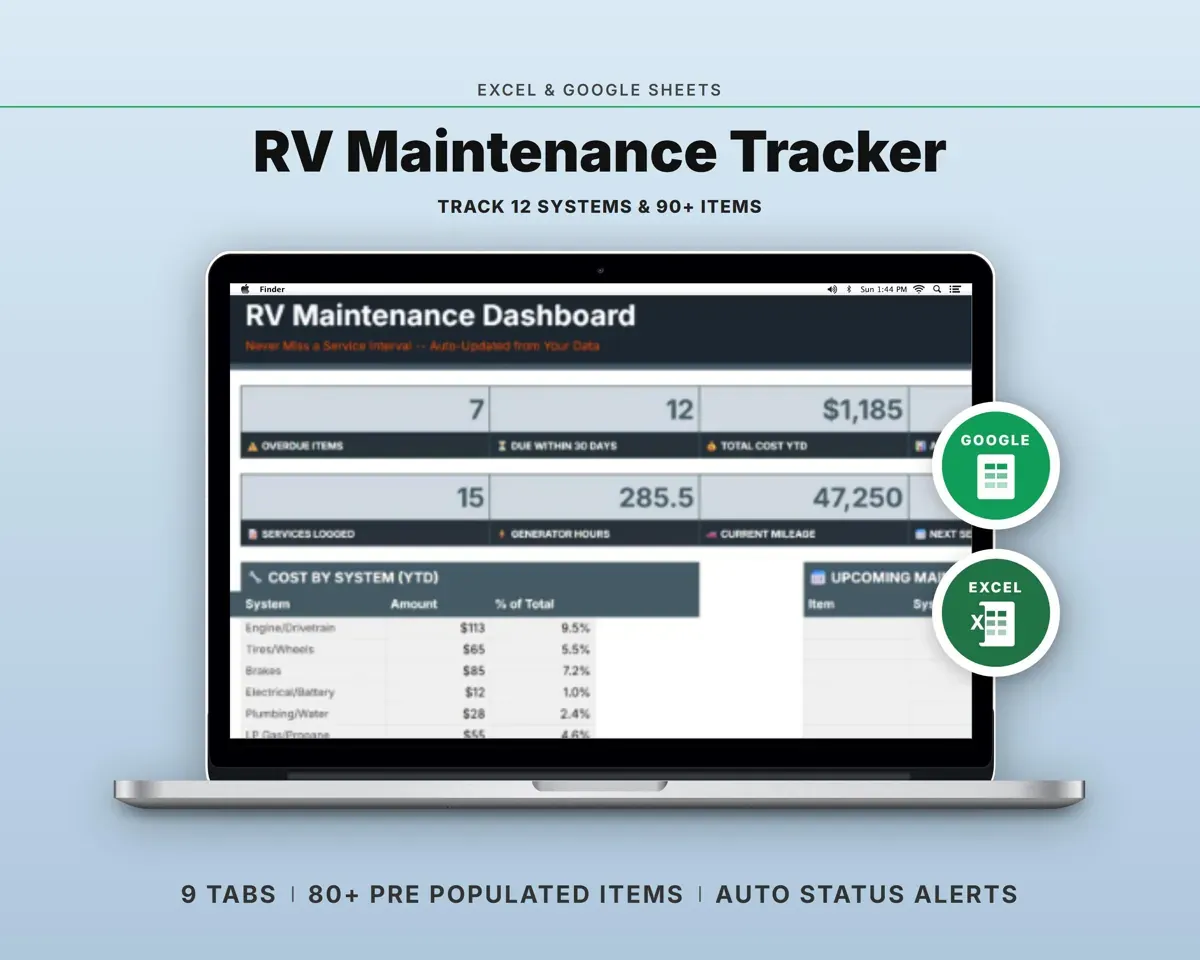
Log services with their mileage. With your odometer set, the sheet shows miles until due and flags Overdue and Due Soon.
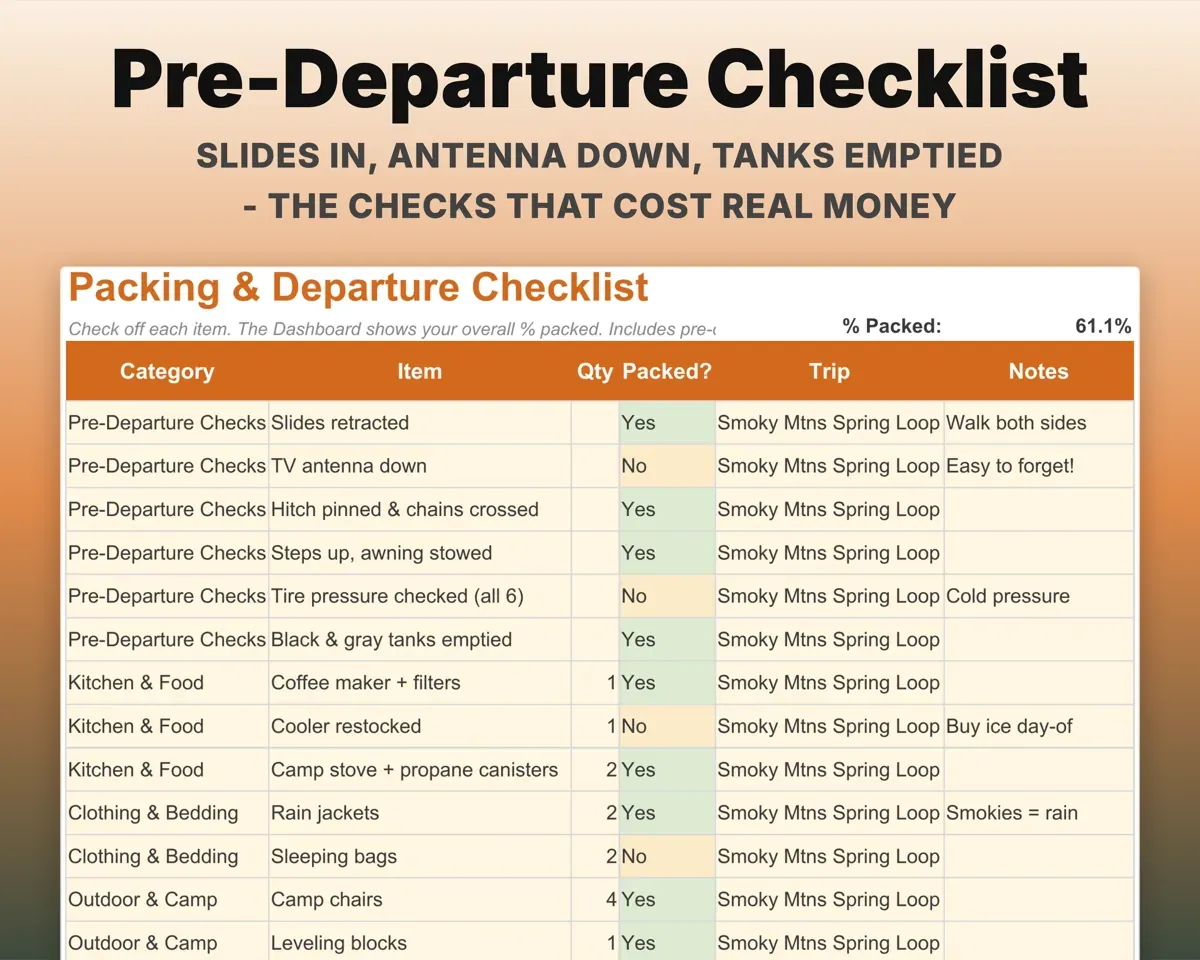
Service mileageMiles until dueLeave nothing in the driveway
Pre-departure checks like slides in, antenna down and hitch pinned come first, then kitchen, camp, tools and pet gear.
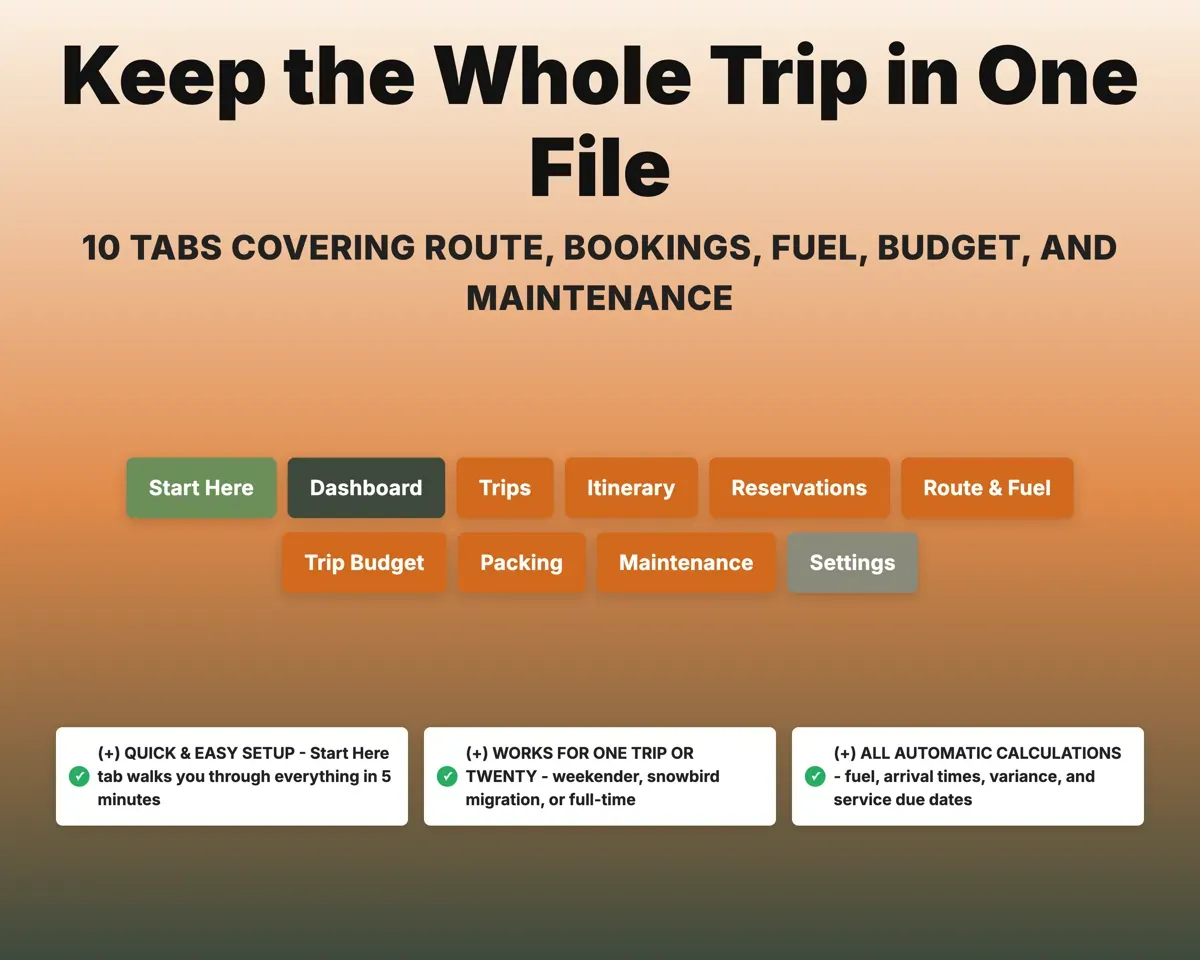
CheckmarksPercent packed10 tabs in one file
- Start Here
- Dashboard
- Trips
- Itinerary
- Reservations
- Route & Fuel
- Trip Budget
- Packing
- Maintenance
- Settings
- Start Here
- Setup steps and a short guide to every tab.
- Dashboard
- Next trip countdown, budget, deadlines and what needs attention.
- Trips
- Every trip with dates, nights, miles and budget.
- Itinerary
- Stop-by-stop route with arrival times and drive-rule checks.
- Reservations
- Campgrounds, sites, deposits, balances and cancel-by dates.
- Route & Fuel
- Fuel cost per leg from your MPG and fuel price.
- Trip Budget
- Estimated versus actual spending by category.
- Packing
- Pre-departure checks and a full packing list.
- Maintenance
- Mileage-based service log with next-due flags.
- Settings
- Your rig, MPG, fuel price, drive rule and dropdown lists.
Pair it with
“Excellent! Very easy to use.”
“Nice Organization for 4H projects”
Before you buy
Does it give directions or maps?
No. Use your GPS or routing app for that. This covers what those leave out: deposits, cancel deadlines, fuel cost for your rig, budget and maintenance.
I tow a trailer. Does the fuel math still work?
Yes. Set your usual MPG on the Settings tab, then enter a lower MPG for any towing or mountain leg on the Route & Fuel tab.
Is it too much for weekend trips?
No. A weekend uses the same tabs lightly: one trip, a couple of reservations and a short route. Nothing is required.
What do I get?
An Excel file (.xlsx), a filled-in sample to look at, and a quick-start PDF guide with a link that makes your own copy in Google Sheets.
How does delivery work?
You get your download links right after checkout, and Stripe emails your receipt. There is nothing to ship and nothing to wait for.
How do I set it up in Google Sheets?
Open the quick-start PDF and click the Google Sheets link. Google makes a copy in your own Drive that only you can edit. You need a free Google account.
Will it work on a Mac?
Yes. It works in Excel on Mac and Windows, and in Google Sheets in any browser.
I'm not a spreadsheet person. Is that a problem?
No. You only type in the yellow cells. Everything in gray works itself out, and the Start Here tab shows you where to begin.
Can I get a refund?
Templates are digital downloads, so sales are final. If a file won't open, is broken or doesn't match its description, email hello@cleanpixelstudios.com within 30 days and we'll fix it, or refund you if we can't.
What if I get stuck?
Email hello@cleanpixelstudios.com and we'll help you get it working.
More in Home, hobbies & travel
See all Home, hobbies & travel templates
 Made by Clean Pixel Studios
We start every template by reading what people in that line of work say they struggle with, then build the spreadsheet around those problems. This one was made for RV travelers and nobody else.
How we build templatesRV Trip Planner$14.99 · Excel + Google Sheets