Built around the jobs homeowners decorating their own space actually do
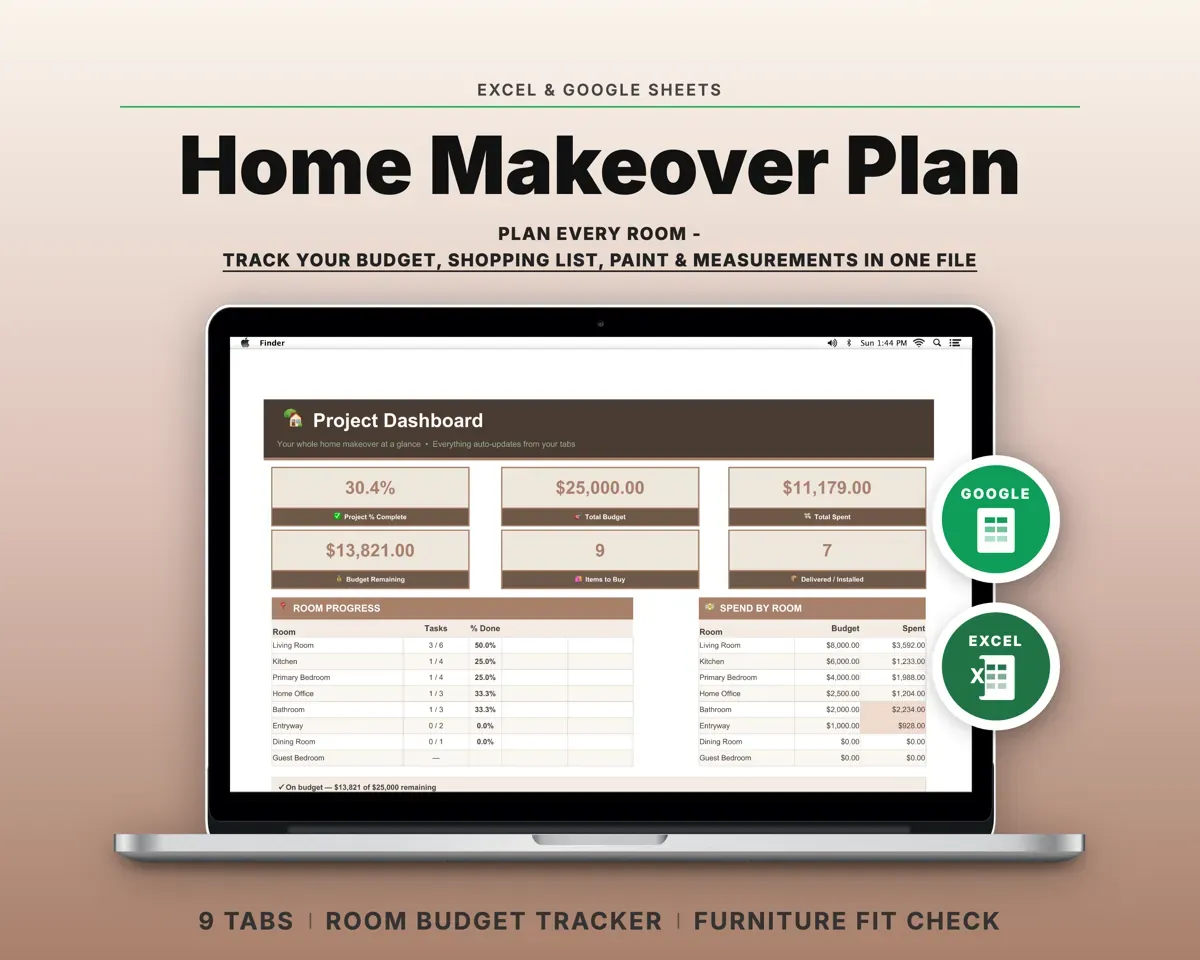
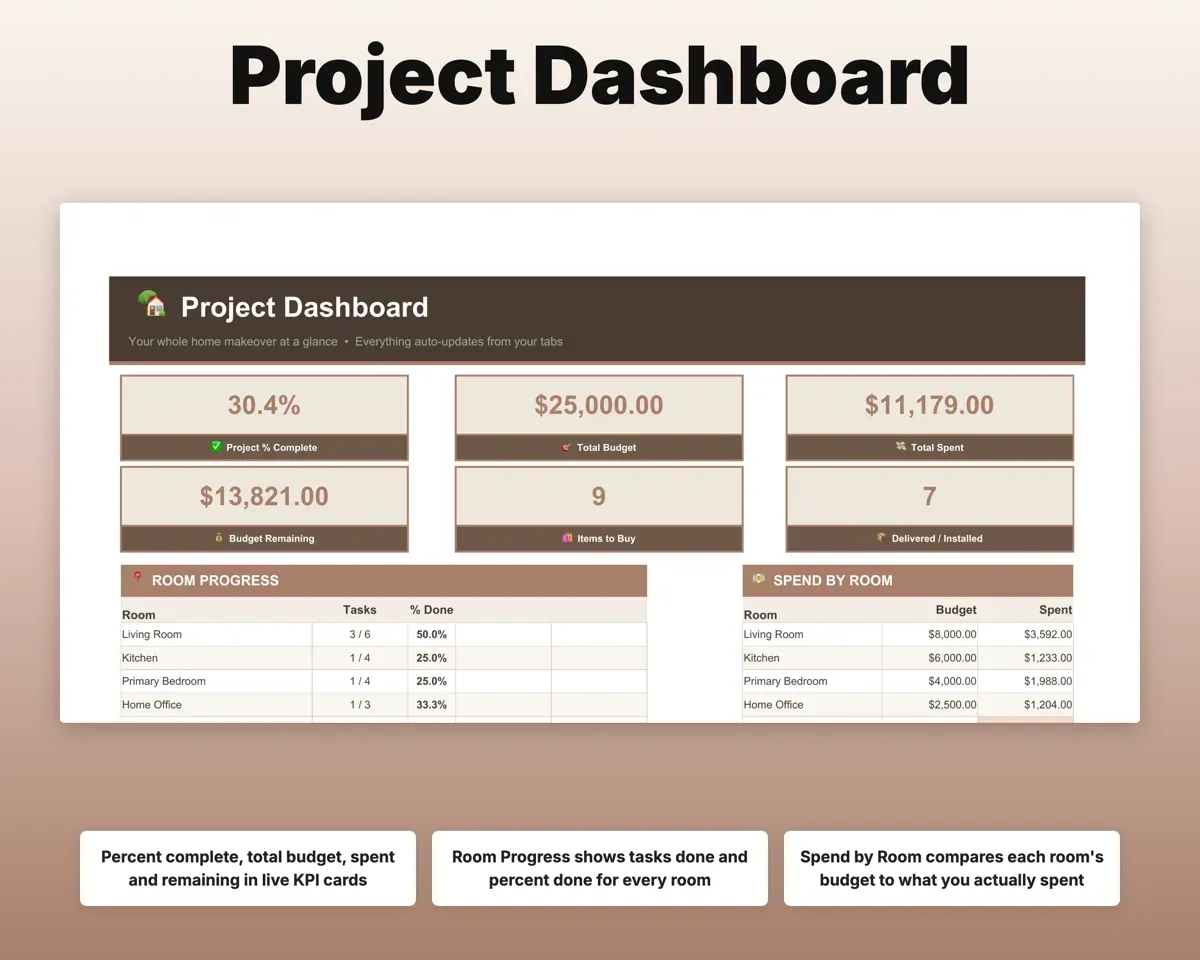
See how far along each room is
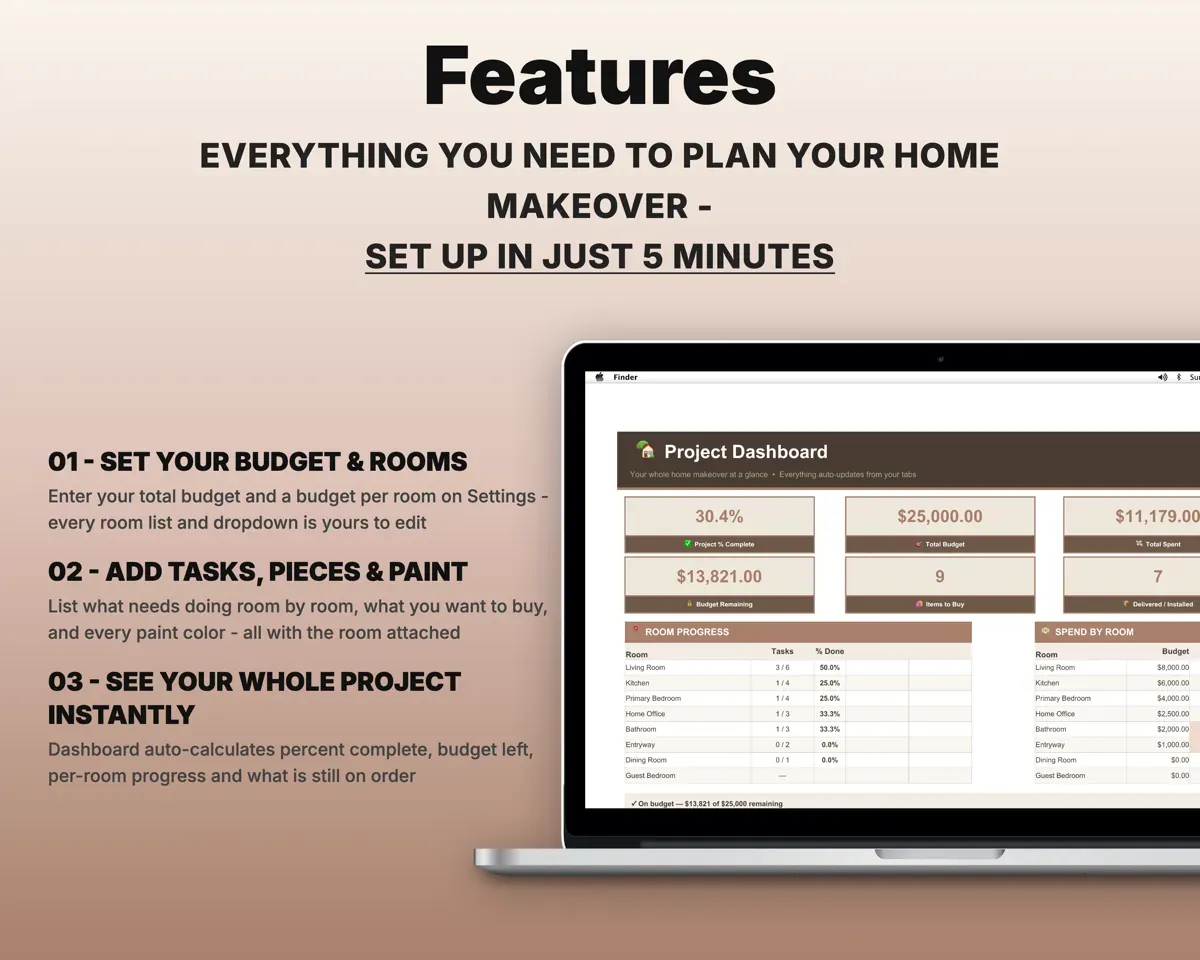
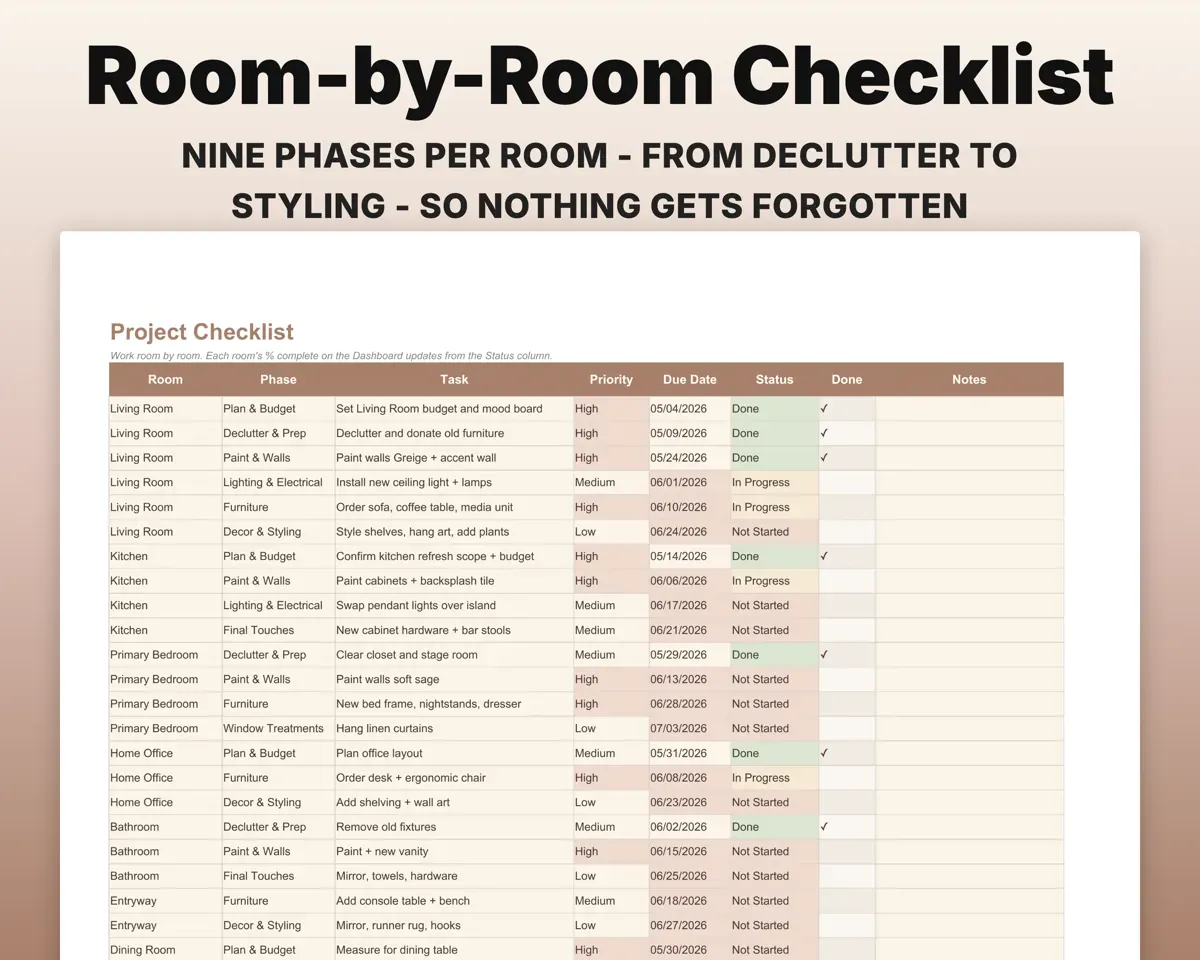
Tasks run across nine phases, from planning to styling, with priority, due date and status. The Dashboard shows percent complete for each room.
Tasks and statusPercent completeStay inside each room's budget
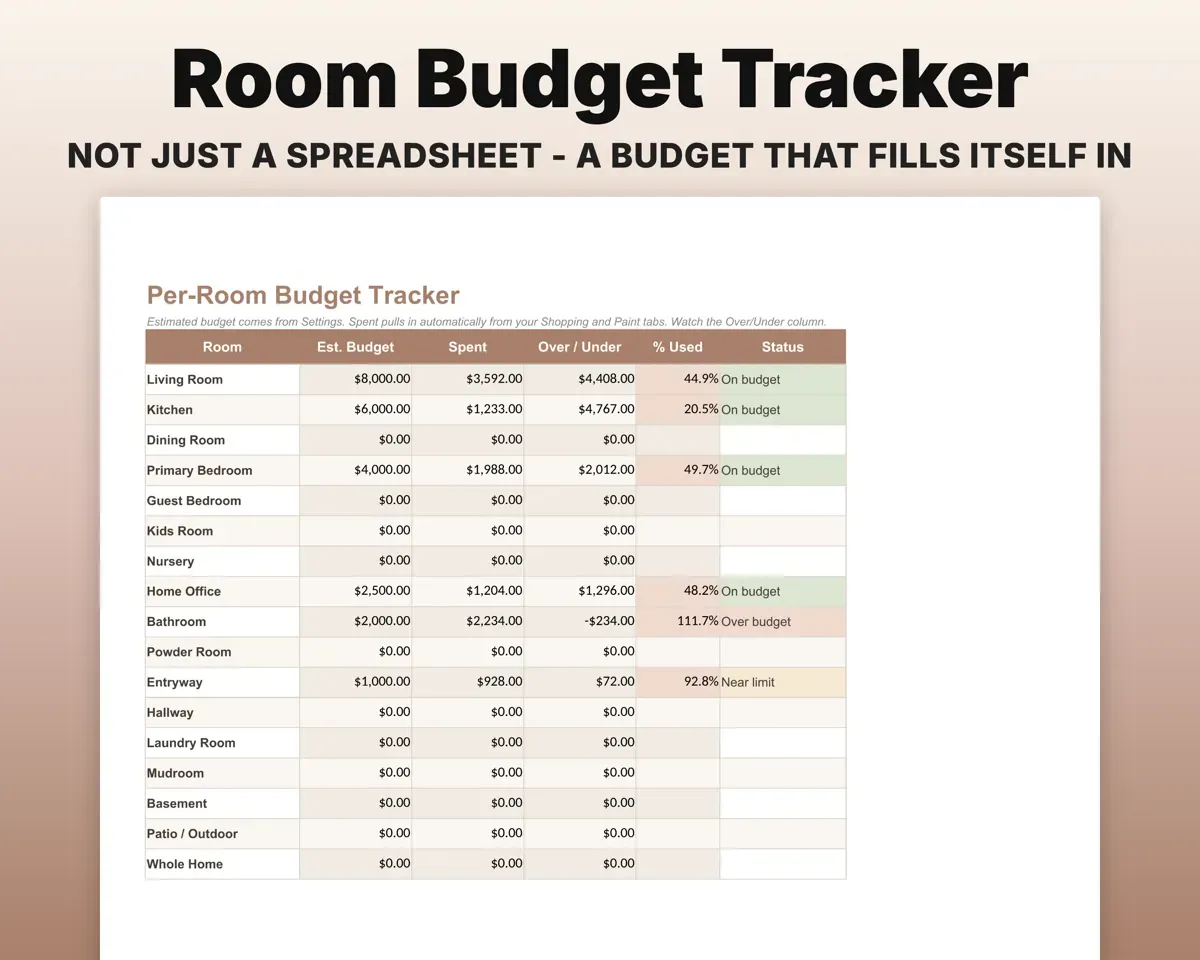
Set a budget per room. Shopping and paint costs flow into the Budget tab with over or under amounts and a Near Limit warning.
Room budgetsOver or underCheck furniture fits before you order
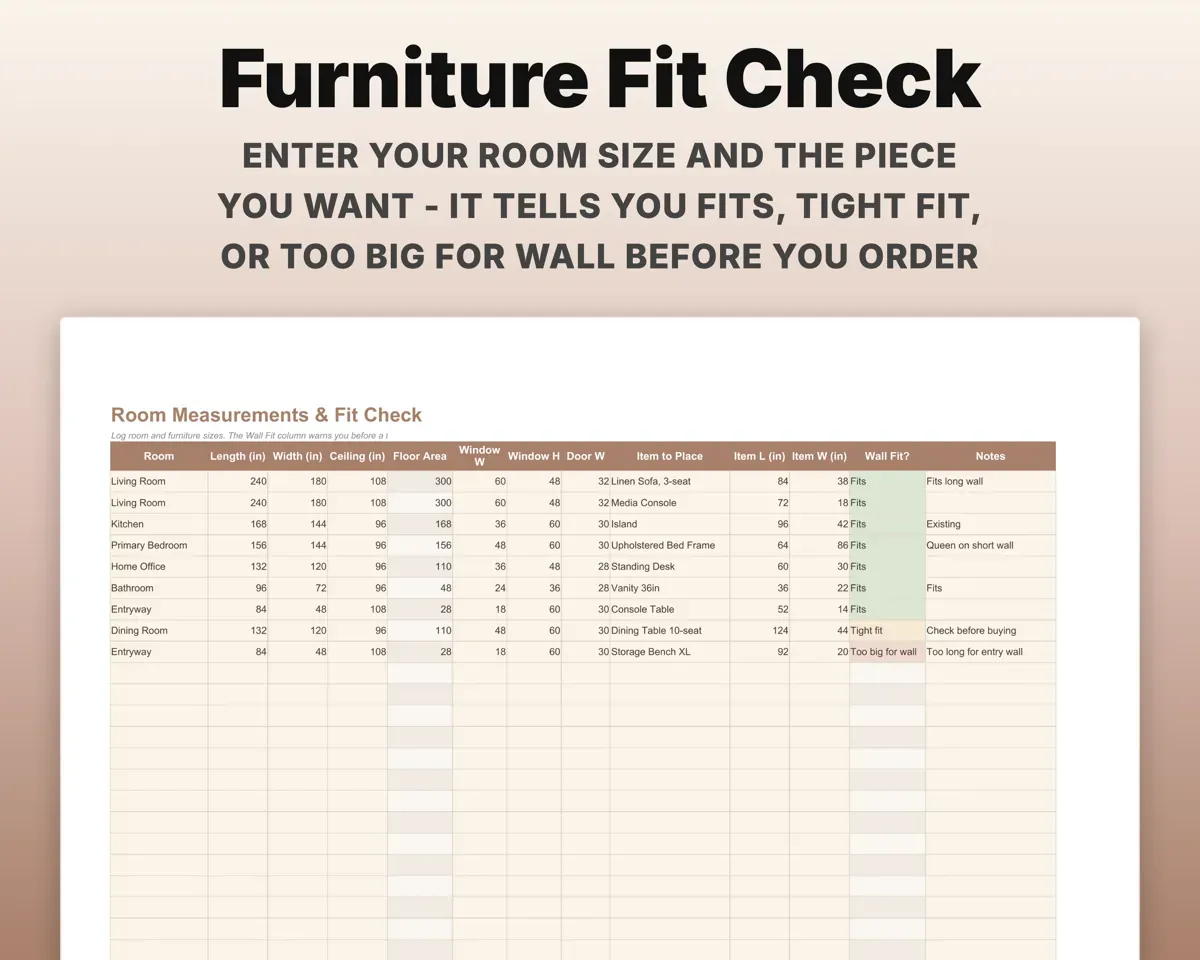
Log room and wall sizes, then enter the piece you are eyeing. The Wall Fit check shows Fits, Tight Fit or Too Big For Wall.
Room and piece sizesFits or Too BigKnow how much paint to buy
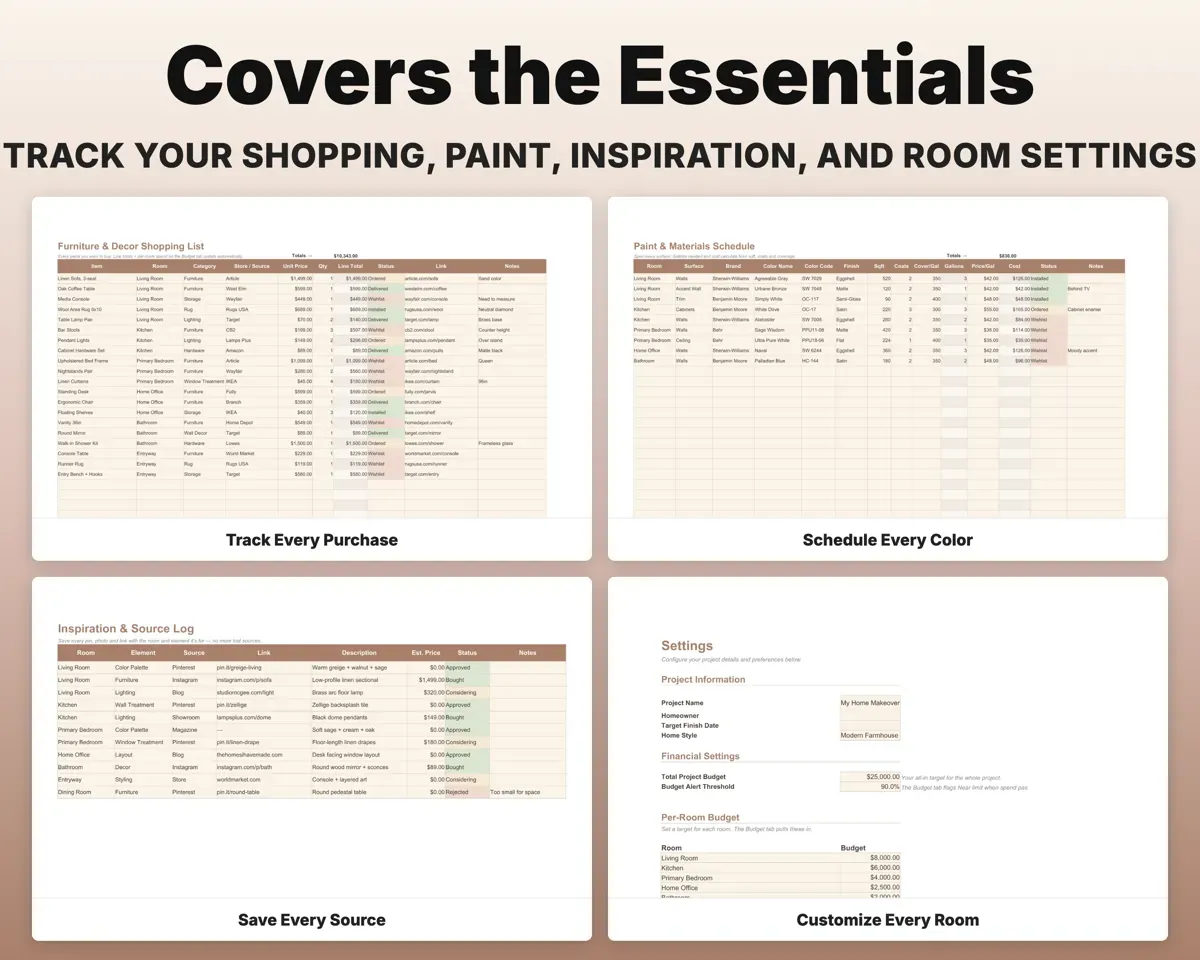
Brand, color, code, finish, square footage and coats for each surface. The sheet works out gallons needed and cost.
Square feet, coatsGallons and costFollow every purchase to installed
List each piece with store, price, quantity and link, and move it from Wishlist to Ordered, Delivered and Installed.
Item, price, linkItems still to buyKeep every saved idea with its room
Log pins, screenshots and store links by room and element, marked Considering, Approved or Bought.
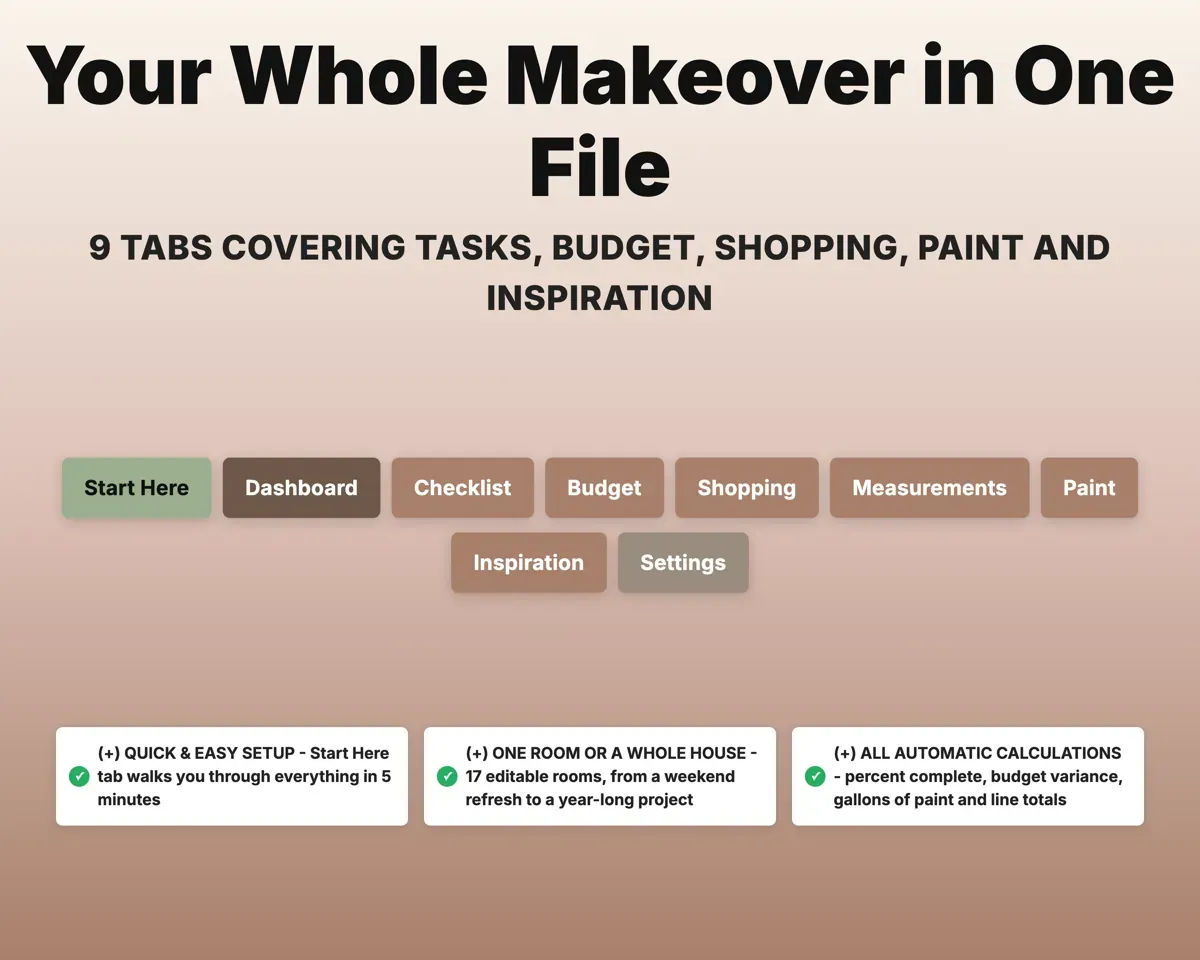
Links and roomApproval status9 tabs in one file
- Start Here
- Dashboard
- Checklist
- Budget
- Shopping
- Measurements
- Paint
- Inspiration
- Settings
- Start Here
- A plain walkthrough to get set up.
- Dashboard
- Percent complete, budget left and progress by room.
- Checklist
- Room-by-room tasks across nine phases.
- Budget
- Budget vs actual per room, with a Near Limit flag.
- Shopping
- Every piece to buy, from wishlist to installed.
- Measurements
- Room, window and door sizes, plus the Wall Fit check.
- Paint
- Paint by room and surface with gallons and cost.
- Inspiration
- Saved pins, photos and links with approval status.
- Settings
- Project name, budgets, alert threshold and dropdown lists.
Pair it with
“Excellent! Very easy to use.”
“Nice Organization for 4H projects”
Before you buy
Is it for one room or the whole house?
Either. 17 rooms come in the dropdown and you can edit them, so it works for a one-room makeover or a whole-home project.
Can I change the rooms and phases?
Yes. All the lists, from rooms and task phases to shopping categories and paint finishes, are on Settings for you to edit.
I am a professional designer. Is this for me?
This one is built for homeowners. For client purchase orders, vendor markup and deliveries, the Interior Design FF&E Tracker is the better fit.
What do I get?
An Excel file (.xlsx), a filled-in sample to look at, and a quick-start PDF guide with a link that makes your own copy in Google Sheets.
How does delivery work?
You get your download links right after checkout, and Stripe emails your receipt. There is nothing to ship and nothing to wait for.
How do I set it up in Google Sheets?
Open the quick-start PDF and click the Google Sheets link. Google makes a copy in your own Drive that only you can edit. You need a free Google account.
Will it work on a Mac?
Yes. It works in Excel on Mac and Windows, and in Google Sheets in any browser.
I'm not a spreadsheet person. Is that a problem?
No. You only type in the yellow cells. Everything in gray works itself out, and the Start Here tab shows you where to begin.
Can I get a refund?
Templates are digital downloads, so sales are final. If a file won't open, is broken or doesn't match its description, email hello@cleanpixelstudios.com within 30 days and we'll fix it, or refund you if we can't.
What if I get stuck?
Email hello@cleanpixelstudios.com and we'll help you get it working.
More in Home, hobbies & travel
See all Home, hobbies & travel templates
 Made by Clean Pixel Studios
We start every template by reading what people in that line of work say they struggle with, then build the spreadsheet around those problems. This one was made for homeowners decorating their own space and nobody else.
How we build templatesInterior Design Checklist$16.99 · Excel + Google Sheets