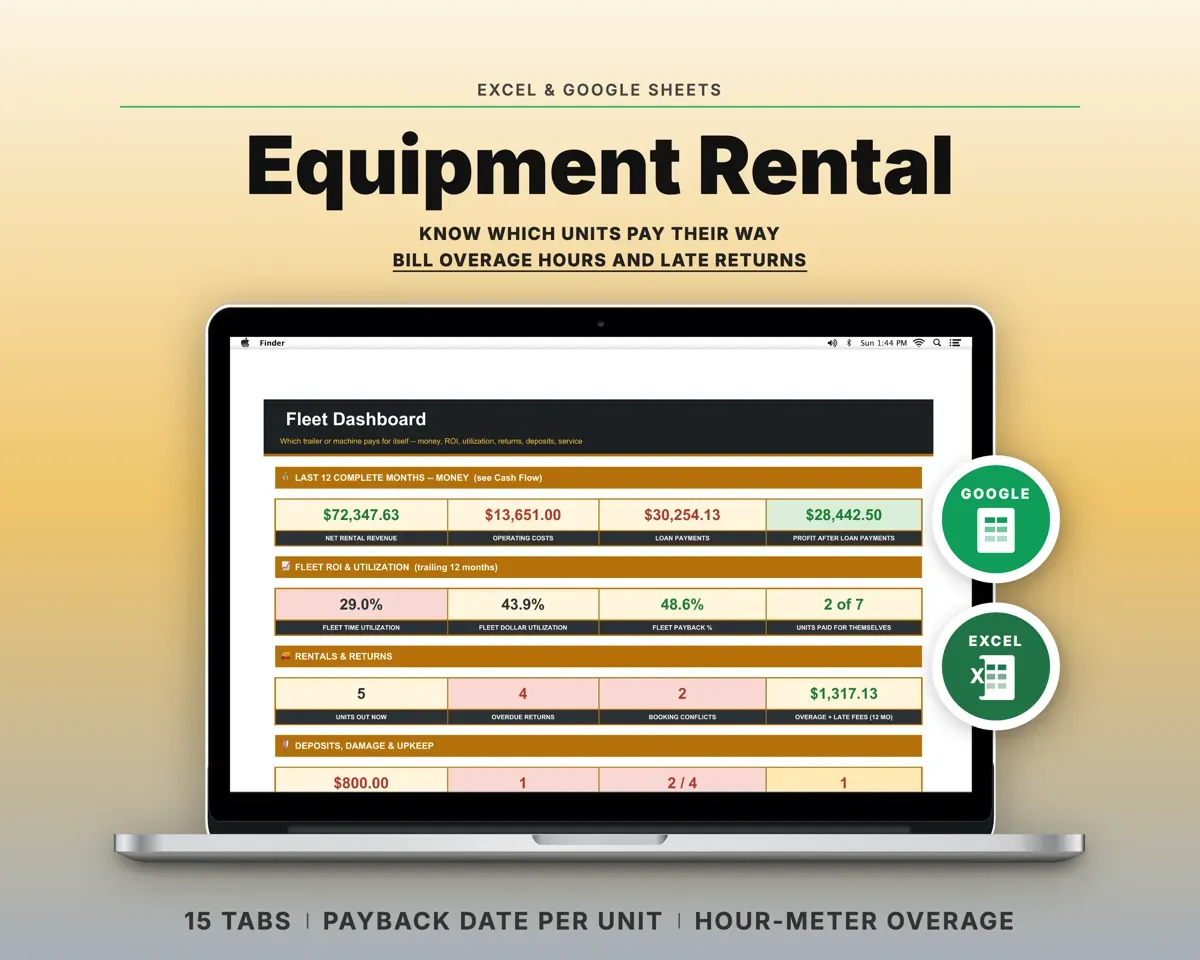
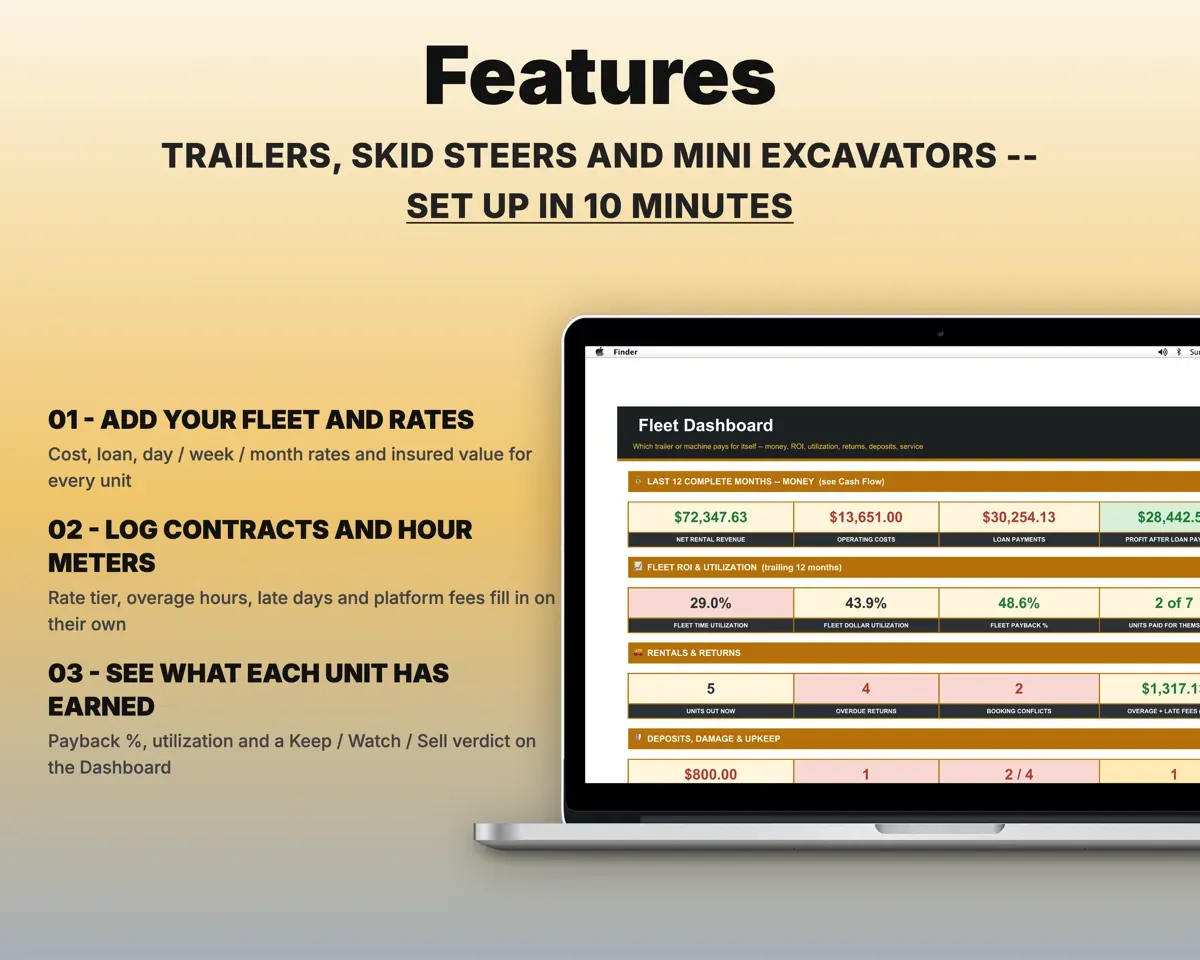
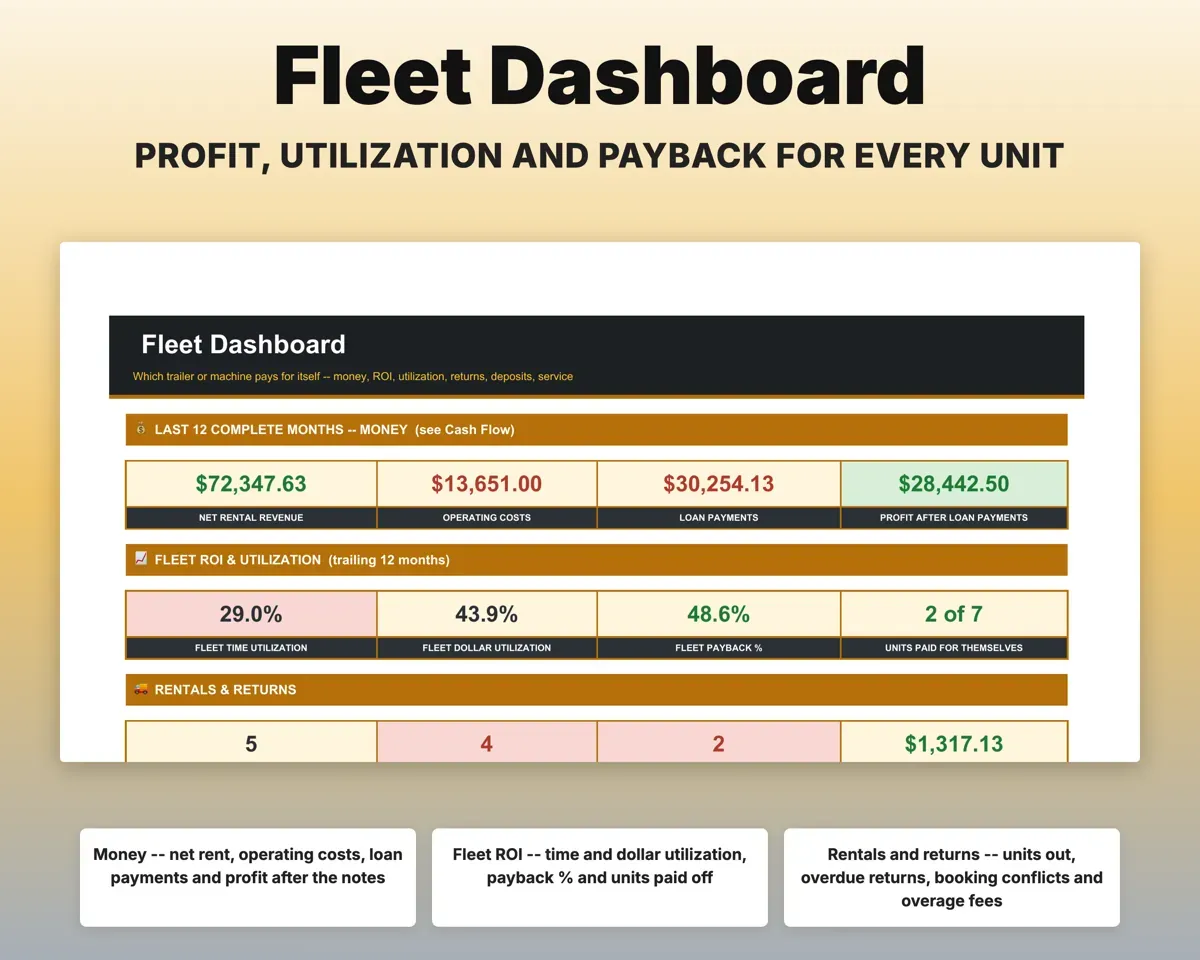
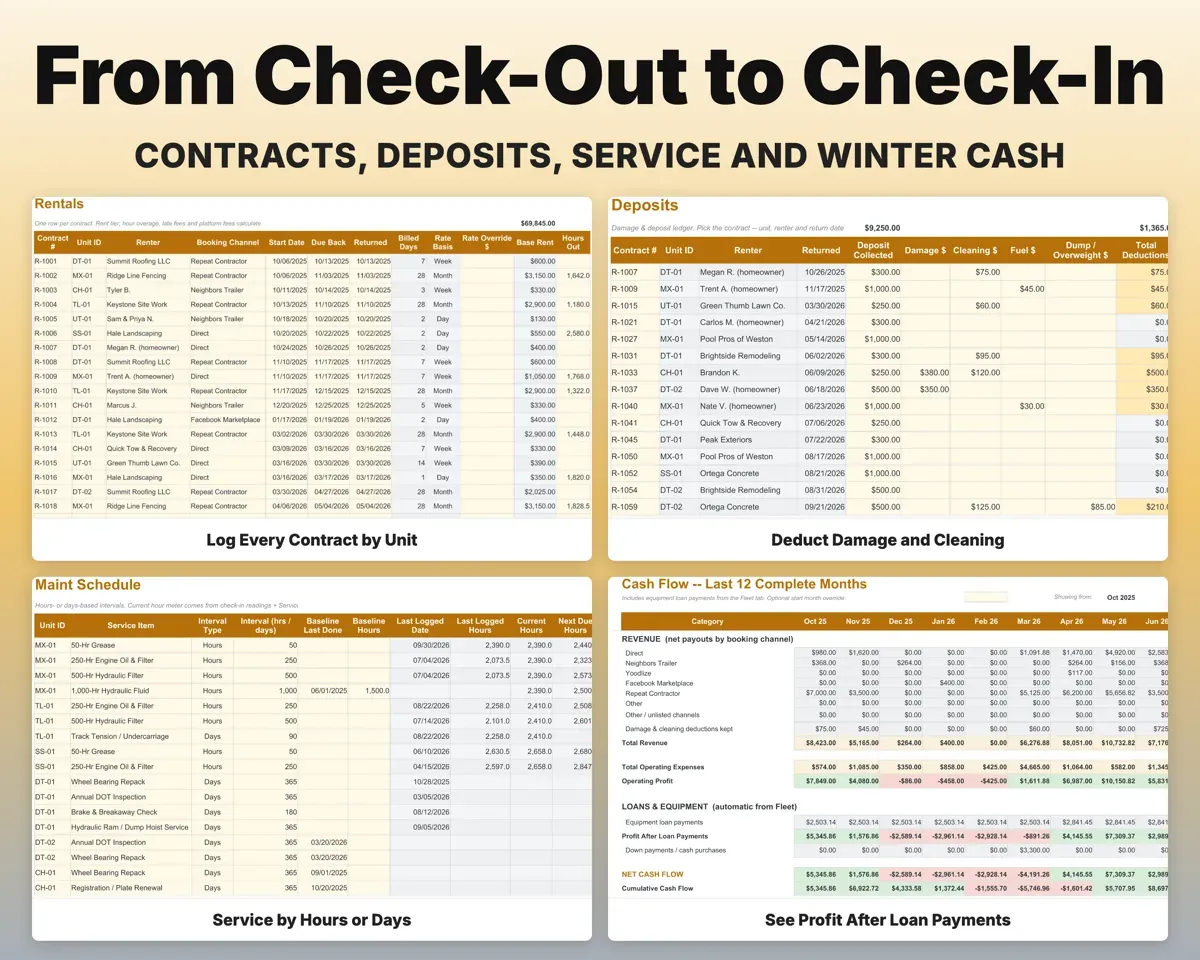
Built around the jobs equipment rental owners actually do
Know which units have paid for themselves
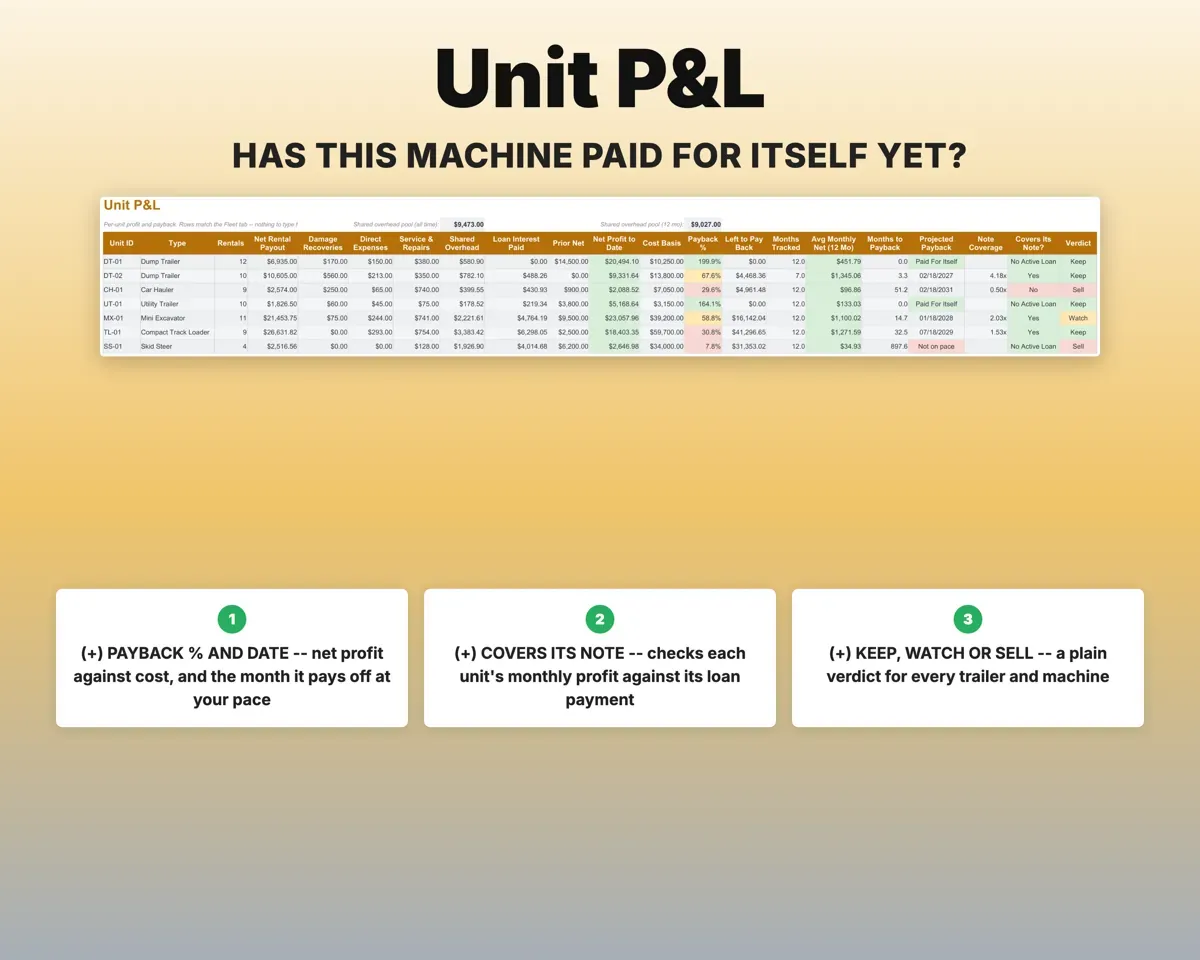
Unit P&L gives each unit's net profit, how much of its price it has earned back, a projected payoff month and a Keep, Watch or Sell verdict.
Unit cost, rentalsPayback dateSee which units earn and which sit
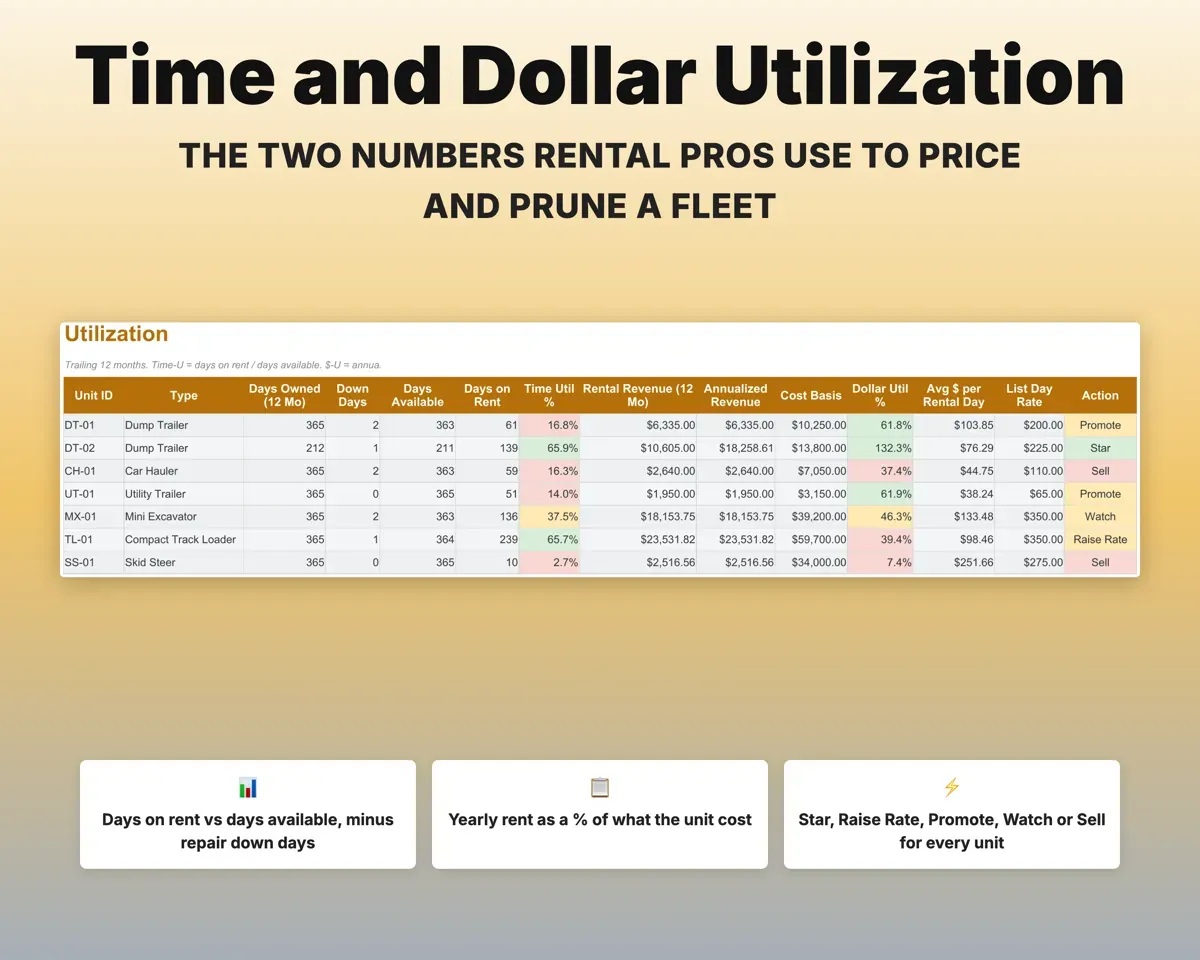
Time utilization compares days rented to days available, and dollar utilization compares a year of rent to purchase price. Each unit gets a flag: Star, Raise Rate, Promote, Watch or Sell.
Rental daysUtilization flagBill extra hours and stop double bookings
Enter the hour meter out and in, and hours past your daily, weekly or monthly allowance are billed. Overlapping bookings show Conflict and late returns show Overdue.
Hour meter out and inOverage billedSettle deposits without guessing
Take off damage, cleaning, fuel and dump or overweight charges, and the ledger works out the refund or what the renter still owes. Late refunds and Do-Not-Rent renters are flagged.
DeductionsRefund or balance dueService every unit on time
Set service intervals in engine hours or days. The most recent check-in hour reading drives the schedule, and units due soon or overdue are flagged.
Service intervalsDue Soon or OverduePlan for the slow months
Loan payments flow from Fleet into a rolling 12-month cash flow, showing profit after loan payments and an estimate of cash to hold for winter.
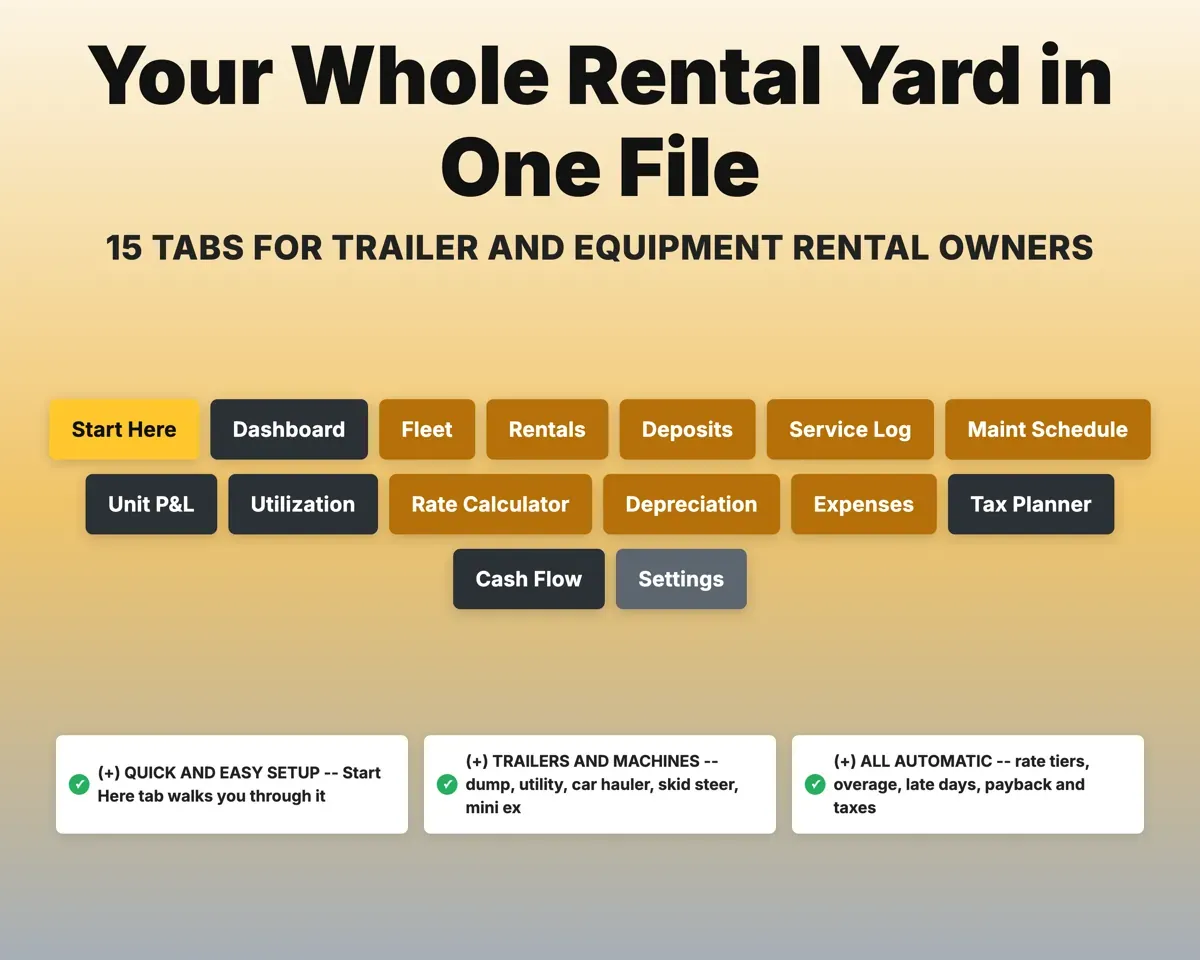
Loan paymentsWinter reserve15 tabs in one file
- Start Here
- Dashboard
- Fleet
- Rentals
- Deposits
- Service Log
- Maint Schedule
- Unit P&L
- Utilization
- Rate Calculator
- Depreciation
- Expenses
- Tax Planner
- Cash Flow
- Settings
- Start Here
- Setup steps in order, a color key and a tab guide.
- Dashboard
- KPIs, a per-unit scorecard, channel mix and return watch.
- Fleet
- Every unit's cost, loan, rates and insurance check.
- Rentals
- One row per contract with rates, overage, fees and payout.
- Deposits
- Deposits, deductions, refunds due and the Do-Not-Rent list.
- Service Log
- Service, repairs, inspections, costs and down days.
- Maint Schedule
- Service due by engine hours or by days.
- Unit P&L
- Profit, payback and a Keep, Watch or Sell verdict per unit.
- Utilization
- Time and dollar utilization over the last 12 months.
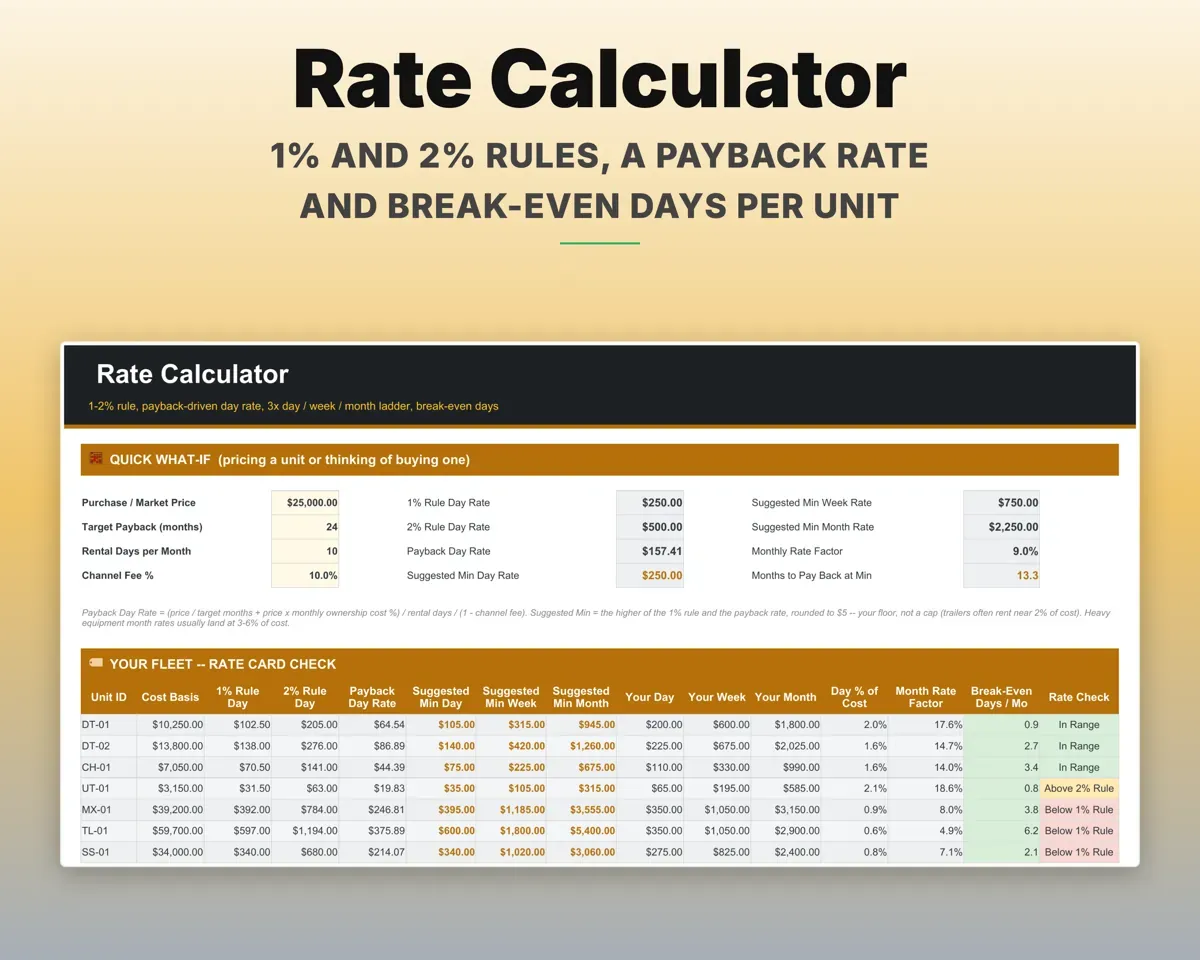
- Rate Calculator
- Day-rate rules, a rate ladder and break-even rental days.
- Depreciation
- Section 179, bonus or MACRS with book value per unit.
- Expenses
- Business costs mapped to Schedule C, by unit or shared.
- Tax Planner
- Quarterly estimates with self-employment tax and depreciation.
- Cash Flow
- Twelve months by booking channel, minus loan payments.
- Settings
- Hour allowances, late fee, targets, channel fees and lists.
Pair it with
“Excellent! Very easy to use.”
“Nice Organization for 4H projects”
Before you buy
I only rent out one or two trailers. Is it too much?
No. Leave unused tabs empty. Even a single trailer gets payback tracking, deposits, late return flags and a yearly total.
Can I track units I bought years ago?
Yes. Put a unit's earnings from before you started using the sheet in Prior Net Profit, and payback counts from that figure.
Does it handle rental platform fees?
Yes. Choose the booking channel for each contract and that channel's fee is deducted, leaving your real payout. Neighbors Trailer and Yoodlize fees are preset on Settings.
Is this tax advice?
No. Tax Planner and Depreciation produce estimates from your records. Section 179 and bonus depreciation assume 100% in the first year, so review them with your tax pro before filing.
What do I get?
An Excel file (.xlsx), a filled-in sample to look at, and a quick-start PDF guide with a link that makes your own copy in Google Sheets.
How does delivery work?
You get your download links right after checkout, and Stripe emails your receipt. There is nothing to ship and nothing to wait for.
How do I set it up in Google Sheets?
Open the quick-start PDF and click the Google Sheets link. Google makes a copy in your own Drive that only you can edit. You need a free Google account.
Will it work on a Mac?
Yes. It works in Excel on Mac and Windows, and in Google Sheets in any browser.
I'm not a spreadsheet person. Is that a problem?
No. You only type in the yellow cells. Everything in gray works itself out, and the Start Here tab shows you where to begin.
Can I get a refund?
Templates are digital downloads, so sales are final. If a file won't open, is broken or doesn't match its description, email hello@cleanpixelstudios.com within 30 days and we'll fix it, or refund you if we can't.
What if I get stuck?
Email hello@cleanpixelstudios.com and we'll help you get it working.
More in Small business & money
See all Small business & money templates
 Made by Clean Pixel Studios
We start every template by reading what people in that line of work say they struggle with, then build the spreadsheet around those problems. This one was made for equipment rental owners and nobody else.
How we build templatesEquipment Rental Business Tracker$21.99 · Excel + Google Sheets