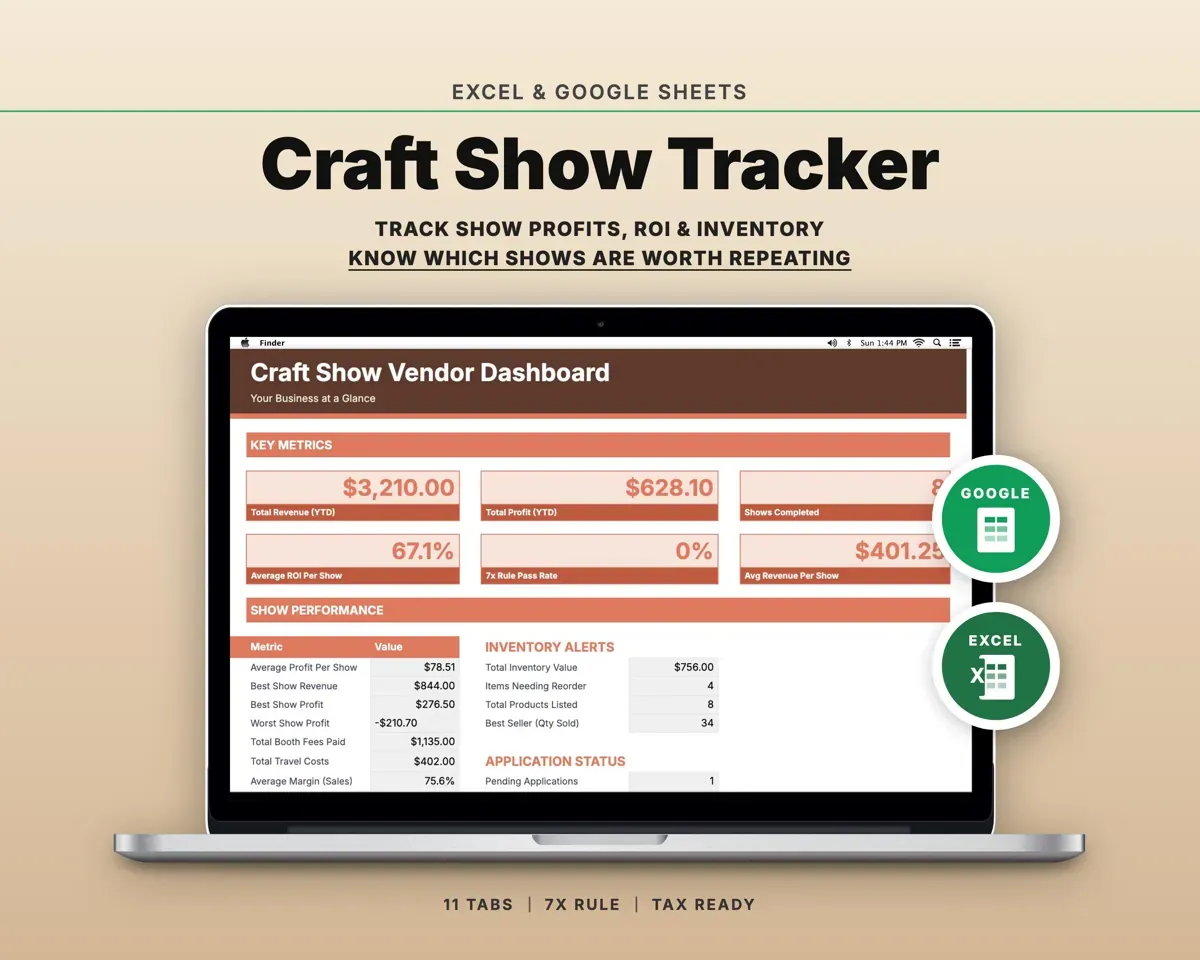
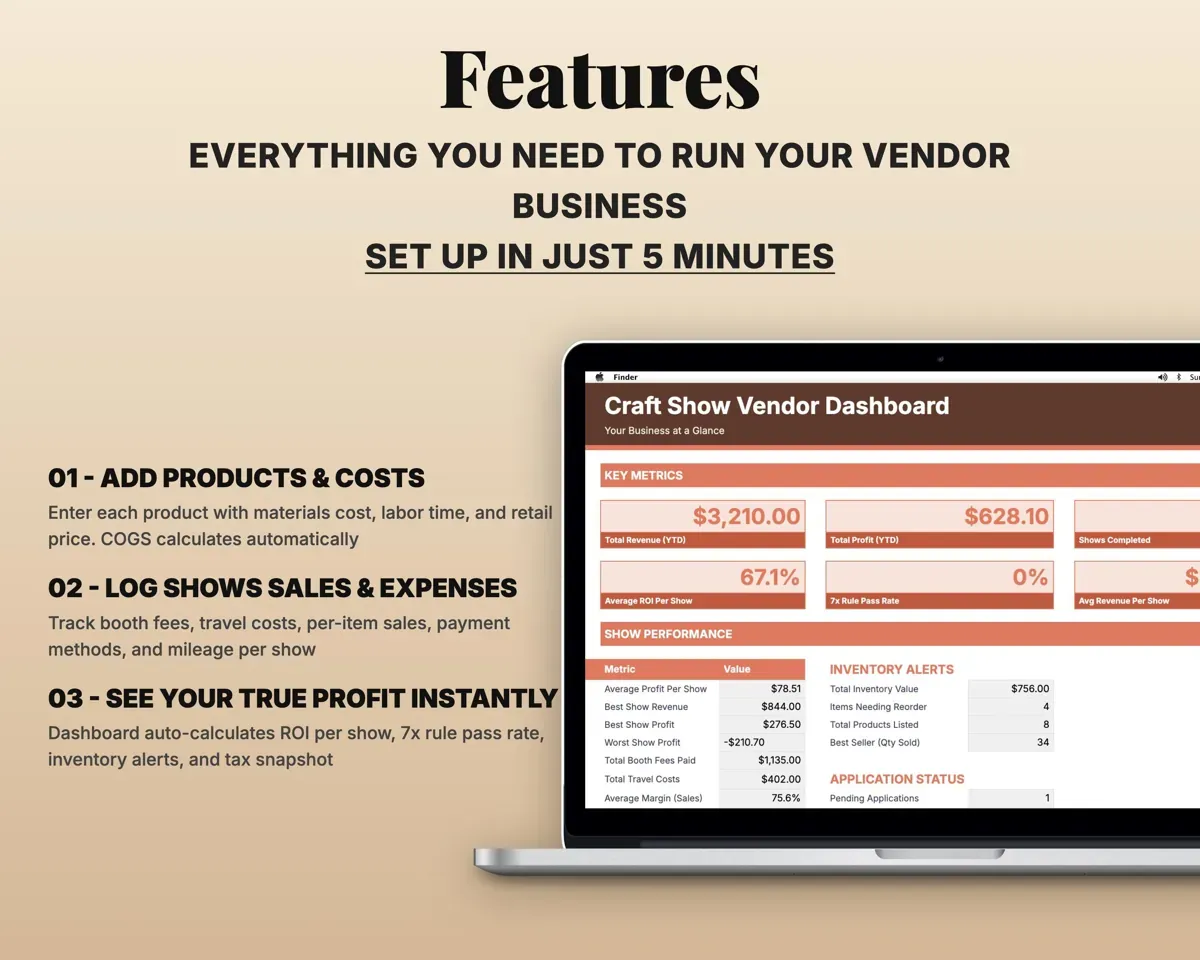
Built around the jobs craft show vendors actually do
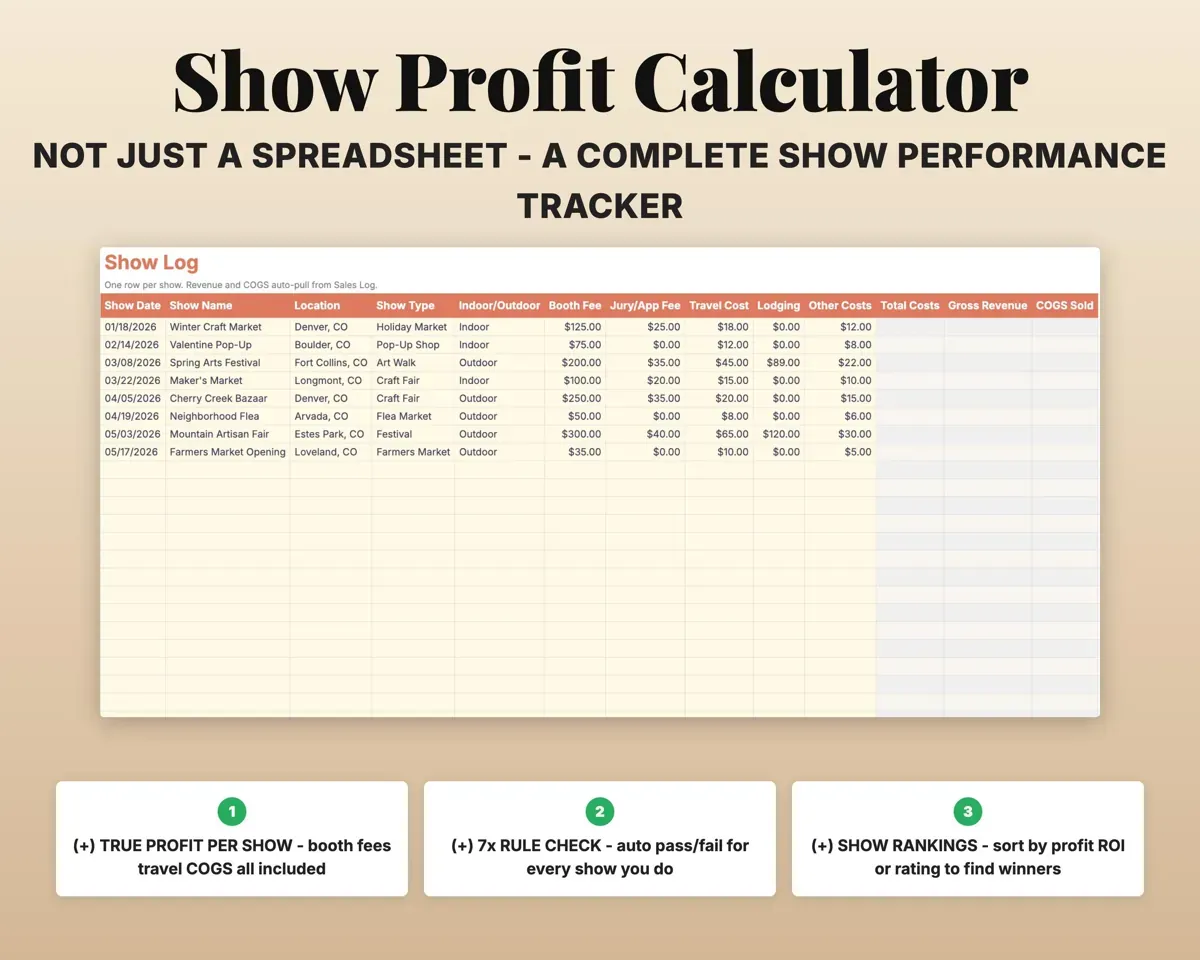
See true profit for each show
Log booth fee, travel, lodging and other costs. Net profit and ROI come out after cost of goods, with a check on whether you earned 7 times your booth fee.
Booth fee, travelProfit and ROIKnow which shows to repeat
The Dashboard ranks shows by profit, and each show keeps your rating, the weather, hours worked and whether you would go back.
Show resultsShows ranked by profitNever miss an application deadline
Deadlines, jury fees, acceptance status and booth fee due dates, with upcoming deadlines highlighted.
Deadlines, feesUpcoming deadlinesKnow the true cost of what you make
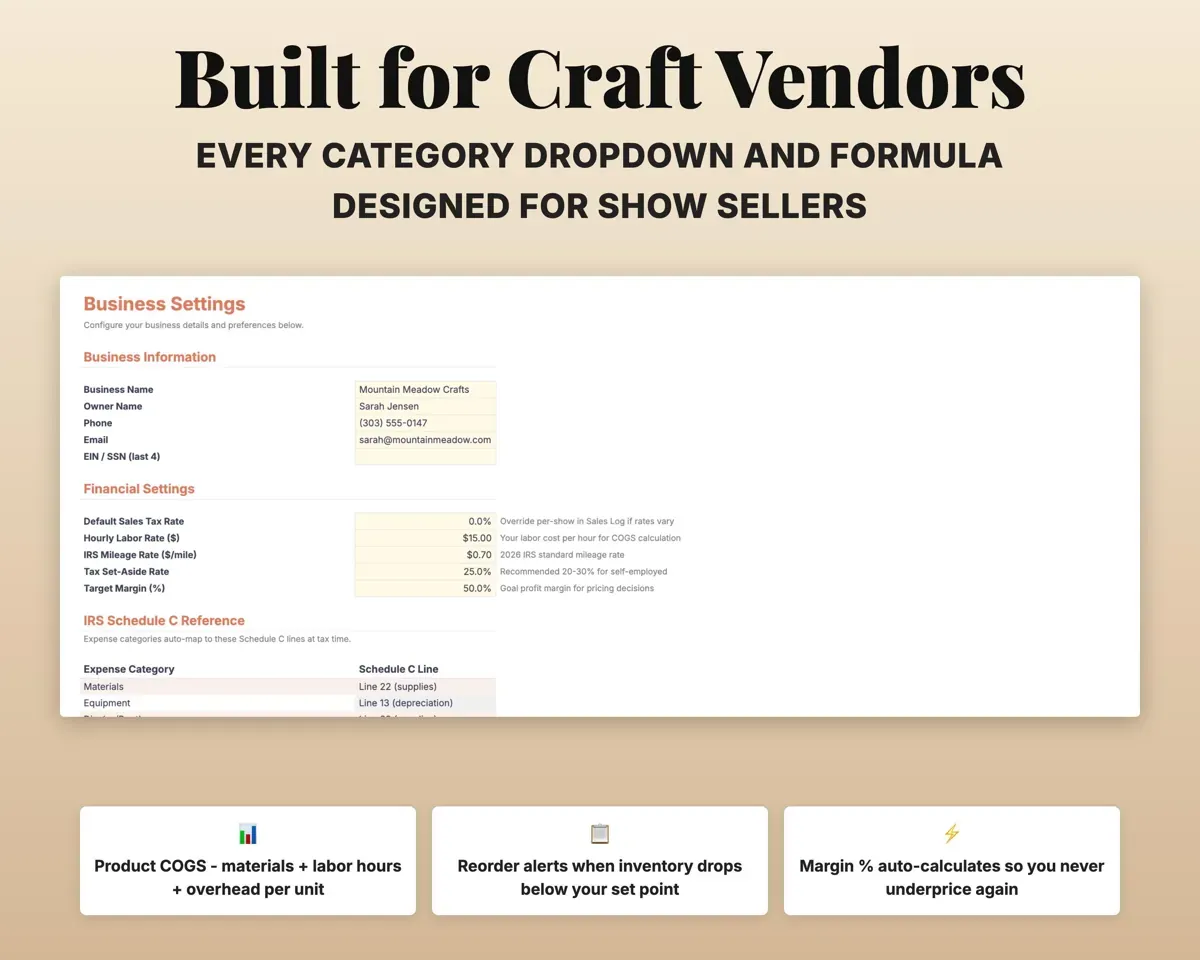
Materials, labor hours and overhead give cost per unit and margin. Reorder points mark each item OK, Reorder or Out of Stock.
Materials, labor hoursCost per unitPack without forgetting the card reader
A reusable checklist by category: display, payment, packaging, signage, tools, personal and inventory.
Your packing itemsReusable checklistHave a year-end summary ready
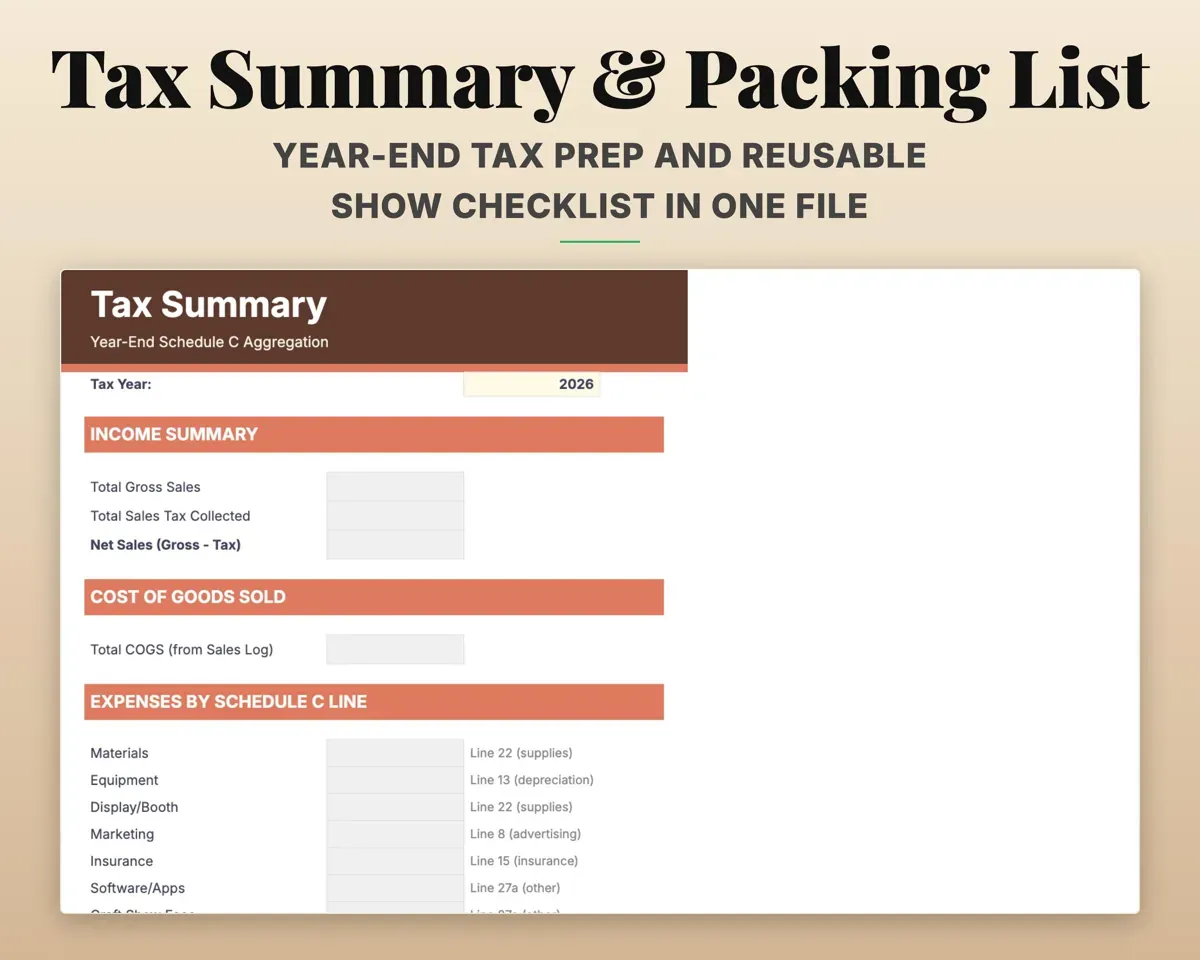
Expenses matched to Schedule C, mileage at the IRS rate, sales tax by show and a year-end summary for your preparer.
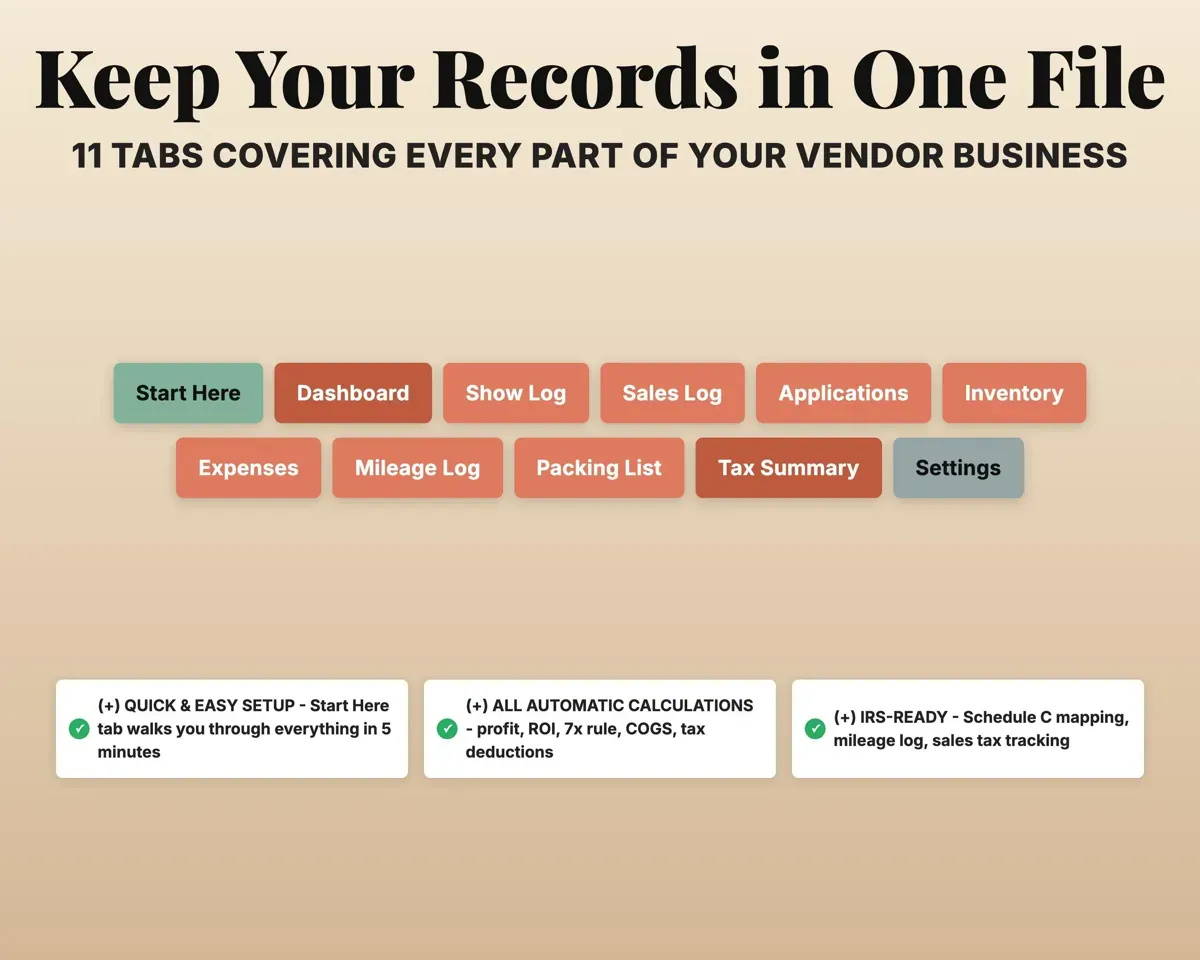
Expenses, milesYear-end summary11 tabs in one file
- Start Here
- Dashboard
- Show Log
- Sales Log
- Applications
- Inventory
- Expenses
- Mileage Log
- Packing List
- Tax Summary
- Settings
- Start Here
- Setup steps, tab guide and color key.
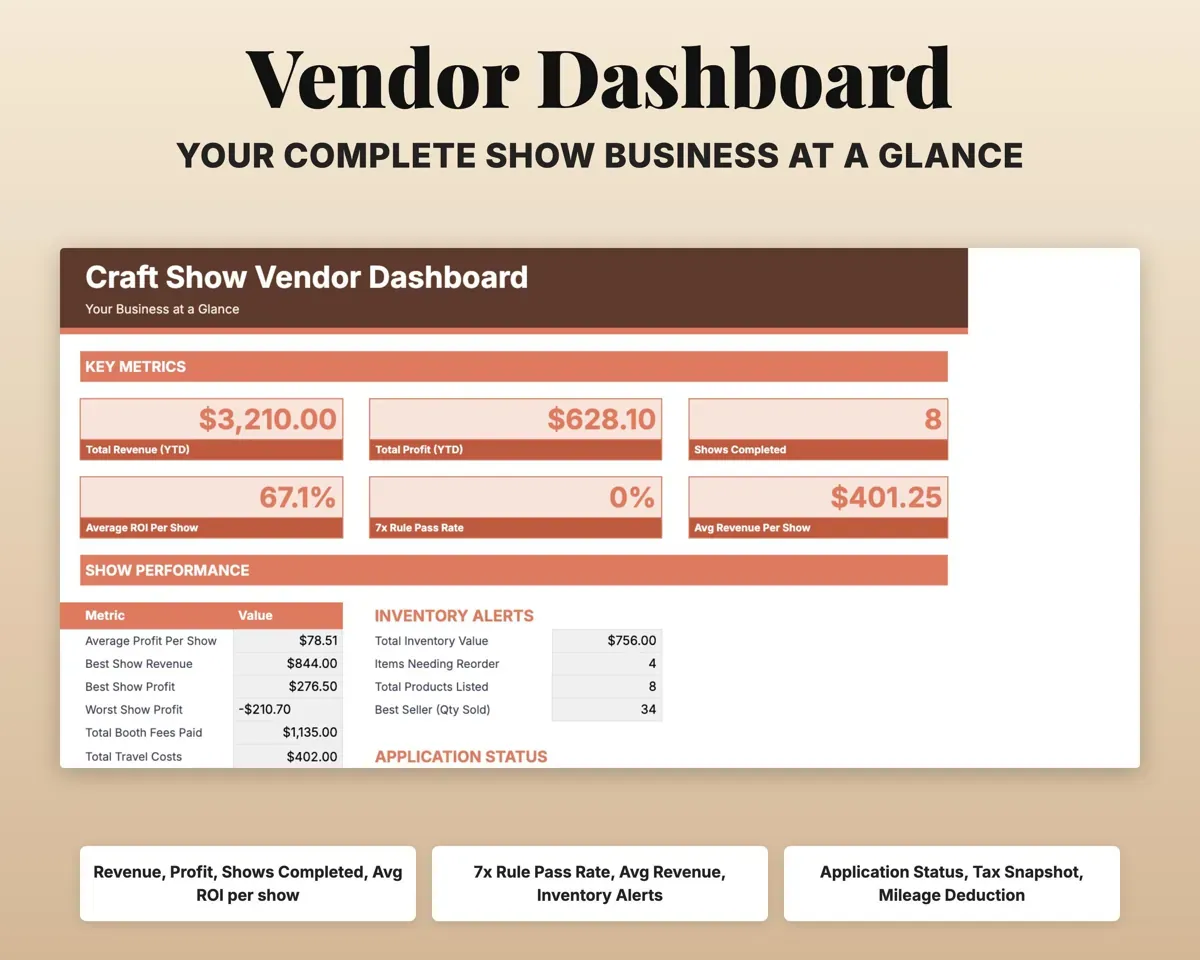
- Dashboard
- Revenue, profit, top shows, reorder alerts and deadlines.
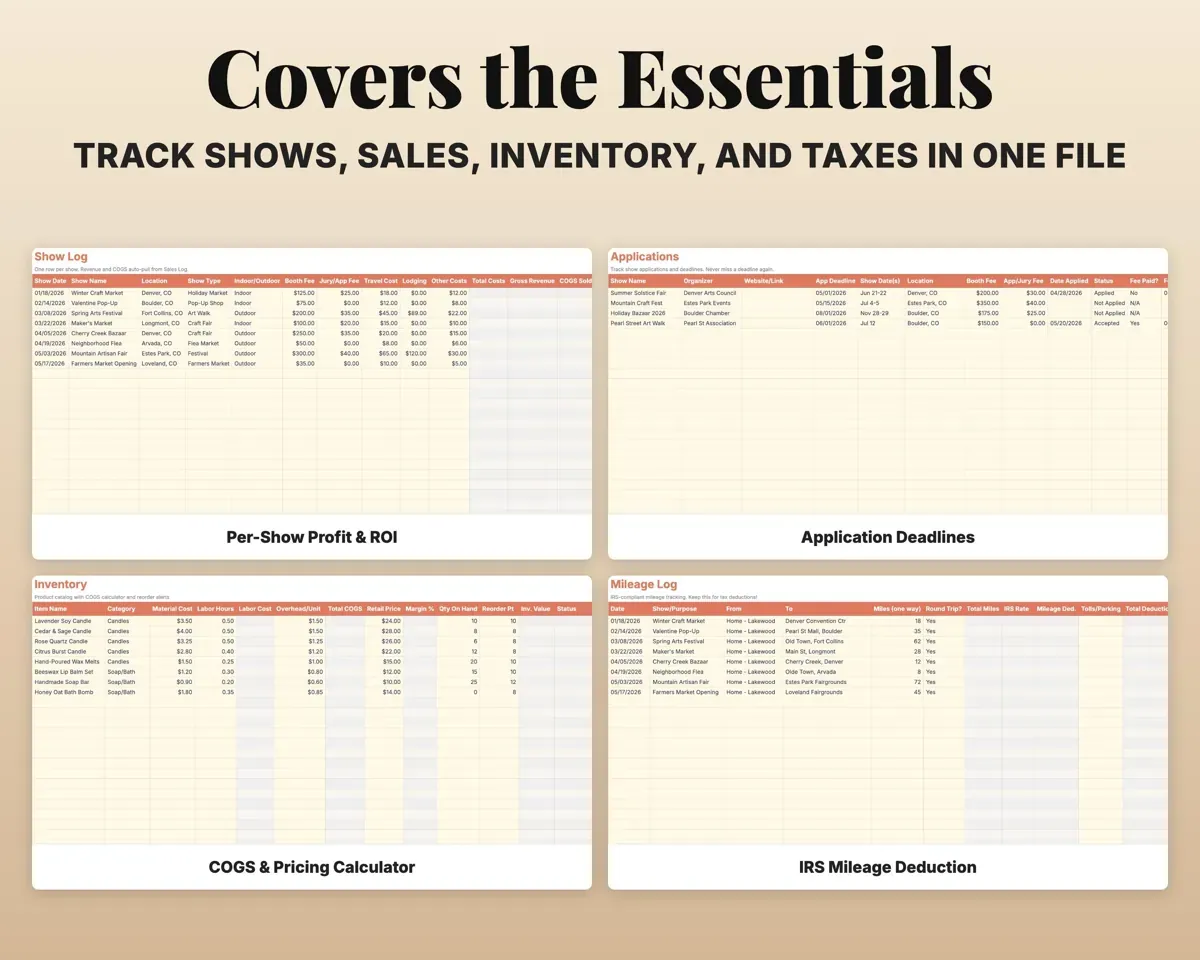
- Show Log
- Each show's costs, revenue, profit, ROI and 7x check.
- Sales Log
- Item sales with cost, margin, payment method and sales tax.
- Applications
- Show applications, deadlines, jury fees and status.
- Inventory
- Products with cost per unit, margin and reorder alerts.
- Expenses
- Craft business costs matched to Schedule C lines.
- Mileage Log
- Round trips, tolls and parking with the IRS deduction.
- Packing List
- A reusable packing checklist by category.
- Tax Summary
- Year-end Schedule C totals for your tax preparer.
- Settings
- Labor rate, mileage and tax rates, margin target and lists.
Pair it with
“Excellent! Very easy to use.”
“Nice Organization for 4H projects”
Before you buy
What is the 7x check?
Each show compares what you earned with your booth fee and passes if it is at least seven times the fee. The Dashboard shows your pass rate.
Can I track sales tax for shows in different places?
Yes. Each show can have its own rate, and the Tax Summary totals sales tax by jurisdiction.
Can I compare one year with the next?
Yes. The Tax Summary has a year selector and your history stays in the file.
What do I get?
An Excel file (.xlsx), a filled-in sample to look at, and a quick-start PDF guide with a link that makes your own copy in Google Sheets.
How does delivery work?
You get your download links right after checkout, and Stripe emails your receipt. There is nothing to ship and nothing to wait for.
How do I set it up in Google Sheets?
Open the quick-start PDF and click the Google Sheets link. Google makes a copy in your own Drive that only you can edit. You need a free Google account.
Will it work on a Mac?
Yes. It works in Excel on Mac and Windows, and in Google Sheets in any browser.
I'm not a spreadsheet person. Is that a problem?
No. You only type in the yellow cells. Everything in gray works itself out, and the Start Here tab shows you where to begin.
Can I get a refund?
Templates are digital downloads, so sales are final. If a file won't open, is broken or doesn't match its description, email hello@cleanpixelstudios.com within 30 days and we'll fix it, or refund you if we can't.
What if I get stuck?
Email hello@cleanpixelstudios.com and we'll help you get it working.
More in Makers & creatives
See all Makers & creatives templates
 Made by Clean Pixel Studios
We start every template by reading what people in that line of work say they struggle with, then build the spreadsheet around those problems. This one was made for craft show vendors and nobody else.
How we build templatesCraft Show Tracker Spreadsheet$15.99 · Excel + Google Sheets