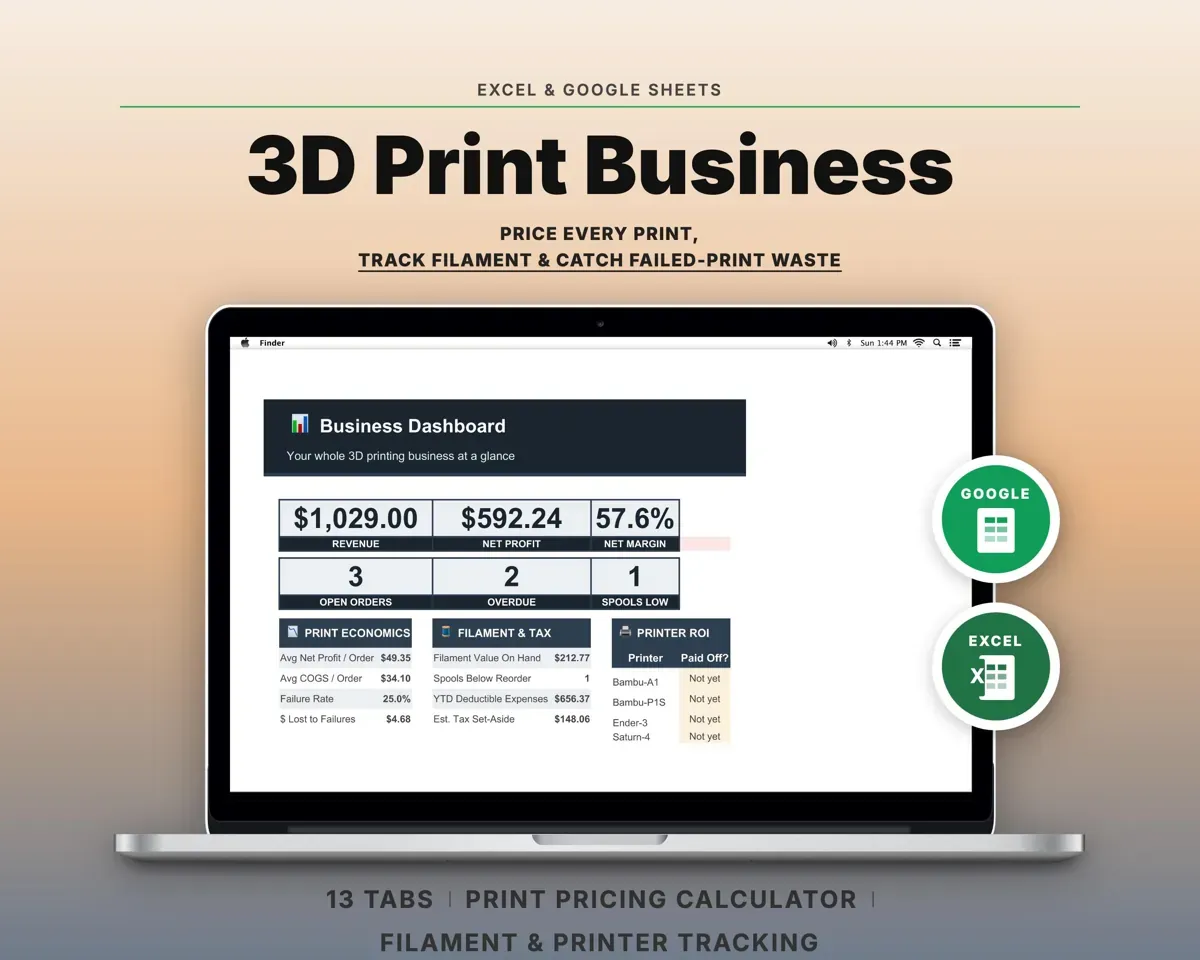
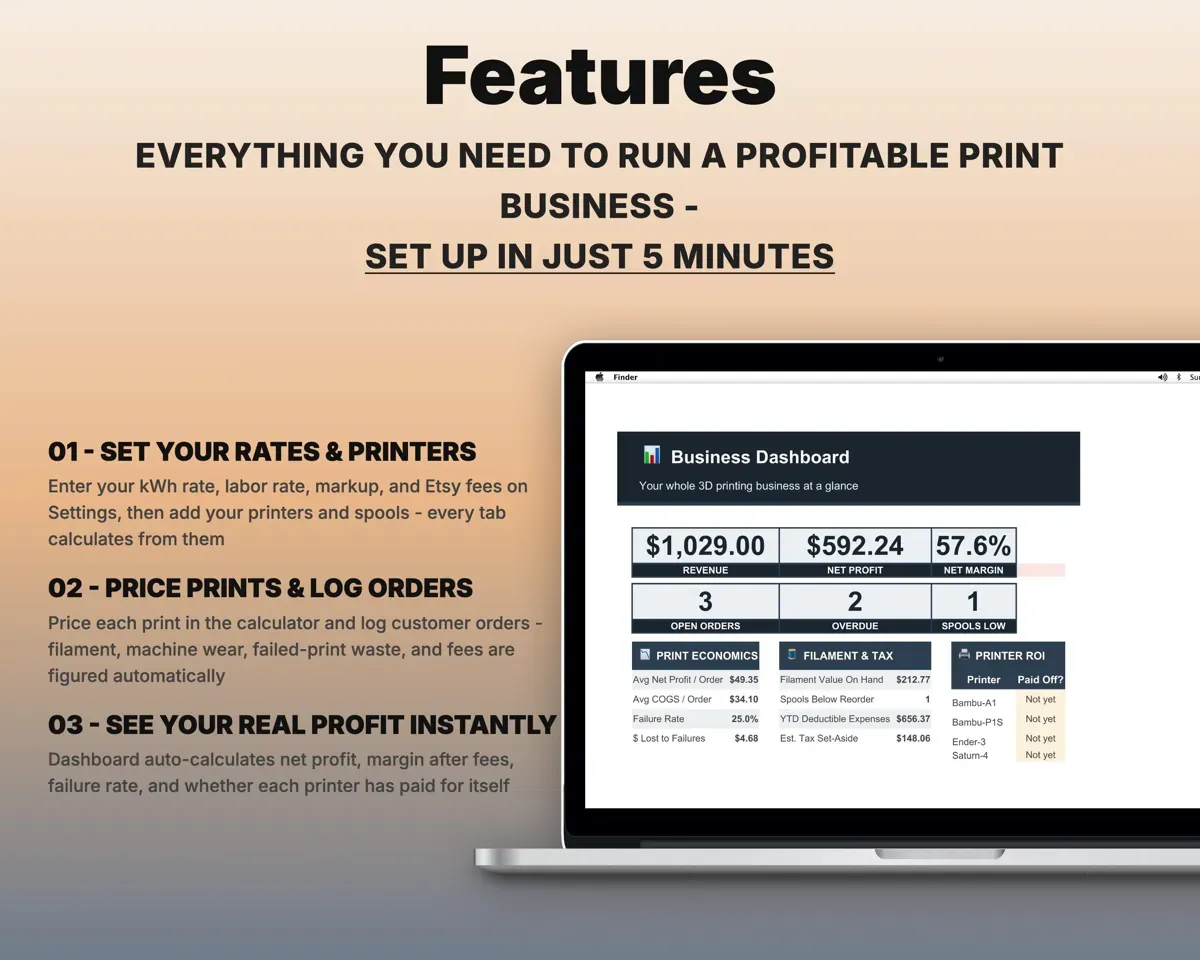
Built around the jobs 3D printing sellers actually do
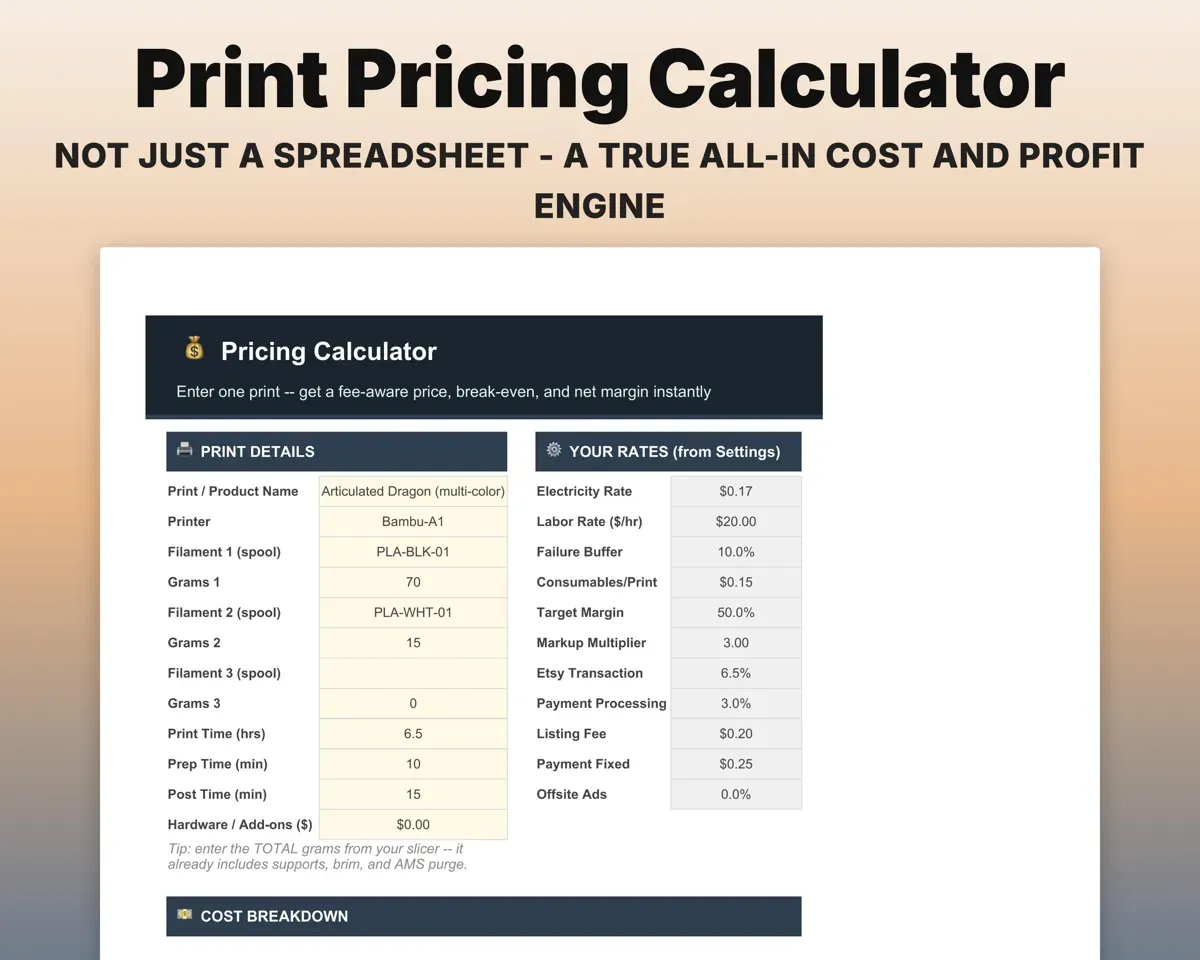
Price every print on its real costs
Add filament, electricity, machine wear, a failure buffer, labor and marketplace fees. The calculator gives a suggested price, the break-even point and your net margin.
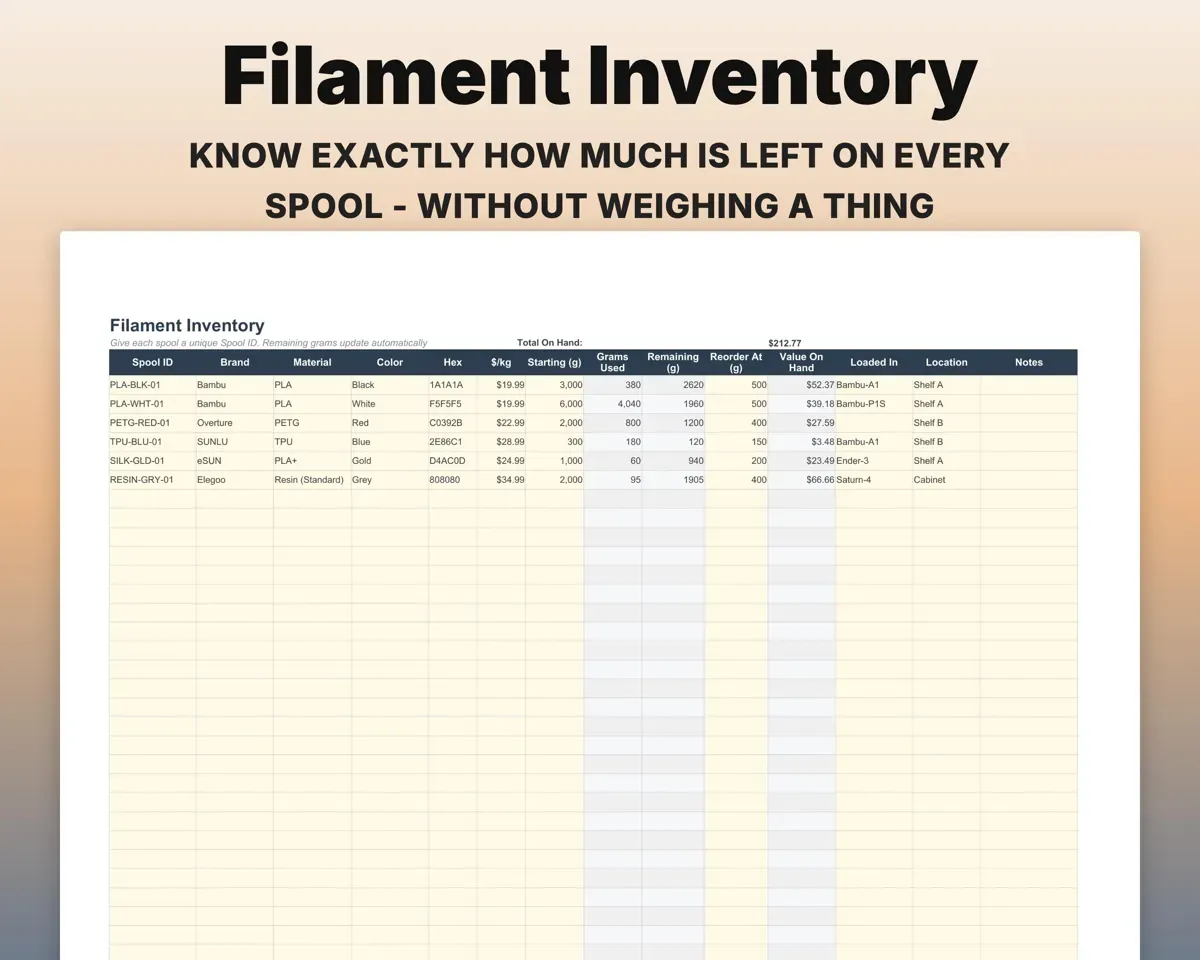
Grams, hours, feesSuggested priceKnow what is left on each spool
Filament Inventory subtracts grams as you print, puts a value on your whole shelf, and flags spools that drop below your reorder point.
Spools, grams usedReorder alertsRun the order queue with profit on each order
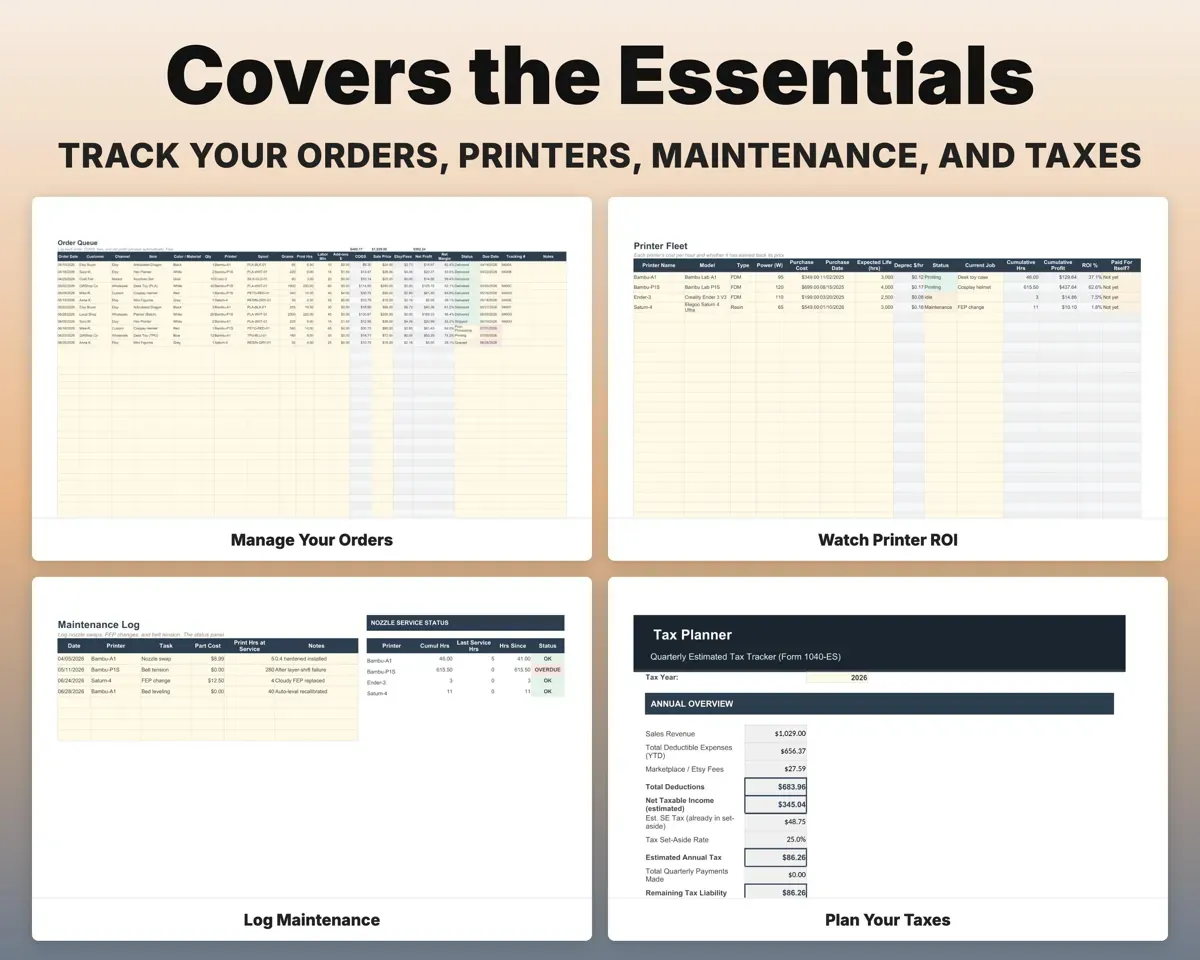
Track each customer order with its status and due date. Saved products bring in their cost, so every order shows its net profit after fees.
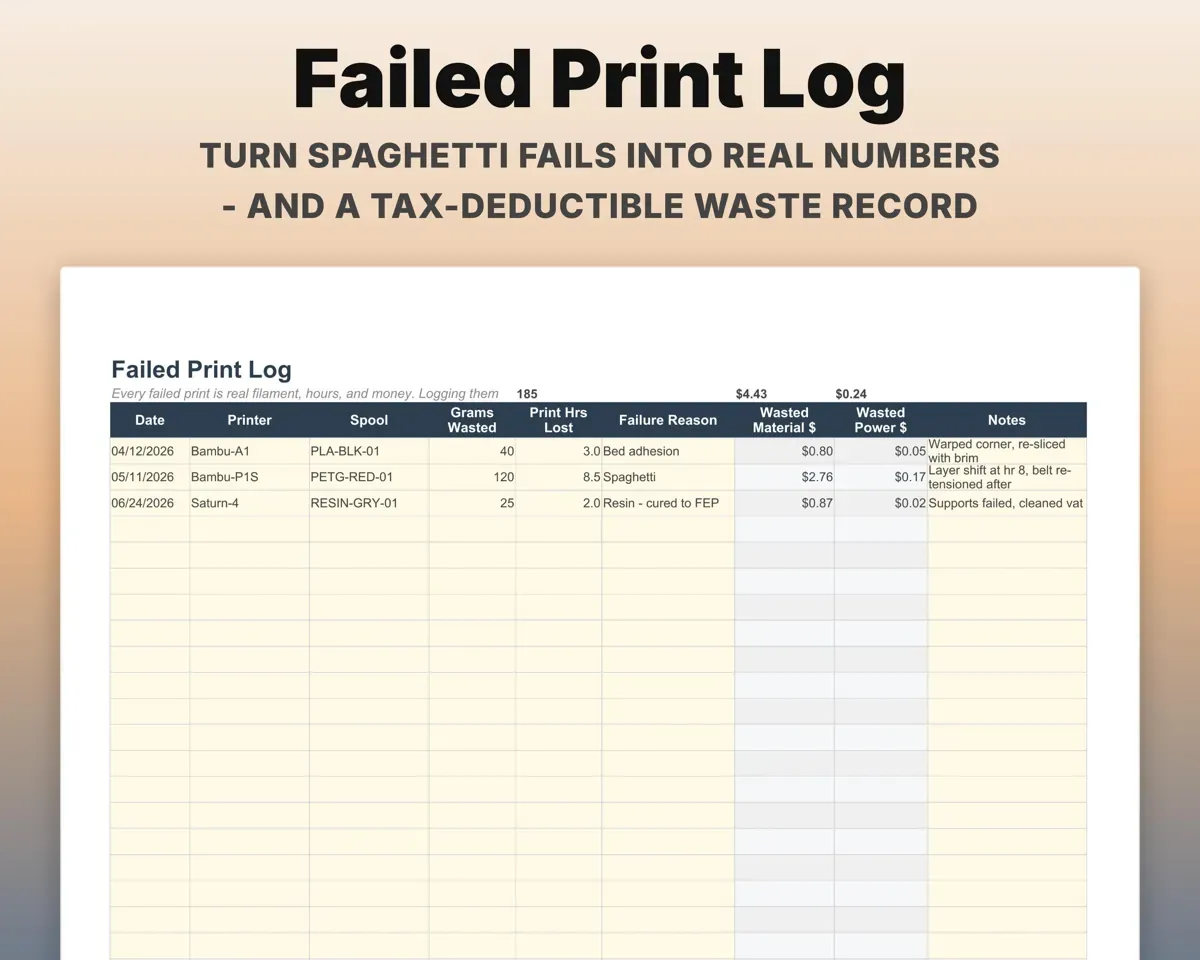
Orders, due datesNet profit per orderPut a dollar figure on failed prints
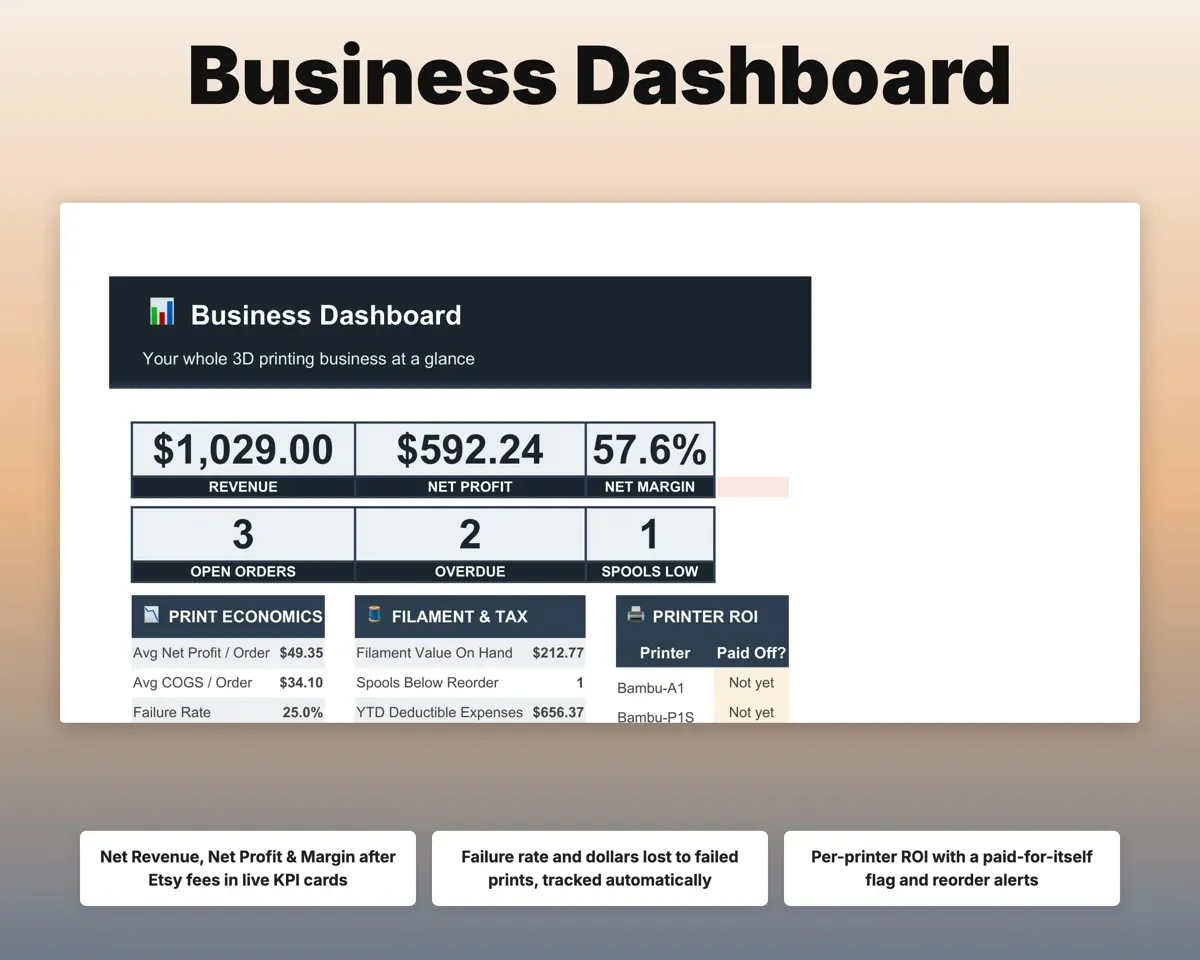
Log wasted grams and lost hours. The sheet shows the money lost, feeds the failure buffer in your pricing, and keeps a waste record for your books.
Wasted grams, hoursDollars lostSee which printers have paid for themselves
Each machine gets its own depreciation per hour and running hours. A maintenance log covers nozzles, belts and FEP film with next-service dates.
Printer cost, hoursPaid-off flagHave your numbers ready for taxes
Expenses map to Schedule C lines, and the Tax Planner estimates quarterly payments with self-employment tax included. A 12-month cash flow fills in from orders and expenses.
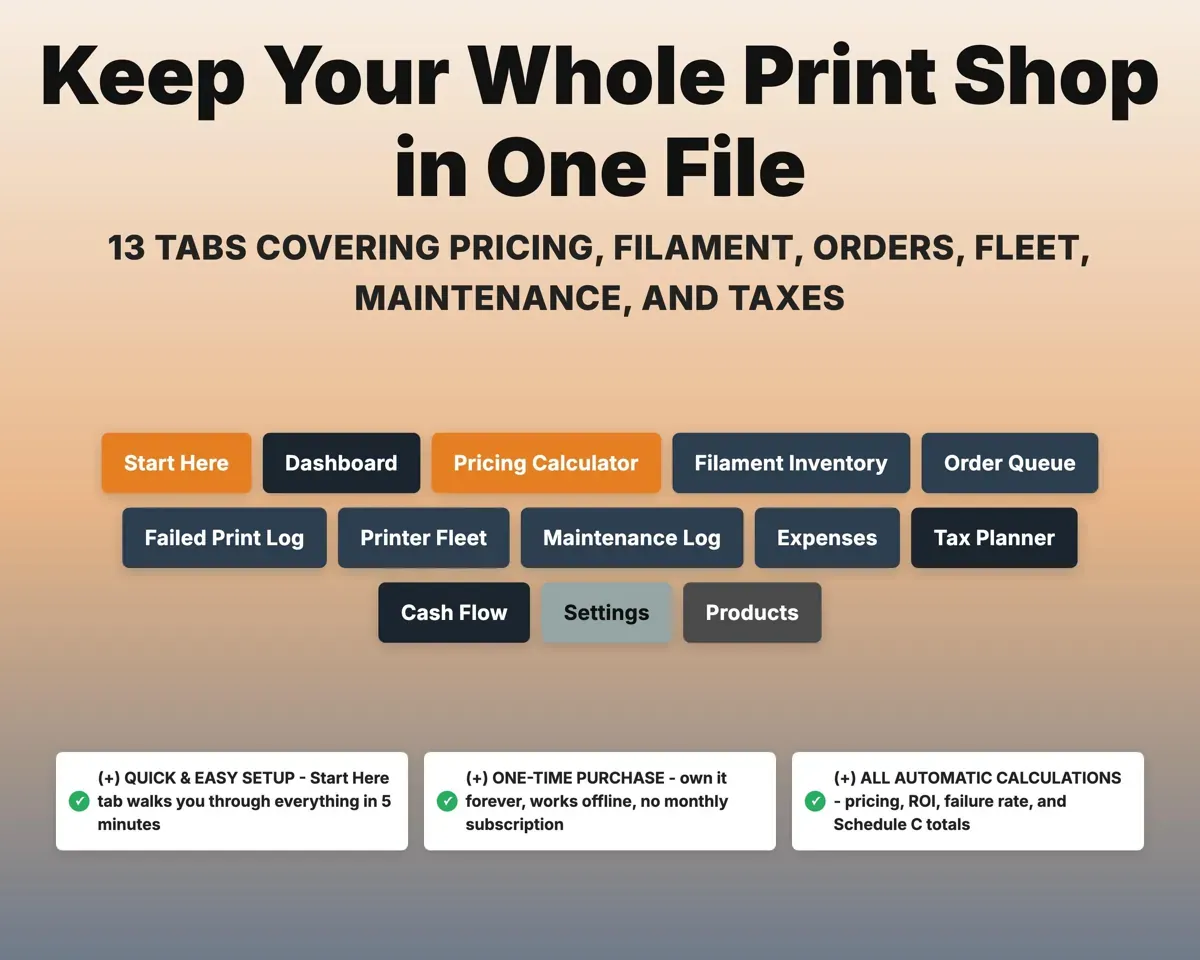
ExpensesQuarterly estimate13 tabs in one file
- Start Here
- Dashboard
- Pricing Calculator
- Filament Inventory
- Order Queue
- Failed Print Log
- Printer Fleet
- Maintenance Log
- Expenses
- Tax Planner
- Cash Flow
- Settings
- Products
- Start Here
- Setup steps so you can price a first print quickly.
- Dashboard
- Revenue, profit, margin, open orders, failure rate and printer payback.
- Pricing Calculator
- All-in cost and a suggested price for a print.
- Filament Inventory
- Every spool with grams left, shelf value and reorder alerts.
- Order Queue
- Customer orders with status, due dates and net profit.
- Failed Print Log
- Wasted grams and hours, turned into dollars lost.
- Printer Fleet
- Depreciation, running hours and payback for each printer.
- Maintenance Log
- Nozzle, belt and FEP service with next-due alerts.
- Expenses
- Filament, parts and hardware mapped to Schedule C lines.
- Tax Planner
- Quarterly estimated taxes with self-employment tax included.
- Cash Flow
- Twelve months of money in and money out.
- Settings
- Power rate, labor rate, markup, fees and dropdown lists.
- Products
- Saved, priced products that orders pull their cost from.
Try the free 3D Print Price Calculator
Filament, machine time, labor and markup for a price you can quote.
Pair it with
“Well thought out worksheets nicely presented”
“Excellent! Very easy to use.”
Before you buy
Does it work for resin printing?
Yes. The materials list includes standard and specialty resin, and Expenses has room for resin supplies such as IPA, gloves and FEP film.
I run several printers. Will it keep them apart?
Yes. The Printer Fleet tab gives each machine its own depreciation, running hours and paid-off flag, so you can see which ones have earned back their cost.
How does it handle multi-color prints?
Enter the total filament weight from your slicer across up to four colors. Purge and support waste then count toward the price instead of being missed.
What do I get?
An Excel file (.xlsx), a filled-in sample to look at, and a quick-start PDF guide with a link that makes your own copy in Google Sheets.
How does delivery work?
You get your download links right after checkout, and Stripe emails your receipt. There is nothing to ship and nothing to wait for.
How do I set it up in Google Sheets?
Open the quick-start PDF and click the Google Sheets link. Google makes a copy in your own Drive that only you can edit. You need a free Google account.
Will it work on a Mac?
Yes. It works in Excel on Mac and Windows, and in Google Sheets in any browser.
I'm not a spreadsheet person. Is that a problem?
No. You only type in the yellow cells. Everything in gray works itself out, and the Start Here tab shows you where to begin.
Can I get a refund?
Templates are digital downloads, so sales are final. If a file won't open, is broken or doesn't match its description, email hello@cleanpixelstudios.com within 30 days and we'll fix it, or refund you if we can't.
What if I get stuck?
Email hello@cleanpixelstudios.com and we'll help you get it working.
More in Makers & creatives
See all Makers & creatives templates
 Made by Clean Pixel Studios
We start every template by reading what people in that line of work say they struggle with, then build the spreadsheet around those problems. This one was made for 3D printing sellers and nobody else.
How we build templates3D Printing Business Spreadsheet$19.99 · Excel + Google Sheets