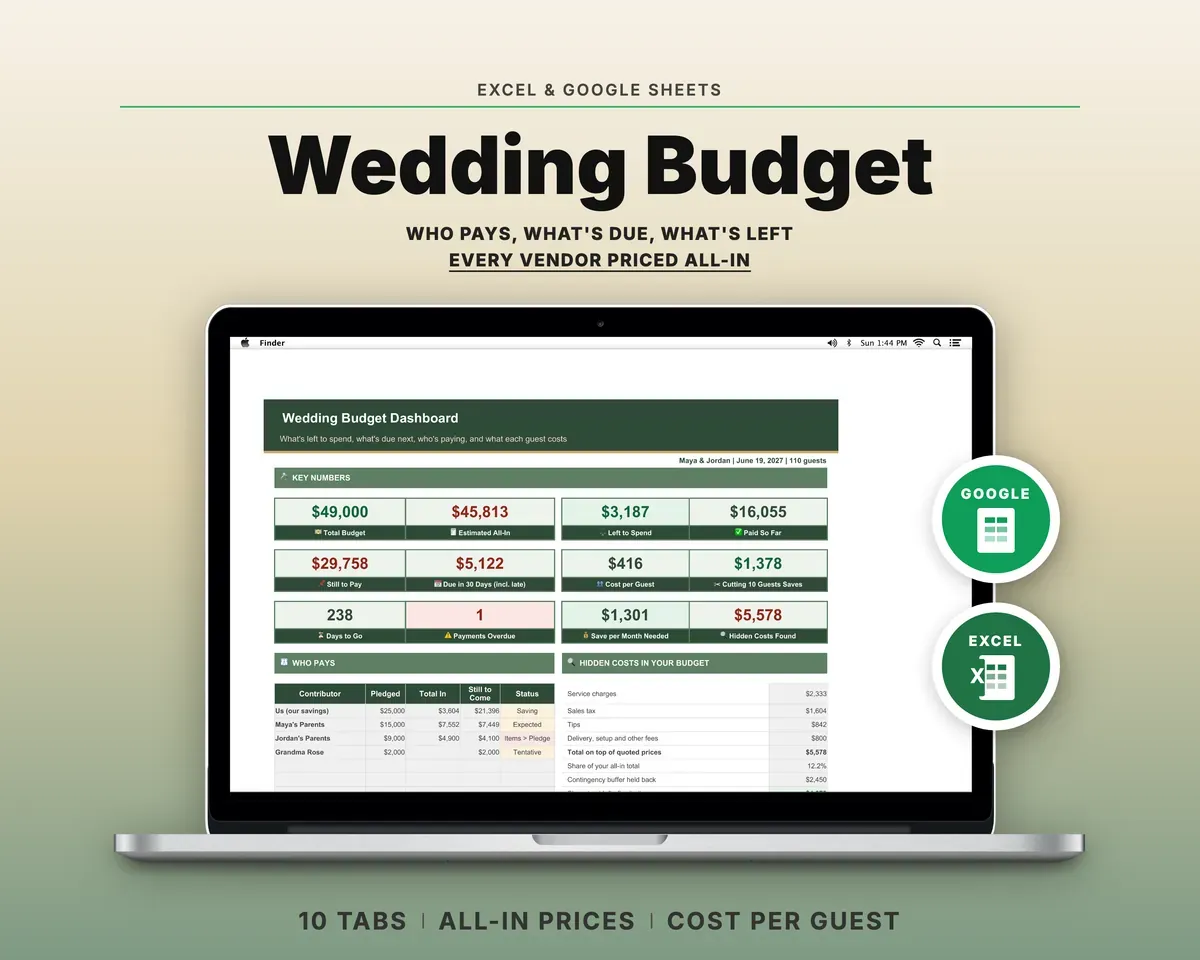
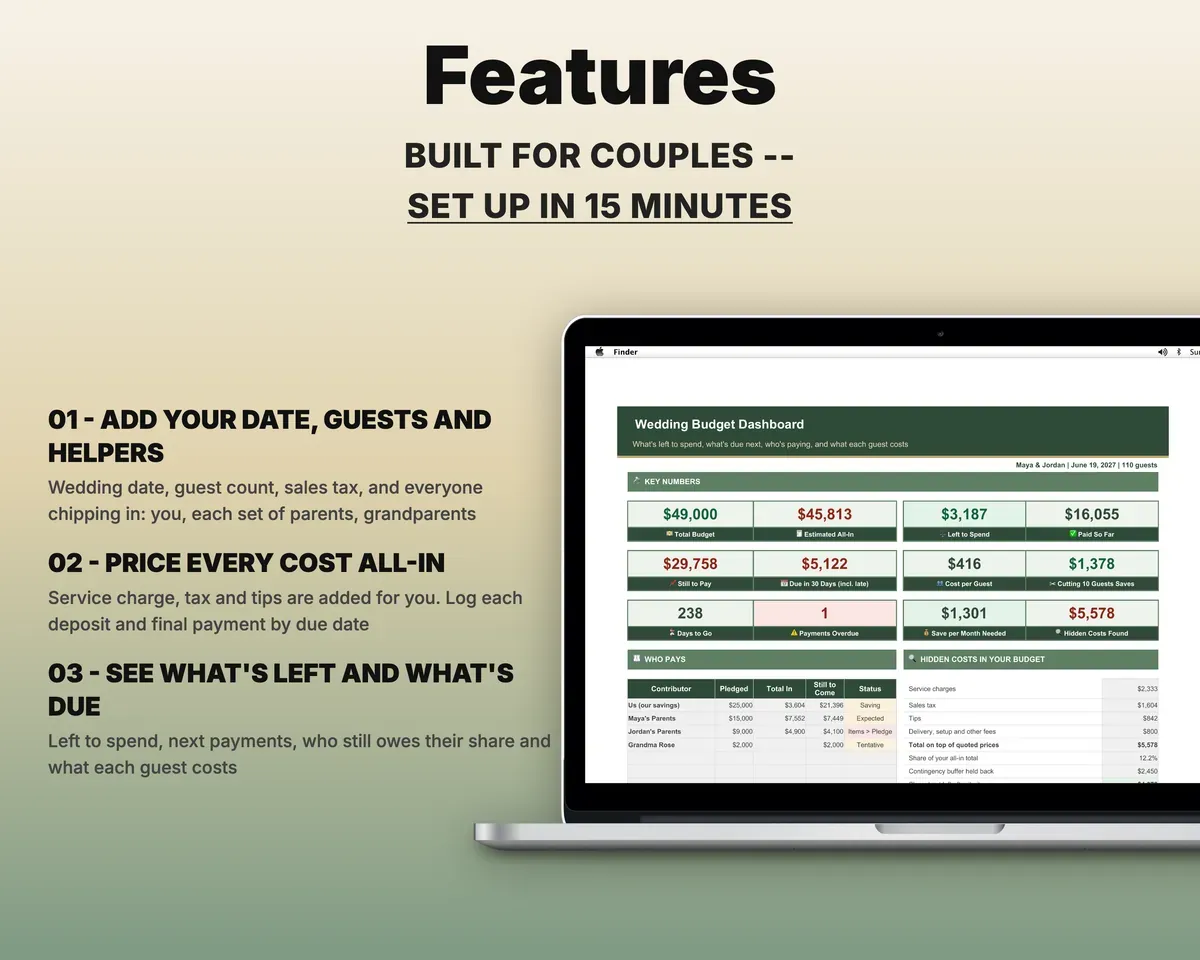
Built around the jobs couples planning a wedding actually do
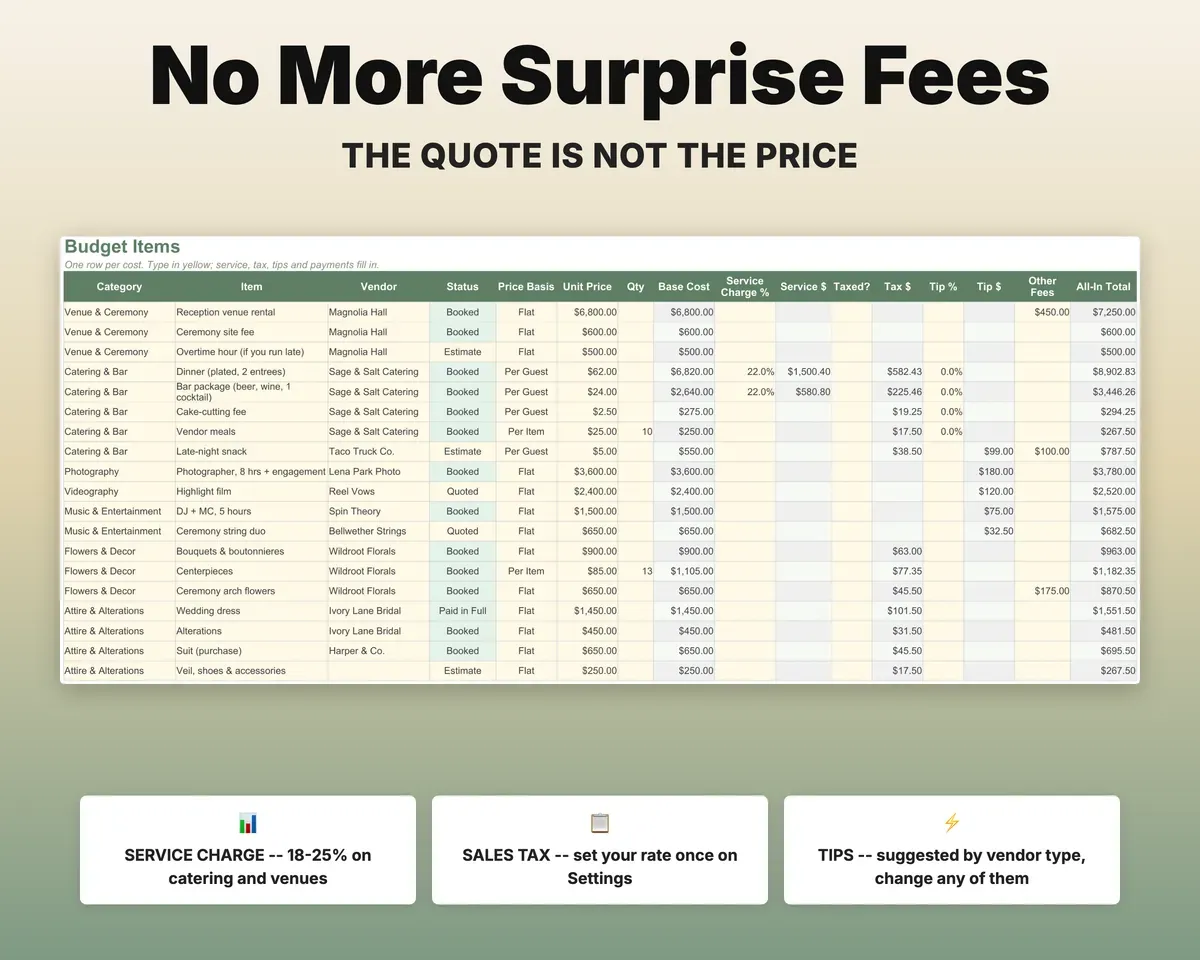
See what each vendor will really cost
Each cost is split into the quoted price, service charge, sales tax, tip and any other fees. Tips are suggested by vendor type and you can change any of them. A Hidden Costs panel adds up everything that lands on top of the quotes.
Quotes, tax rateAll-in estimateKnow who is paying for what
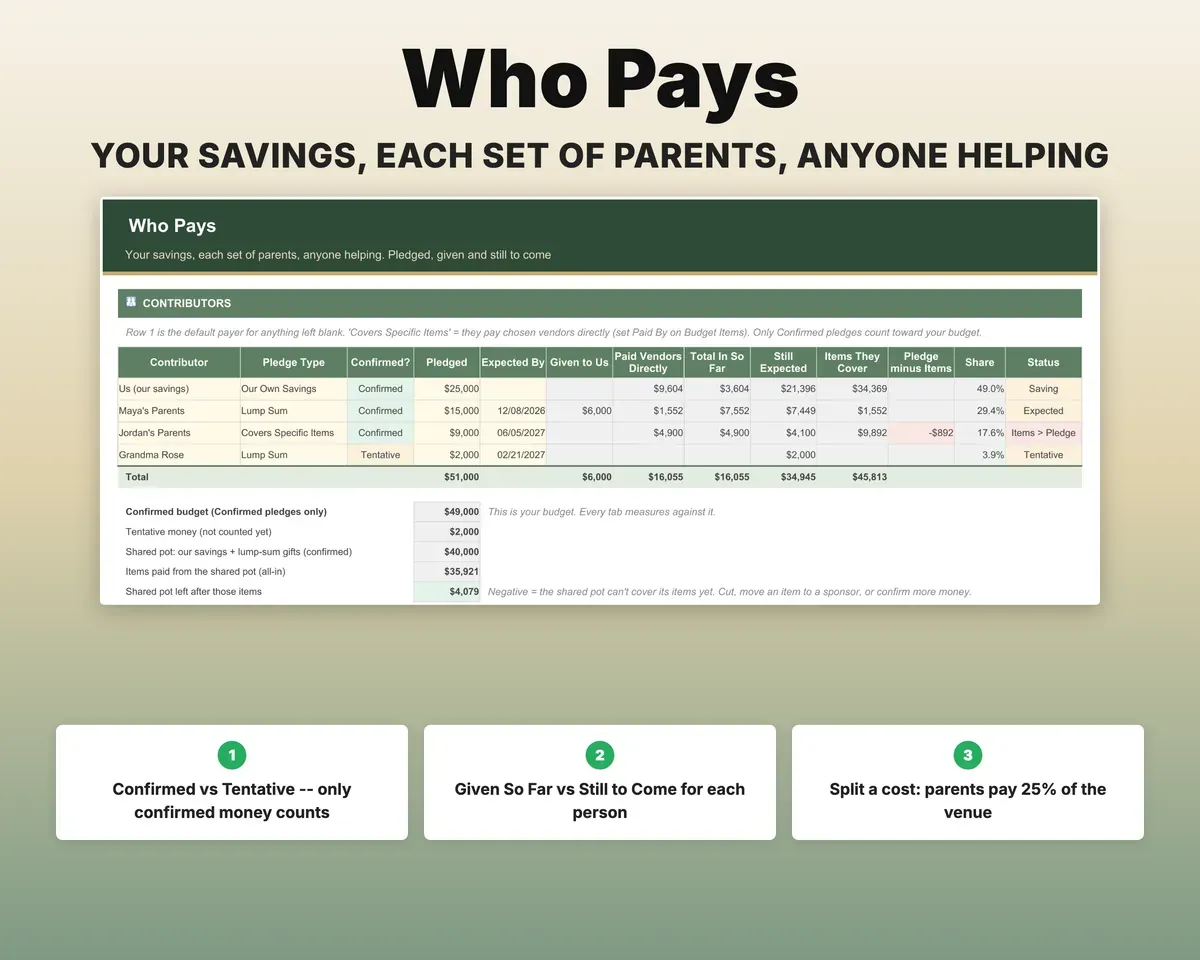
List everyone putting money in: your savings, each set of parents, grandparents. Mark each pledge Confirmed or Tentative, and only confirmed money counts toward the budget. Assign a cost to one person or split it by percentage.
Pledges, splitsGiven and still to comeNever miss a deposit or final payment
Log each deposit, installment and final balance with its due date, then type the date you paid. Late payments turn red, ones due within two weeks (you can change the window) turn amber, and the next six show on the dashboard.
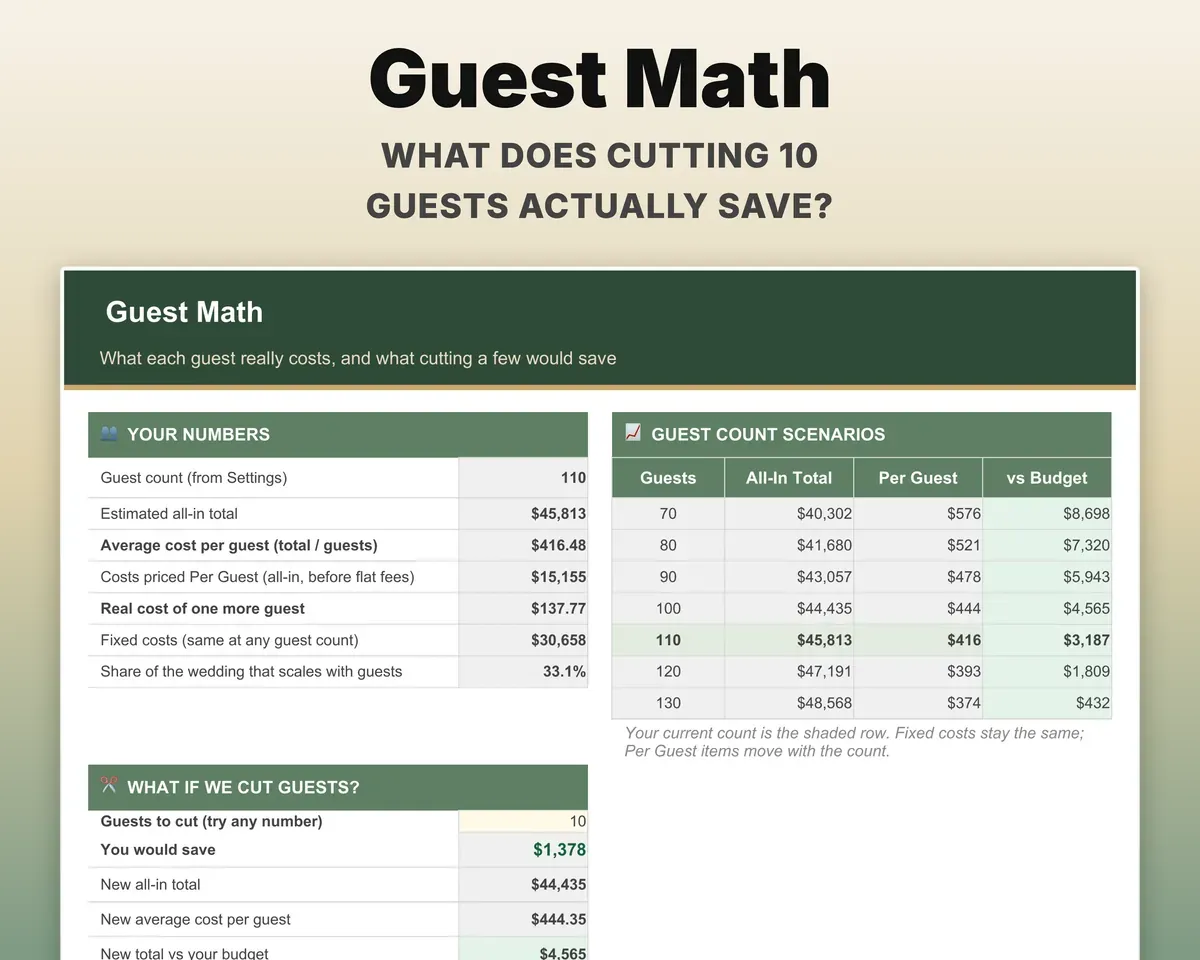
Payments, due datesWhat's due nextFind out what one more guest costs
Guest Math separates costs that grow with every guest, like meals, bar and chairs, from the ones that stay the same, like the venue and photographer. You get your real cost per extra guest and what cutting any number of guests would save.
Guest countCost per extra guestCompare quotes on the price you'll pay
Put two or three caterers or venues side by side on Quote Compare. Food and drink minimums, service charges and tax are counted, so the cheapest quote on paper doesn't win by mistake.
Competing quotesTrue cheapestCheck the money is there month by month
Monthly Plan lays out every month until the wedding: payments due, money expected from family and whether you'll come up short. Pick your region to see how your total and cost per guest compare with recent US averages.
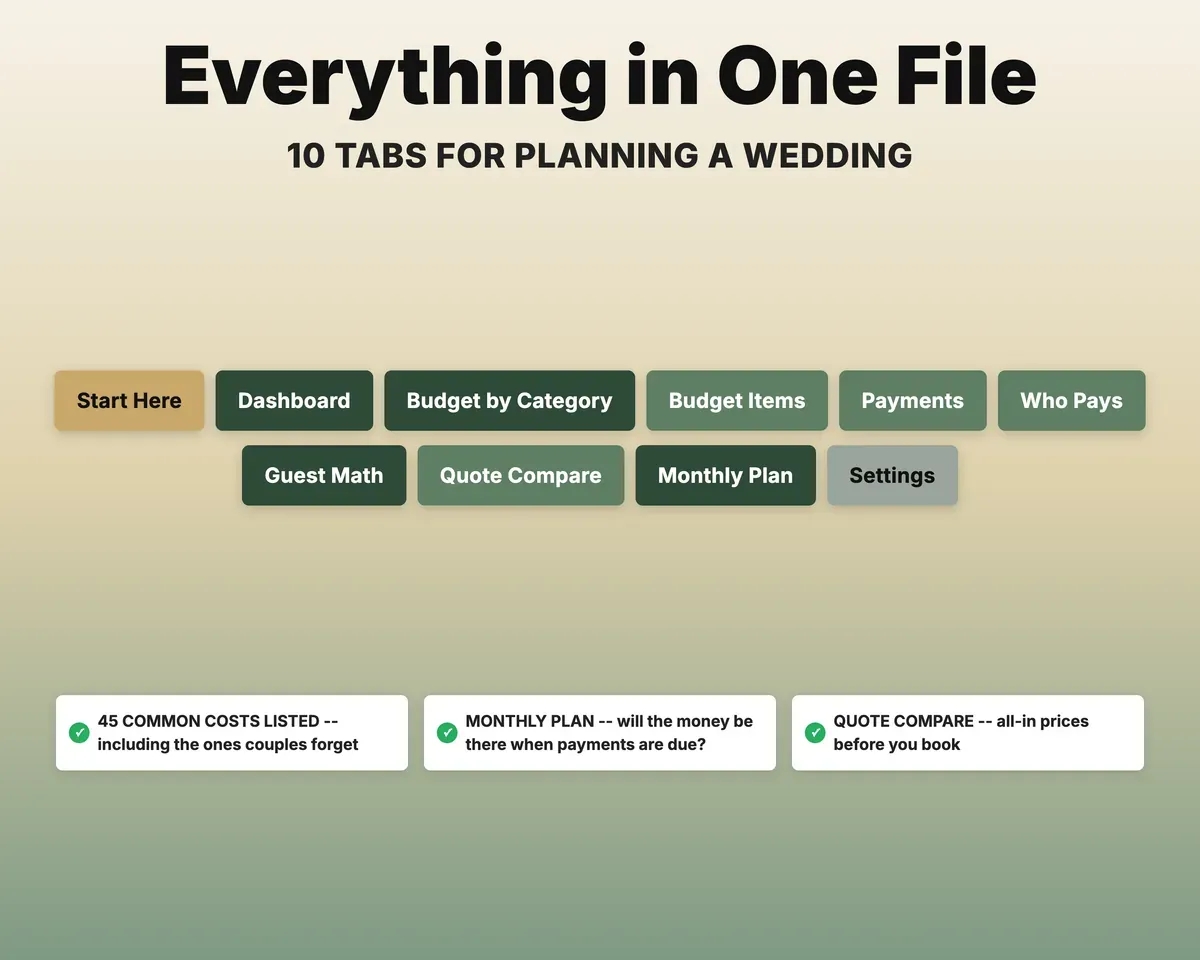
Dates, pledgesShort or covered10 tabs in one file
- Start Here
- Dashboard
- Budget by Category
- Budget Items
- Payments
- Who Pays
- Guest Math
- Quote Compare
- Monthly Plan
- Settings
- Start Here
- Seven setup steps, the color key and what each tab does.
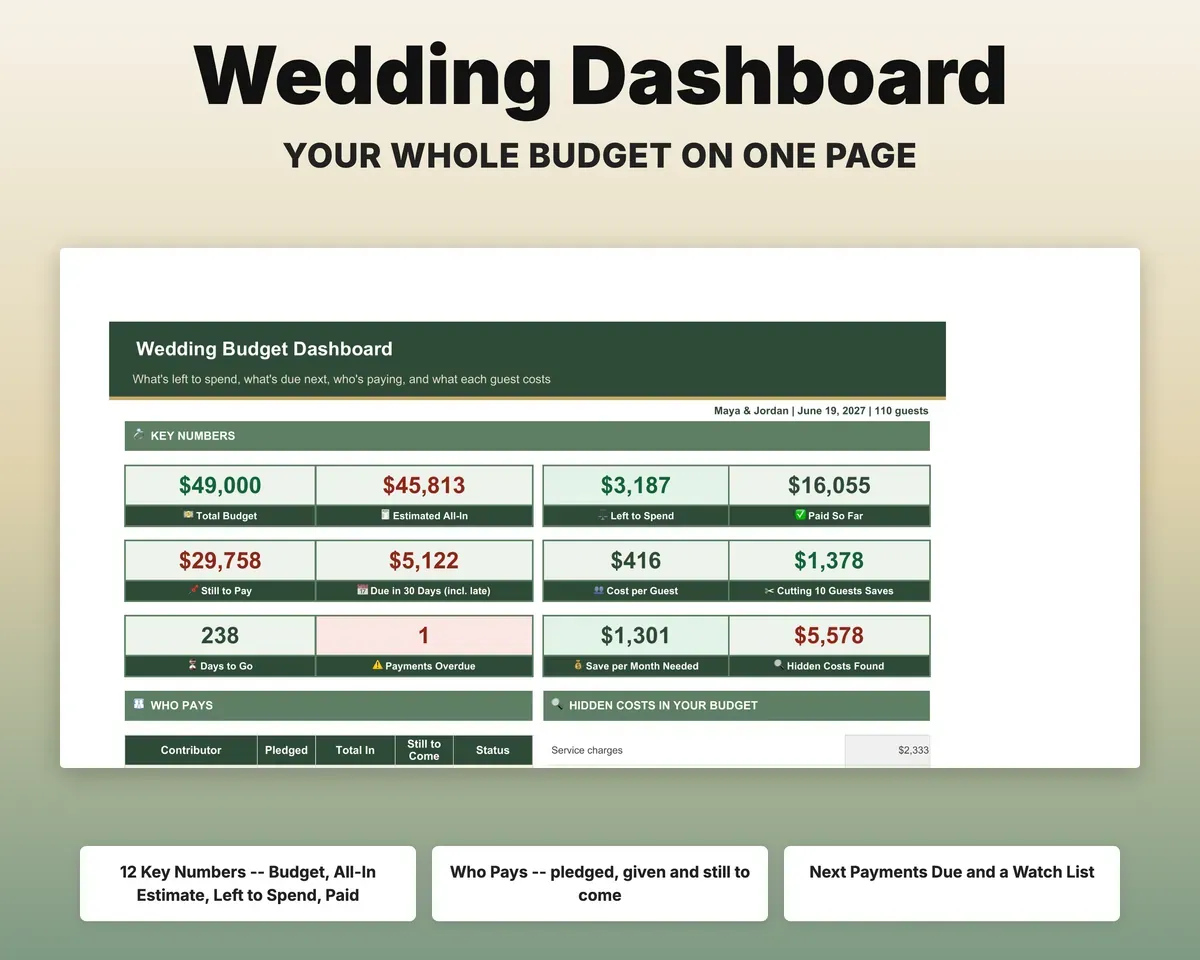
- Dashboard
- Budget, all-in estimate, left to spend, paid, still owed, payments due soon, who pays and hidden costs.
- Budget by Category
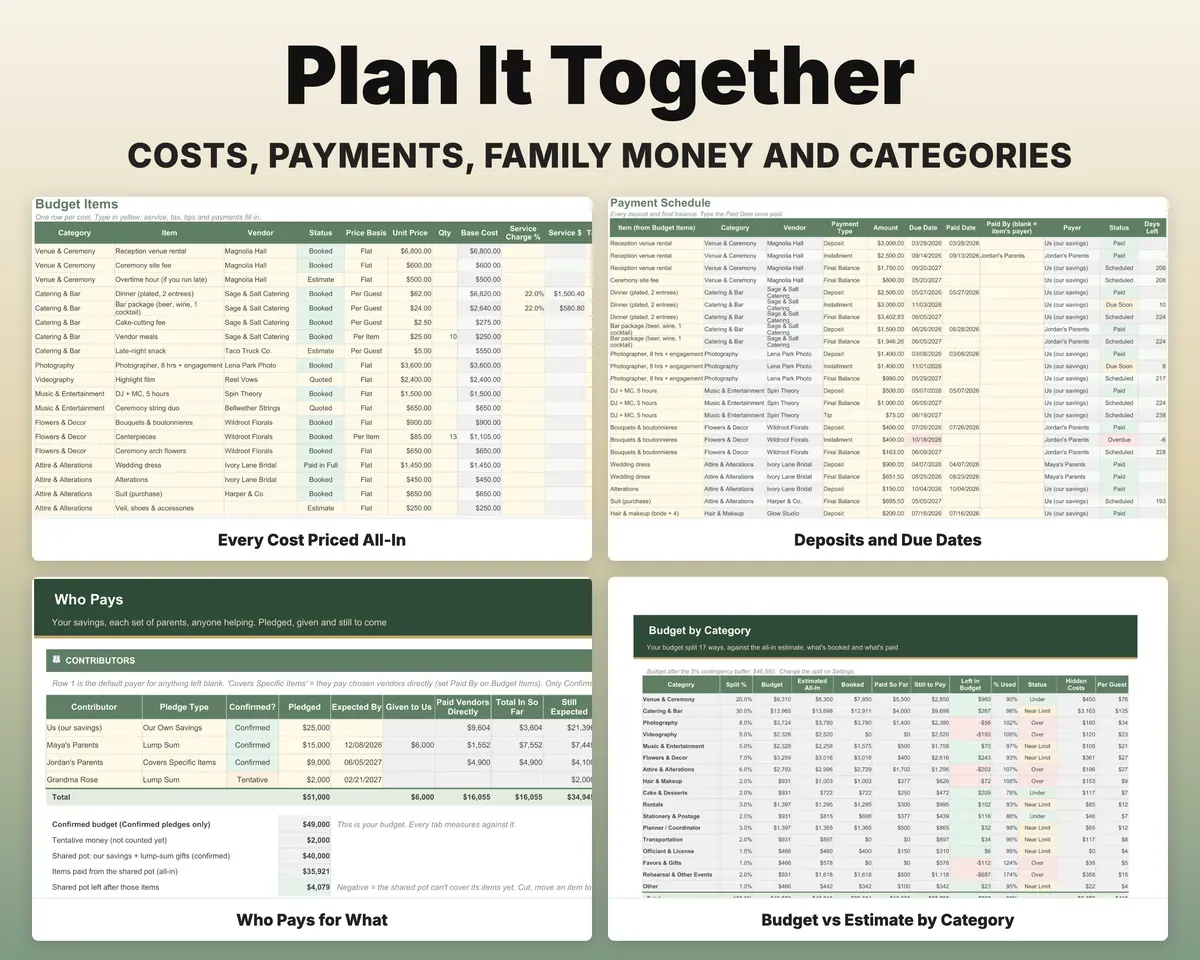
- 17 categories with your split, budget, all-in estimate, amount paid and a status for each.
- Budget Items
- About 45 common costs already listed, each priced with service charge, tax, tip and fees.
- Payments
- Deposits, installments, final balances and tips, each with a due date and status.
- Who Pays
- Each person's pledge, money given, money still to come and the costs they cover.
- Guest Math
- Cost per guest, the cost of one more guest and what cutting guests would save.
- Quote Compare
- Competing quotes side by side on their all-in price, minimums included.
- Monthly Plan
- Each month until the wedding: what's due, what's coming in and any shortfall.
- Settings
- Names, date, guest count, region, sales tax, buffer, category split and suggested tips.
Try the free Wedding Budget Calculator
Split a wedding budget into categories and see the cost per guest and what cutting guests saves.
Pair it with
“Well thought out worksheets nicely presented”
“Excellent! Very easy to use.”
Before you buy
Our parents pay some vendors directly. Does that still count?
Yes. Pick the parent in the Paid By column for that cost and the payment counts toward their pledge. Cash or checks they give you go in the Money In section at the bottom of Who Pays.
Does it include a guest list?
No. It works from your guest count, so it sits alongside whatever guest list or RSVP tool you already use.
Can we change the categories and tip amounts?
Yes. Rename categories, change the budget split and adjust the suggested tips on Settings, and every tab follows.
Does it only work in US dollars?
The cells are formatted in dollars, but the math works the same in any currency. Change the number format if you want a different symbol. The regional averages are US figures.
Can my partner and I both update it?
Yes. Make your own copy in Google Sheets and share it with each other, or keep the Excel file in a shared folder.
Is there a free way to rough out a budget first?
Yes. The free Wedding Budget Calculator on this site splits a total budget into categories and shows the cost per guest. The spreadsheet takes it from there with real quotes, payments and family contributions.
What do I get?
An Excel file (.xlsx), a filled-in sample to look at, and a quick-start PDF guide with a link that makes your own copy in Google Sheets.
How does delivery work?
You get your download links right after checkout, and Stripe emails your receipt. There is nothing to ship and nothing to wait for.
How do I set it up in Google Sheets?
Open the quick-start PDF and click the Google Sheets link. Google makes a copy in your own Drive that only you can edit. You need a free Google account.
Will it work on a Mac?
Yes. It works in Excel on Mac and Windows, and in Google Sheets in any browser.
I'm not a spreadsheet person. Is that a problem?
No. You only type in the yellow cells. Everything in gray works itself out, and the Start Here tab shows you where to begin.
Can I get a refund?
Templates are digital downloads, so sales are final. If a file won't open, is broken or doesn't match its description, email hello@cleanpixelstudios.com within 30 days and we'll fix it, or refund you if we can't.
What if I get stuck?
Email hello@cleanpixelstudios.com and we'll help you get it working.
More in Home, hobbies & travel
See all Home, hobbies & travel templates
 Made by Clean Pixel Studios
We start every template by reading what people in that line of work say they struggle with, then build the spreadsheet around those problems. This one was made for couples planning a wedding and nobody else.
How we build templatesWedding Budget Spreadsheet$14.99 · Excel + Google Sheets