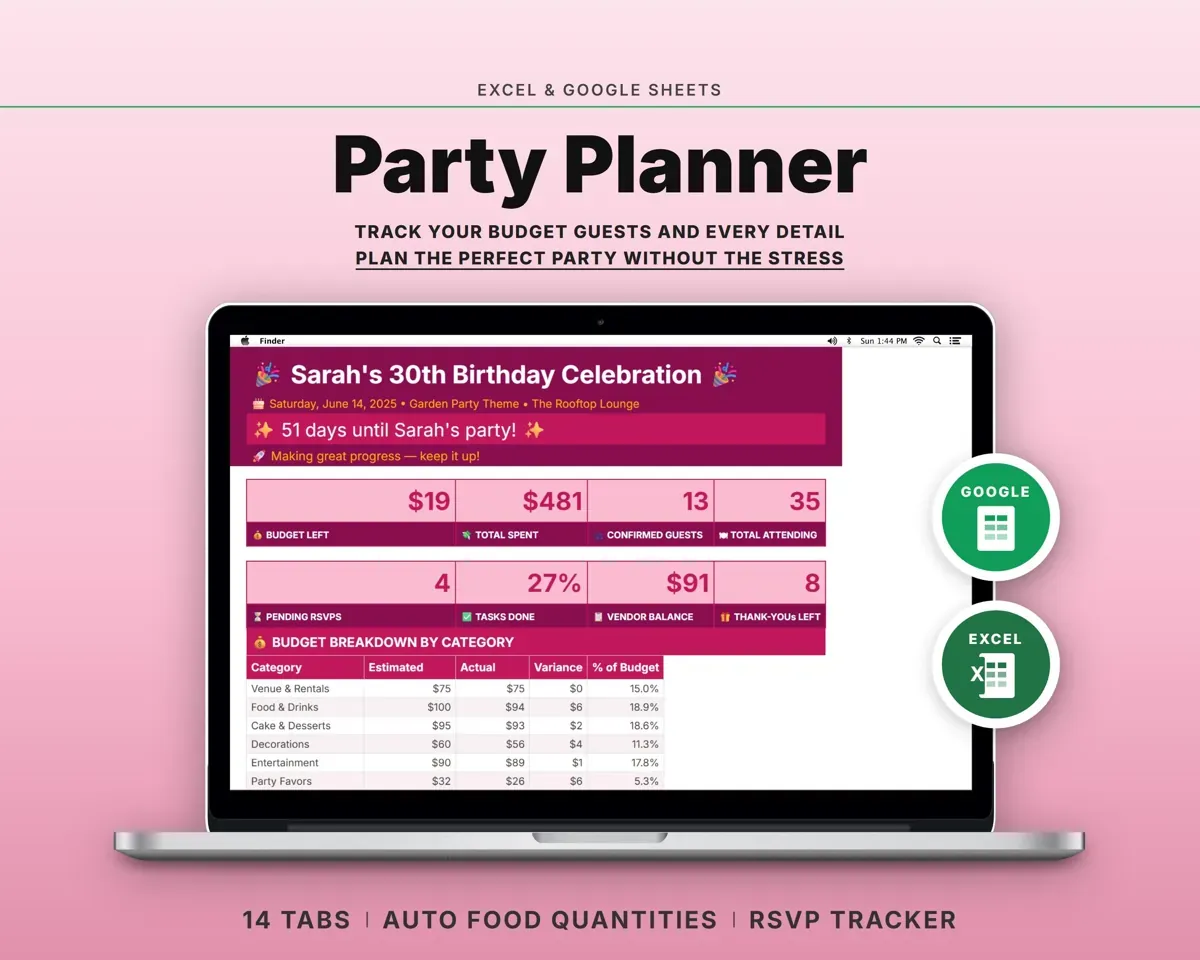
Built around the jobs party hosts actually do
Stay on top of what the party costs
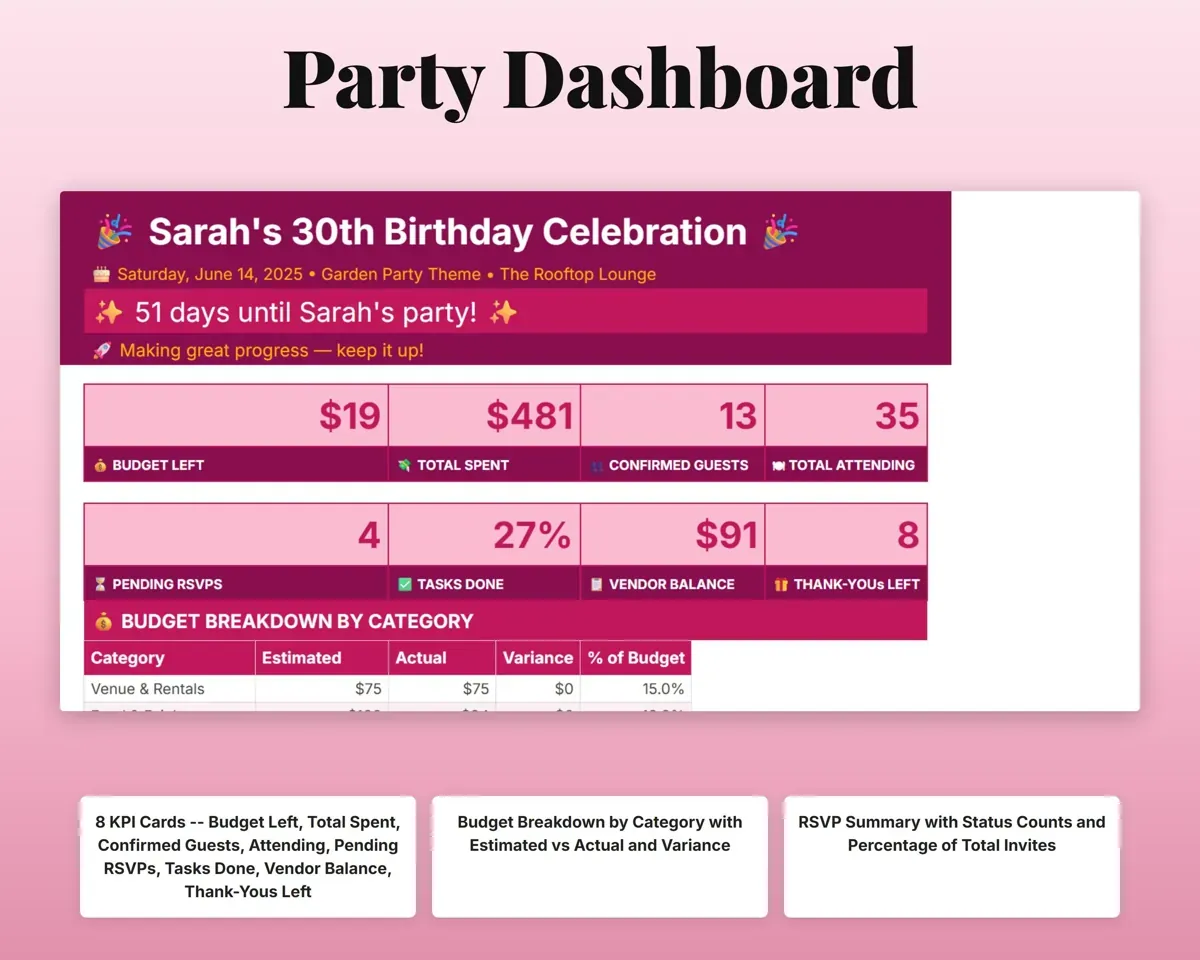
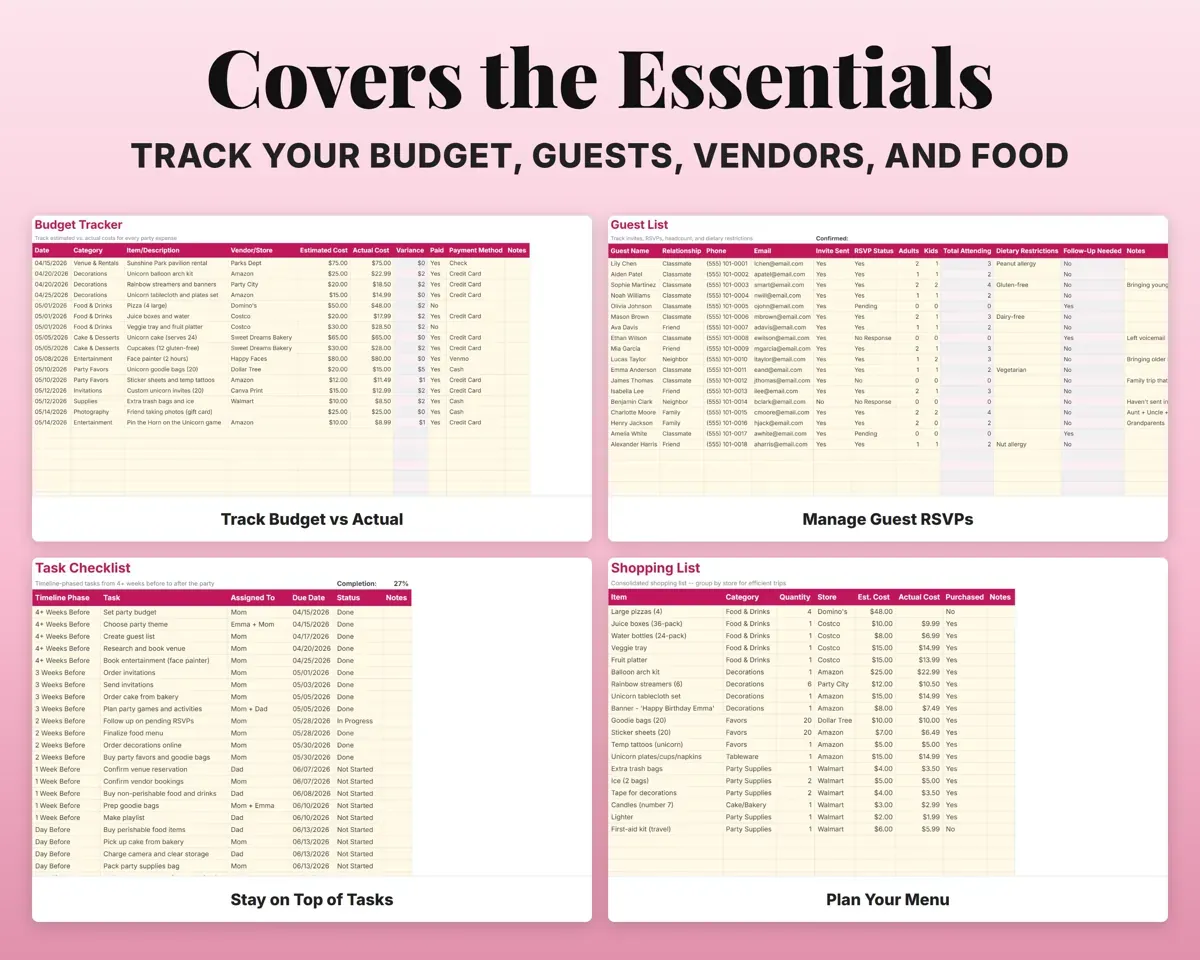
Set a total budget, then log each cost with an estimate and the actual. The Dashboard shows what you have spent, what is left and the difference by category.
Estimated and actualBudget leftKnow who is coming and who hasn't answered
Each guest gets a row with invite status, RSVP, headcount and dietary needs. Guests who haven't replied are flagged for follow-up.
Invites, RSVPsConfirmed headcountWork out how much food to buy
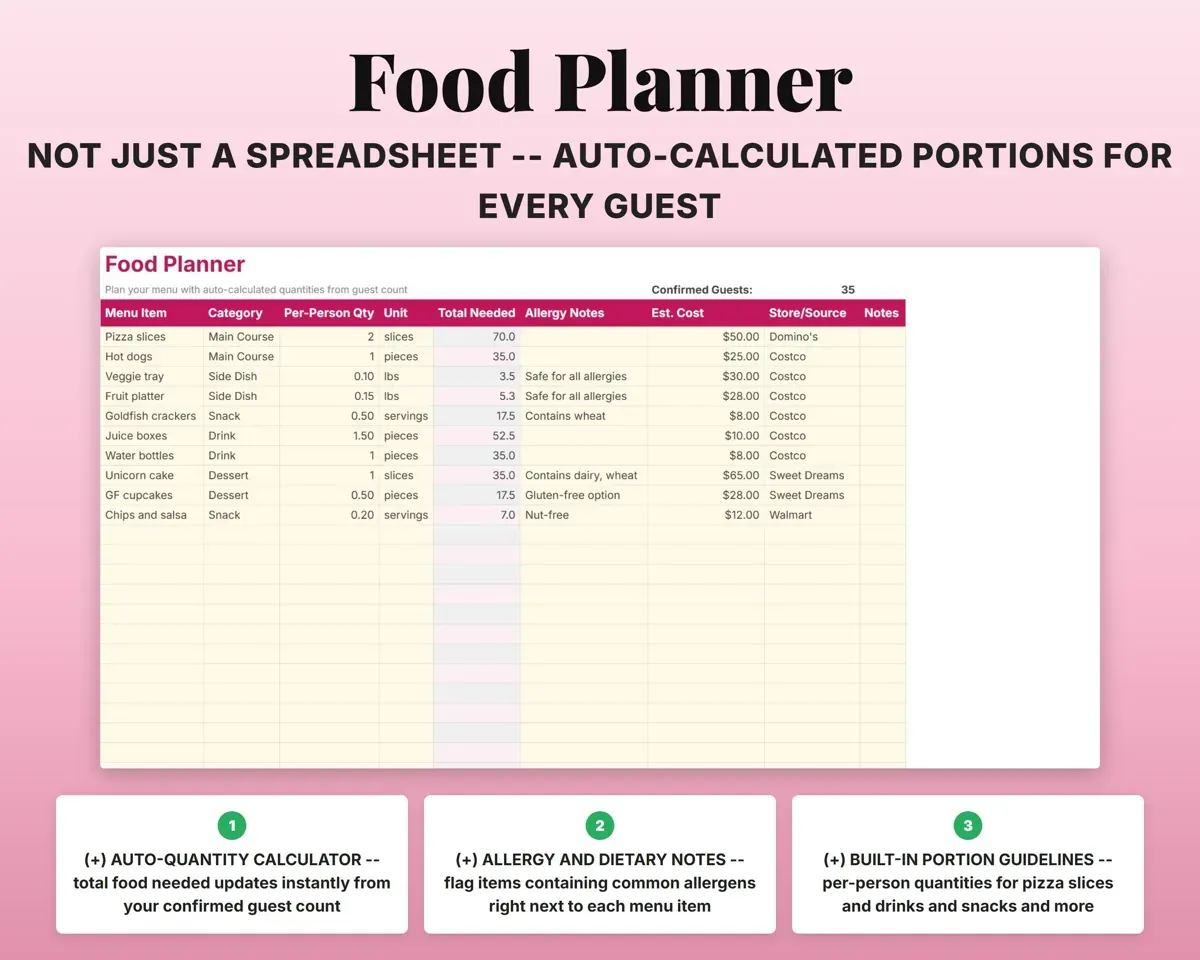
Enter menu items with a portion per person. Total amounts work out from your confirmed headcount, with allergy notes beside each item.
Menu, portionsTotal quantitiesTrack deposits, balances and due dates
Compare venues side by side with total costs. Track each vendor's deposit, balance, payment deadline and contract status.
Quotes, depositsBalance dueWork through the plan from four weeks out
30+ tasks sorted by timeline, a day-of schedule with who does what, and a shopping list grouped by store.
Tasks, timesWhat's left to doSend thank-yous and remember next year
Log gifts received and thank-you card status, and keep a yearly history of each party.
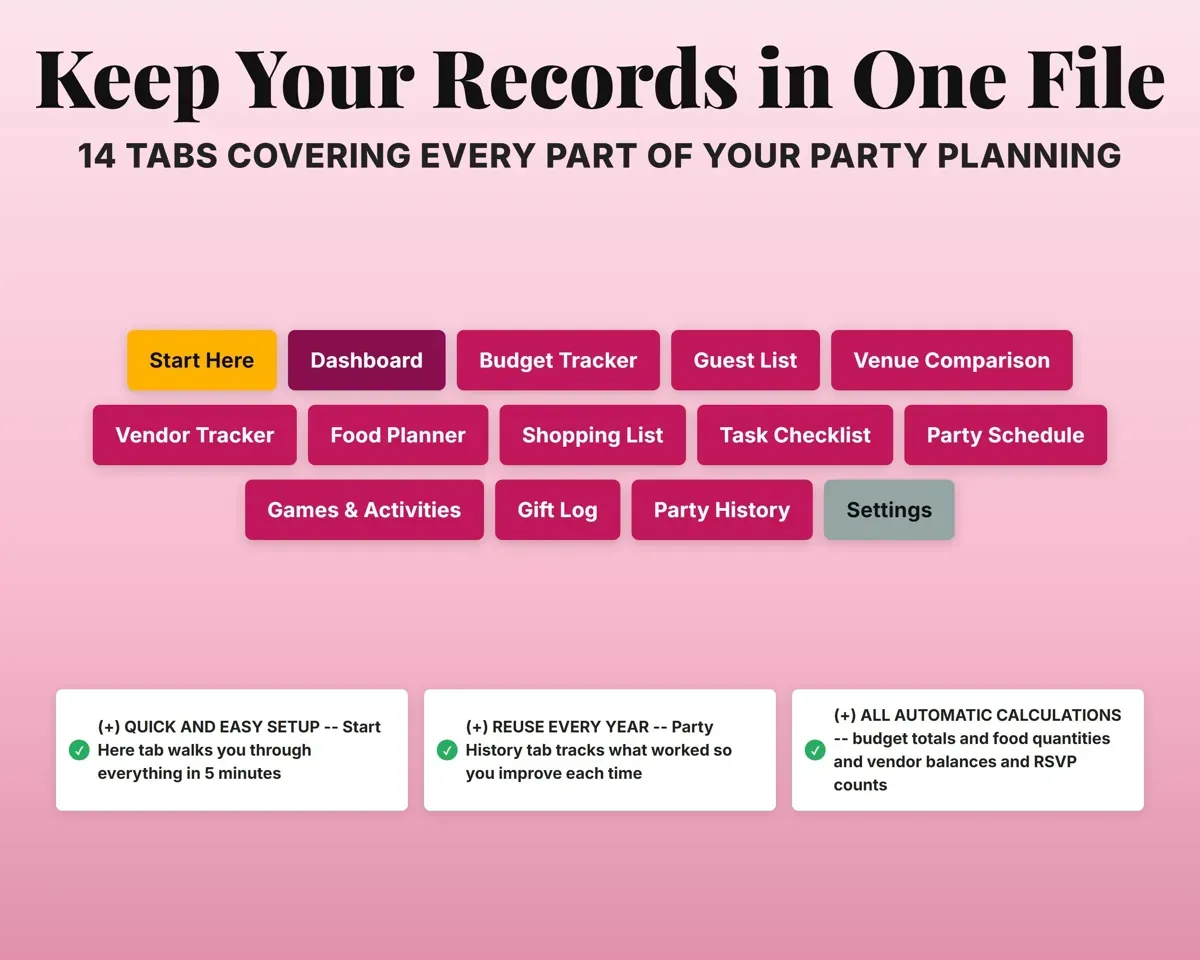
Gifts, notesThank-yous sent14 tabs in one file
- Start Here
- Dashboard
- Budget Tracker
- Guest List
- Venue Comparison
- Vendor Tracker
- Food Planner
- Shopping List
- Task Checklist
- Party Schedule
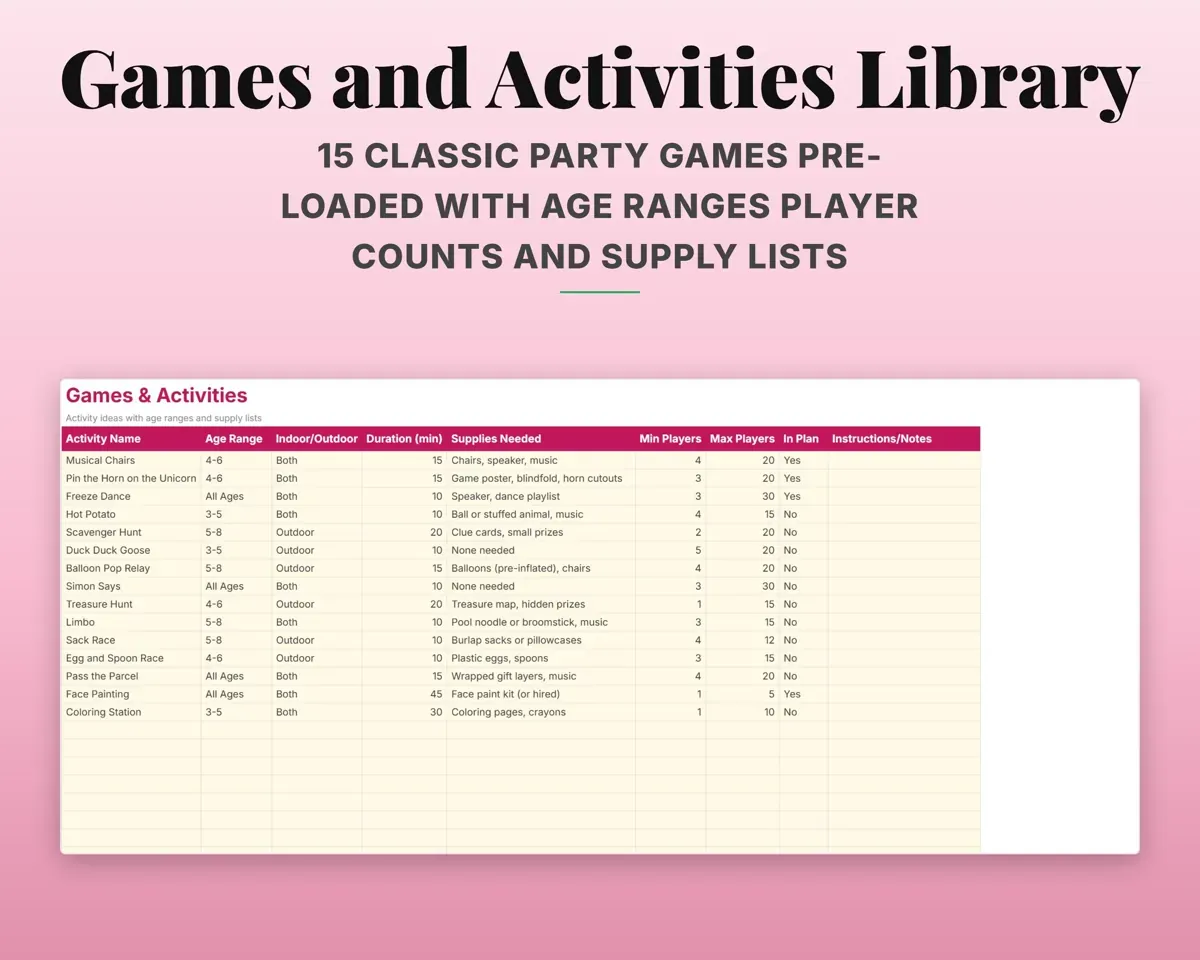
- Games & Activities
- Gift Log
- Party History
- Settings
- Start Here
- A short setup walkthrough so you know where to begin.
- Dashboard
- Budget by category, RSVP summary and key totals.
- Budget Tracker
- Estimated vs actual costs with payment status.
- Guest List
- Guests, RSVPs, headcount and dietary needs.
- Venue Comparison
- Venues side by side with total costs.
- Vendor Tracker
- Vendor deposits, balances, due dates and contracts.
- Food Planner
- Menu items with quantities worked out from headcount.
- Shopping List
- Shopping by store with estimated and actual costs.
- Task Checklist
- 30+ tasks from four weeks out to after the party.
- Party Schedule
- The day-of timeline with who does what.
- Games & Activities
- 15 party games with age ranges and supplies.
- Gift Log
- Gifts received and thank-you card status.
- Party History
- A yearly log of past parties.
- Settings
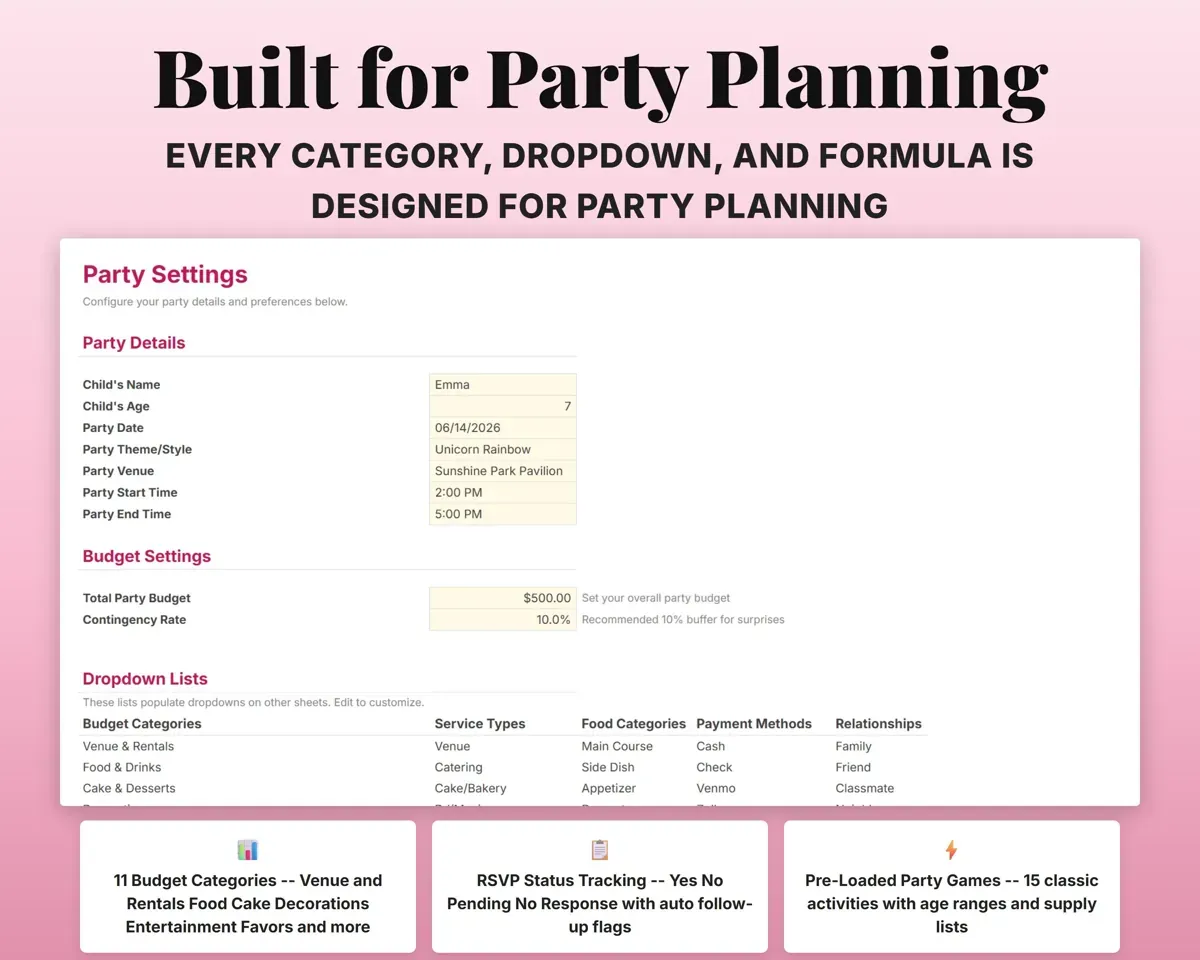
- Party details, budget and your own dropdown lists.
“Excellent! Very easy to use.”
“Nice Organization for 4H projects”
Before you buy
What kinds of parties does it work for?
Any kind: birthdays, milestones, surprise parties, dinner parties, graduations and retirements. The task list and food planner work for any size.
How many guests can it hold?
The Guest List has room for up to 100 guests, and the Food Planner adjusts amounts for whatever headcount you confirm.
Can I reuse it for next year's party?
Yes. The Party History tab keeps a record of each year's party so you can plan the next one from what worked.
What do I get?
An Excel file (.xlsx), a filled-in sample to look at, and a quick-start PDF guide with a link that makes your own copy in Google Sheets.
How does delivery work?
You get your download links right after checkout, and Stripe emails your receipt. There is nothing to ship and nothing to wait for.
How do I set it up in Google Sheets?
Open the quick-start PDF and click the Google Sheets link. Google makes a copy in your own Drive that only you can edit. You need a free Google account.
Will it work on a Mac?
Yes. It works in Excel on Mac and Windows, and in Google Sheets in any browser.
I'm not a spreadsheet person. Is that a problem?
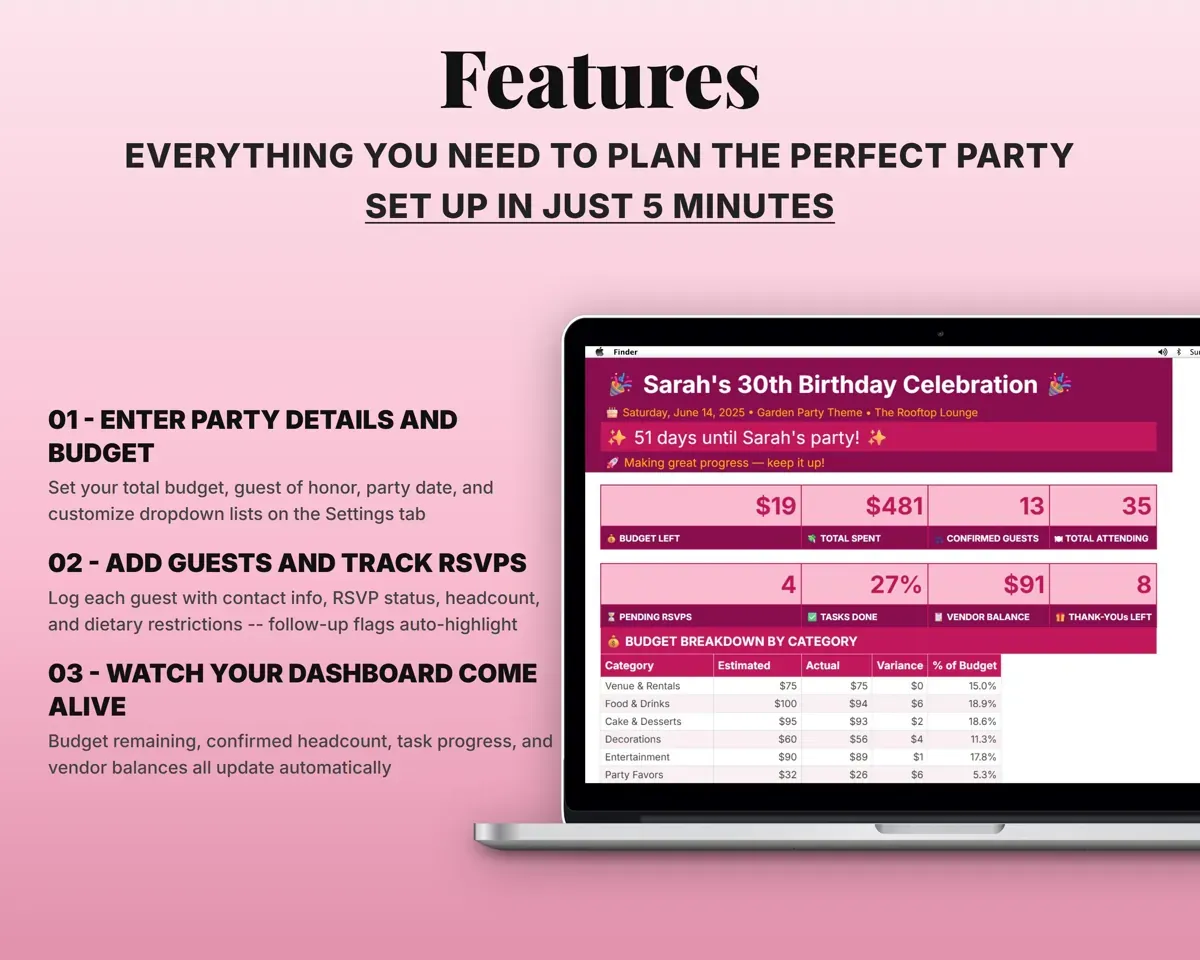
No. You only type in the yellow cells. Everything in gray works itself out, and the Start Here tab shows you where to begin.
Can I get a refund?
Templates are digital downloads, so sales are final. If a file won't open, is broken or doesn't match its description, email hello@cleanpixelstudios.com within 30 days and we'll fix it, or refund you if we can't.
What if I get stuck?
Email hello@cleanpixelstudios.com and we'll help you get it working.
More in Homeschool & family
See all Homeschool & family templates
 Made by Clean Pixel Studios
We start every template by reading what people in that line of work say they struggle with, then build the spreadsheet around those problems. This one was made for party hosts and nobody else.
How we build templatesParty Planner Spreadsheet$9.99 · Excel + Google Sheets