Built around the jobs family caregivers actually do
Know which refills are coming up
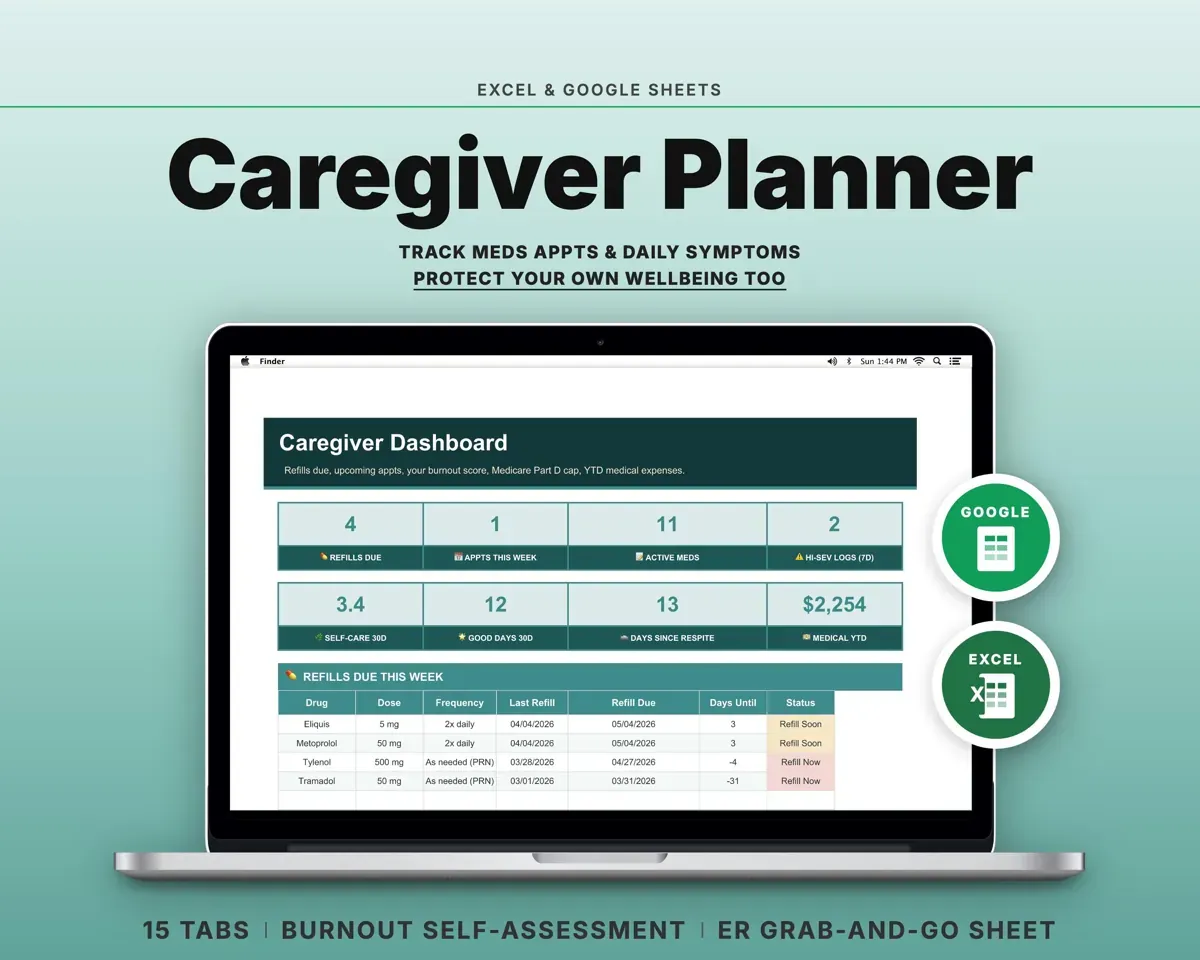
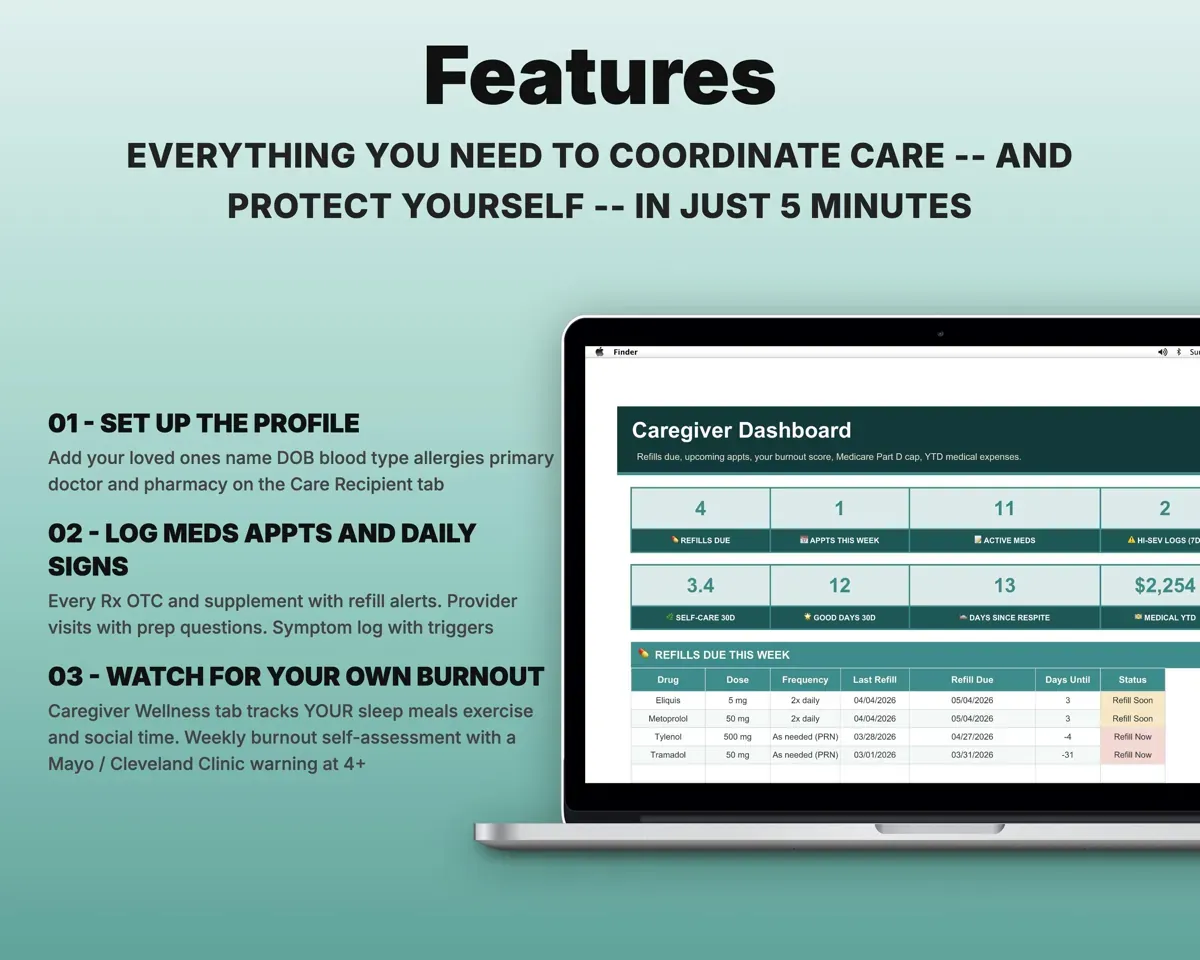
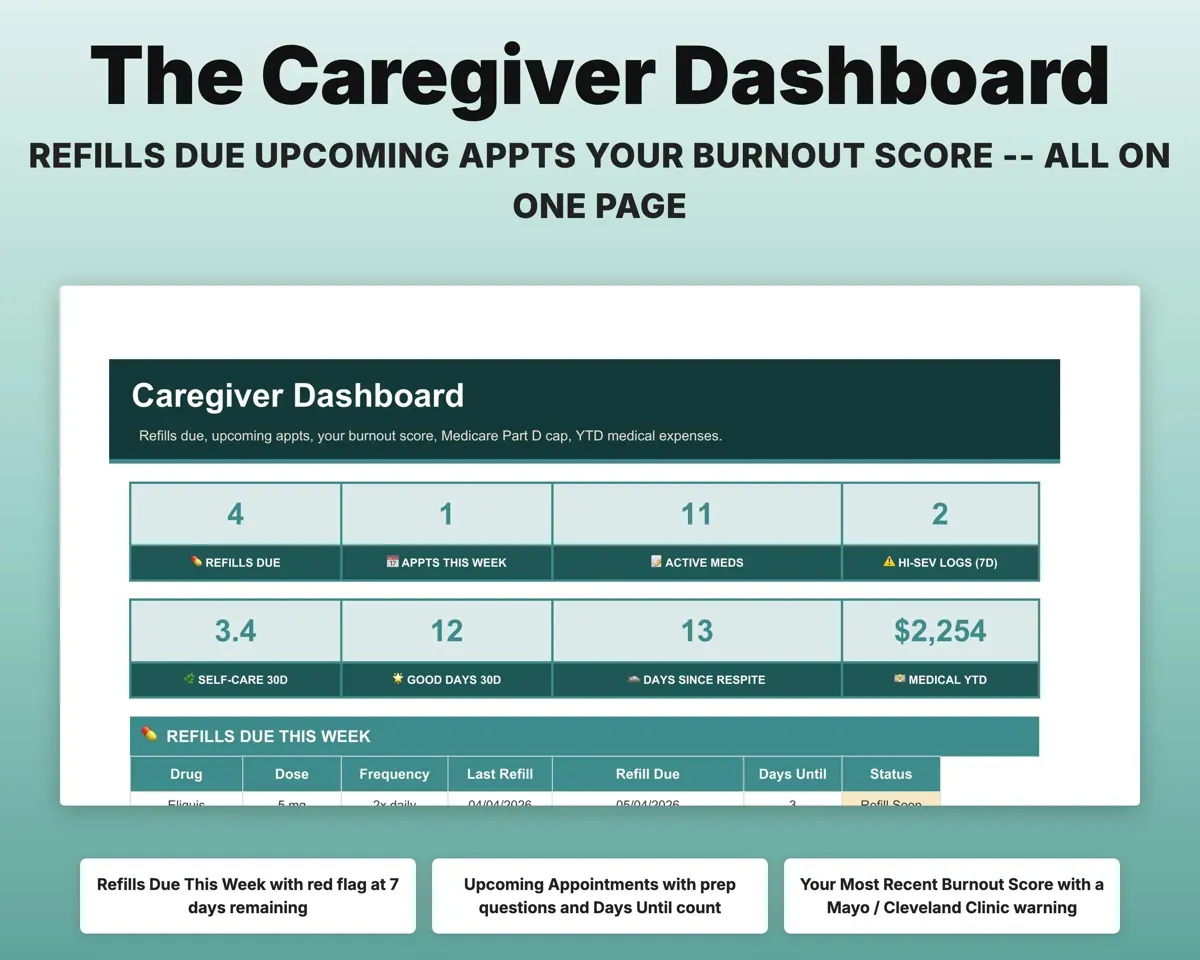
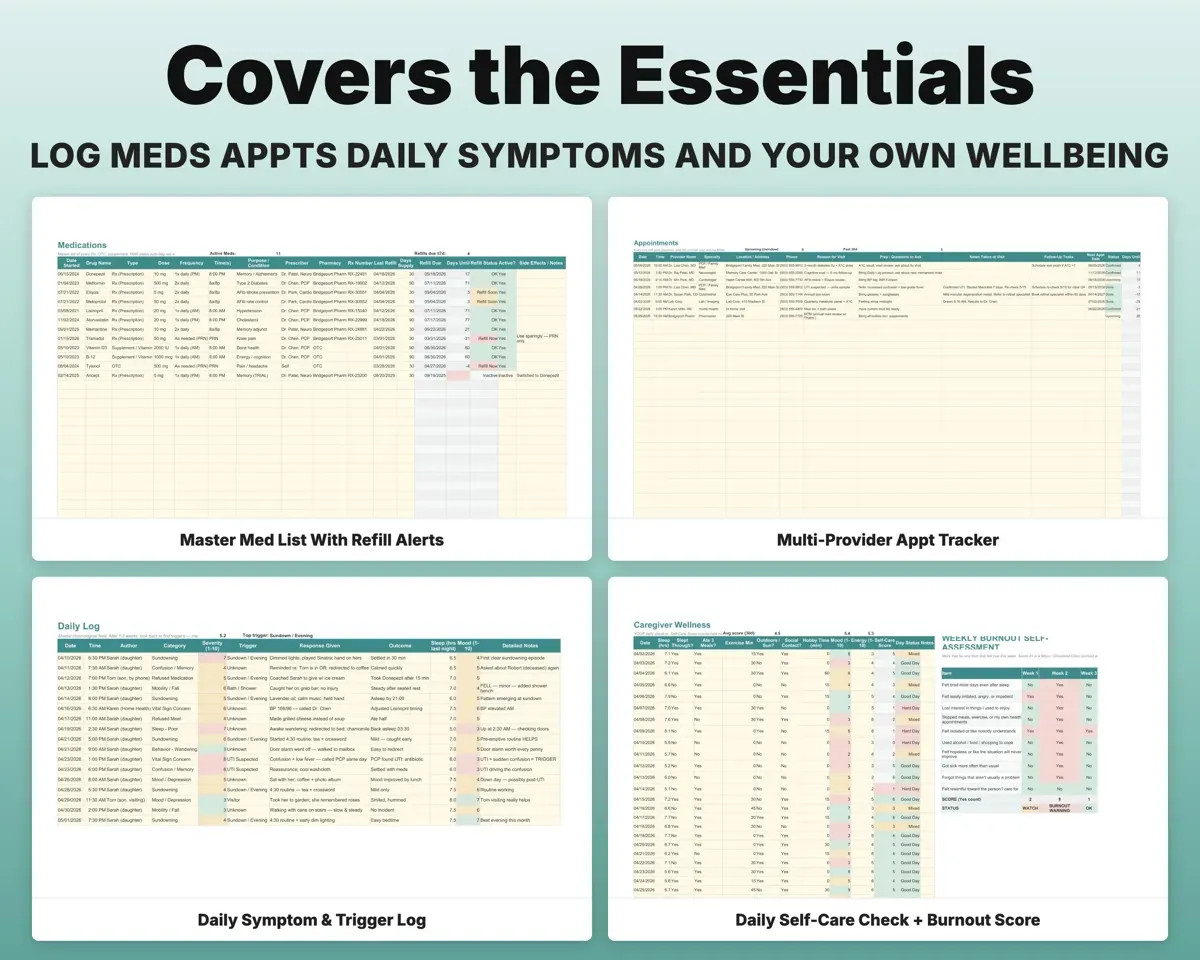
List every prescription, OTC med and supplement with dose, prescriber and pharmacy. Enter the last refill and days supply, and each one shows its due date, color-coded against your alert window.
Last refill, days supplyRefill due dateHave a one-page ER sheet ready
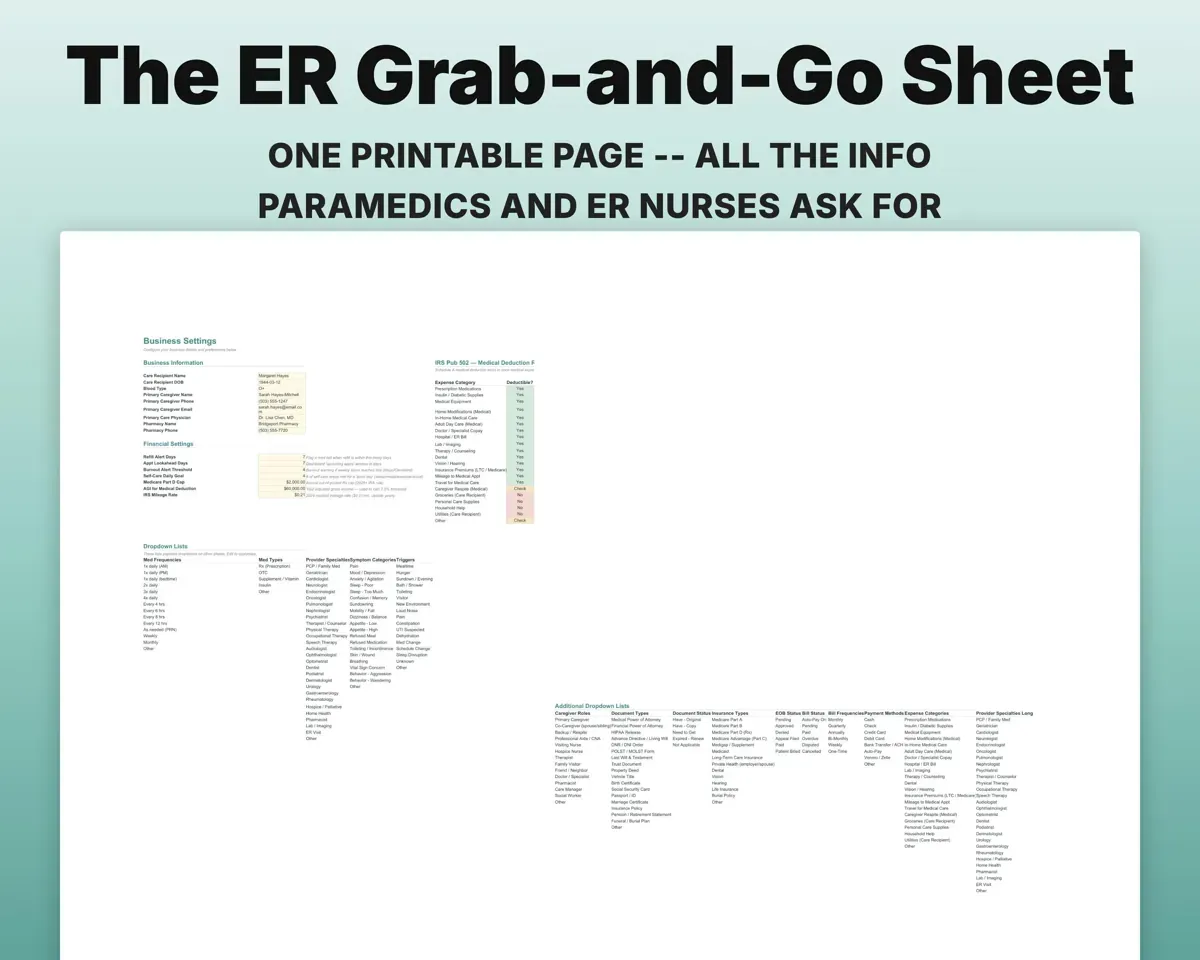
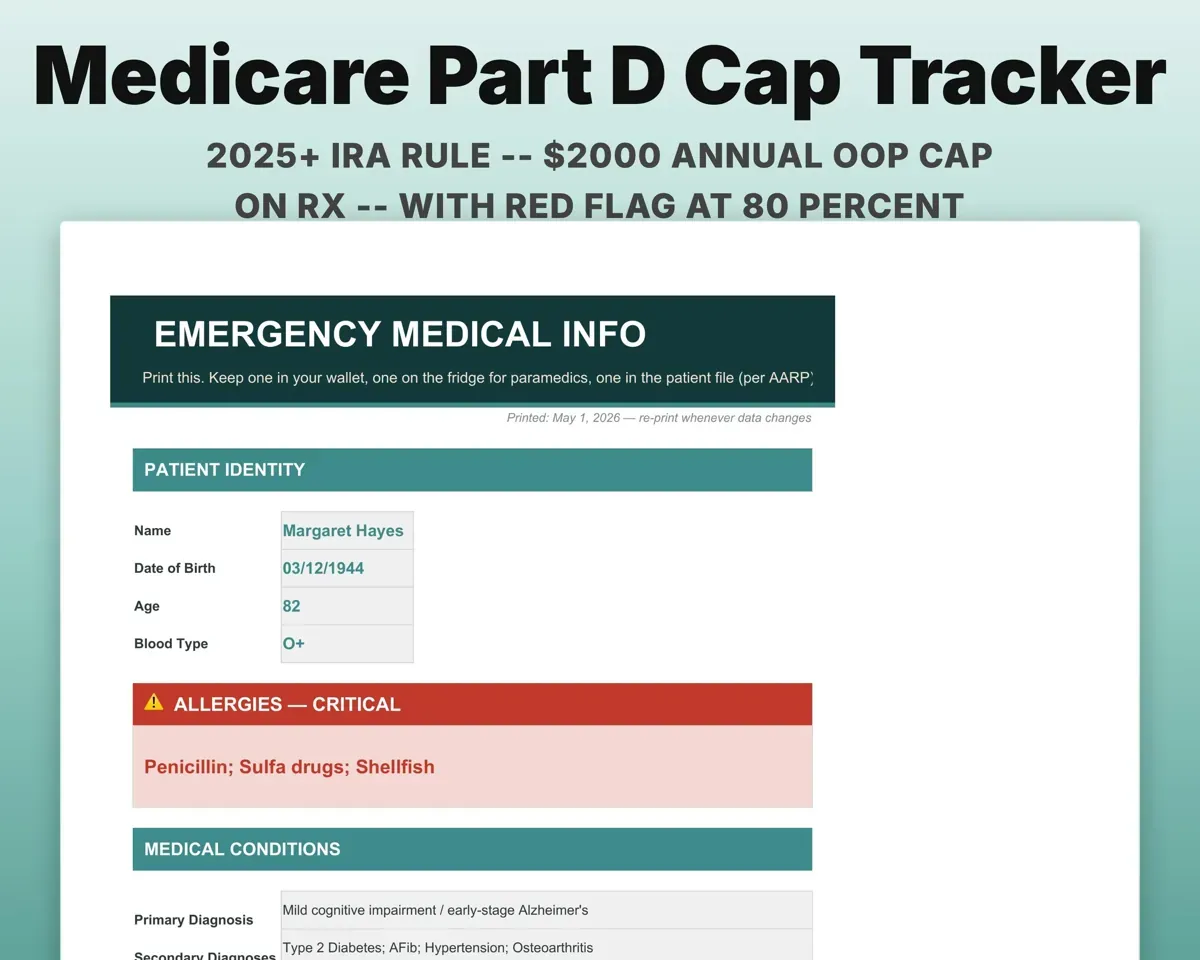
It fills in from the care profile and active meds: allergies in red, doses, doctor, pharmacy, medical POA and where the DNR is kept. Print fresh copies when anything changes.
Profile, active medsPrintable ER sheetSpot patterns in symptoms and behavior
Everyone helping logs to one shared feed with category, severity from 1 to 10, trigger, response and sleep. After a week or two you can look back and see what keeps coming up.
Symptom, triggerOne shared timelineLook after yourself, not just them
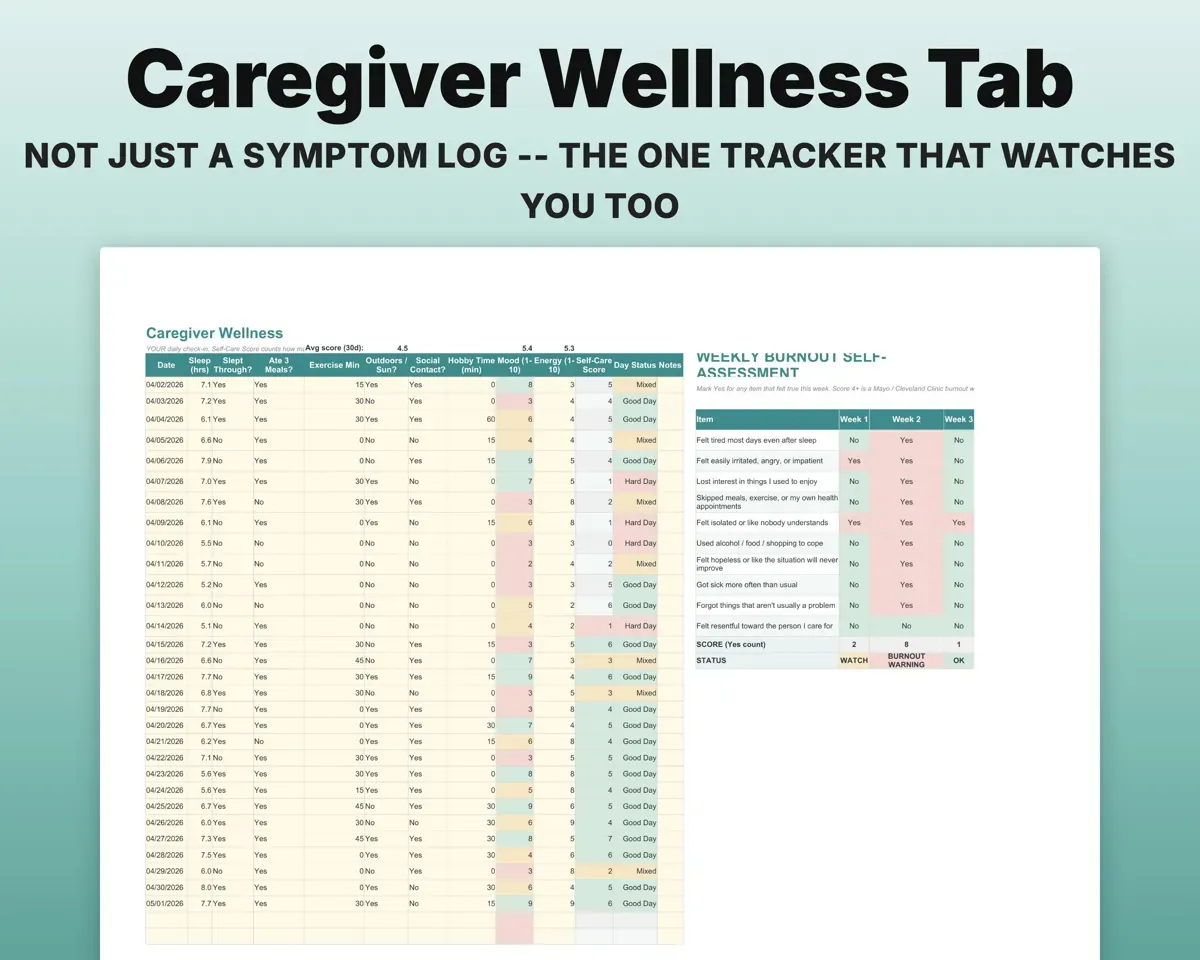
A daily check-in for sleep, meals, exercise, time outside and time with people gives a self-care score from 0 to 7. A weekly 10-question burnout check marks any week that scores 4 or more.
Daily check-inSelf-care scoreKnow who covers each shift
A directory of family, helpers and professionals, plus a 7-day grid with four shifts a day. Respite breaks get dates, cover, cost and a handoff checkbox.
Helpers, shiftsWeekly coverage gridKeep legal papers, insurance and bills straight
A checklist of POA, HIPAA, advance directive and other documents with where each original lives, an EOB log with a Medicare Part D total against the $2,000 cap, recurring bills, and costs sorted by IRS Pub 502 category.
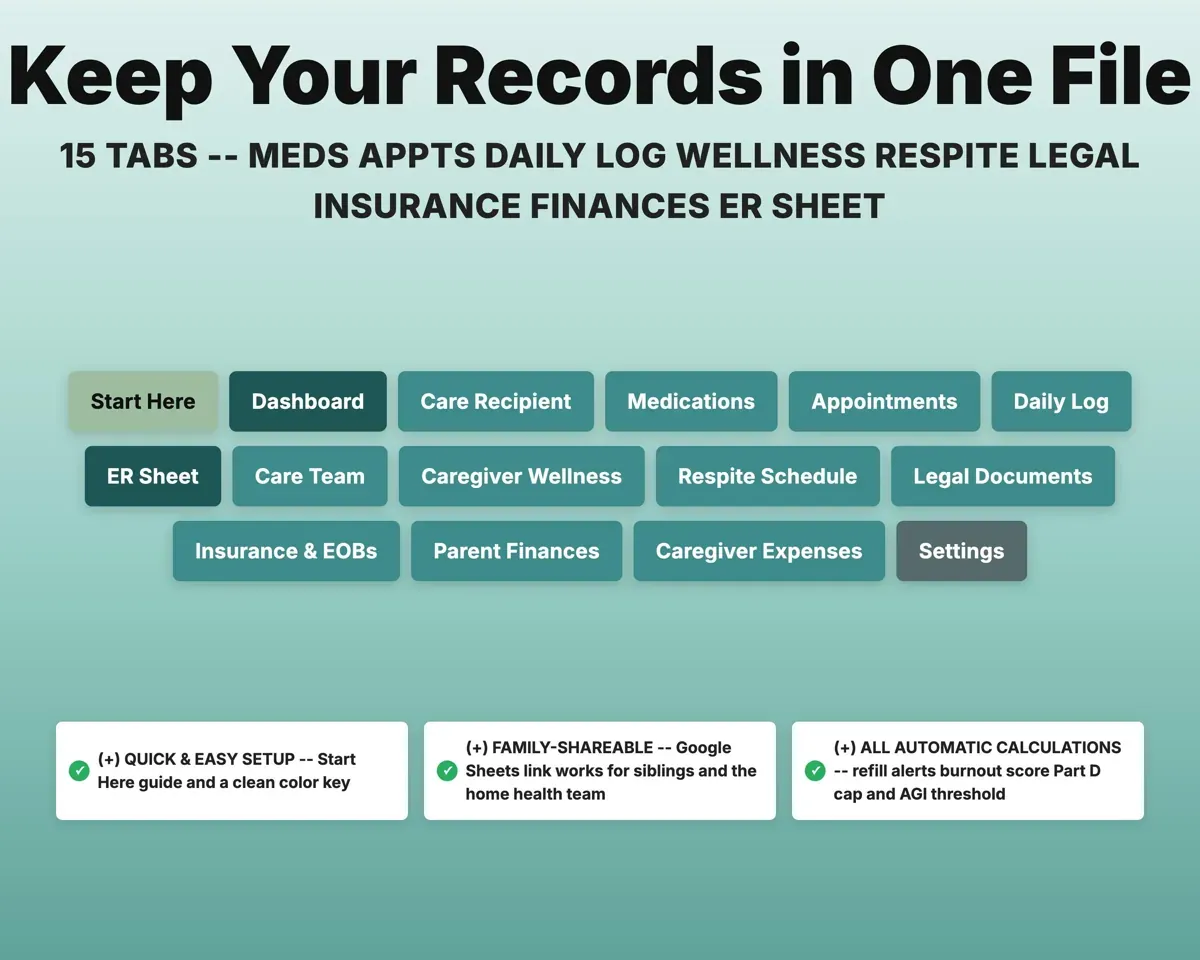
Documents, EOBs, billsPart D total vs cap15 tabs in one file
- Start Here
- Dashboard
- Care Recipient
- Medications
- Appointments
- Daily Log
- ER Sheet
- Care Team
- Caregiver Wellness
- Respite Schedule
- Legal Documents
- Insurance & EOBs
- Parent Finances
- Caregiver Expenses
- Settings
- Start Here
- Setup steps, color key and a tour of every tab.
- Dashboard
- Refills due, upcoming visits, your burnout score and key totals.
- Care Recipient
- One-page profile that feeds the ER sheet.
- Medications
- Every medication with dose, prescriber and refill alerts.
- Appointments
- Visits with questions to ask, notes and follow-up tasks.
- Daily Log
- Shared symptom, behavior and trigger journal.
- ER Sheet
- A printable one-page emergency reference.
- Care Team
- Helper directory and a weekly shift schedule.
- Caregiver Wellness
- Your daily check-in and weekly burnout self-assessment.
- Respite Schedule
- Planned breaks, who covers them and the handoff.
- Legal Documents
- Checklist of legal documents and where each copy is.
- Insurance & EOBs
- Coverage, EOB log and the Medicare Part D cap tracker.
- Parent Finances
- Recurring bills using only the last four account digits.
- Caregiver Expenses
- Out-of-pocket costs sorted by IRS Pub 502 category.
- Settings
- Names, alert thresholds and every dropdown list.
Pair it with
“Excellent! Very easy to use.”
“Nice Organization for 4H projects”
Before you buy
Can my siblings and the home health aide use it too?
Yes, through the Google Sheets copy, which you can share. Everyone logs to the same Daily Log, and an Author column shows who wrote each entry.
Does it work for dementia care?
Yes. The Daily Log triggers include sundown, bath, visitor, suspected UTI and med change, and the Care Team grid covers four shifts a day for round-the-clock care.
Is it safe to keep account details in it?
The Parent Finances tab is set up for the last four digits of an account only. Do not enter full account numbers, Social Security numbers or passwords.
What do I get?
An Excel file (.xlsx), a filled-in sample to look at, and a quick-start PDF guide with a link that makes your own copy in Google Sheets.
How does delivery work?
You get your download links right after checkout, and Stripe emails your receipt. There is nothing to ship and nothing to wait for.
How do I set it up in Google Sheets?
Open the quick-start PDF and click the Google Sheets link. Google makes a copy in your own Drive that only you can edit. You need a free Google account.
Will it work on a Mac?
Yes. It works in Excel on Mac and Windows, and in Google Sheets in any browser.
I'm not a spreadsheet person. Is that a problem?
No. You only type in the yellow cells. Everything in gray works itself out, and the Start Here tab shows you where to begin.
Can I get a refund?
Templates are digital downloads, so sales are final. If a file won't open, is broken or doesn't match its description, email hello@cleanpixelstudios.com within 30 days and we'll fix it, or refund you if we can't.
What if I get stuck?
Email hello@cleanpixelstudios.com and we'll help you get it working.
More in Homeschool & family
See all Homeschool & family templates
 Made by Clean Pixel Studios
We start every template by reading what people in that line of work say they struggle with, then build the spreadsheet around those problems. This one was made for family caregivers and nobody else.
How we build templatesCaregiver Planner Spreadsheet$15.99 · Excel + Google Sheets