Built around the jobs pet owners actually do
See what each pet costs you
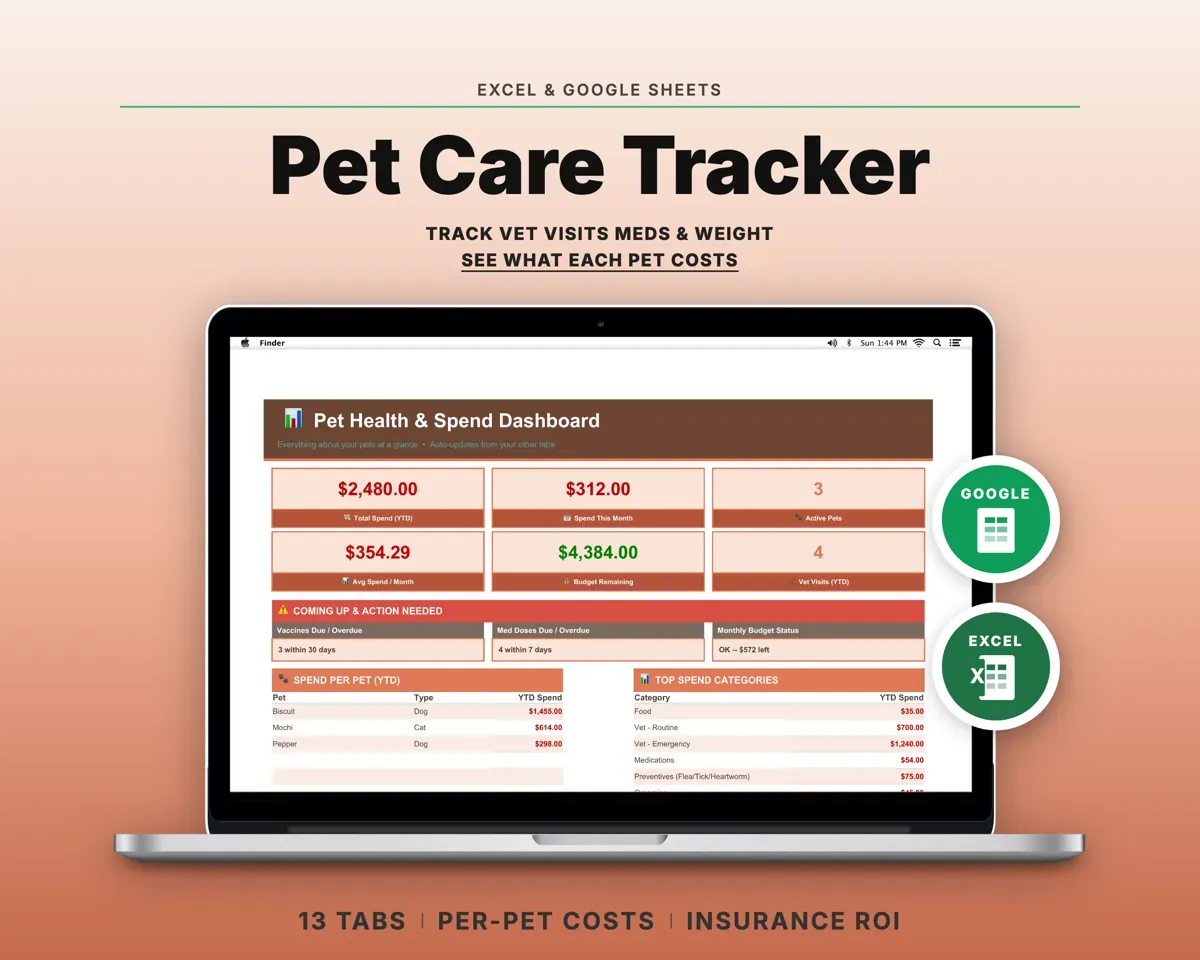
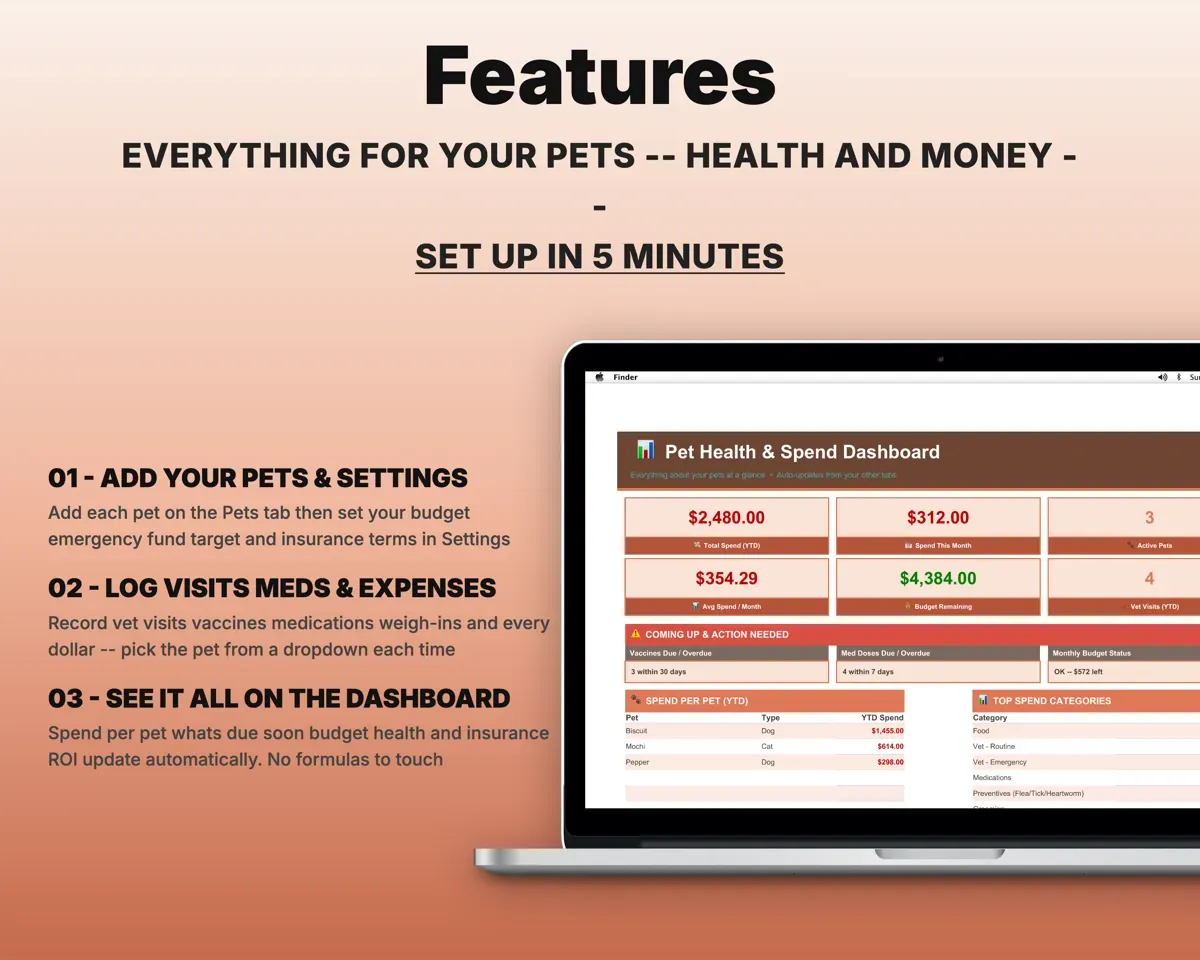
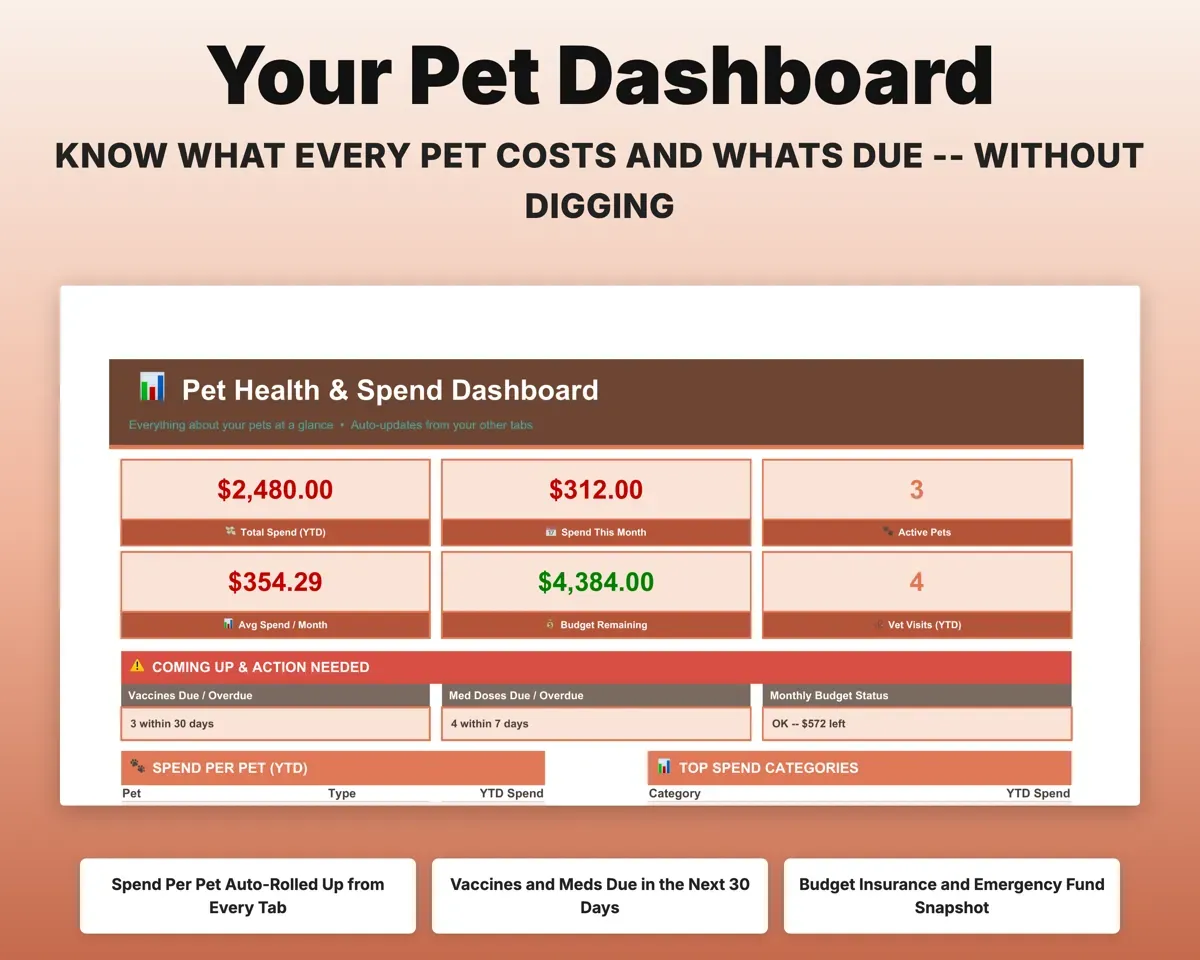
Tag vet visits, meds and expenses with a pet from a dropdown. The Dashboard shows spend per pet. Leave the pet blank for shared costs.
Expenses by petSpend per petKnow what is due next
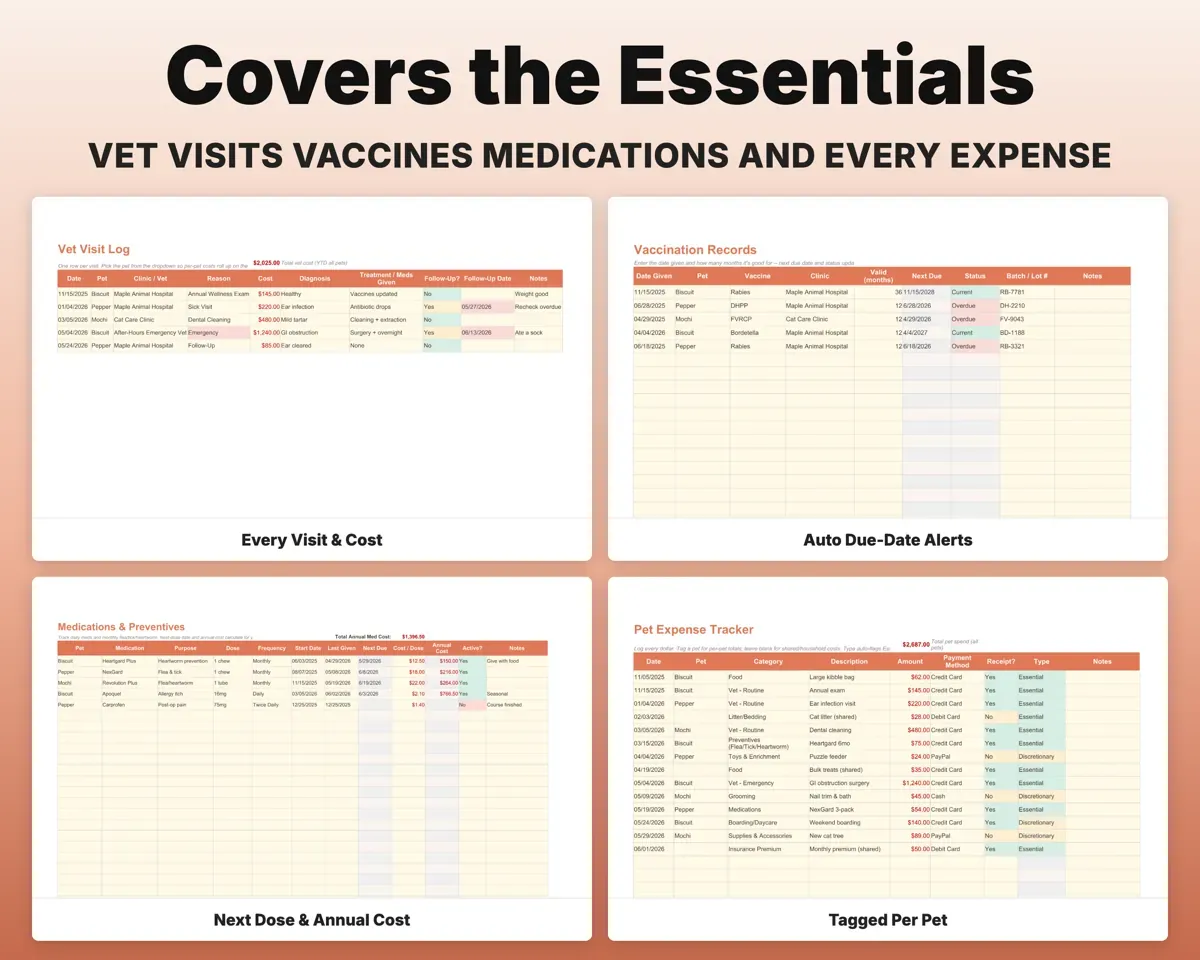
Record a vaccine and how long it lasts, and the next-due date and status fill in. Meds and monthly preventives get a next-dose date and annual cost, and the Dashboard lists what is due in 30 days.
Vaccine, dose dateNext due dateKeep vet visits and weight on file
Log each visit with reason, diagnosis, treatment, cost and follow-up. Weigh-ins show the change against each pet's target weight.
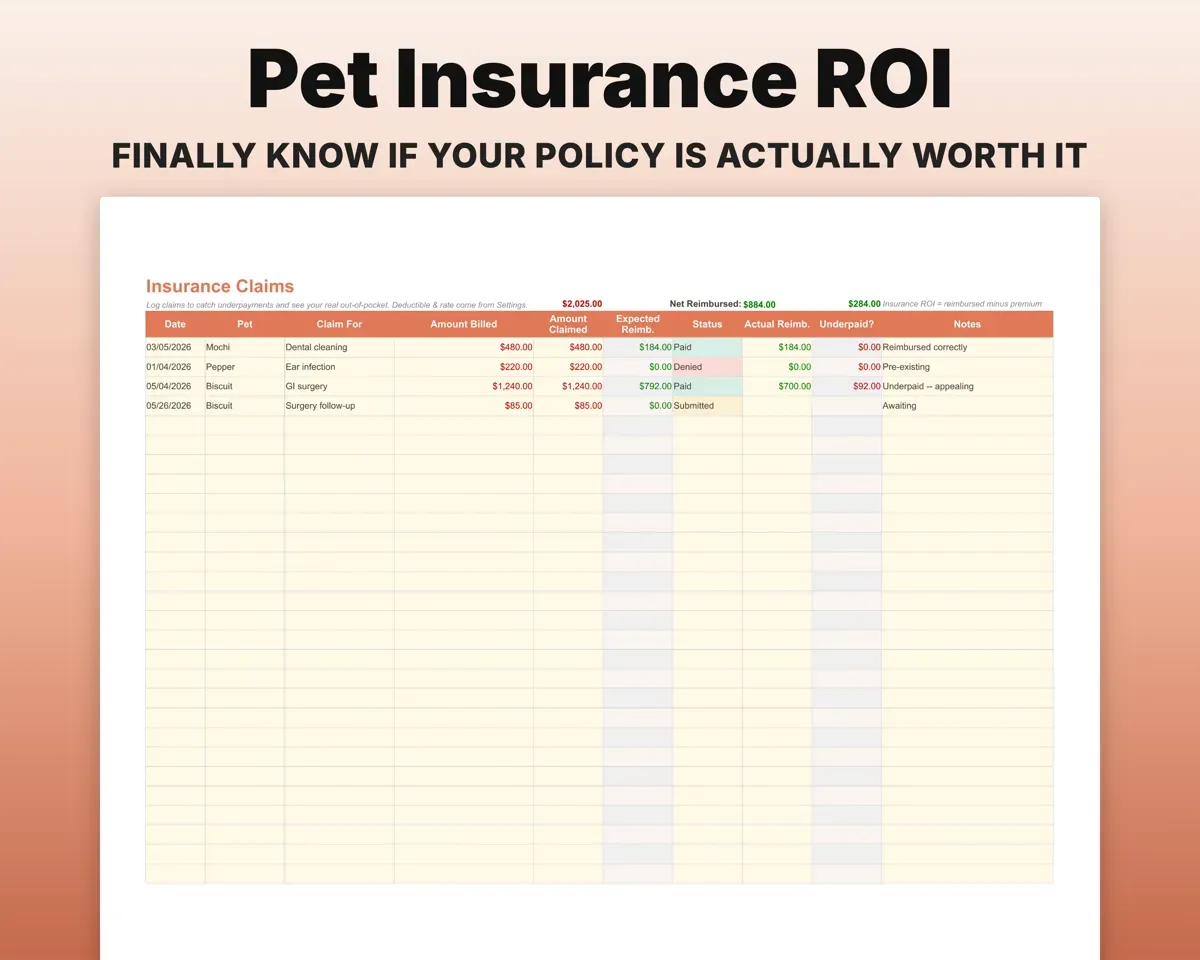
Visits, weigh-insWeight vs targetFind out if the policy pays off
Log each claim with what was billed and reimbursed. The tab works out your out-of-pocket and totals premiums paid against reimbursements.
Claims, premiumsPaid vs reimbursedPlan for routine costs and emergencies
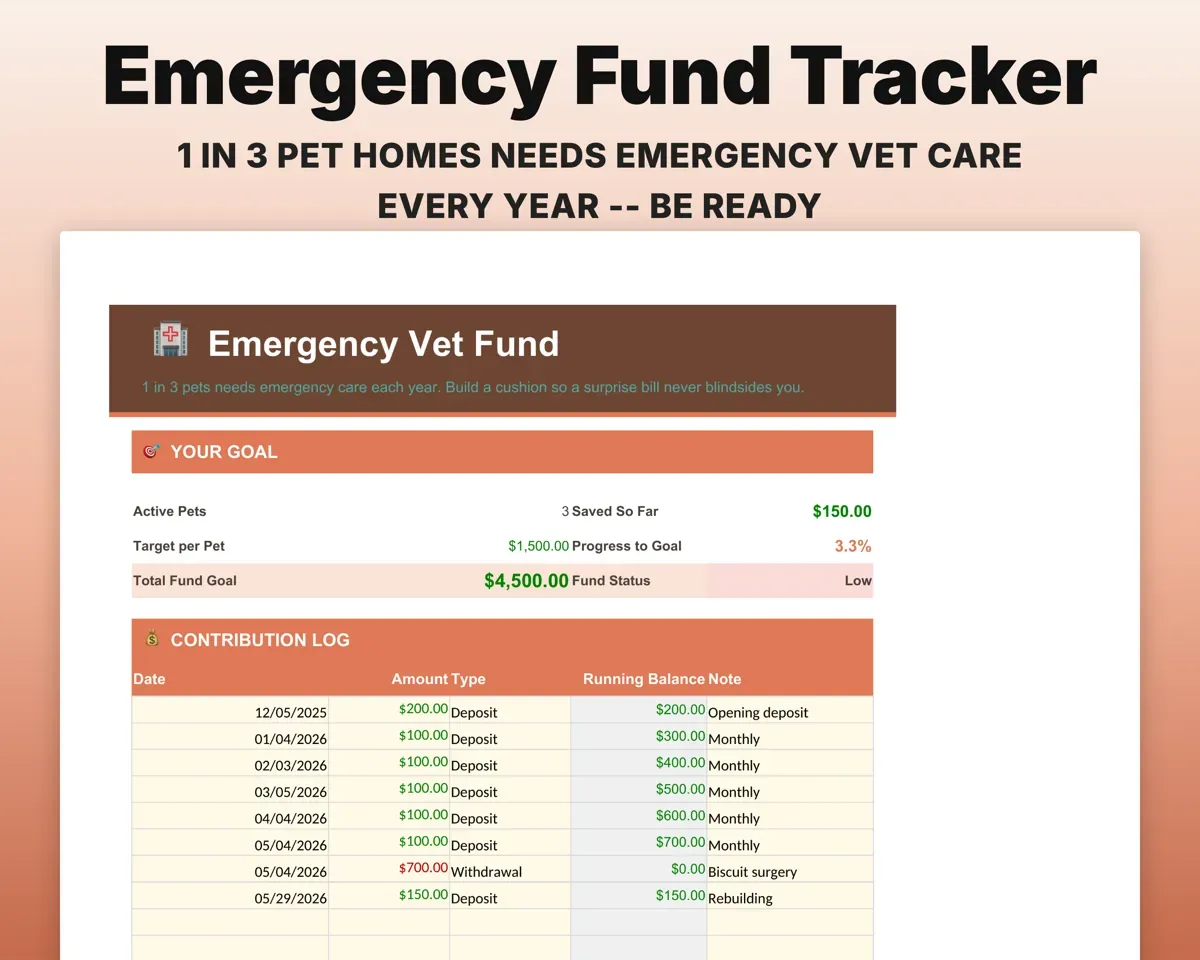
Set a monthly target per category and compare it with actual spending. A separate emergency fund tracks savings against a goal and flags when it runs low.
Budget, contributionsOver budget, fund leftHand the sitter one page
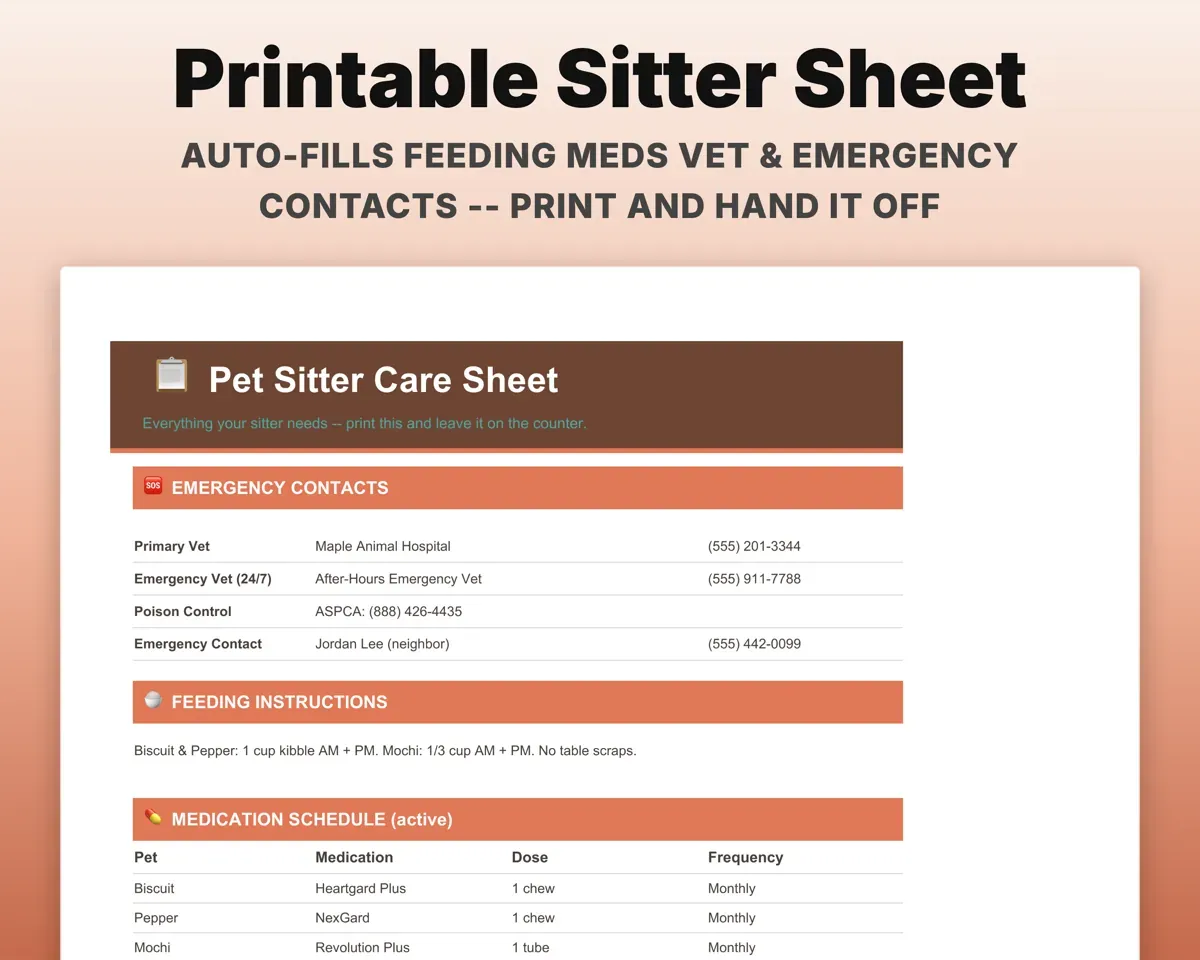
The Sitter Info tab pulls feeding, current meds, vet and emergency contacts and microchip numbers into a sheet you can print.
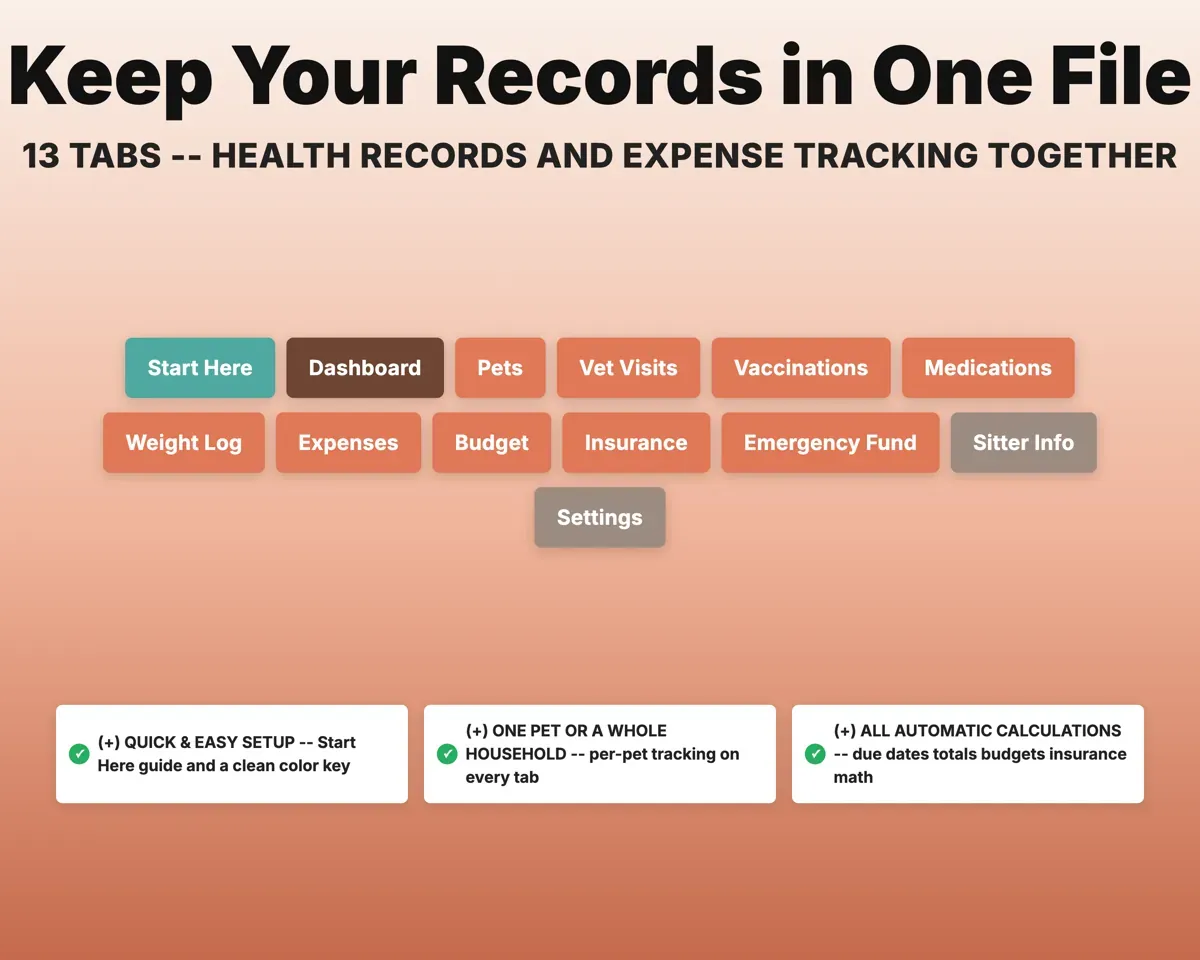
Your other tabsPrintable care sheet13 tabs in one file
- Start Here
- Dashboard
- Pets
- Vet Visits
- Vaccinations
- Medications
- Weight Log
- Expenses
- Budget
- Insurance
- Emergency Fund
- Sitter Info
- Settings
- Start Here
- Setup steps, a tour of the tabs and the color key.
- Dashboard
- Spending per pet, what's due soon and budget status.
- Pets
- A profile for each pet with breed, age and microchip.
- Vet Visits
- Each vet visit with diagnosis, treatment, cost and follow-up.
- Vaccinations
- Vaccines with next-due dates and overdue alerts.
- Medications
- Meds and preventives with next dose and annual cost.
- Weight Log
- Weigh-ins compared with each pet's target weight.
- Expenses
- Pet spending in 15 categories, tagged by pet.
- Budget
- Monthly budget vs actual by category.
- Insurance
- Insurance claims with reimbursement and running totals.
- Emergency Fund
- Emergency savings with progress and low-fund alerts.
- Sitter Info
- A printable care sheet for your pet sitter.
- Settings
- Budget, fund target, insurance terms and dropdown lists.
Pair it with
“Well thought out worksheets nicely presented”
“Excellent! Very easy to use.”
Before you buy
Does it really track several pets separately?
Yes. Add each pet once, then pick it from a dropdown on the other tabs. The Dashboard splits spending by pet, and shared costs can be left untagged.
I only have one pet. Is this too much?
No. Every tab works the same with one pet. You can simply ignore the per-pet breakdowns.
How does the insurance tracking work?
Put your deductible and reimbursement percentage on Settings and add claims as you file them. The tab shows your out-of-pocket and premiums paid against what came back, so you can judge the policy at renewal.
What do I get?
An Excel file (.xlsx), a filled-in sample to look at, and a quick-start PDF guide with a link that makes your own copy in Google Sheets.
How does delivery work?
You get your download links right after checkout, and Stripe emails your receipt. There is nothing to ship and nothing to wait for.
How do I set it up in Google Sheets?
Open the quick-start PDF and click the Google Sheets link. Google makes a copy in your own Drive that only you can edit. You need a free Google account.
Will it work on a Mac?
Yes. It works in Excel on Mac and Windows, and in Google Sheets in any browser.
I'm not a spreadsheet person. Is that a problem?
No. You only type in the yellow cells. Everything in gray works itself out, and the Start Here tab shows you where to begin.
Can I get a refund?
Templates are digital downloads, so sales are final. If a file won't open, is broken or doesn't match its description, email hello@cleanpixelstudios.com within 30 days and we'll fix it, or refund you if we can't.
What if I get stuck?
Email hello@cleanpixelstudios.com and we'll help you get it working.
More in Pets & breeders
See all Pets & breeders templates
 Made by Clean Pixel Studios
We start every template by reading what people in that line of work say they struggle with, then build the spreadsheet around those problems. This one was made for pet owners and nobody else.
How we build templatesPet Care Tracker Spreadsheet$16.99 · Excel + Google Sheets