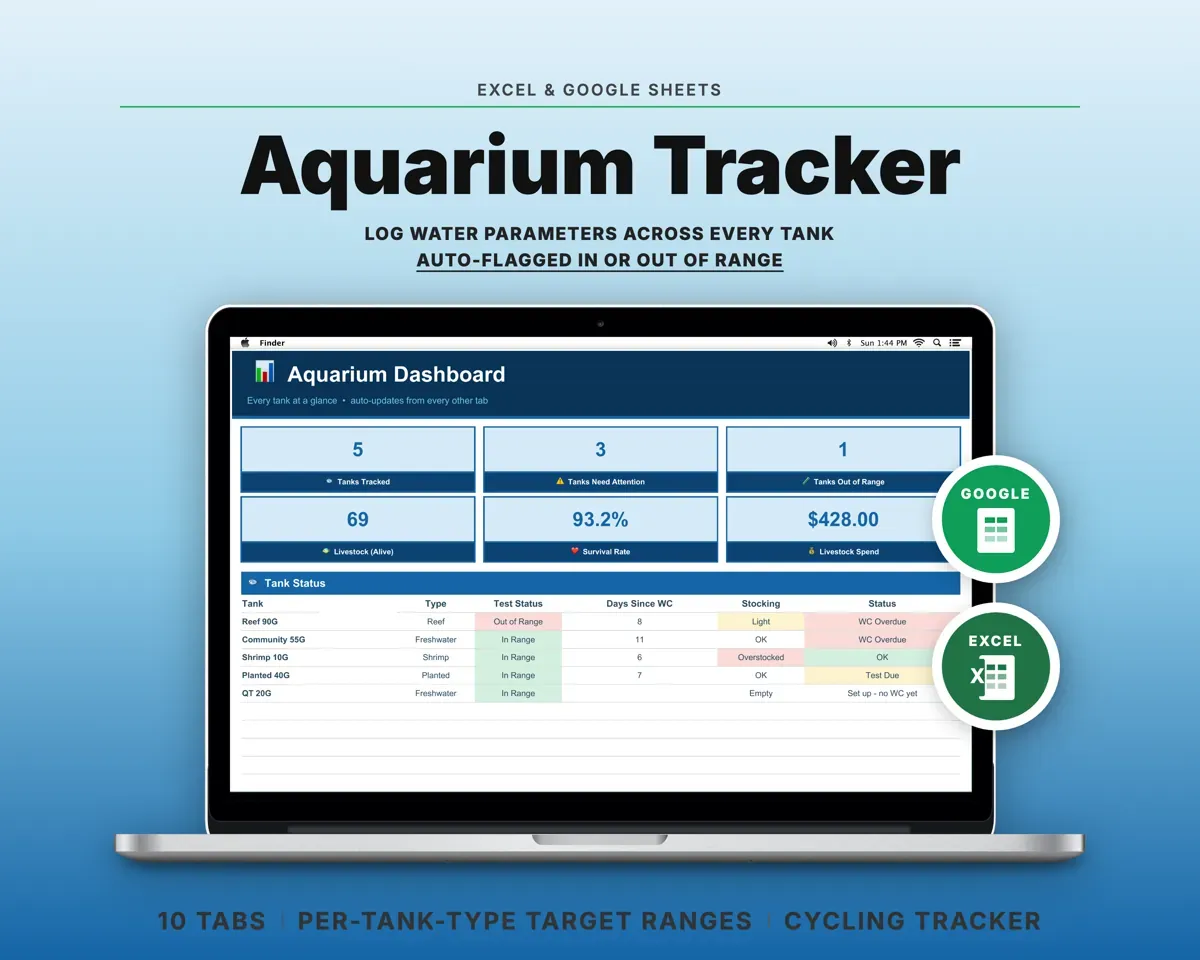
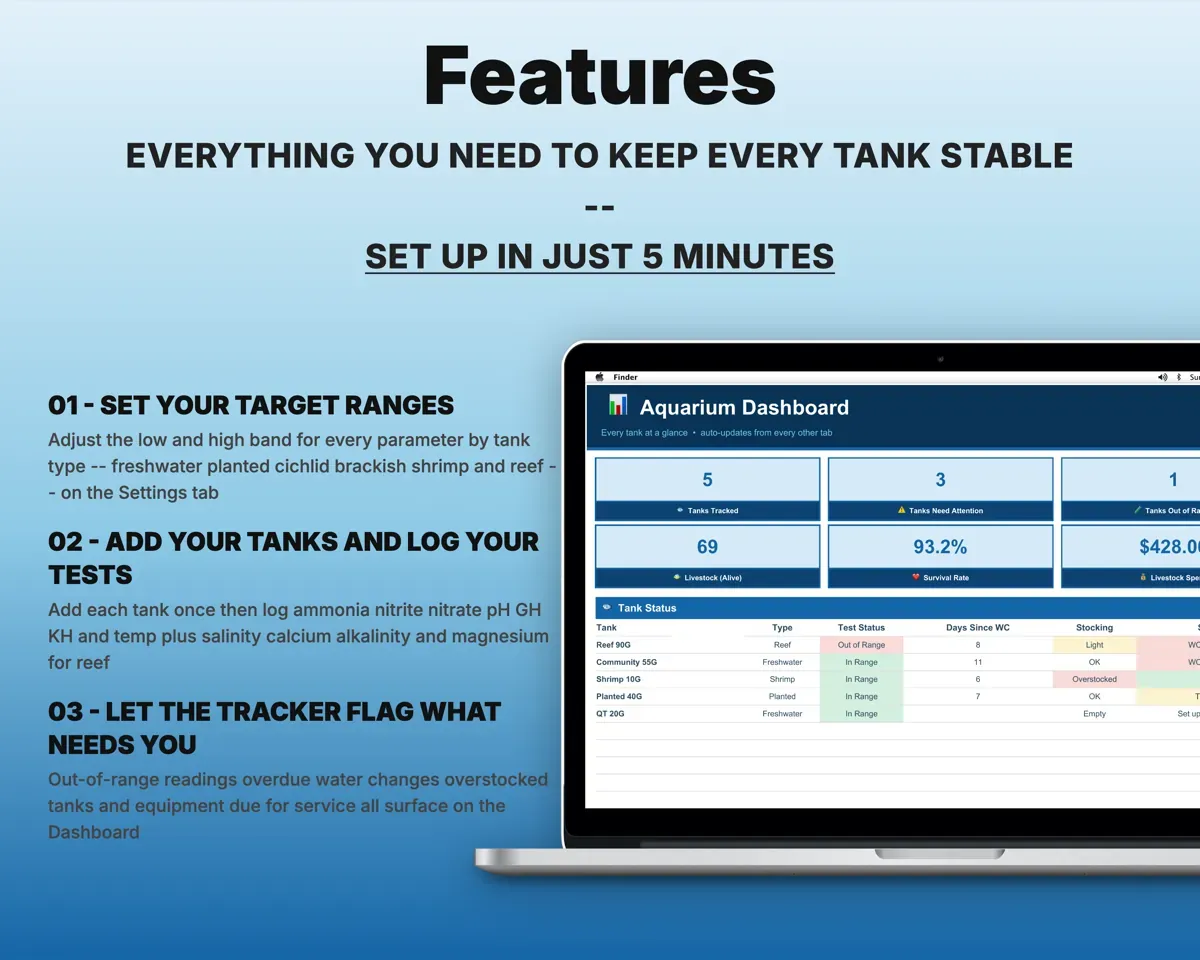
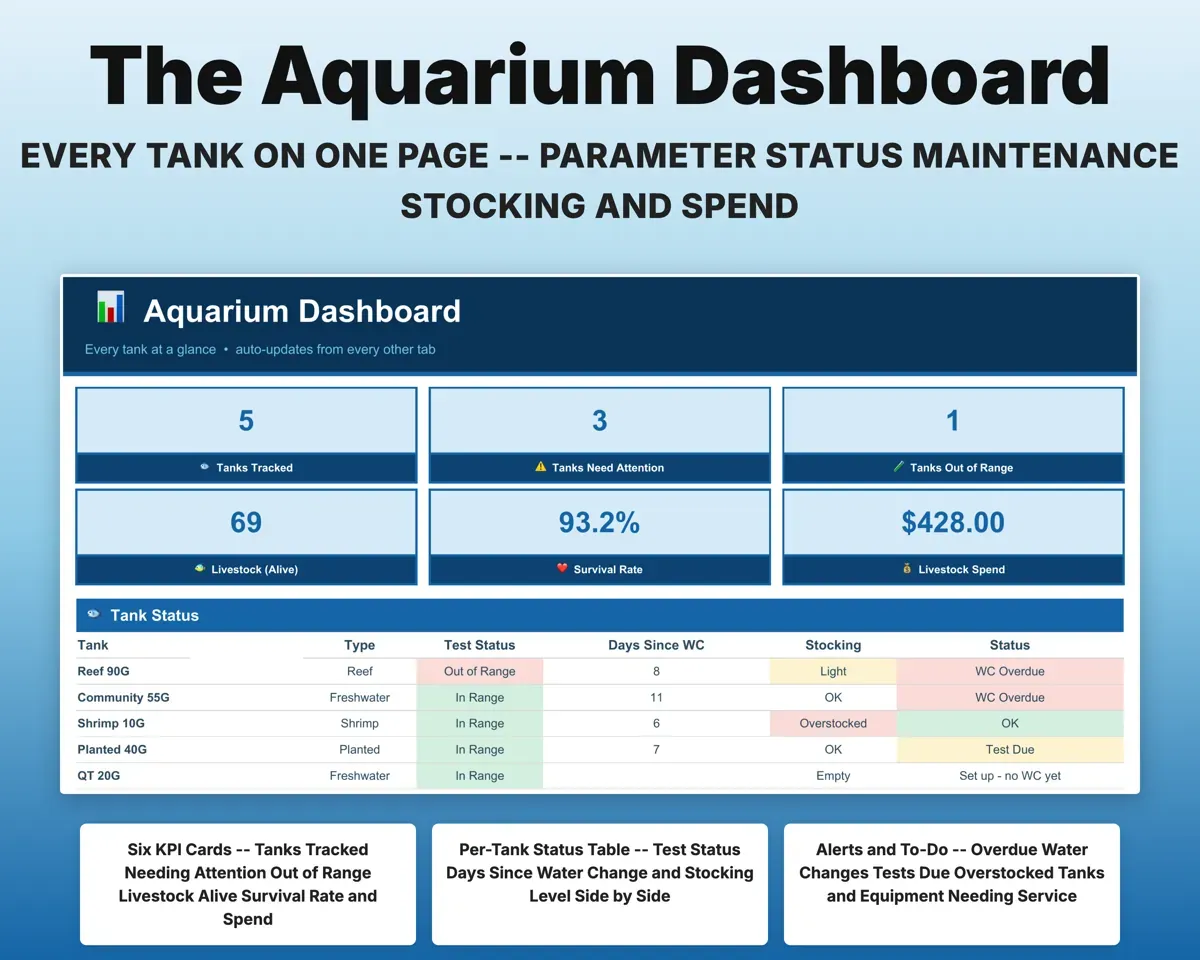
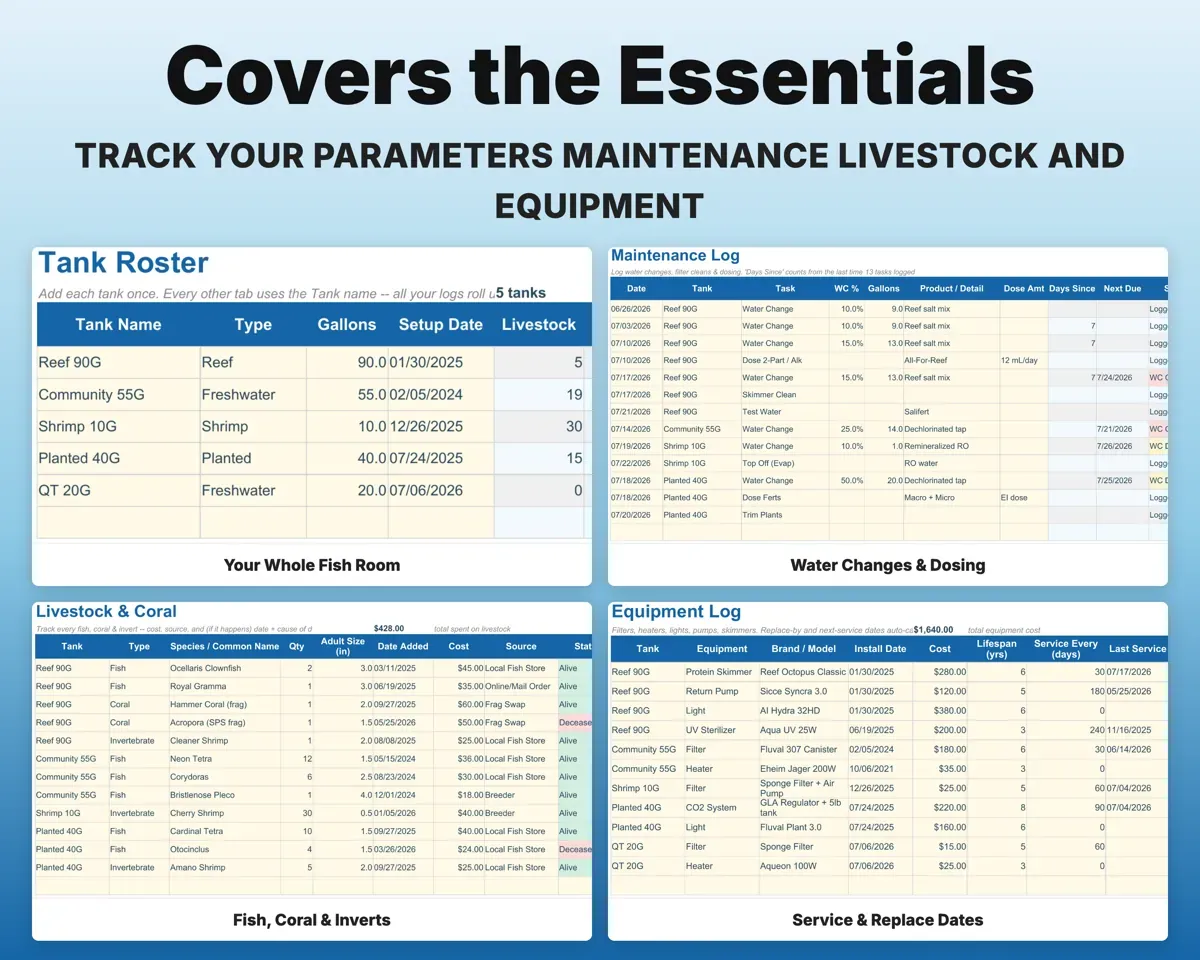
Built around the jobs fishkeepers actually do
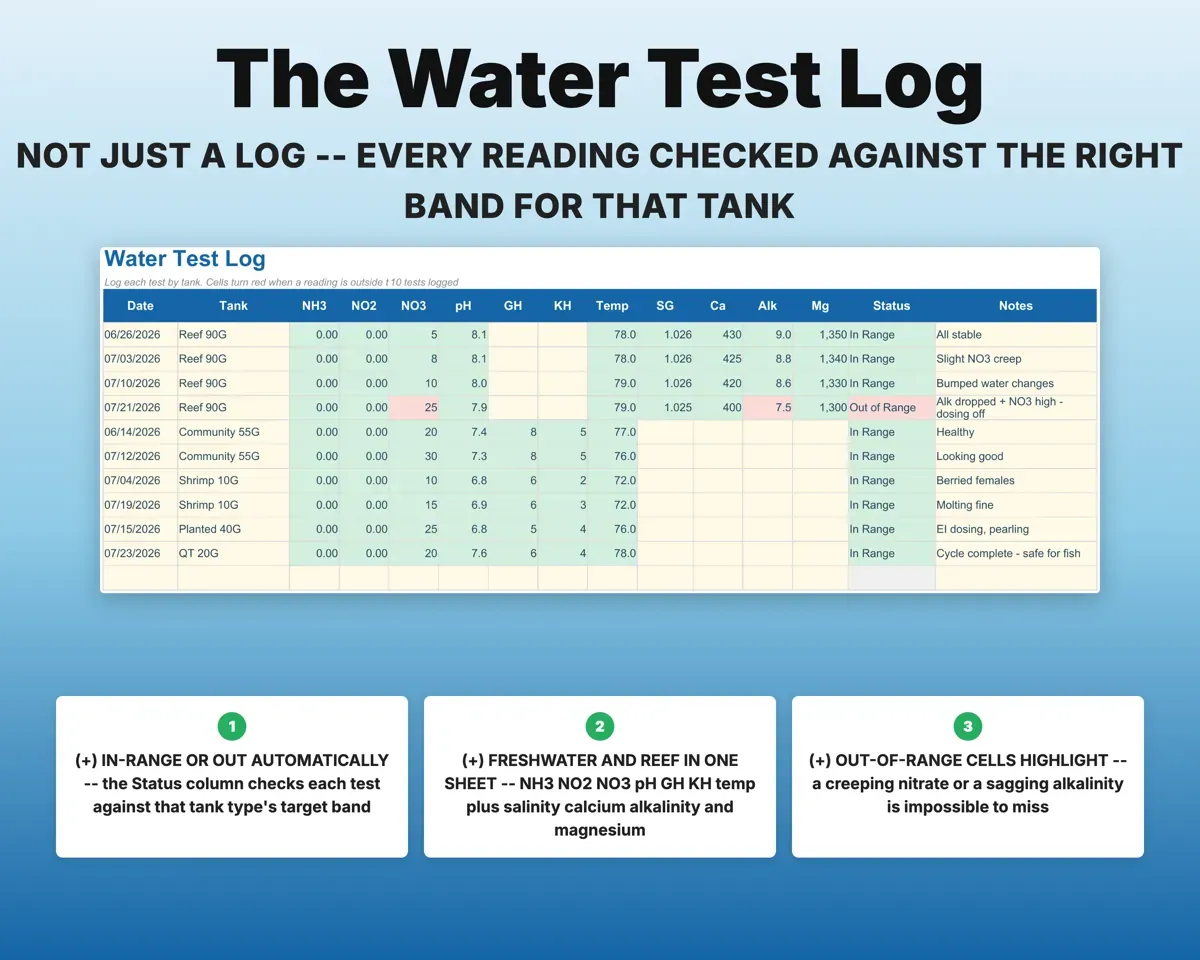
Check every reading against the right range
Log ammonia, nitrite, nitrate, pH, GH, KH and temperature, plus salinity, calcium, alkalinity and magnesium for reef. Each reading is checked against the band for that tank type.
Test resultsIn or out of rangeKnow when a new tank has cycled
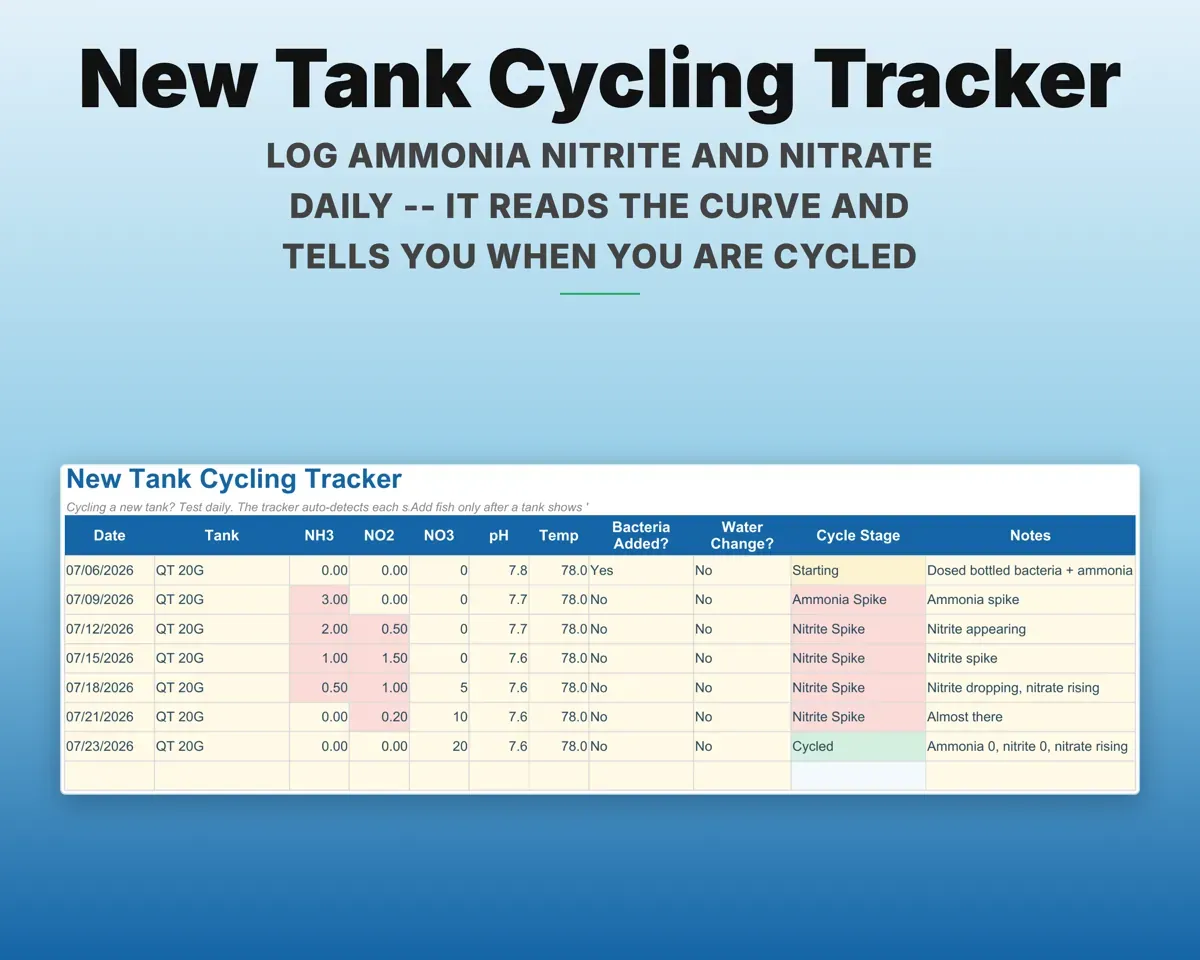
Log ammonia, nitrite and nitrate each day. The tracker reads the curve and shows which stage the tank is in, all the way to Cycled.
Daily NH3, NO2, NO3Cycle stageKeep water changes on schedule
Record water changes, filter cleans, media swaps and dosing. Days since and next due fill in, and the Dashboard counts tanks that are overdue.
Water changes, cleansNext dueKeep a record of every fish, coral and invert
Cost, source and date added for each one, and the date and likely cause if one is lost. The Dashboard shows total spend and your survival rate.
Livestock, costSurvival rateCheck stocking before you buy
Enter the adult size of each species and the Tanks tab estimates the load against tank volume, from Empty to Overstocked.
Adult sizesStocking levelService gear before it fails
Filters, heaters, lights and pumps with service intervals and lifespan, so a bulb or heater that is due shows up on its own.
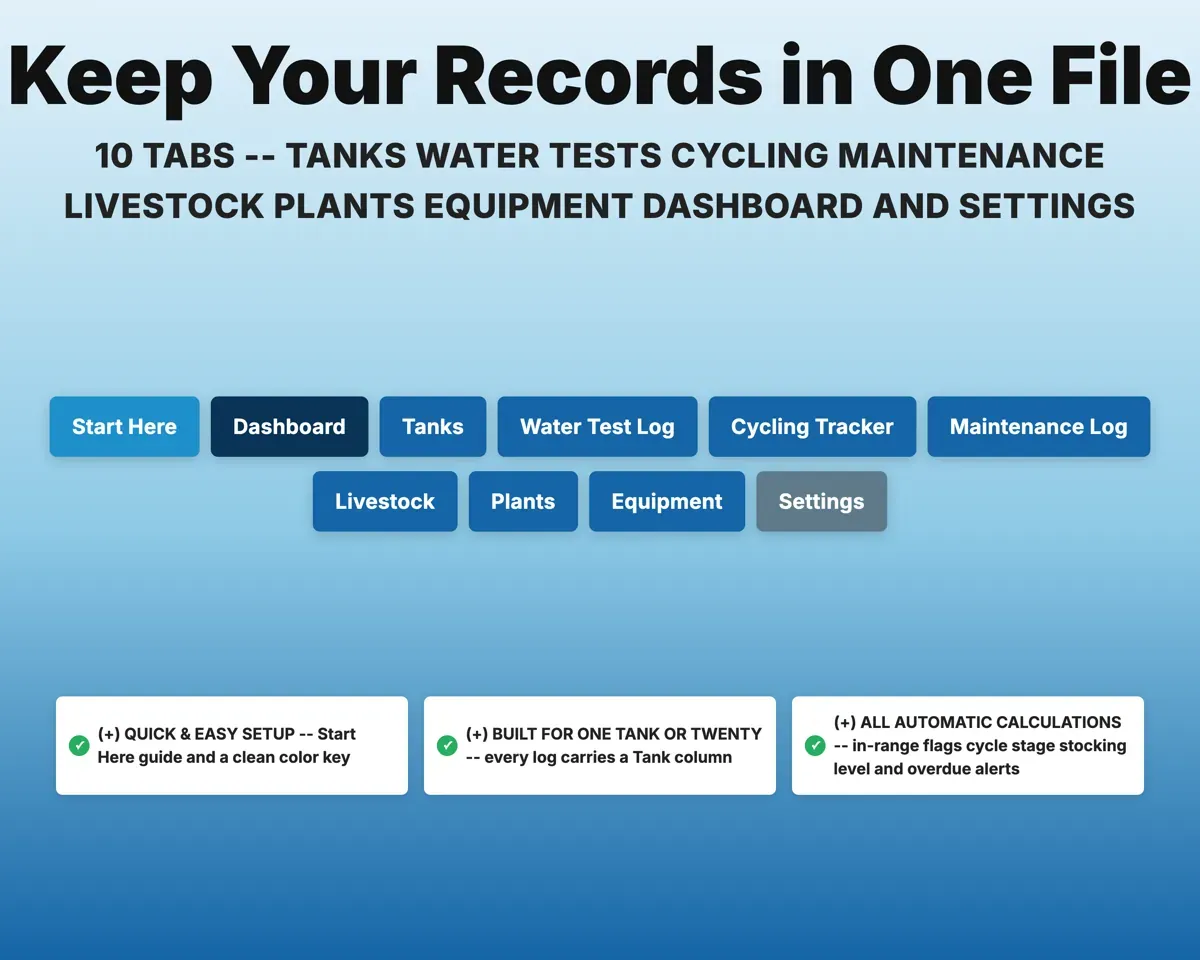
Gear, intervalsNext service10 tabs in one file
- Start Here
- Dashboard
- Tanks
- Water Test Log
- Cycling Tracker
- Maintenance Log
- Livestock
- Plants
- Equipment
- Settings
- Start Here
- Setup steps, color key and a tour of every tab.
- Dashboard
- Status, alerts and to-dos for every tank side by side.
- Tanks
- Your tanks with type, volume, stocking level and last service.
- Water Test Log
- Every test, checked against that tank type's target range.
- Cycling Tracker
- Daily nitrogen cycle readings with the current stage.
- Maintenance Log
- Water changes, cleans and dosing with next-due dates.
- Livestock
- Fish, coral and inverts with cost, status and days owned.
- Plants
- Aquatic plants for each tank with placement, cost and notes.
- Equipment
- Gear with cost, lifespan, service dates and replace-by date.
- Settings
- Target ranges for six tank types, intervals and dropdown lists.
Pair it with
“Excellent! Very easy to use.”
“Nice Organization for 4H projects”
Before you buy
I keep freshwater, not reef. Is it still a fit?
Yes. Choose Freshwater, Planted, Cichlid, Brackish or Shrimp and your readings are checked against that range. The reef-only columns simply stay empty.
Can I track more than one tank?
Yes. Every log has a Tank column and the Dashboard lines up all your tanks side by side, from a single betta tank to a full fish room.
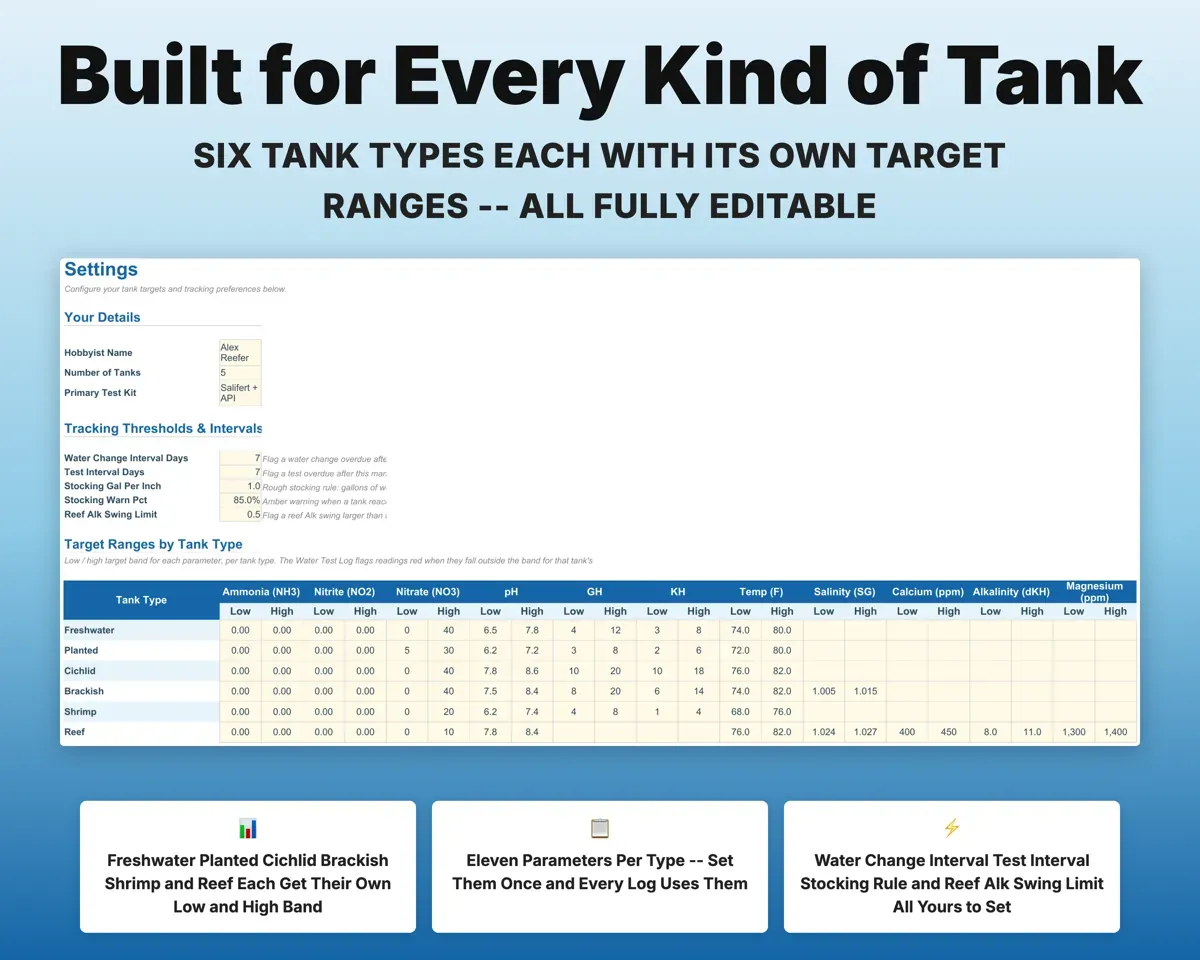
Can I change the target ranges?
Yes. The low and high values for all six tank types are editable on Settings, along with water change and test intervals and the stocking rule.
How many entries does it hold?
Each log has 500 rows, covering water tests, cycling entries, maintenance, livestock, plants and equipment.
What do I get?
An Excel file (.xlsx), a filled-in sample to look at, and a quick-start PDF guide with a link that makes your own copy in Google Sheets.
How does delivery work?
You get your download links right after checkout, and Stripe emails your receipt. There is nothing to ship and nothing to wait for.
How do I set it up in Google Sheets?
Open the quick-start PDF and click the Google Sheets link. Google makes a copy in your own Drive that only you can edit. You need a free Google account.
Will it work on a Mac?
Yes. It works in Excel on Mac and Windows, and in Google Sheets in any browser.
I'm not a spreadsheet person. Is that a problem?
No. You only type in the yellow cells. Everything in gray works itself out, and the Start Here tab shows you where to begin.
Can I get a refund?
Templates are digital downloads, so sales are final. If a file won't open, is broken or doesn't match its description, email hello@cleanpixelstudios.com within 30 days and we'll fix it, or refund you if we can't.
What if I get stuck?
Email hello@cleanpixelstudios.com and we'll help you get it working.
More in Pets & breeders
See all Pets & breeders templates
 Made by Clean Pixel Studios
We start every template by reading what people in that line of work say they struggle with, then build the spreadsheet around those problems. This one was made for fishkeepers and nobody else.
How we build templatesAquarium Tracker Spreadsheet$14.99 · Excel + Google Sheets