Built around the jobs homeschool parents actually do
Print a transcript colleges can read
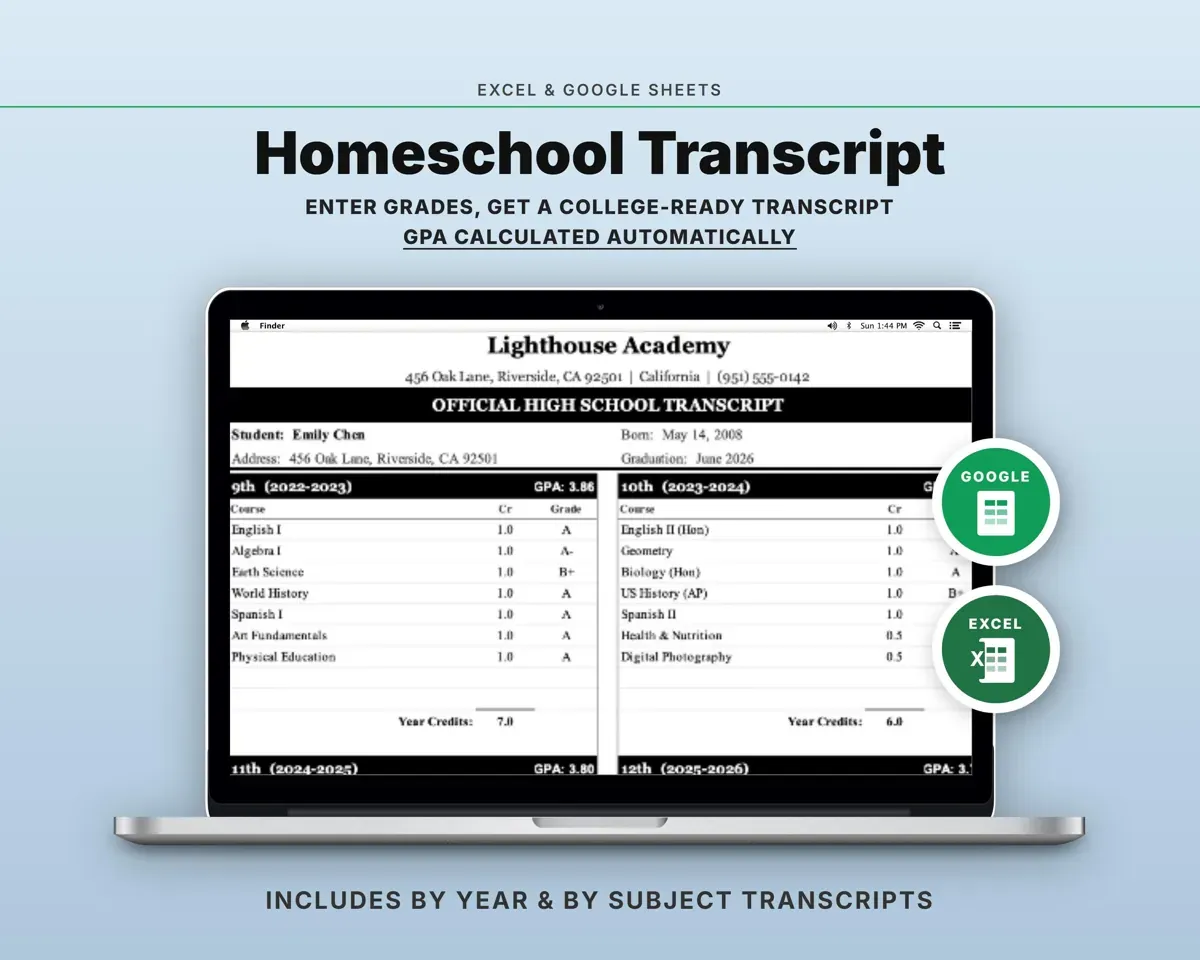
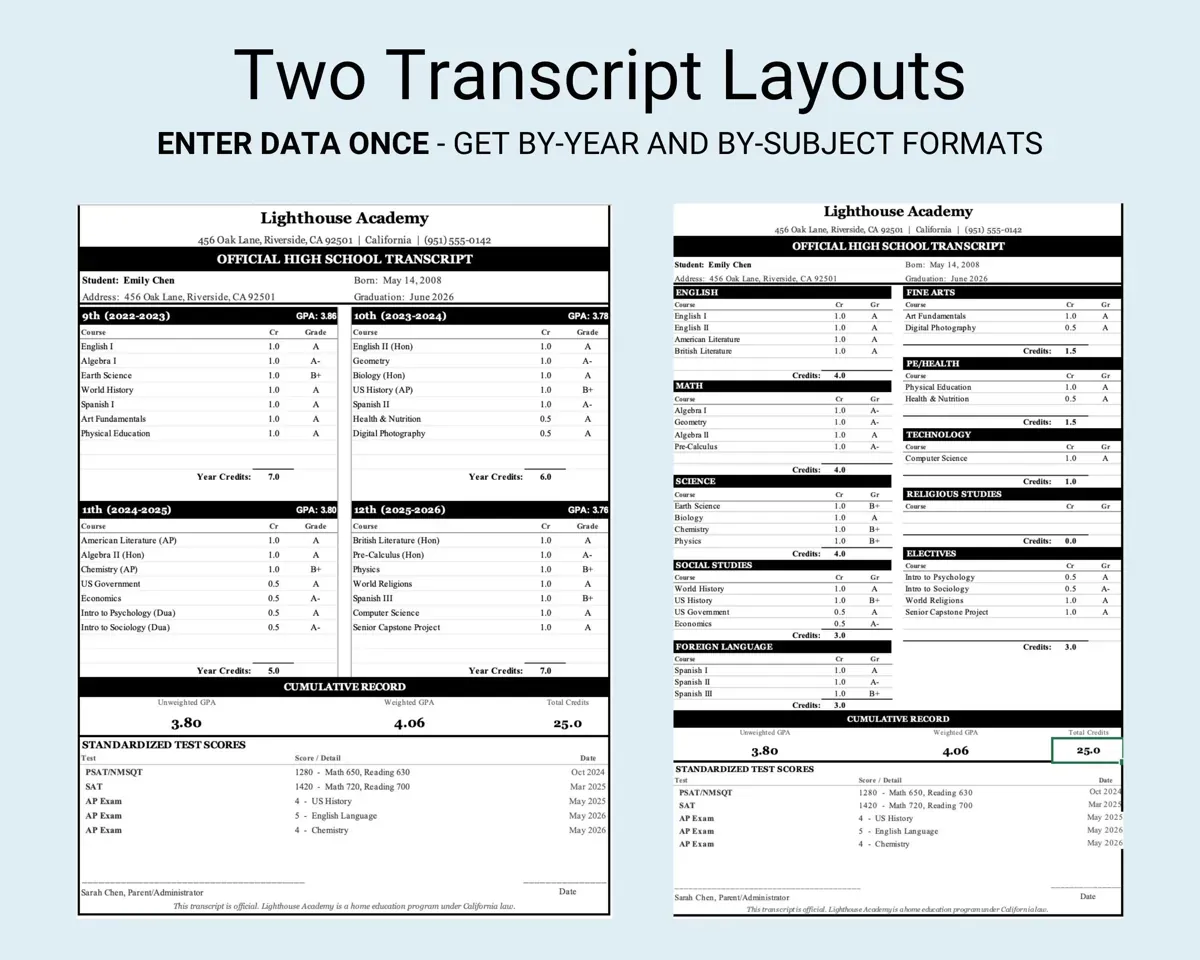
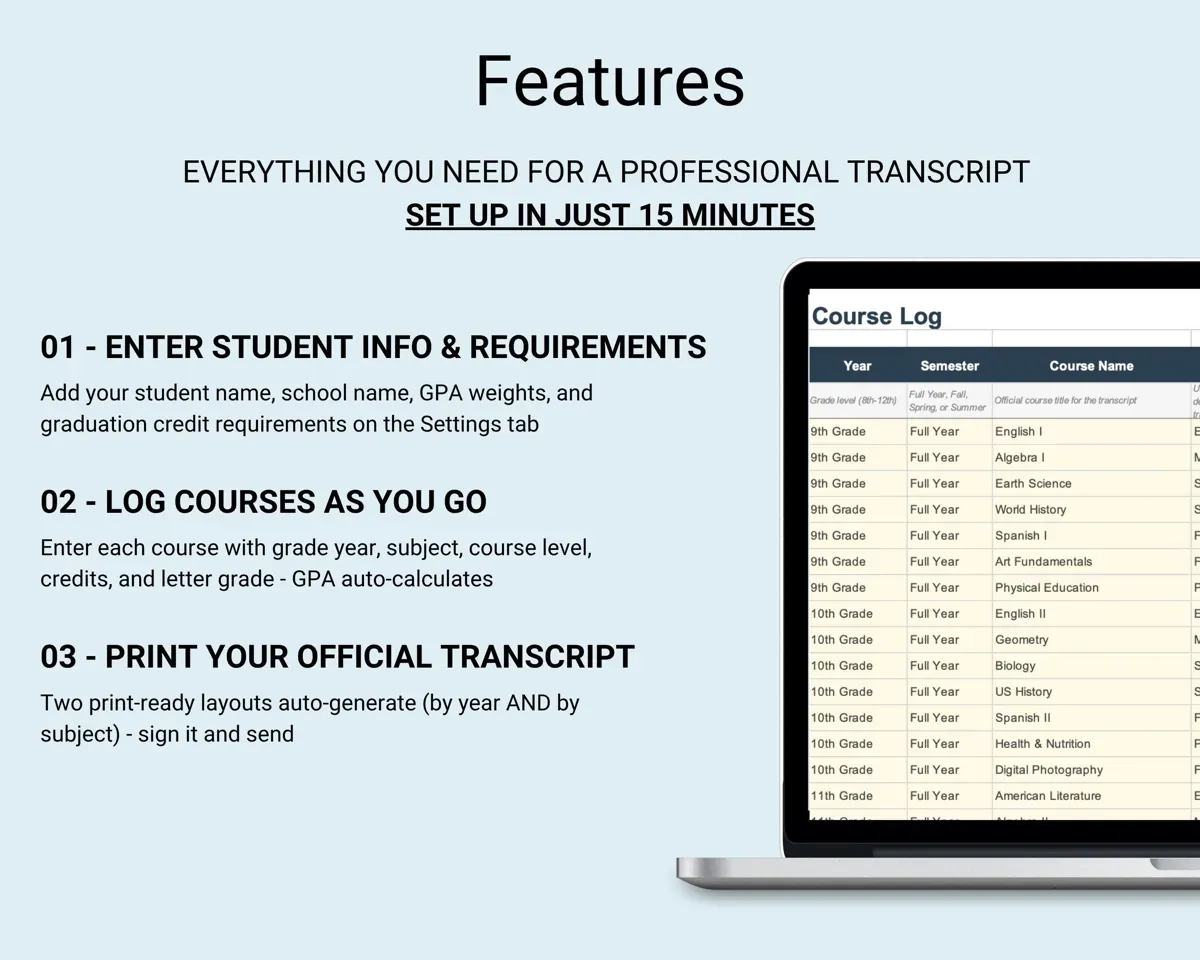
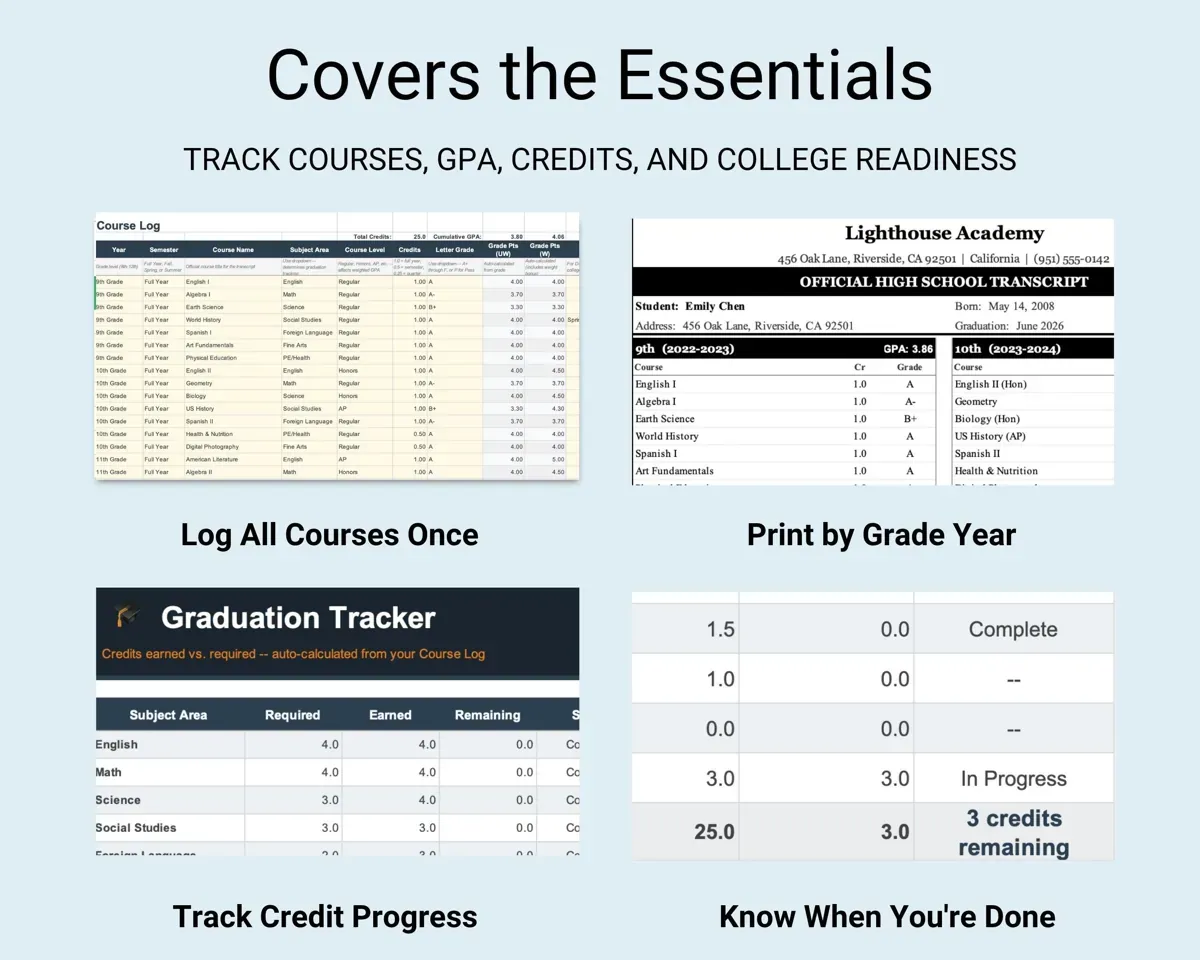
Enter each course once in the Course Log. The sheet builds a by-year and a by-subject transcript with a school header, student details, official statement and signature line.
Courses and gradesTwo print-ready layoutsGet weighted and unweighted GPA
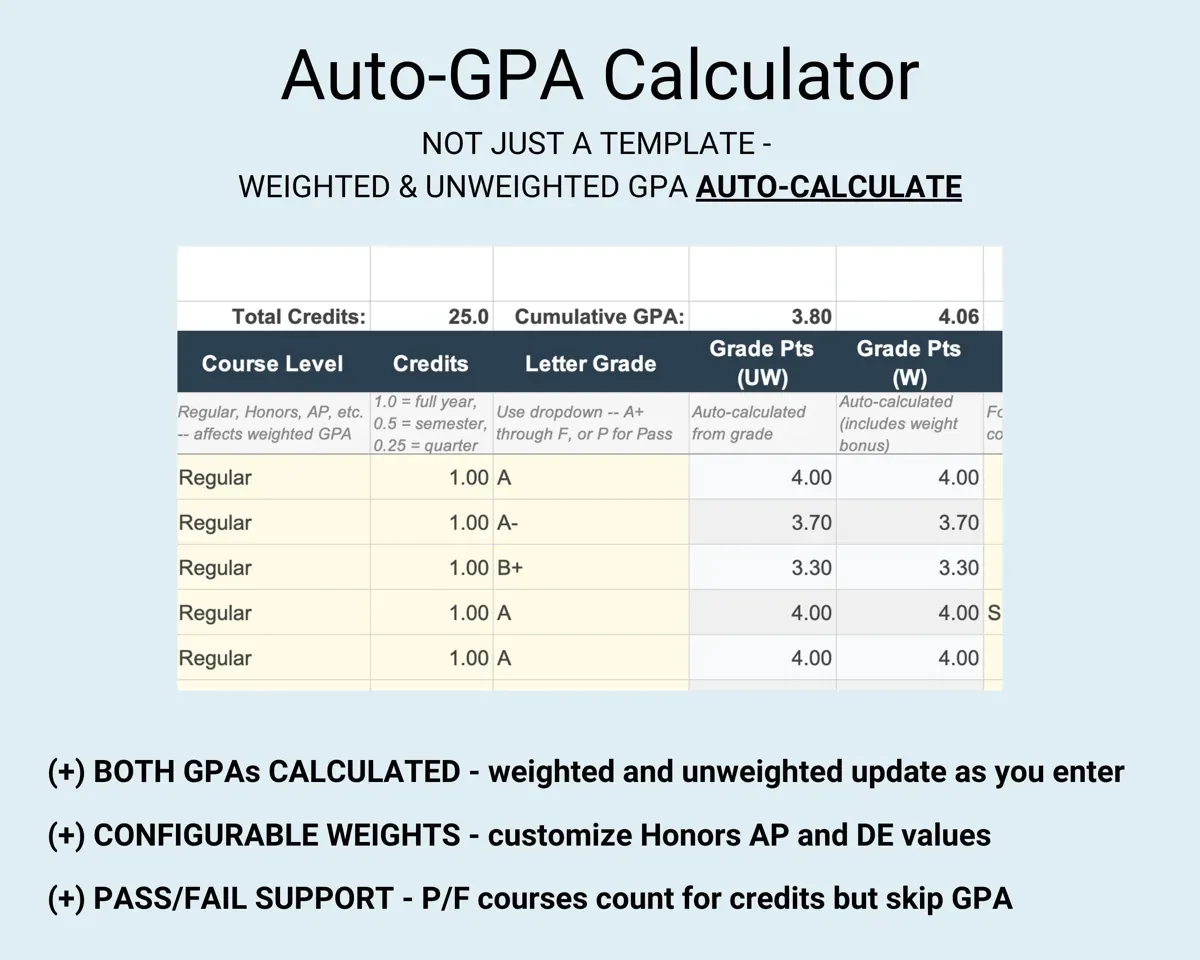
Both update as you add courses. Default weights are 4.0 regular, 4.5 honors and 5.0 AP or dual enrollment, and you can change them on Settings. Pass/fail courses earn credit but stay out of GPA.
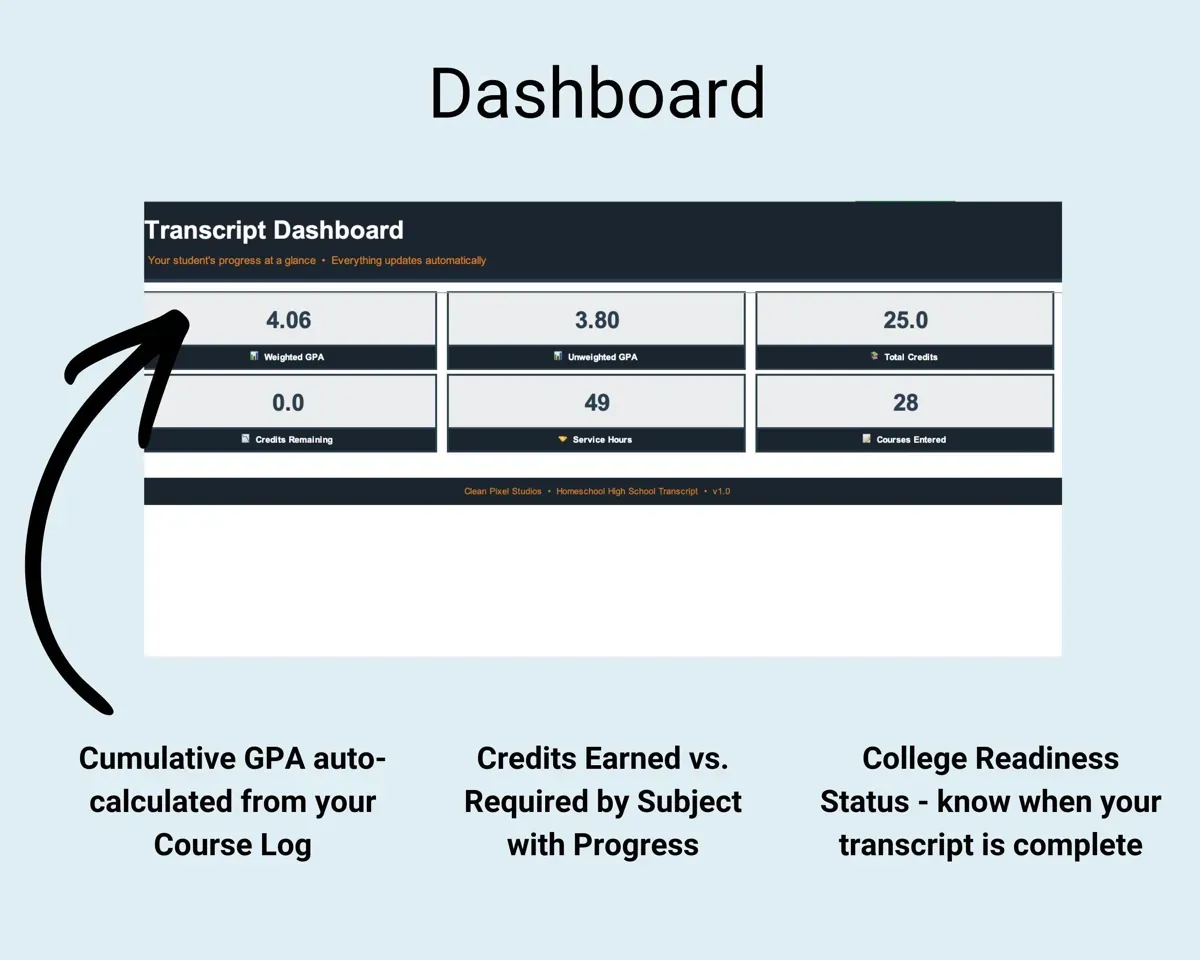
Course level and gradeCumulative GPAKnow if graduation is on track
Set credit requirements for English, math, science, social studies, foreign language and electives. The Graduation Tracker shows progress in each area.
Credit requirementsCredits still neededHandle dual enrollment, AP and co-op
Choose Regular, Honors, AP, Dual Enrollment, CLEP, Co-op, Online Academy or Self-Study and the weighting follows. Quick Reference answers common credit and labeling questions.
Course levelWeighted creditGather the rest of the application
Log activities in a Common App style format, volunteer hours, SAT, ACT, AP and CLEP scores, and course descriptions for colleges that ask for them.
Activities, hours, scoresApplication recordsSee what is left before you send it
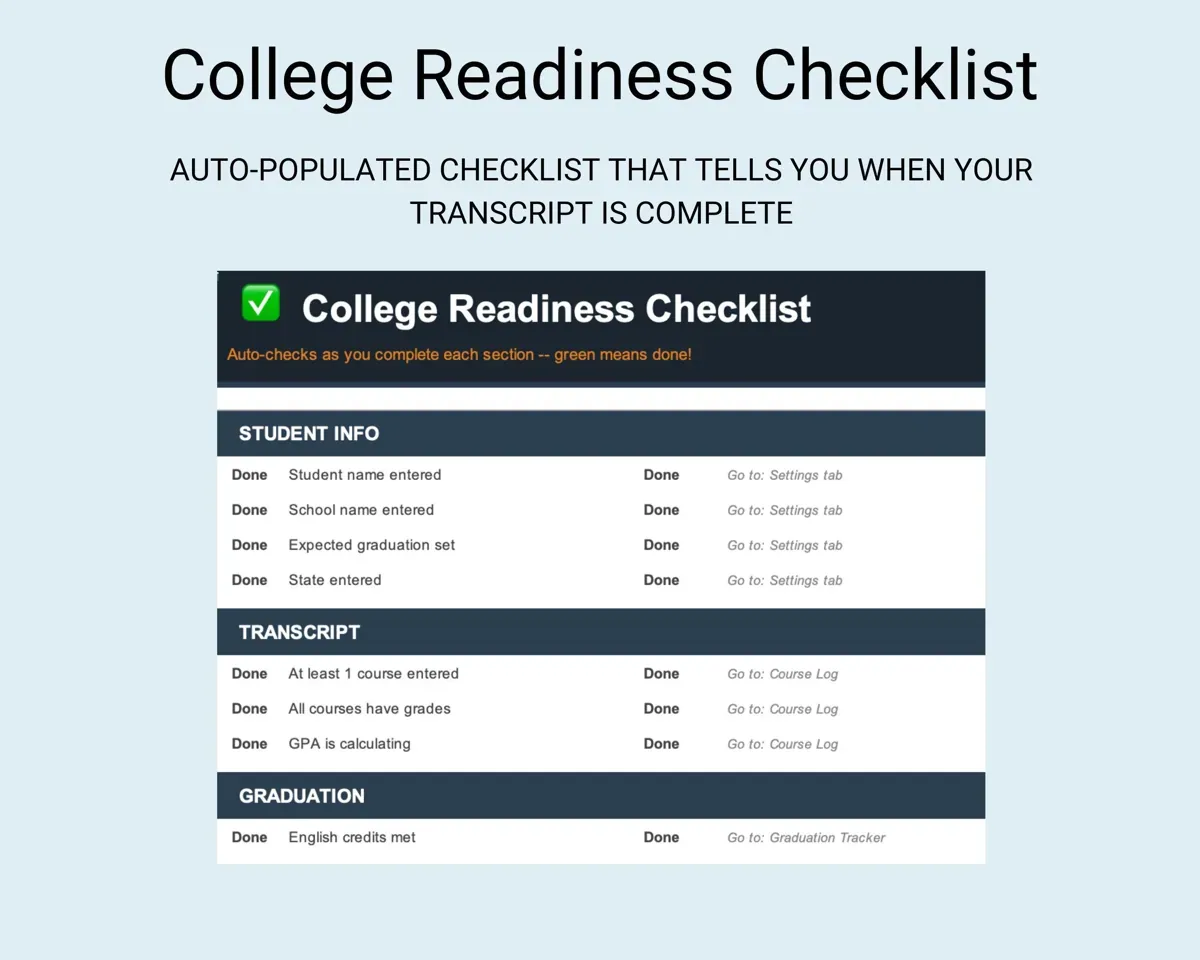
The College Readiness checklist fills in from your data and shows what is done and what still needs attention.
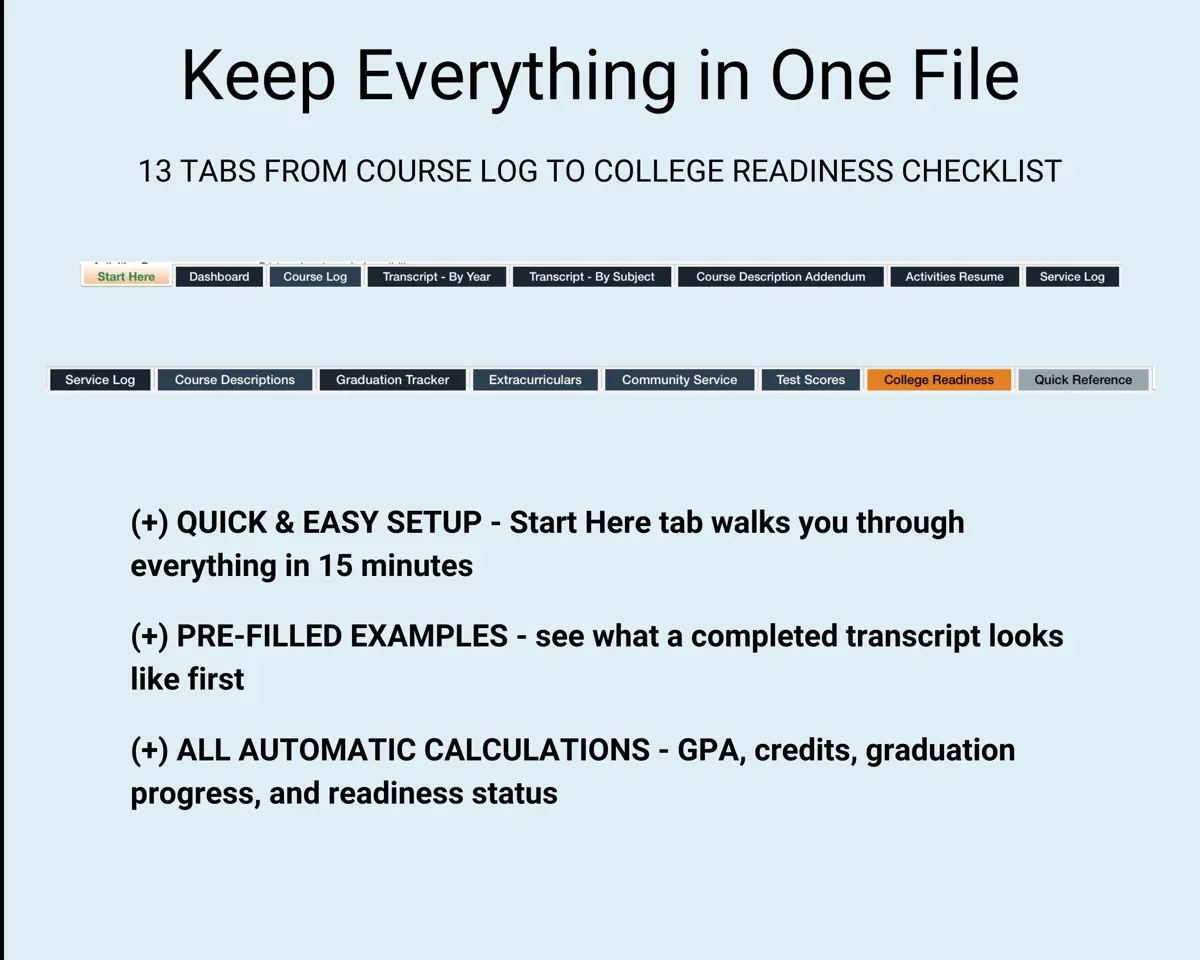
Your other tabsDone and still to do16 tabs in one file
- Start Here
- Dashboard
- Course Log
- Transcript - By Year
- Transcript - By Subject
- Course Description Addendum
- Activities Resume
- Service Log
- Course Descriptions
- Graduation Tracker
- Extracurriculars
- Community Service
- Test Scores
- College Readiness
- Quick Reference
- Settings
- Start Here
- Welcome, five setup steps and an overview of each tab.
- Dashboard
- GPA, credits earned and graduation progress.
- Course Log
- Every course with its level, grade and credits.
- Transcript - By Year
- A print-ready transcript organized by grade year.
- Transcript - By Subject
- The same transcript organized by subject area.
- Course Description Addendum
- Course descriptions set up to send with the transcript.
- Activities Resume
- Your activities pulled together on one page.
- Service Log
- A log of volunteer service for applications.
- Course Descriptions
- Materials and assessment methods for each course.
- Graduation Tracker
- Credits by subject area against your requirements.
- Extracurriculars
- Activities logged in a Common App style format.
- Community Service
- Volunteer hours with a running total.
- Test Scores
- SAT, ACT, AP and CLEP scores, shown or hidden on the transcript.
- College Readiness
- A checklist of what is done and what is left.
- Quick Reference
- Answers about GPA, credits, course levels and dual enrollment.
- Settings
- Student, school, GPA scale and graduation requirements.
Try the free Homeschool GPA Calculator
Weighted and unweighted GPA, ready to drop onto a transcript.
Pair it with
“Excellent! Very easy to use.”
“Nice Organization for 4H projects”
Before you buy
Is a transcript I make myself official?
As the homeschool administrator, you are the one who issues it. The template adds a school header, an official statement and a signature line.
Can I include 8th grade courses?
Yes. It covers five years, so high school level courses taken in 8th grade can go on the transcript.
I have more than one child. How does that work?
Each student gets their own copy of the file. Make another copy in Google Sheets or duplicate the Excel file.
Does it work for NCAA?
The by-subject layout is the format NCAA usually asks for, and the Graduation Tracker helps you watch core course credits. Check the exact rules with your NCAA division.
What do I get?
An Excel file (.xlsx), a filled-in sample to look at, and a quick-start PDF guide with a link that makes your own copy in Google Sheets.
How does delivery work?
You get your download links right after checkout, and Stripe emails your receipt. There is nothing to ship and nothing to wait for.
How do I set it up in Google Sheets?
Open the quick-start PDF and click the Google Sheets link. Google makes a copy in your own Drive that only you can edit. You need a free Google account.
Will it work on a Mac?
Yes. It works in Excel on Mac and Windows, and in Google Sheets in any browser.
I'm not a spreadsheet person. Is that a problem?
No. You only type in the yellow cells. Everything in gray works itself out, and the Start Here tab shows you where to begin.
Can I get a refund?
Templates are digital downloads, so sales are final. If a file won't open, is broken or doesn't match its description, email hello@cleanpixelstudios.com within 30 days and we'll fix it, or refund you if we can't.
What if I get stuck?
Email hello@cleanpixelstudios.com and we'll help you get it working.
More in Homeschool & family
See all Homeschool & family templates
 Made by Clean Pixel Studios
We start every template by reading what people in that line of work say they struggle with, then build the spreadsheet around those problems. This one was made for homeschool parents and nobody else.
How we build templatesHomeschool Transcript Template$9.99 · Excel + Google Sheets