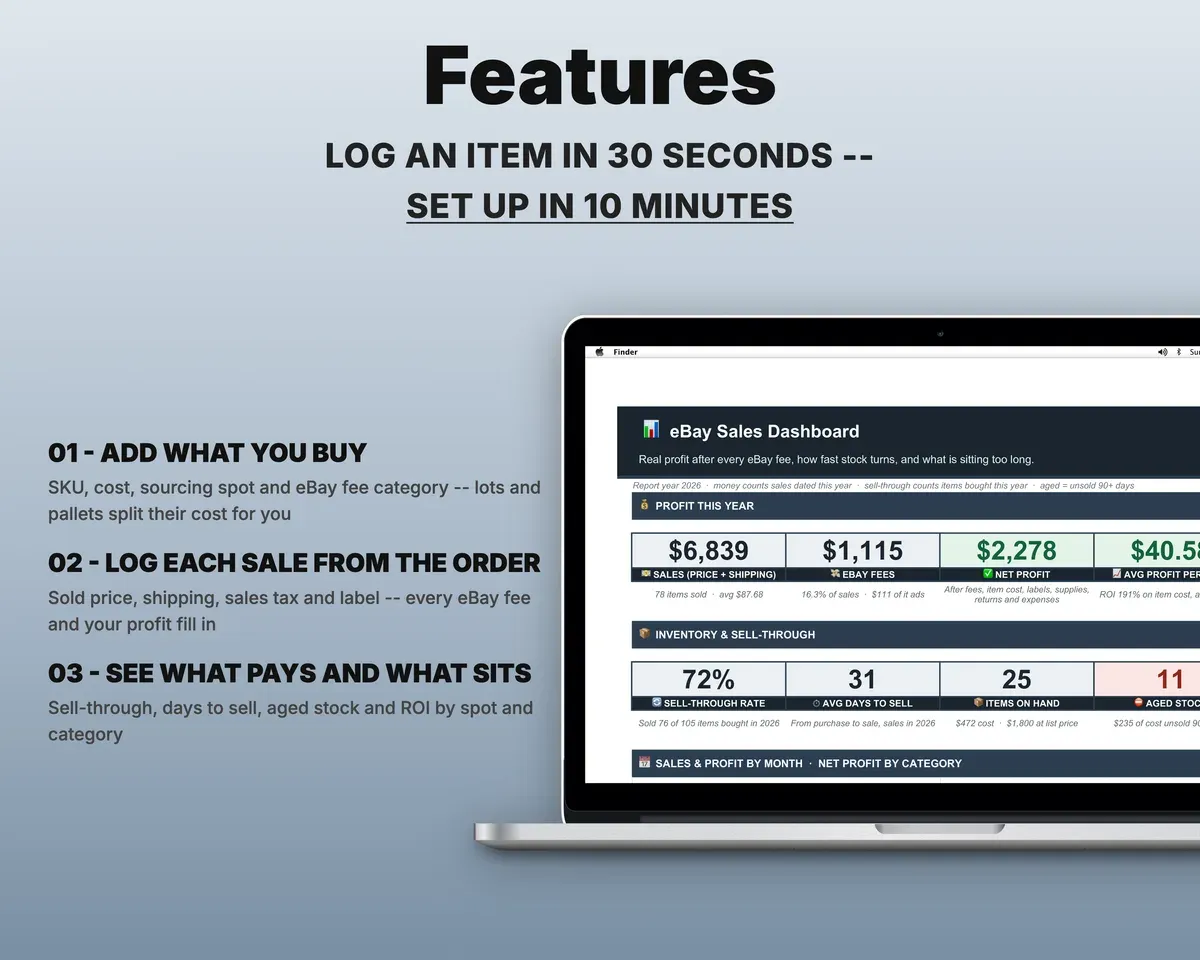
Built around the jobs eBay resellers actually do
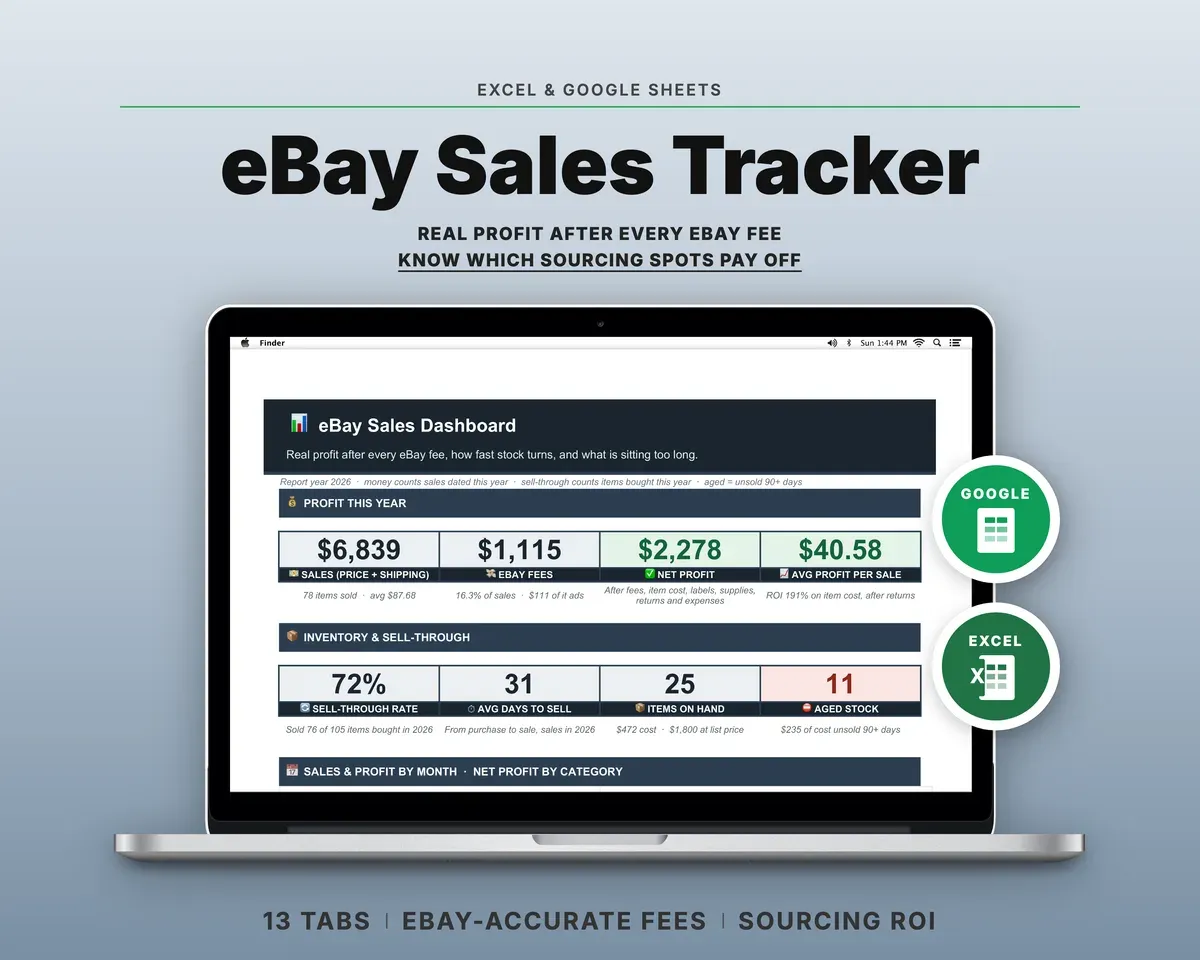
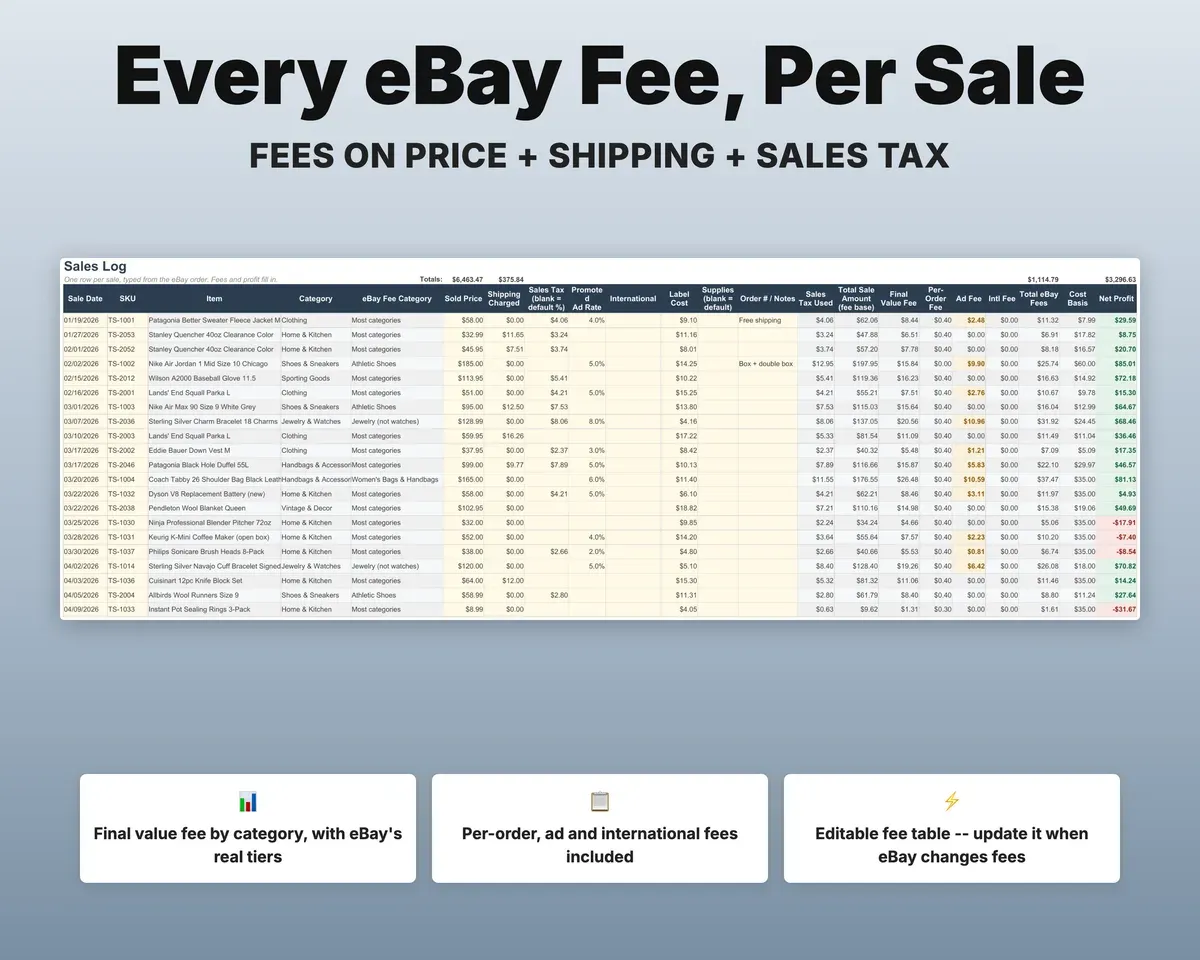
Every eBay fee, worked out for you
Type the sold price, shipping, sales tax and label cost from the order. The final value fee is figured on price plus shipping plus tax at your item's category rate, with the per-order, Promoted Listings and international fees on top, so net profit fills in by itself.
Order detailsFees and net profitSee what is sitting too long
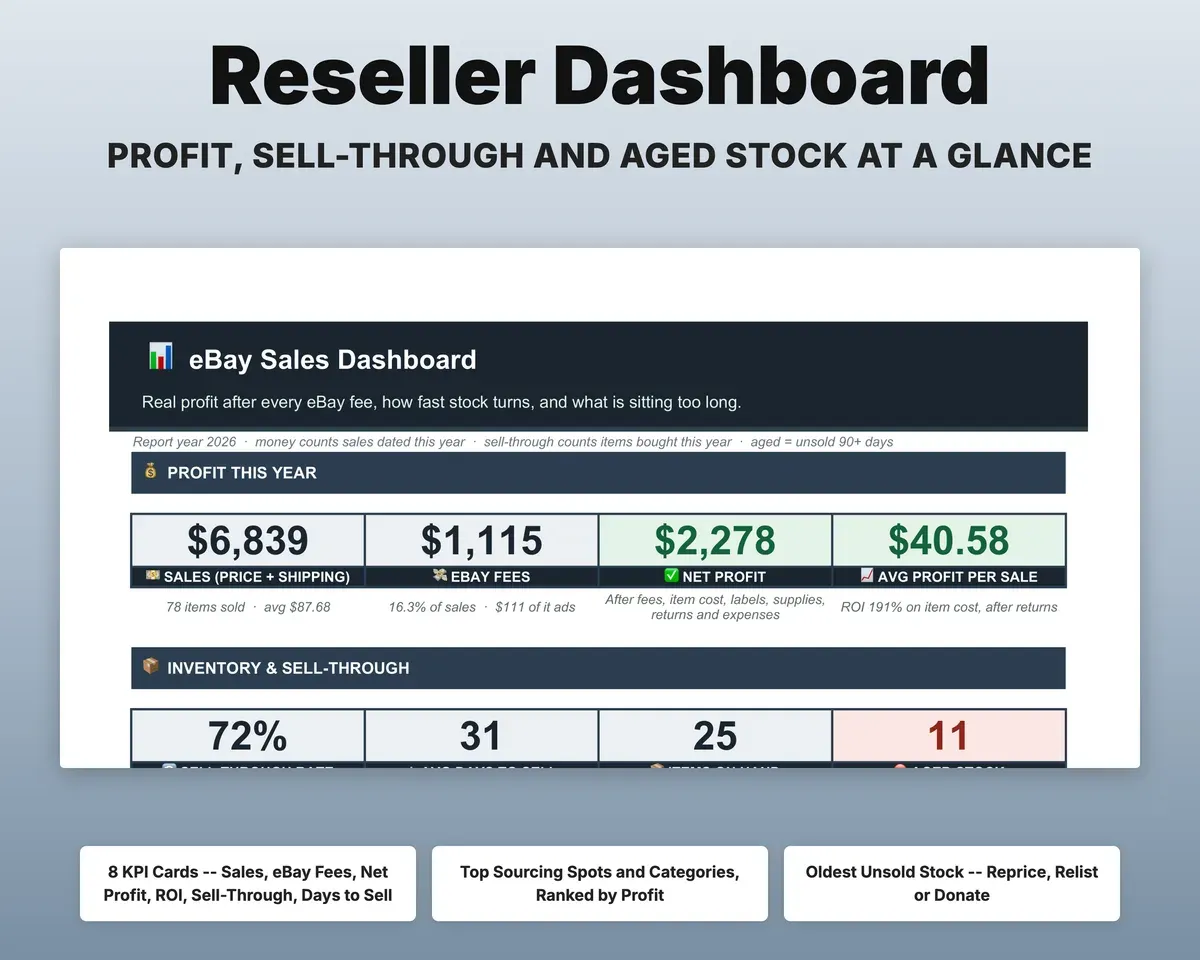
Every item shows how many days you have held it and an age flag: Fresh, Watch at 60 days, Aged at 90. You set the days. The Dashboard lists your oldest unsold items and the cost tied up in them, so you know what to reprice, relist or donate.
Buy and list datesAged stock listFind out which spots actually pay
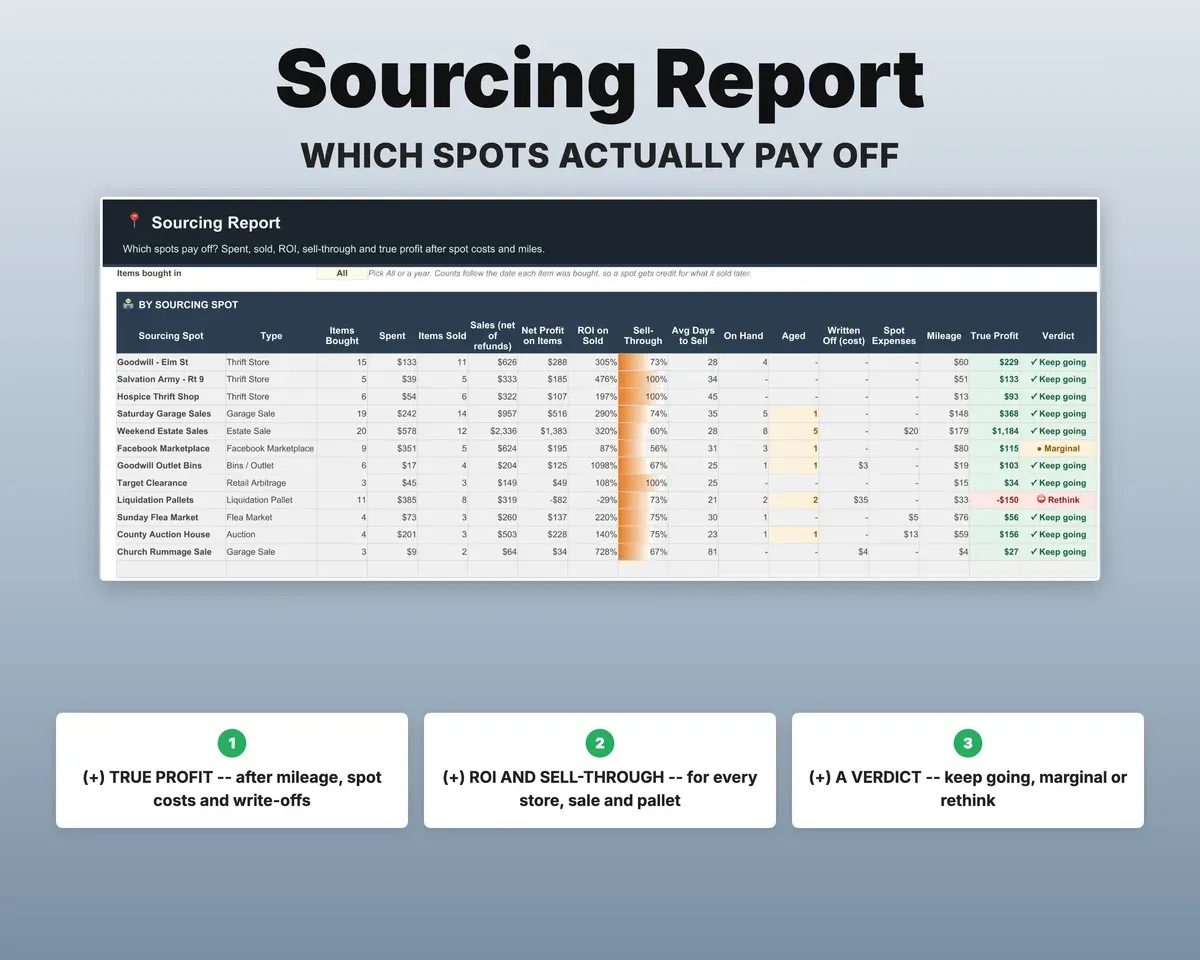
Every thrift store, estate sale, flea market and app gets its own ROI, sell-through and days to sell. True profit comes after mileage and spot costs, and each spot gets a Keep going, Marginal or Rethink verdict.
Spot per item, tripsTrue profit by spotSplit one price across many items
Enter a box lot or liquidation pallet once with the total you paid, freight included. Items from it share the cost, a standout piece can carry its own price, and the tab shows how much of the lot you have earned back.
Lot total paidCost per item, % paid backKnow your price and your limit
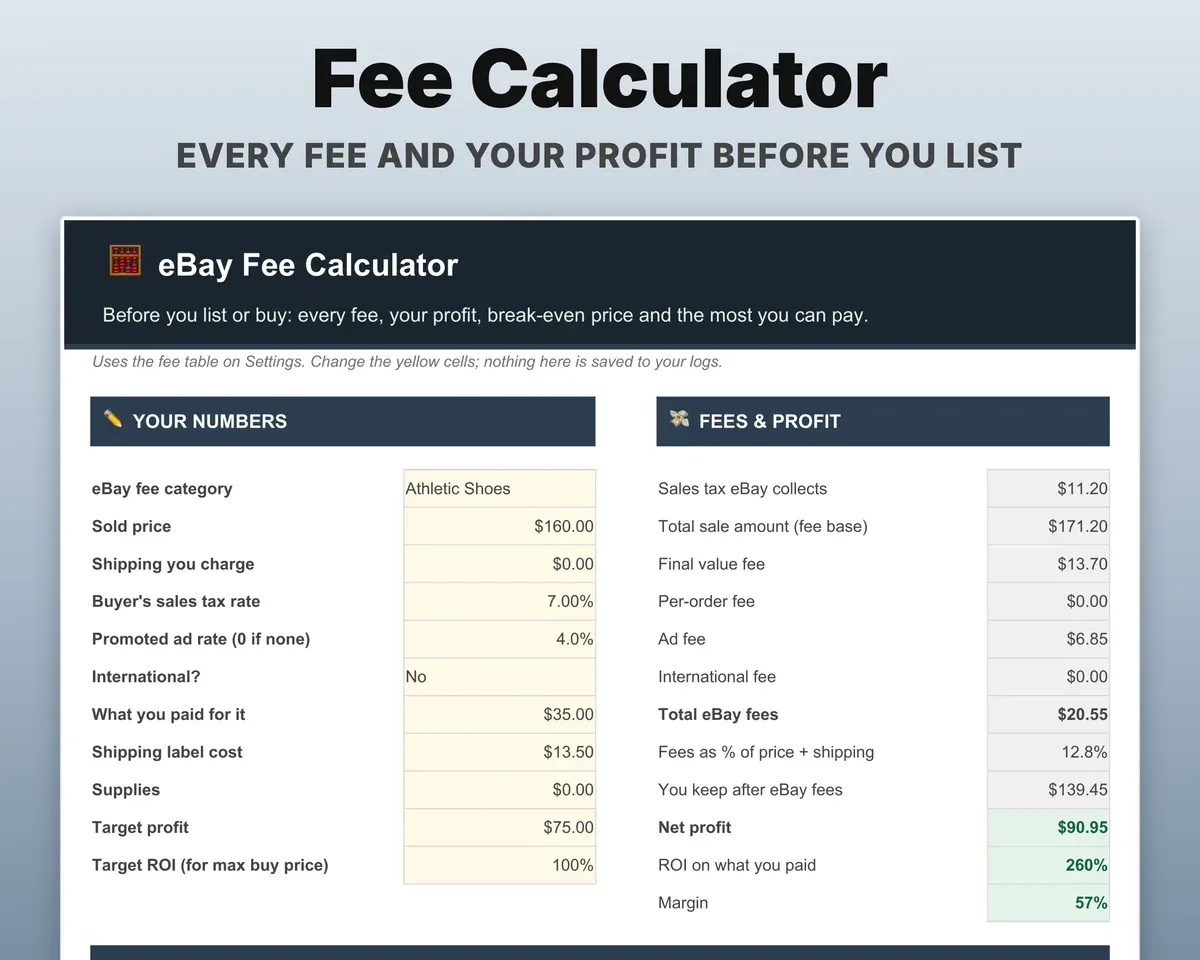
The Fee Calculator tab shows every fee and your profit at any price, the break-even price, the price for a target profit, and the most you can pay for an item and still hit your ROI.
Price, costs, ad rateBreak-even and max buyHand your preparer real numbers
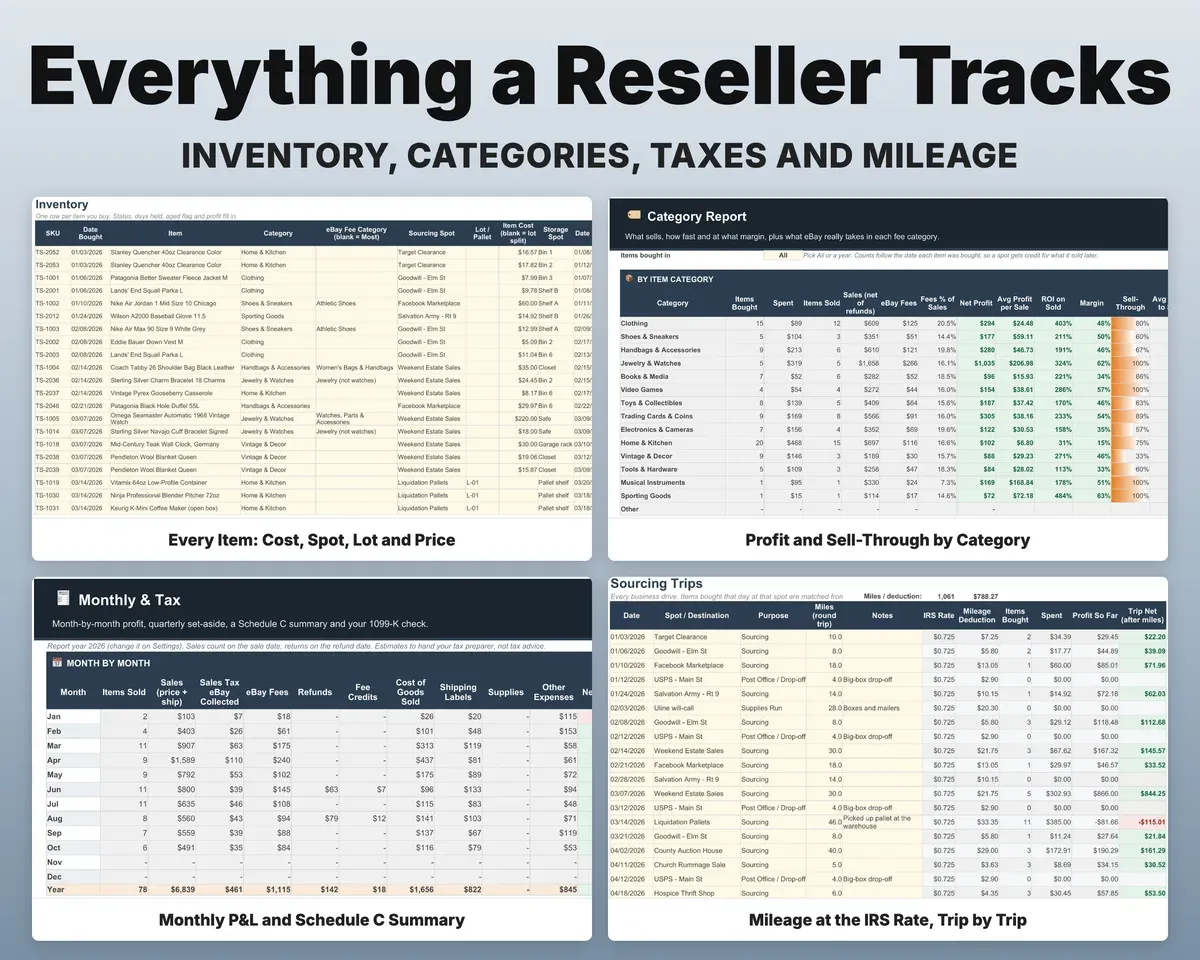
A month-by-month profit table, a quarterly set-aside with due dates, a Schedule C summary, mileage at the IRS rate, and a check of your eBay sales against the 1099-K threshold.
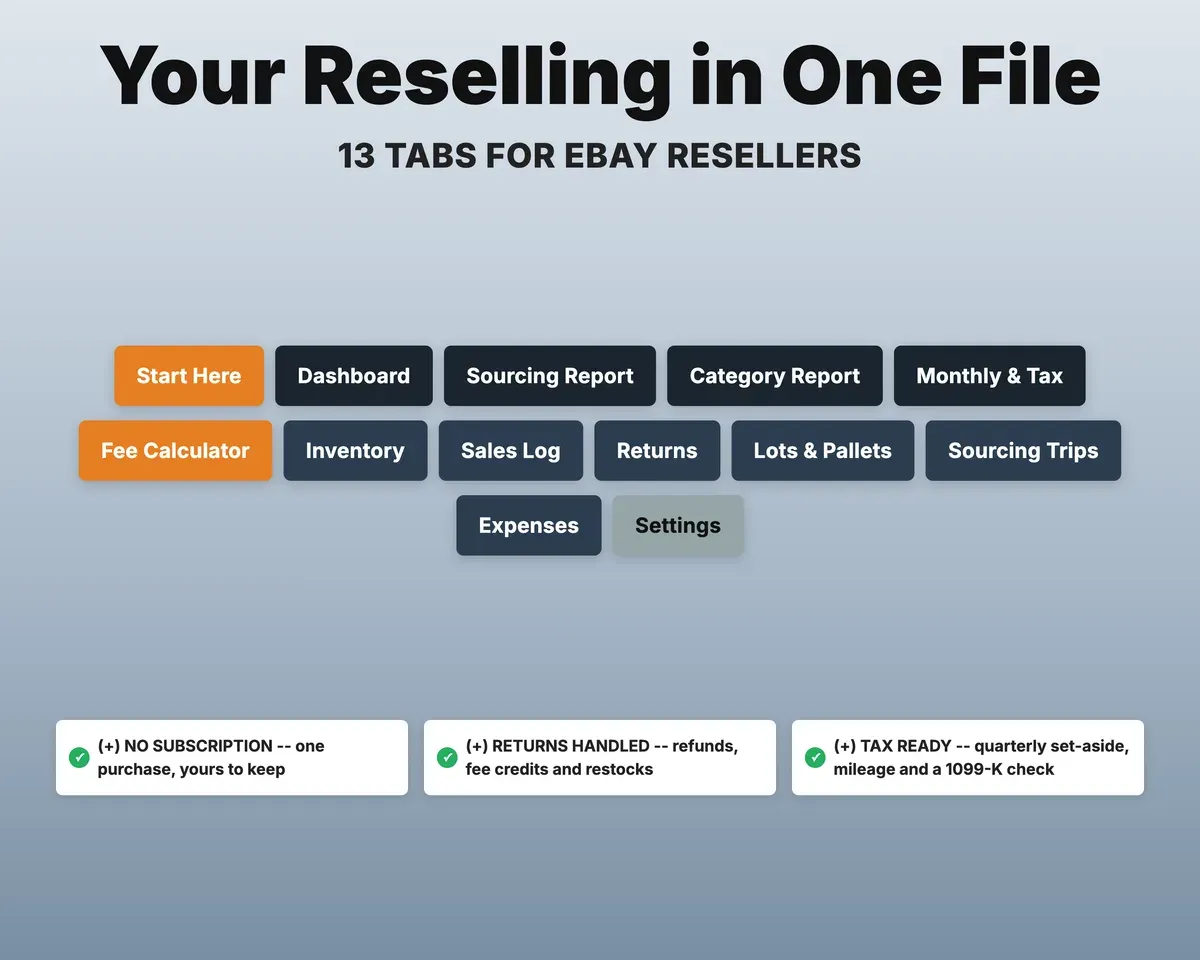
Your logsSchedule C summary13 tabs in one file
- Start Here
- Dashboard
- Sourcing Report
- Category Report
- Monthly & Tax
- Fee Calculator
- Inventory
- Sales Log
- Returns
- Lots & Pallets
- Sourcing Trips
- Expenses
- Settings
- Start Here
- Eight setup steps, the color key and a tour of every tab.
- Dashboard
- Sales, eBay fees, net profit, ROI, sell-through, days to sell and aged stock, with monthly and category charts.
- Sourcing Report
- Every sourcing spot with spent, sold, ROI, sell-through, true profit after miles and a verdict.
- Category Report
- Profit, ROI, margin and speed by category, and what eBay really takes in each fee category.
- Monthly & Tax
- Profit by month, quarterly set-aside with due dates, a 1099-K check and a Schedule C summary.
- Fee Calculator
- Every fee and your profit at any price, plus break-even, target-profit and max-buy prices.
- Inventory
- One row per item: cost, sourcing spot, status, days held, an age flag, and the date anything was donated or trashed.
- Sales Log
- One row per sale; final value, per-order, ad and international fees, net profit, ROI and days to sell fill in.
- Returns
- Refunds, partial refunds, fee credits and return labels, whether the item went back in stock, and the net hit to profit.
- Lots & Pallets
- One price spread across many items, with money back and paid-back status.
- Sourcing Trips
- A mileage log at the IRS rate with items bought and profit per trip.
- Expenses
- Business costs such as supplies, subscriptions and ads, with Schedule C lines.
- Settings
- Report year, age thresholds, the editable eBay fee table, mileage and tax rates, sourcing spots and dropdown lists.
Try the free eBay Fee Calculator
Every eBay fee on a sale for your category, the profit you keep and the price to list at.
Pair it with
“Well thought out worksheets nicely presented”
“Excellent! Very easy to use.”
Before you buy
Does it charge eBay's fee on shipping and sales tax?
Yes. eBay takes its percentage of the item price plus shipping plus the sales tax the buyer pays, and the Sales Log does the same. Type the tax from the order, or leave it blank and it uses your default rate from Settings.
I have an eBay Store. Will the fees be right?
The fee table holds eBay's US rates for sellers without a Store, checked October 2026. Store subscribers type their own rates into the editable fee table on Settings, and every sale uses them from then on.
Does it connect to my eBay account?
No. It is not an app or a cross-lister; you type each sale from the order page. That is why it is a one-time purchase instead of a monthly subscription.
How do returns work?
Log the refund, the fee credit eBay gave back, the return label and whether the item went back in stock. Profit and the item's status update, and a restocked item can sell again. A partial refund where the buyer keeps the item lowers your profit but still counts as a sale.
Can it handle pallets and box lots?
Yes. Enter the lot once with the total you paid. Items from it with a blank cost share the total, and the Lots & Pallets tab shows how much of it you have earned back.
Will it do my taxes?
No. It gives you a monthly profit table, a quarterly set-aside, a Schedule C summary and a 1099-K check to hand your tax preparer. They are estimates, not tax advice.
Is there a free eBay fee calculator?
Yes. The free eBay Fee Calculator on this site works out every fee and your profit on one sale, and the price you need for a target profit. The tracker does the same math on every sale and adds up the year.
What do I get?
An Excel file (.xlsx), a filled-in sample to look at, and a quick-start PDF guide with a link that makes your own copy in Google Sheets.
How does delivery work?
You get your download links right after checkout, and Stripe emails your receipt. There is nothing to ship and nothing to wait for.
How do I set it up in Google Sheets?
Open the quick-start PDF and click the Google Sheets link. Google makes a copy in your own Drive that only you can edit. You need a free Google account.
Will it work on a Mac?
Yes. It works in Excel on Mac and Windows, and in Google Sheets in any browser.
I'm not a spreadsheet person. Is that a problem?
No. You only type in the yellow cells. Everything in gray works itself out, and the Start Here tab shows you where to begin.
Can I get a refund?
Templates are digital downloads, so sales are final. If a file won't open, is broken or doesn't match its description, email hello@cleanpixelstudios.com within 30 days and we'll fix it, or refund you if we can't.
What if I get stuck?
Email hello@cleanpixelstudios.com and we'll help you get it working.
More in Small business & money
See all Small business & money templates
 Made by Clean Pixel Studios
We start every template by reading what people in that line of work say they struggle with, then build the spreadsheet around those problems. This one was made for eBay resellers and nobody else.
How we build templateseBay Sales Tracker$17.99 · Excel + Google Sheets