Built around the jobs car sharing hosts actually do
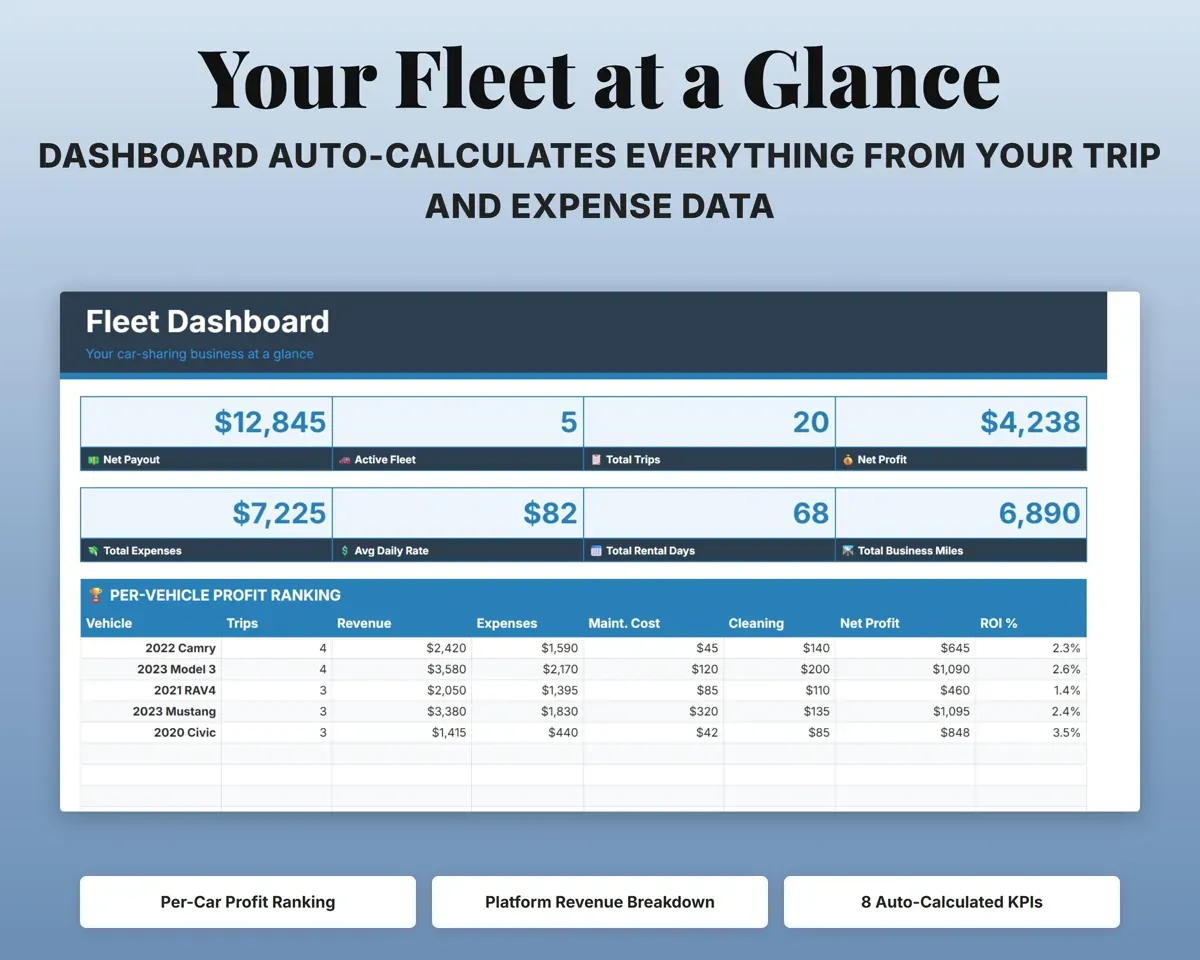
Find out which cars make money
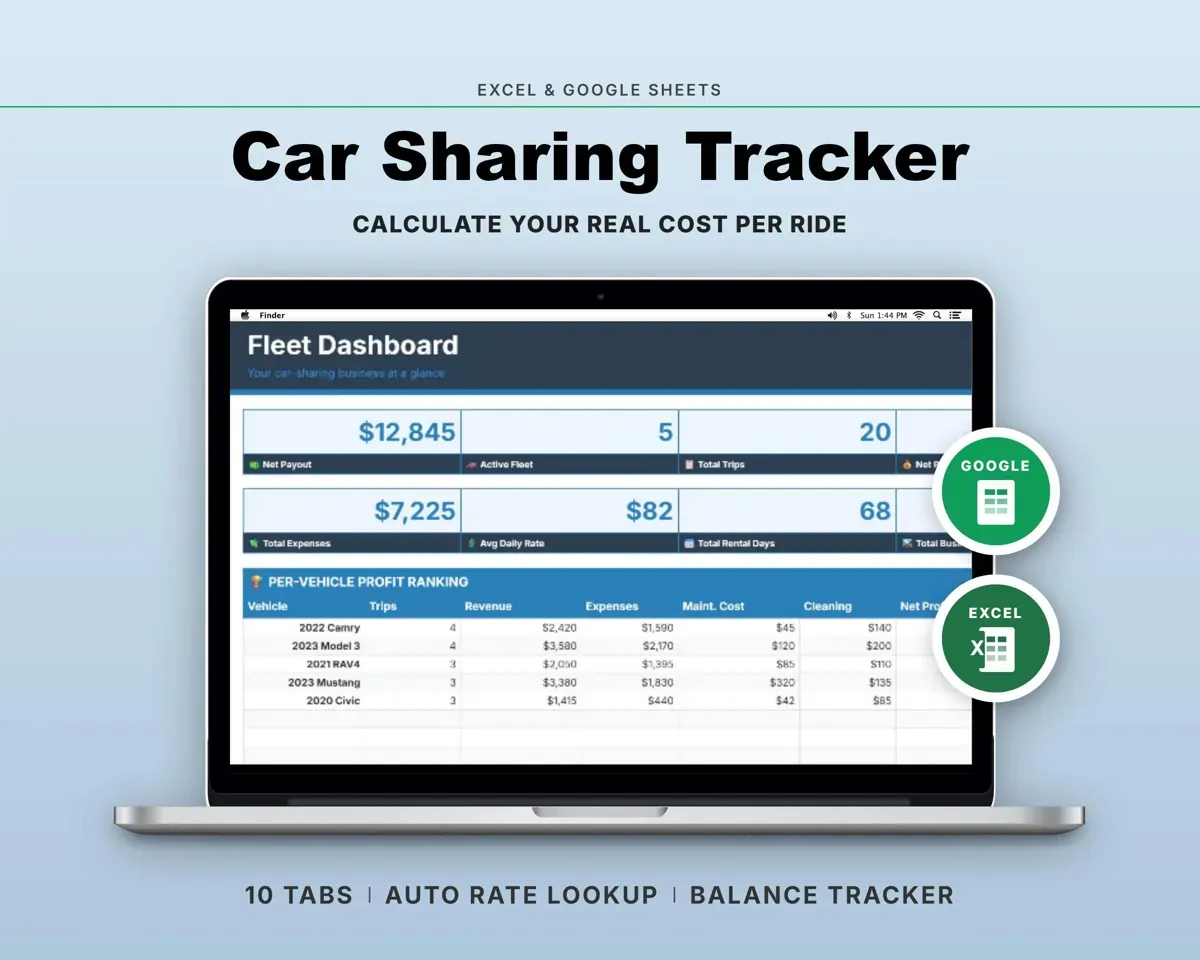
Revenue, expenses, maintenance and cleaning add up per vehicle, and the Dashboard ranks your fleet by profit and ROI.
Trips, costsProfit rankingLog each rental once
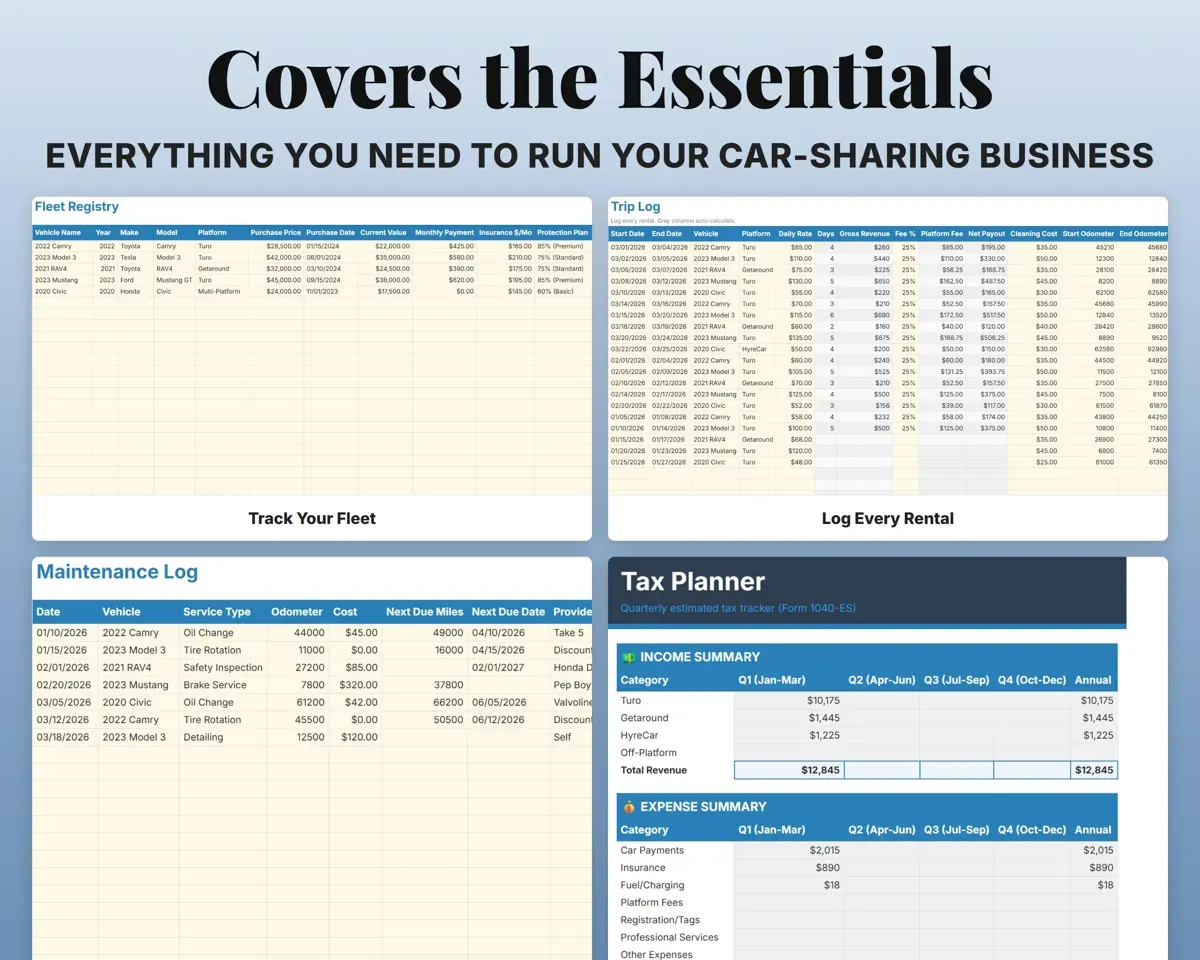
Enter the dates, car, platform and daily rate. Fees, net payout and miles are worked out, and cleaning cost sits on the same row.
Dates, daily rateNet payoutCompare Turo, Getaround and HyreCar
Every trip carries a platform, including off-platform rentals, so revenue, trips and daily rates break out by platform on the Dashboard and in Cash Flow.
Platform per tripRevenue by platformStay ahead of service
Service history for each car with cost and odometer, plus the next due mileage and date.
Service, odometerNext service dueHave depreciation and deductions organized
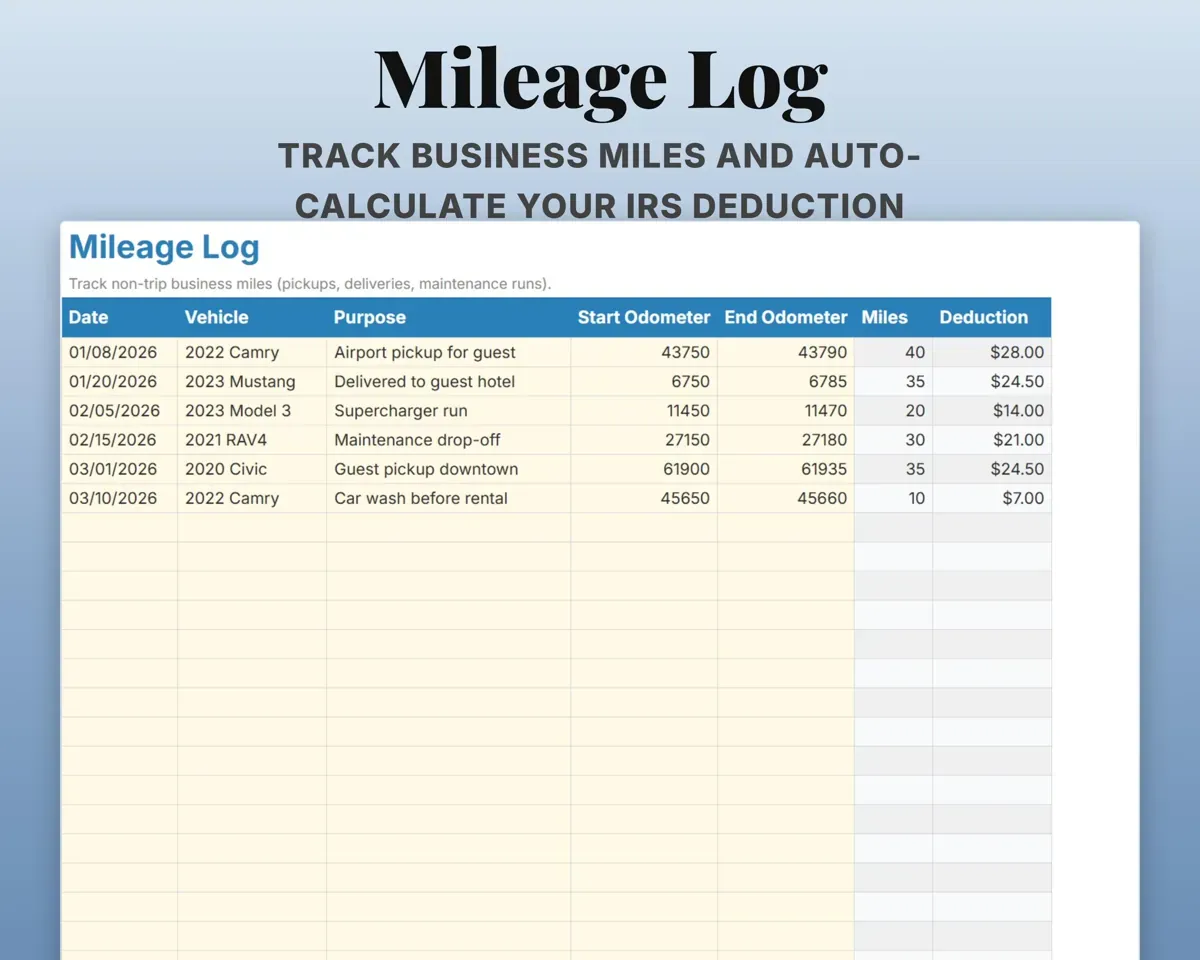
A 5-year MACRS schedule with business-use percentage, expenses in Schedule C categories, non-trip business miles and quarterly estimated tax dates.
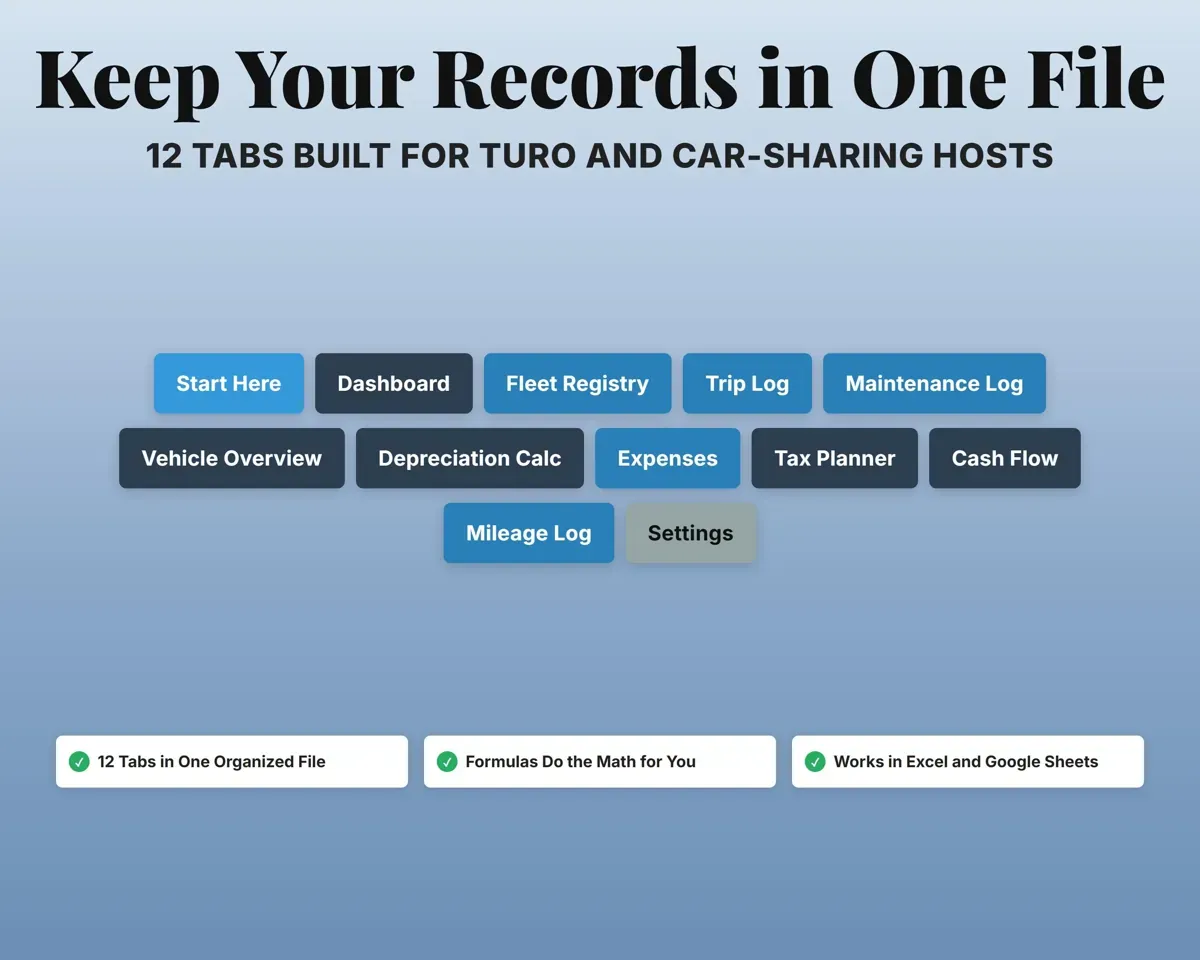
Purchase price, milesDepreciation by year12 tabs in one file
- Start Here
- Dashboard
- Fleet Registry
- Trip Log
- Maintenance Log
- Vehicle Overview
- Depreciation Calc
- Expenses
- Tax Planner
- Cash Flow
- Mileage Log
- Settings
- Start Here
- Setup steps and how each tab works.
- Dashboard
- Fleet revenue, profit and trips, with a per-car ranking.
- Fleet Registry
- Up to 20 cars with price, value, payment and insurance.
- Trip Log
- Every rental with fees, net payout, cleaning and odometer.
- Maintenance Log
- Service history and next-due mileage and dates per car.
- Vehicle Overview
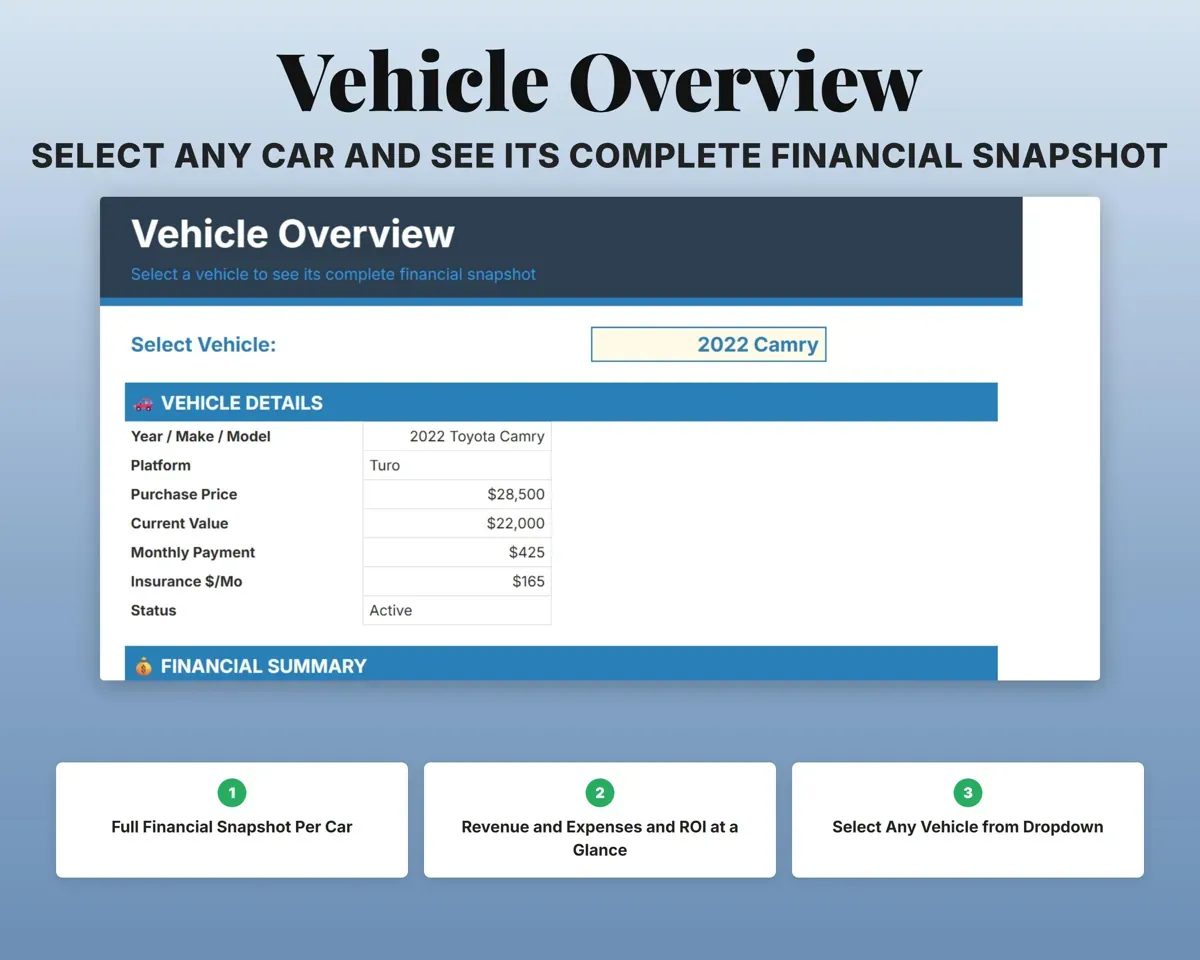
- Pick one car and see its full financial picture.
- Depreciation Calc
- Five-year MACRS schedule with business use and book value.
- Expenses
- Business costs in Schedule C categories, per car or shared.
- Tax Planner
- Quarterly estimated tax and payments (Form 1040-ES).
- Cash Flow
- Twelve months of revenue and costs by platform and category.
- Mileage Log
- Pickups, deliveries and service runs with the deduction worked out.
- Settings
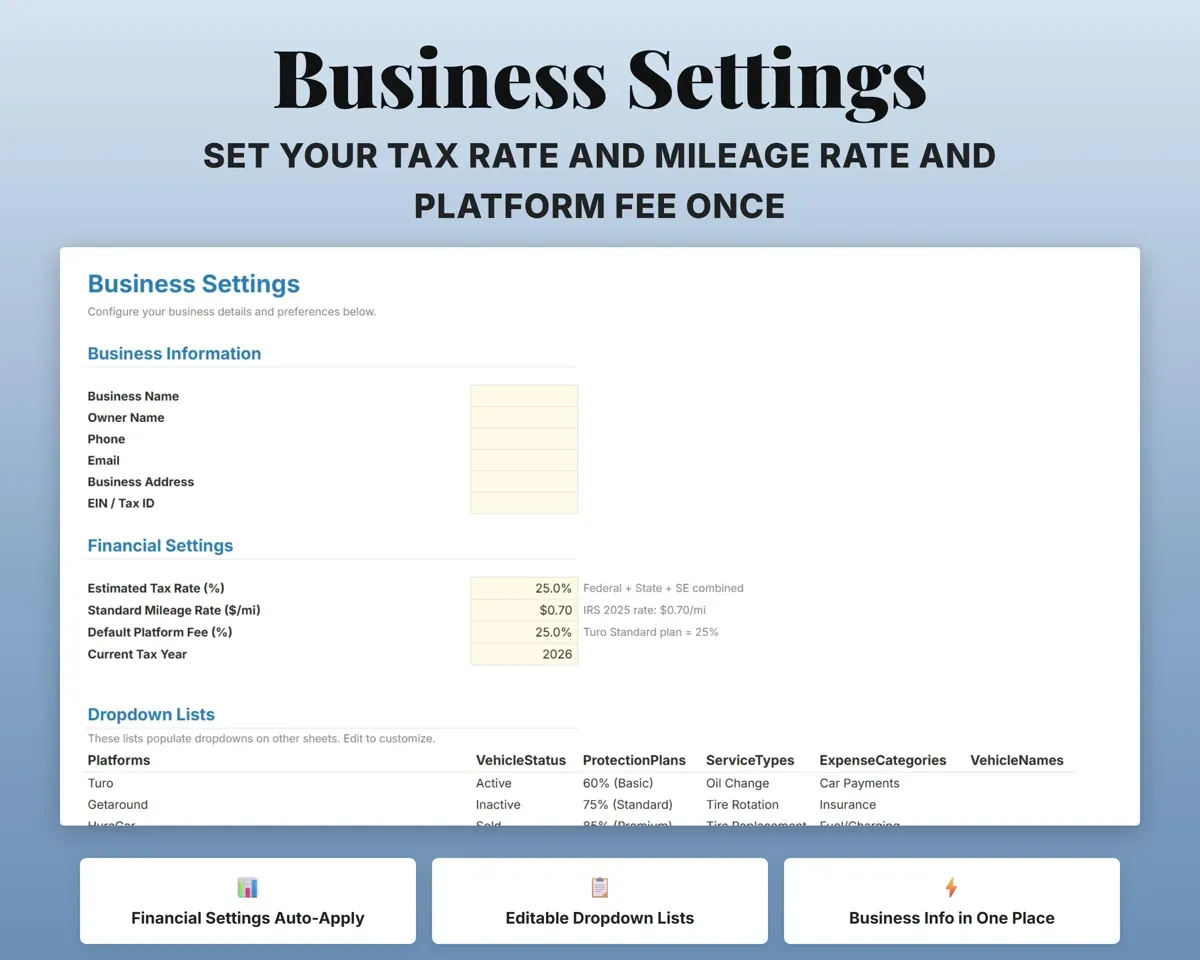
- Business details, tax rate, mileage rate, platform fee and lists.
Pair it with
“Excellent! Very easy to use.”
“Nice Organization for 4H projects”
Before you buy
How many cars can it handle?
The Fleet Registry holds up to 20 vehicles, and the Dashboard shows profit for each one.
I list on more than one platform. Does that work?
Yes. Each trip is tagged Turo, Getaround, HyreCar or Off-Platform, and the Dashboard and Cash Flow split revenue by platform.
What does the depreciation tab do?
It lays out a 5-year MACRS schedule for each car with the yearly deduction, business-use percentage and book value. It organizes the numbers; your tax preparer decides how to file them.
What do I get?
An Excel file (.xlsx), a filled-in sample to look at, and a quick-start PDF guide with a link that makes your own copy in Google Sheets.
How does delivery work?
You get your download links right after checkout, and Stripe emails your receipt. There is nothing to ship and nothing to wait for.
How do I set it up in Google Sheets?
Open the quick-start PDF and click the Google Sheets link. Google makes a copy in your own Drive that only you can edit. You need a free Google account.
Will it work on a Mac?
Yes. It works in Excel on Mac and Windows, and in Google Sheets in any browser.
I'm not a spreadsheet person. Is that a problem?
No. You only type in the yellow cells. Everything in gray works itself out, and the Start Here tab shows you where to begin.
Can I get a refund?
Templates are digital downloads, so sales are final. If a file won't open, is broken or doesn't match its description, email hello@cleanpixelstudios.com within 30 days and we'll fix it, or refund you if we can't.
What if I get stuck?
Email hello@cleanpixelstudios.com and we'll help you get it working.
More in Automotive
See all Automotive templates
 Made by Clean Pixel Studios
We start every template by reading what people in that line of work say they struggle with, then build the spreadsheet around those problems. This one was made for car sharing hosts and nobody else.
How we build templatesCar Sharing Host Spreadsheet$19.99 · Excel + Google Sheets