Built around the jobs lash techs actually do
Find out which services really pay
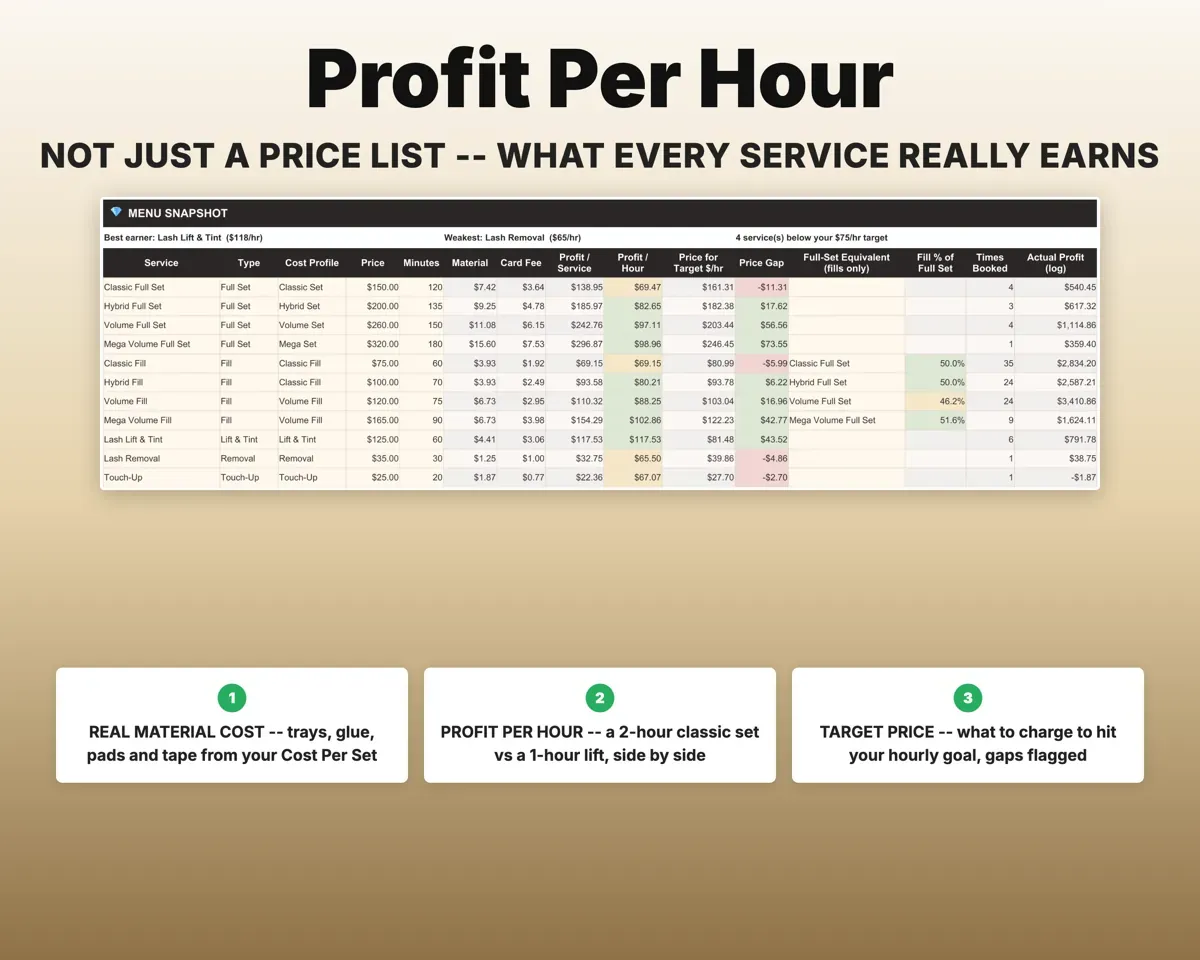
Add each supply with its pack price and how many uses a pack gives. Cost Per Set turns that into a material cost for every set, fill, lift and removal, and the Service Menu shows profit per hour and flags services below target.
Supplies, price, minutesProfit per hourCharge late fills as full sets
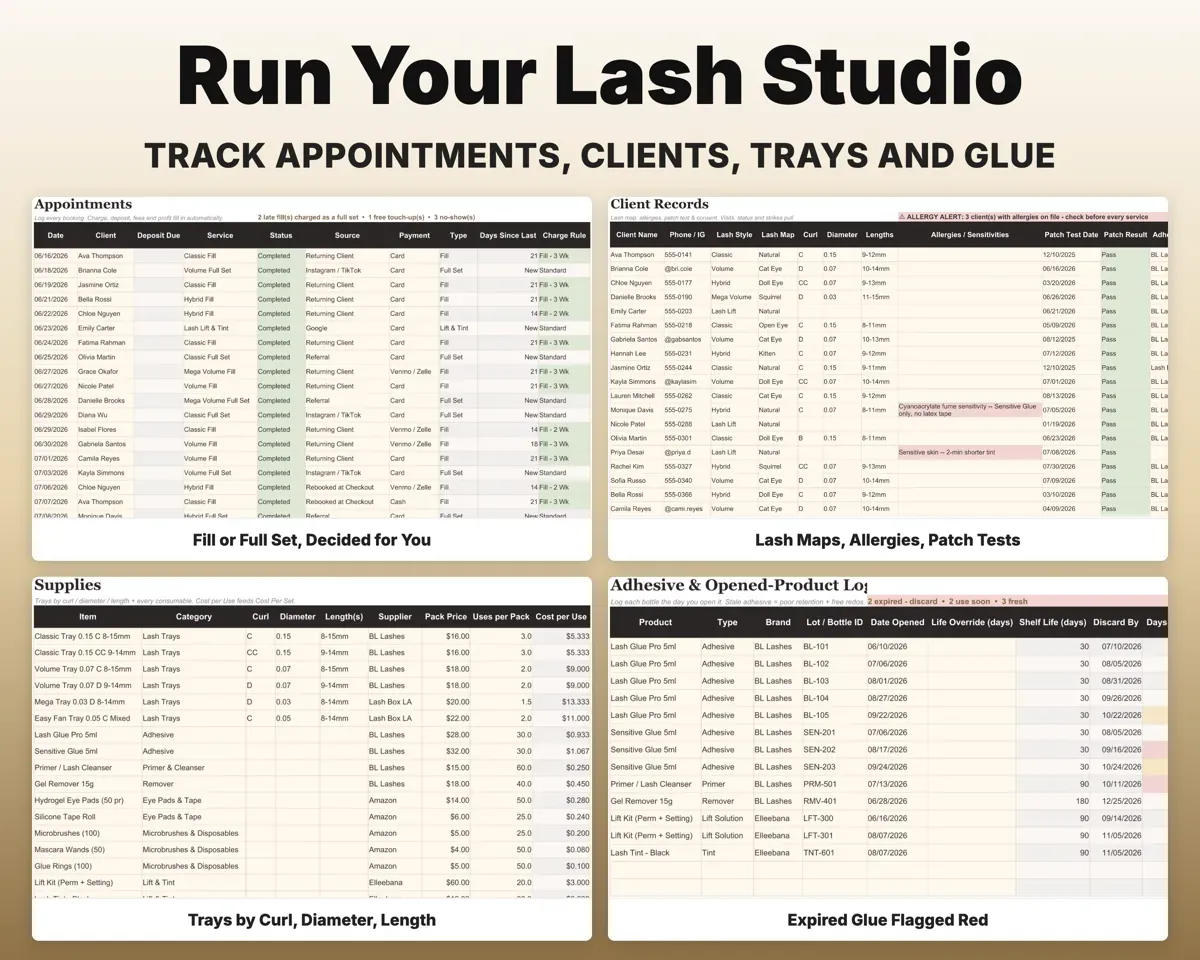
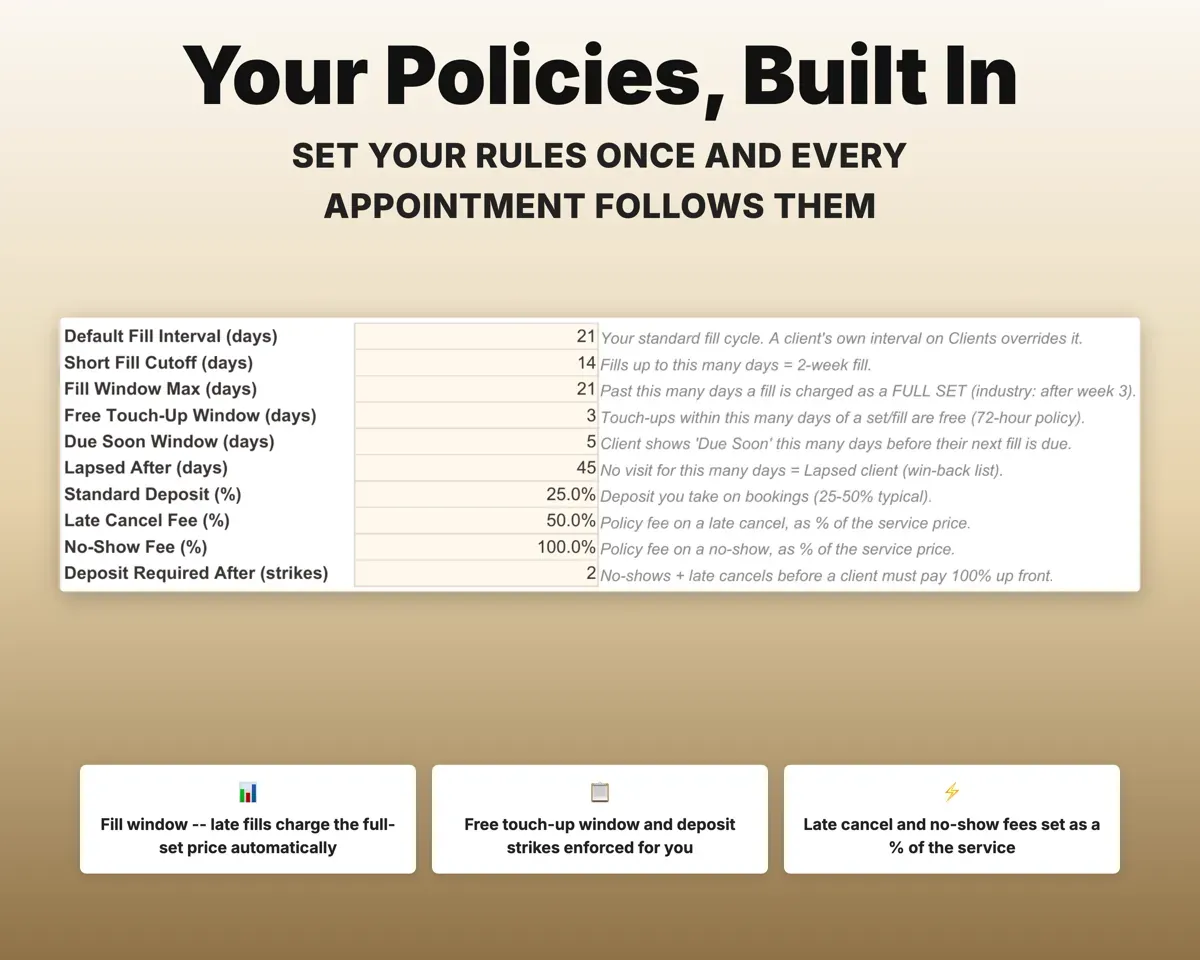
Each appointment checks how long it has been since that client's last visit. Once that passes your fill window (21 days unless you change it), the full-set price applies.
Appointment dateFill or full-set priceKeep track of no-shows and deposits
Mark a No-Show or Late Cancel and the sheet records the deposit kept, revenue lost and fee owed. After the number of strikes you choose, the client is flagged for a 100% deposit.
Appointment statusFull deposit flagKnow who is due and who has lapsed
Each client record shows the last visit, when the next fill is due, and whether they are Active, Due Soon, Overdue or Lapsed. The Dashboard shows your rebook rate and who to message.
Client visitsWho to messageUse glue before it goes stale
Log each bottle the day you open it to get a discard-by date and a Fresh, Use Soon or Expired status. Appointments record the lot, and you see adhesive cost per set.
Bottle open dateDiscard-by dateKeep lash maps and patch tests on file
Store lash map, curl, diameter, lengths, allergies, patch test and consent date. If you change adhesive brands, clients patch tested on the old brand get a retest flag.
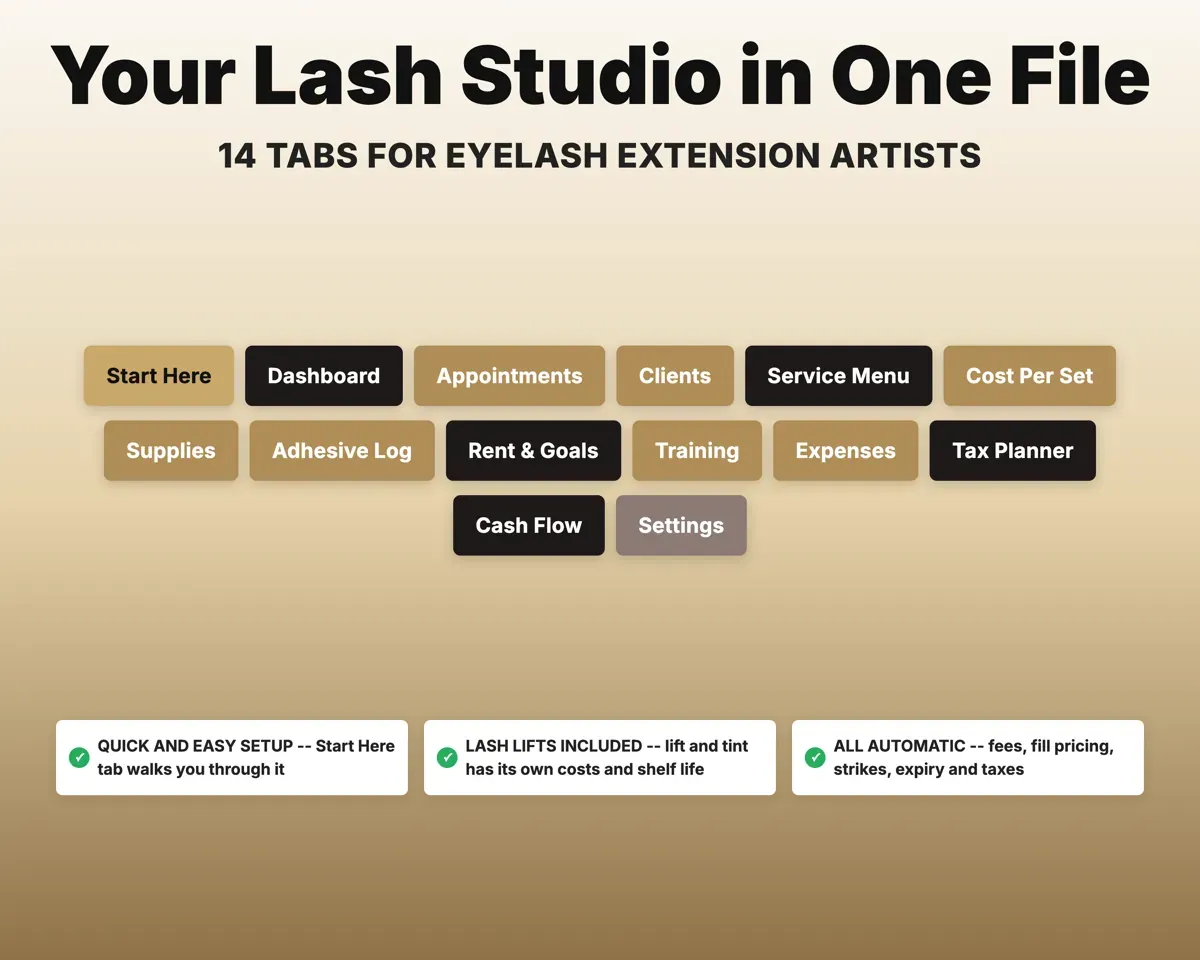
Lash map, patch testRetest flag14 tabs in one file
- Start Here
- Dashboard
- Appointments
- Clients
- Service Menu
- Cost Per Set
- Supplies
- Adhesive Log
- Rent & Goals
- Training
- Expenses
- Tax Planner
- Cash Flow
- Settings
- Start Here
- Setup steps, a color key and a map of every tab.
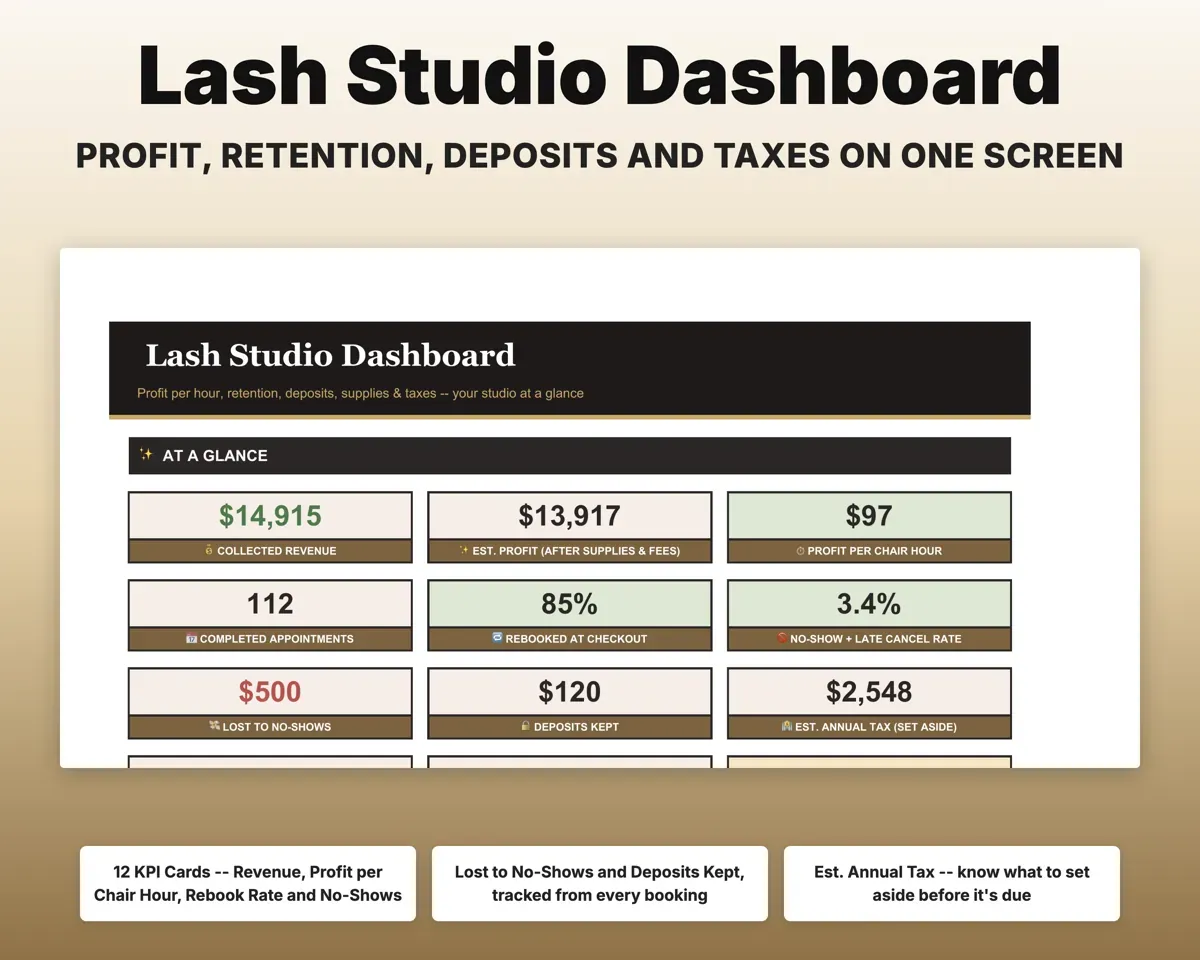
- Dashboard
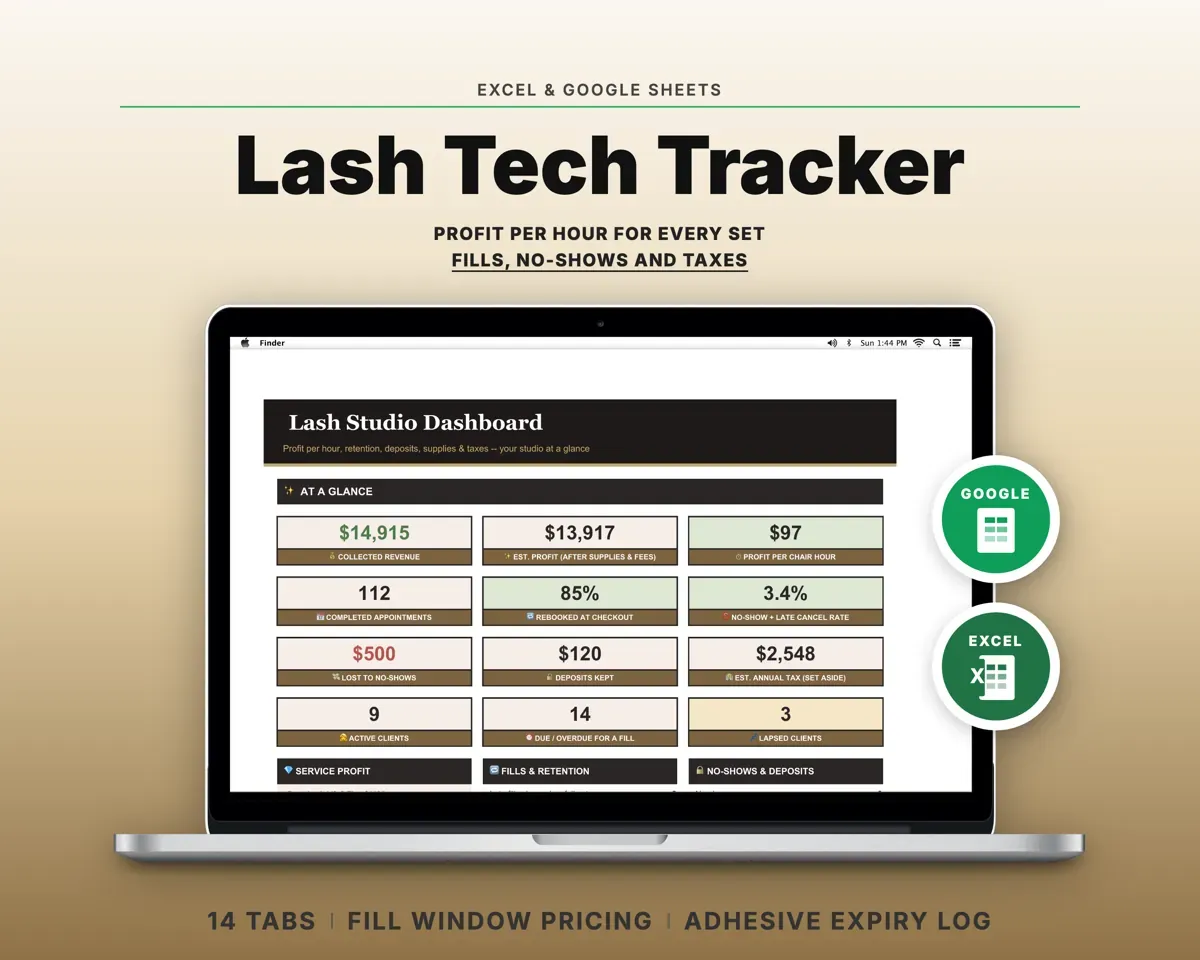
- Revenue, profit per hour, rebook and no-show rates, and tax to save.
- Appointments
- Every booking with fees, material cost and profit filled in.
- Clients
- Lash maps, patch tests, next fill due and no-show strikes.
- Service Menu
- Price, minutes, profit per hour and target price per service.
- Cost Per Set
- The true material cost of every set and fill.
- Supplies
- Trays, glue, pads and tape with reorder status.
- Adhesive Log
- Open date, discard-by date and cost per set for each bottle.
- Rent & Goals
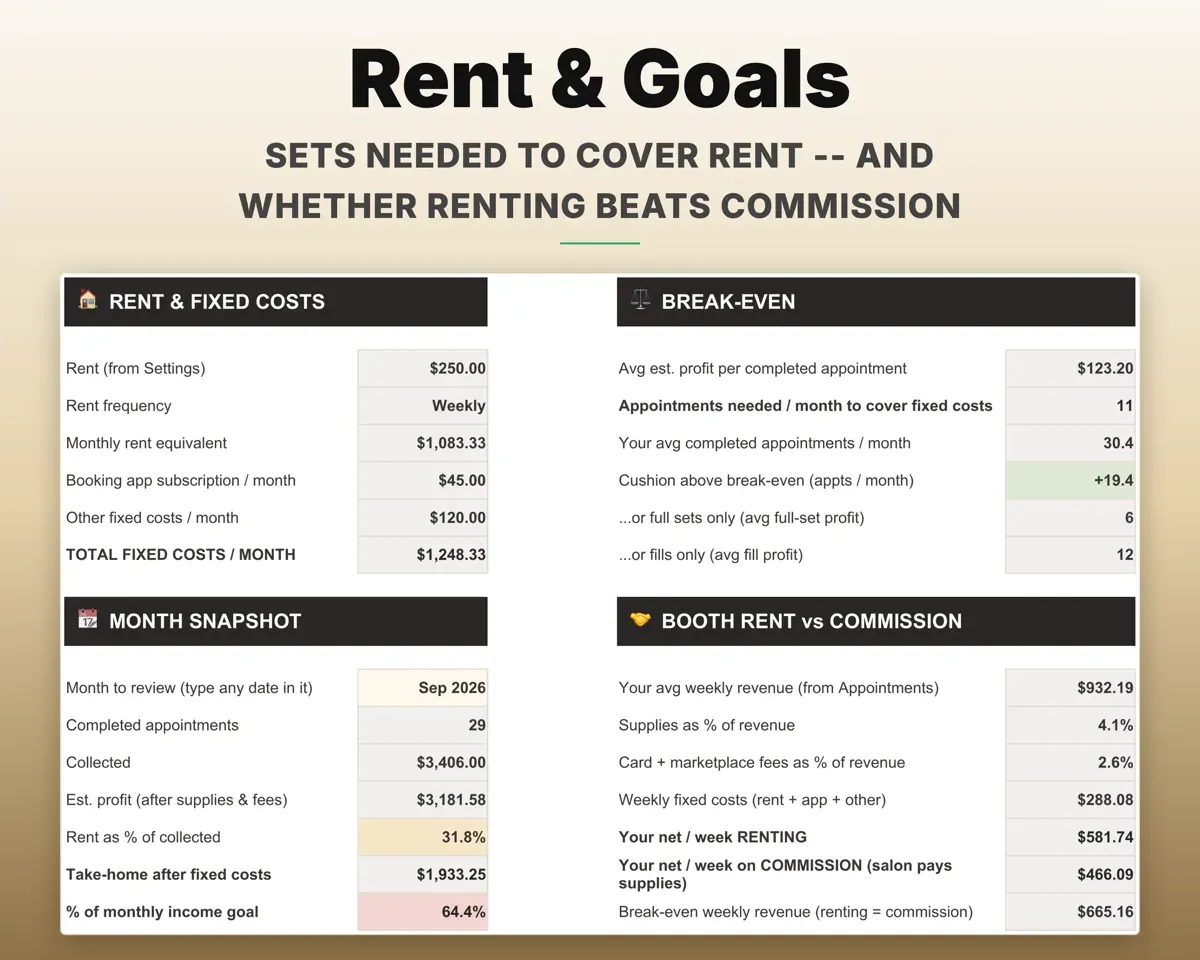
- Appointments needed for rent, and booth rent vs commission.
- Training
- Course payback, plus license and insurance renewal dates.
- Expenses
- 16 lash categories mapped to Schedule C lines.
- Tax Planner
- Quarterly 1040-ES estimates with self-employment tax.
- Cash Flow
- Twelve months of payouts by service type vs expenses.
- Settings
- Fill window, deposit rules, booking-app fees and dropdown lists.
Pair it with
“Well thought out worksheets nicely presented”
“Excellent! Very easy to use.”
Before you buy
Does this replace Vagaro, GlossGenius or Fresha?
No. Your app still handles booking and reminders. This file adds profit per hour, cost per set, fill-window pricing, adhesive dates and taxes. Pick your app on Settings and its card fees come off every visit.
Can I set my own fill window?
Yes. On Settings you choose the short-fill cutoff, the fill window, the free touch-up window and when a client counts as lapsed. Appointments update to match.
Does it suit booth renters and commission techs?
Yes. Rent can be entered by the week or the month. Commission techs can use Rent & Goals to compare their take-home against renting a space.
Are lash lifts included?
Yes. Lift & Tint is its own service type, with a separate cost profile and shelf-life setting, and it shows up in training payback.
What do I get?
An Excel file (.xlsx), a filled-in sample to look at, and a quick-start PDF guide with a link that makes your own copy in Google Sheets.
How does delivery work?
You get your download links right after checkout, and Stripe emails your receipt. There is nothing to ship and nothing to wait for.
How do I set it up in Google Sheets?
Open the quick-start PDF and click the Google Sheets link. Google makes a copy in your own Drive that only you can edit. You need a free Google account.
Will it work on a Mac?
Yes. It works in Excel on Mac and Windows, and in Google Sheets in any browser.
I'm not a spreadsheet person. Is that a problem?
No. You only type in the yellow cells. Everything in gray works itself out, and the Start Here tab shows you where to begin.
Can I get a refund?
Templates are digital downloads, so sales are final. If a file won't open, is broken or doesn't match its description, email hello@cleanpixelstudios.com within 30 days and we'll fix it, or refund you if we can't.
What if I get stuck?
Email hello@cleanpixelstudios.com and we'll help you get it working.
More in Beauty & wellness pros
See all Beauty & wellness pros templates
 Made by Clean Pixel Studios
We start every template by reading what people in that line of work say they struggle with, then build the spreadsheet around those problems. This one was made for lash techs and nobody else.
How we build templatesLash Tech Business Tracker$17.99 · Excel + Google Sheets