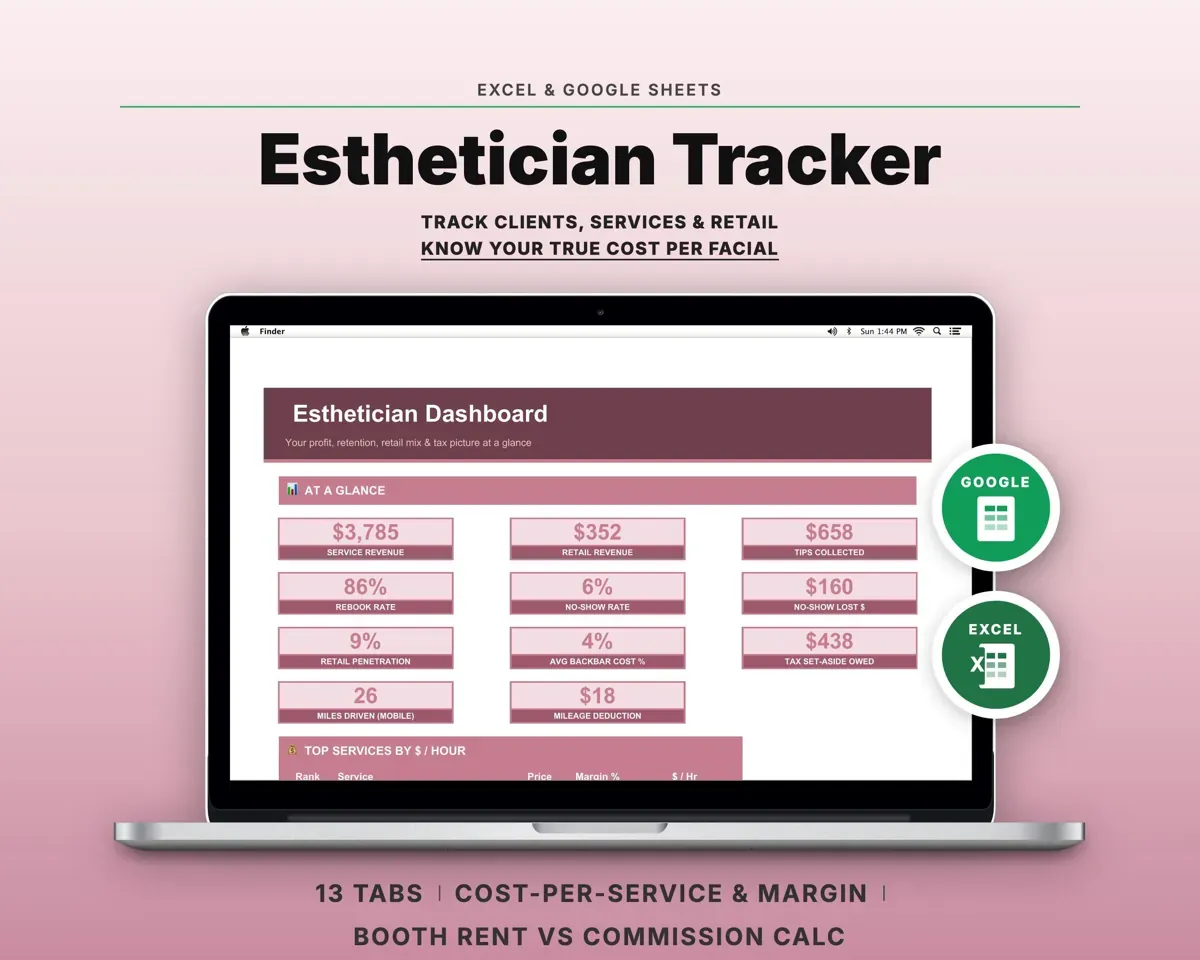
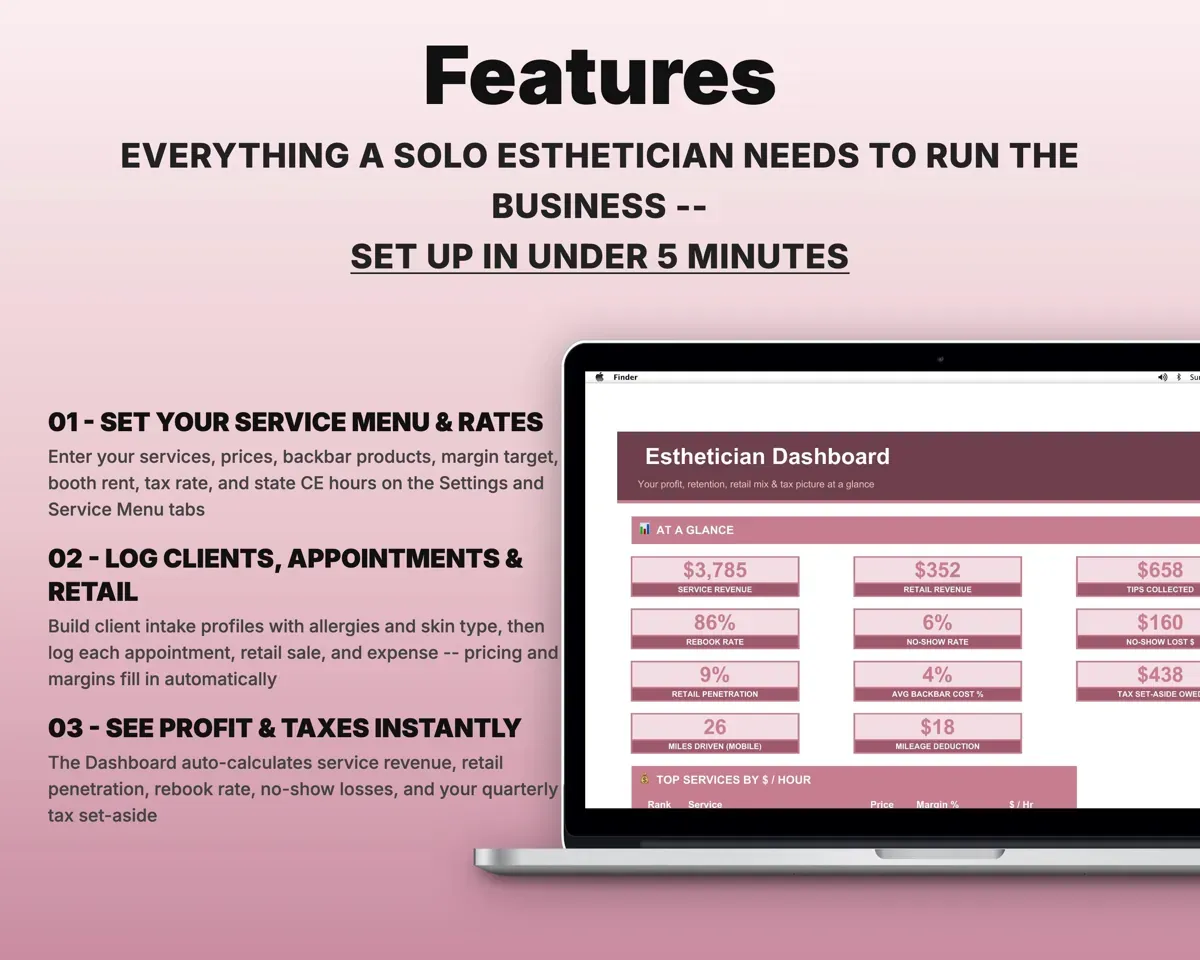
Built around the jobs estheticians actually do
Know what every treatment costs you
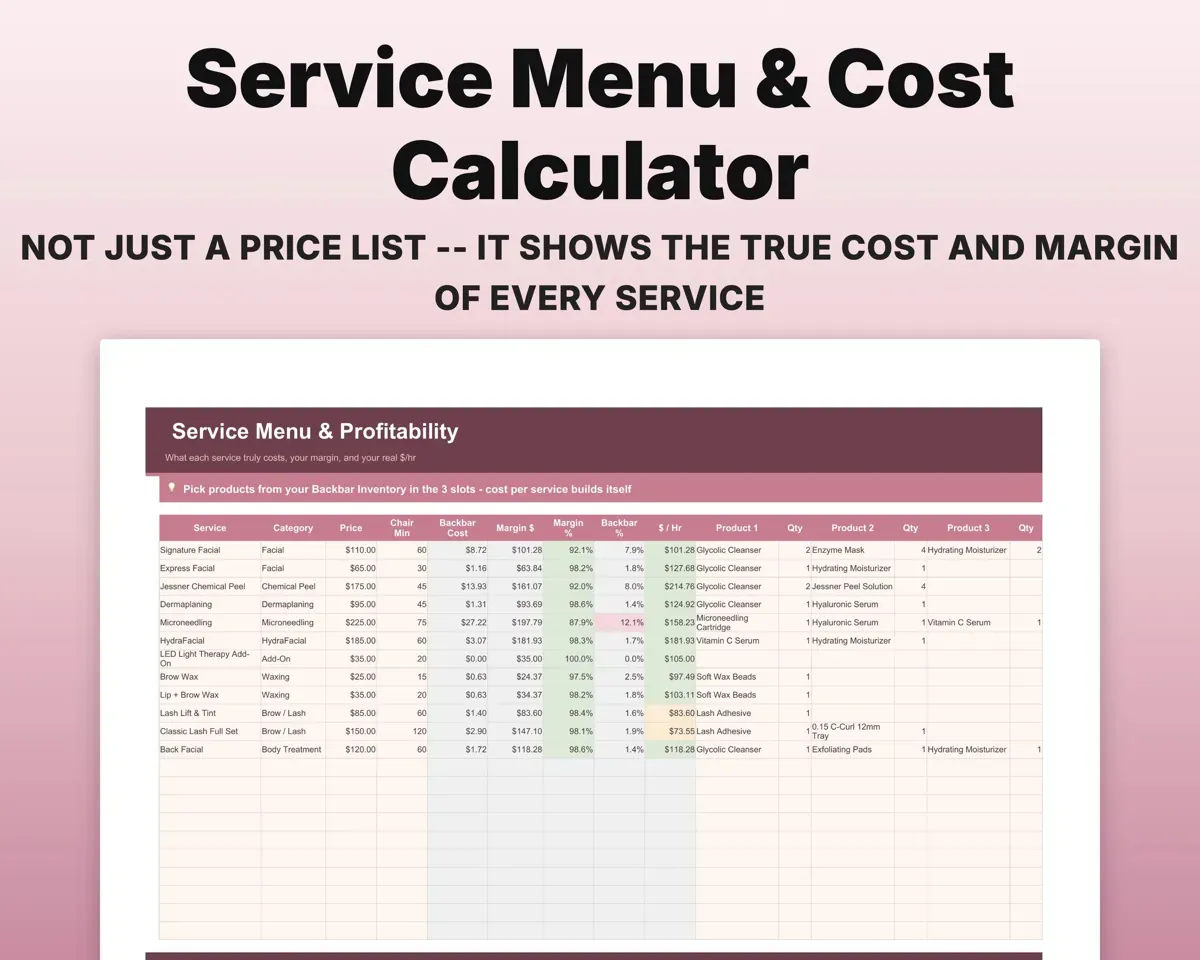
The Service Menu takes product cost from Backbar Inventory, then gives each service a gross margin and an hourly rate, and flags any that fall below your margin target.
Products per serviceMargin per serviceCheck whether booth rent or commission pays
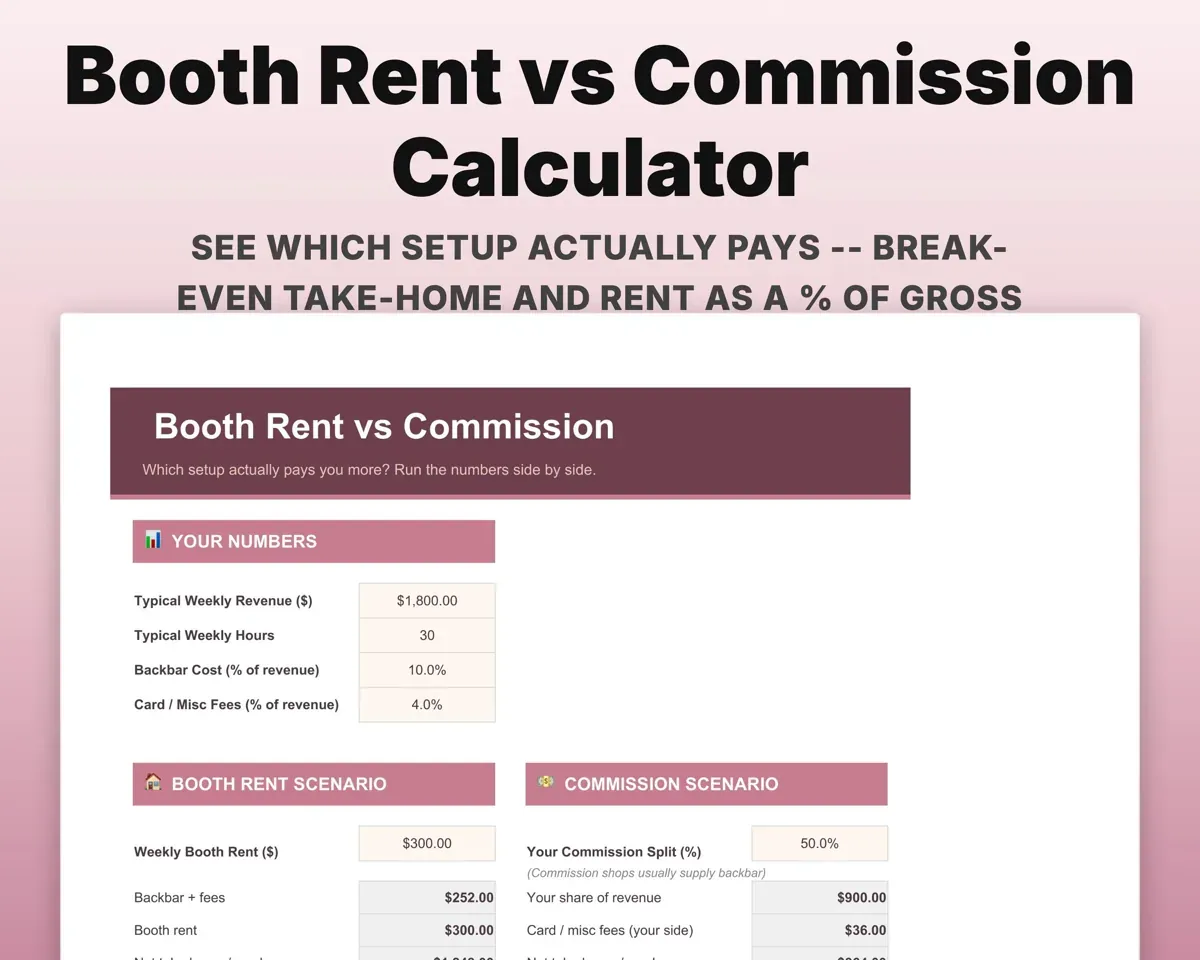
Enter your rent setup to see break-even weekly revenue, take-home and rent as a share of gross, with a green, amber or red flag.
Rent, revenueBreak-even revenueSee how much retail you really sell
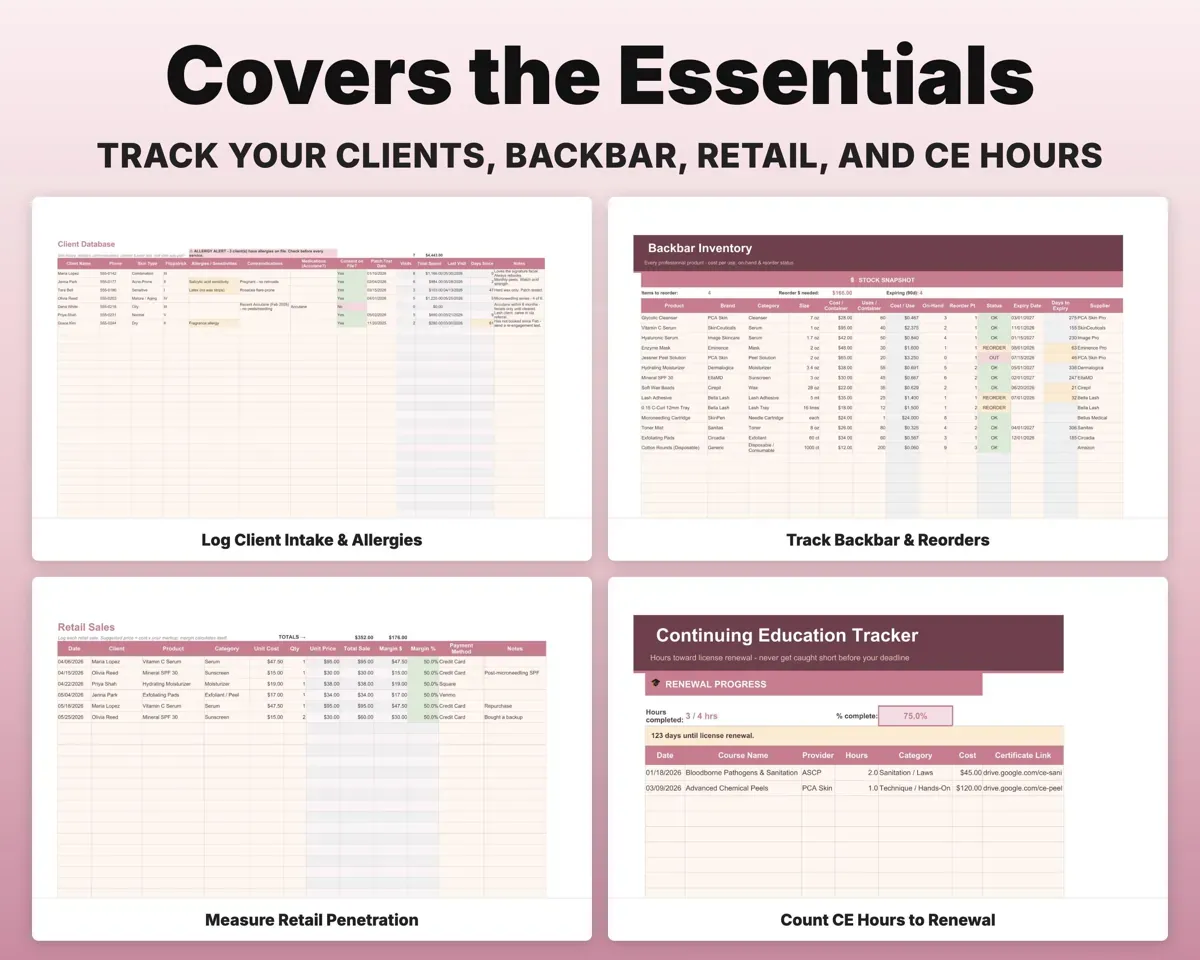
Retail Sales tracks retail penetration against a 25% goal, along with margin per product and revenue per client.
Retail salesRetail penetrationReorder before you run out
Track cost, on-hand count and reorder point for each product, with an OK, Reorder or Out status.
On hand, reorder pointReorder statusKeep intake details at hand
Skin type, Fitzpatrick type, allergies, medications and treatment history for each client. Appointments log tips, deposits and no-shows.
Intake detailsTreatment historyStay ahead of CE hours
Count CE hours against your state requirement, with a countdown to your license renewal date.
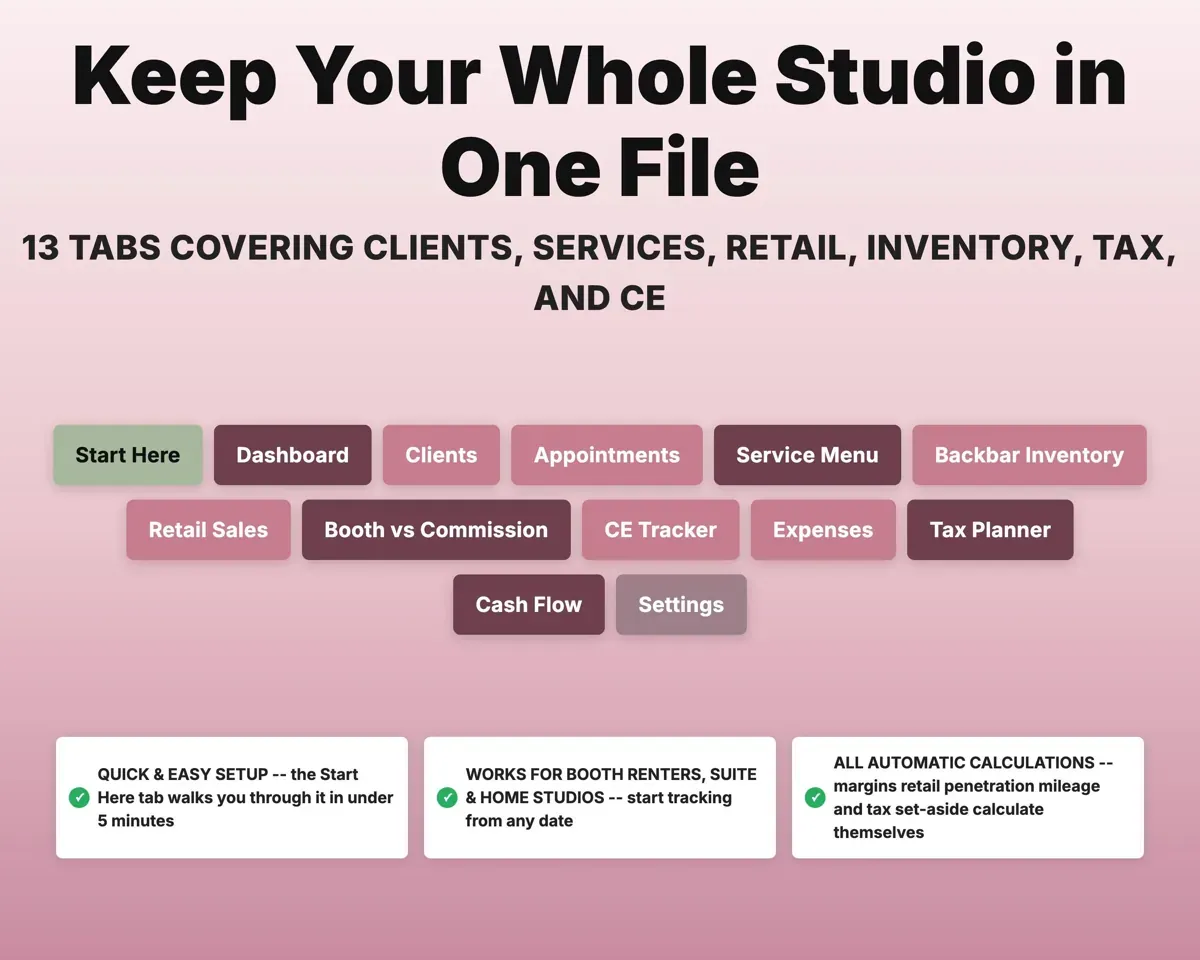
CE hours completedDays to renewal13 tabs in one file
- Start Here
- Dashboard
- Clients
- Appointments
- Service Menu
- Backbar Inventory
- Retail Sales
- Booth vs Commission
- CE Tracker
- Expenses
- Tax Planner
- Cash Flow
- Settings
- Start Here
- A five-minute setup walkthrough.
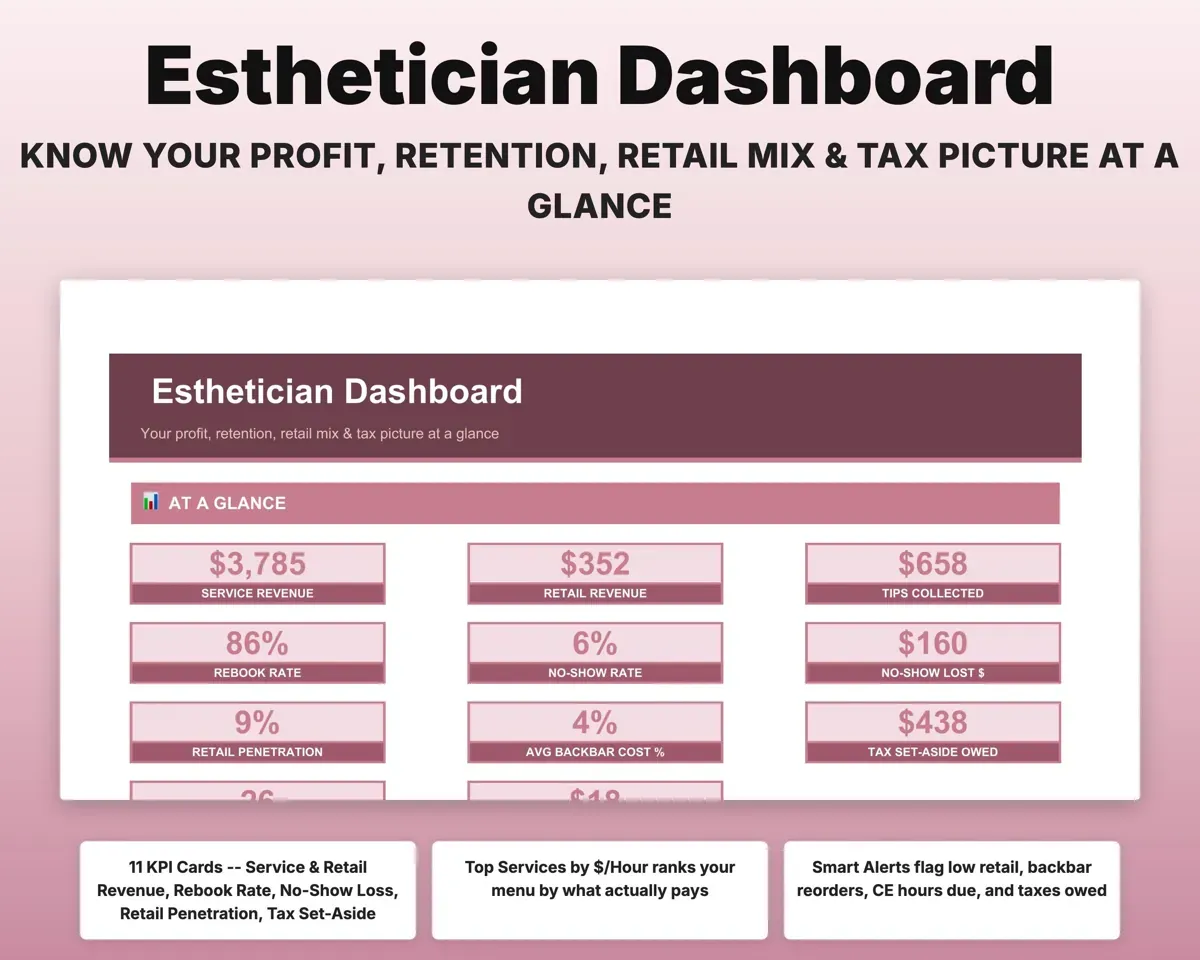
- Dashboard
- KPIs and alerts for retail, reorders, CE, no-shows and taxes.
- Clients
- Intake profiles with skin type, allergies and treatment history.
- Appointments
- Services with status, tips, deposits, no-shows and mobile miles.
- Service Menu
- Cost, gross margin and dollars per hour for each treatment.
- Backbar Inventory
- Product cost, on-hand count and reorder status.
- Retail Sales
- Retail penetration, margin per product and revenue per client.
- Booth vs Commission
- Break-even, take-home and rent as a share of gross.
- CE Tracker
- CE hours toward renewal and a renewal countdown.
- Expenses
- Skincare business costs mapped to Schedule C lines.
- Tax Planner
- Quarterly estimates, self-employment tax and a Schedule C worksheet.
- Cash Flow
- Twelve months of revenue and expenses.
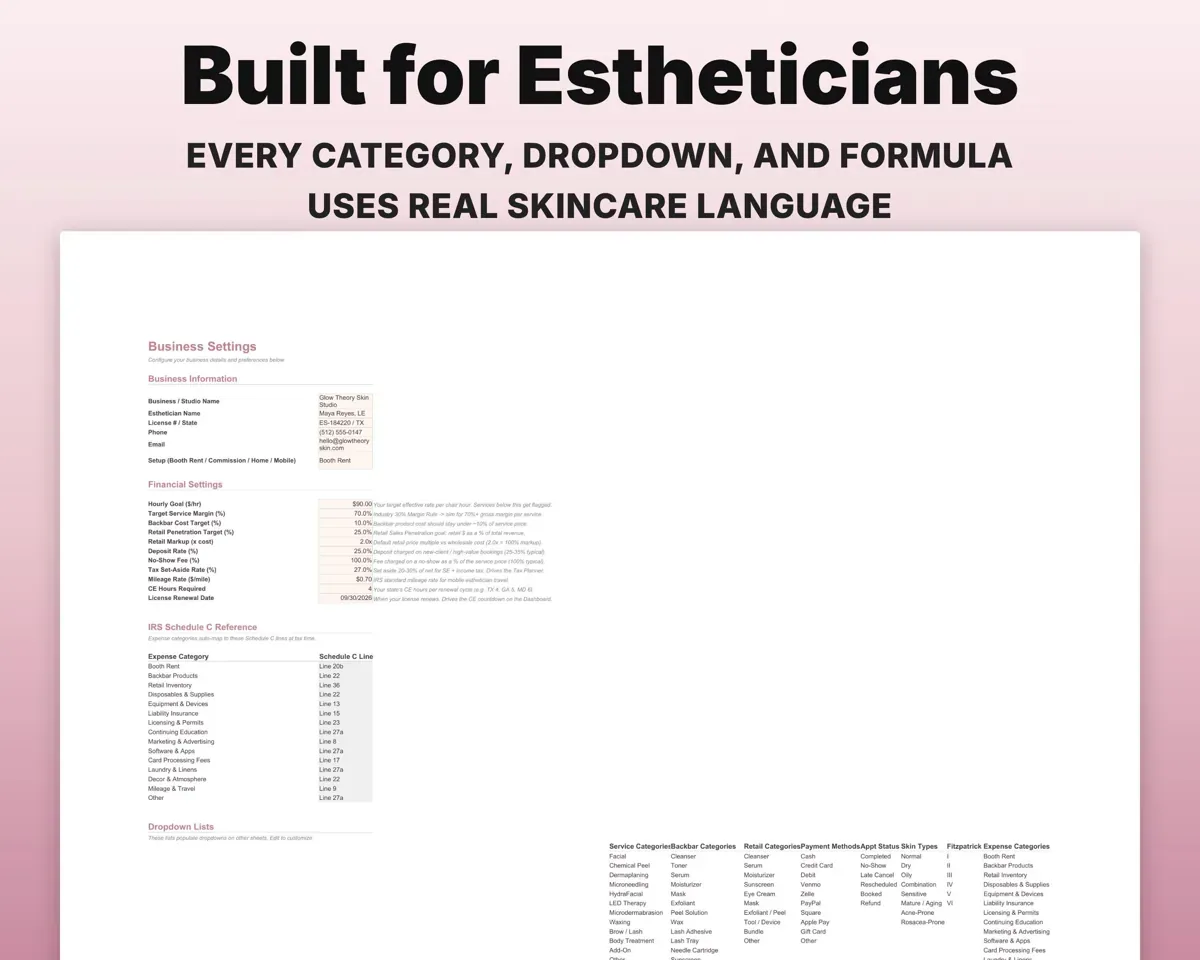
- Settings
- Rates, targets, booth rent, tax rate, CE hours and lists.
Pair it with
“Excellent! Very easy to use.”
“Nice Organization for 4H projects”
Before you buy
Does it book appointments?
No. Keep your booking app for scheduling. This handles the back office: costing, profit, retail, inventory, taxes and CE hours.
Will it work for a mobile or home studio?
Yes. Appointments has a column for mobile miles, so travel is logged alongside each service.
Can I change the services and categories?
Yes. Services, backbar categories, retail categories and expense categories are all editable on Settings.
What do I get?
An Excel file (.xlsx), a filled-in sample to look at, and a quick-start PDF guide with a link that makes your own copy in Google Sheets.
How does delivery work?
You get your download links right after checkout, and Stripe emails your receipt. There is nothing to ship and nothing to wait for.
How do I set it up in Google Sheets?
Open the quick-start PDF and click the Google Sheets link. Google makes a copy in your own Drive that only you can edit. You need a free Google account.
Will it work on a Mac?
Yes. It works in Excel on Mac and Windows, and in Google Sheets in any browser.
I'm not a spreadsheet person. Is that a problem?
No. You only type in the yellow cells. Everything in gray works itself out, and the Start Here tab shows you where to begin.
Can I get a refund?
Templates are digital downloads, so sales are final. If a file won't open, is broken or doesn't match its description, email hello@cleanpixelstudios.com within 30 days and we'll fix it, or refund you if we can't.
What if I get stuck?
Email hello@cleanpixelstudios.com and we'll help you get it working.
More in Beauty & wellness pros
See all Beauty & wellness pros templates
 Made by Clean Pixel Studios
We start every template by reading what people in that line of work say they struggle with, then build the spreadsheet around those problems. This one was made for estheticians and nobody else.
How we build templatesEsthetician Business Tracker$19.99 · Excel + Google Sheets