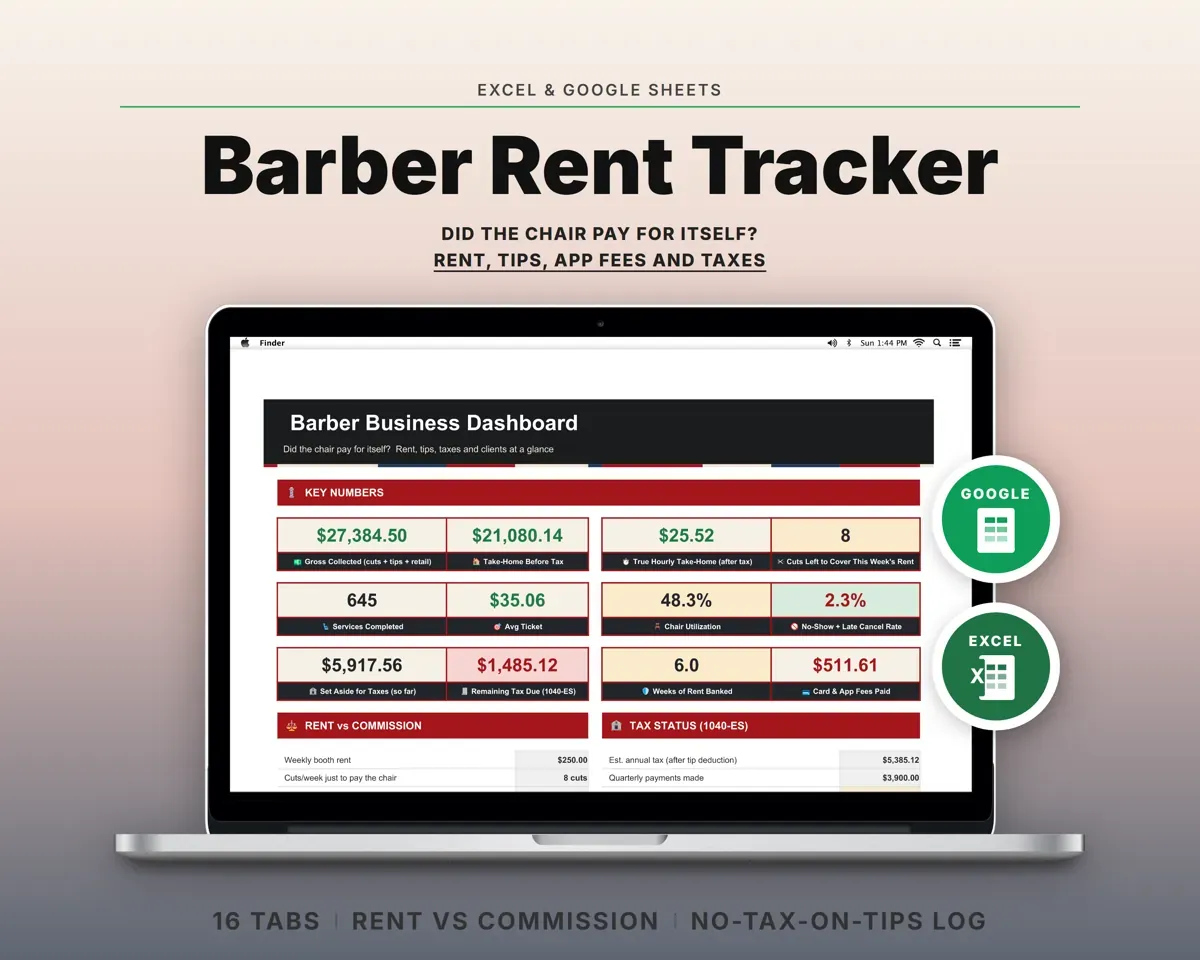
Built around the jobs booth-renting barbers actually do
Log a cut in one line
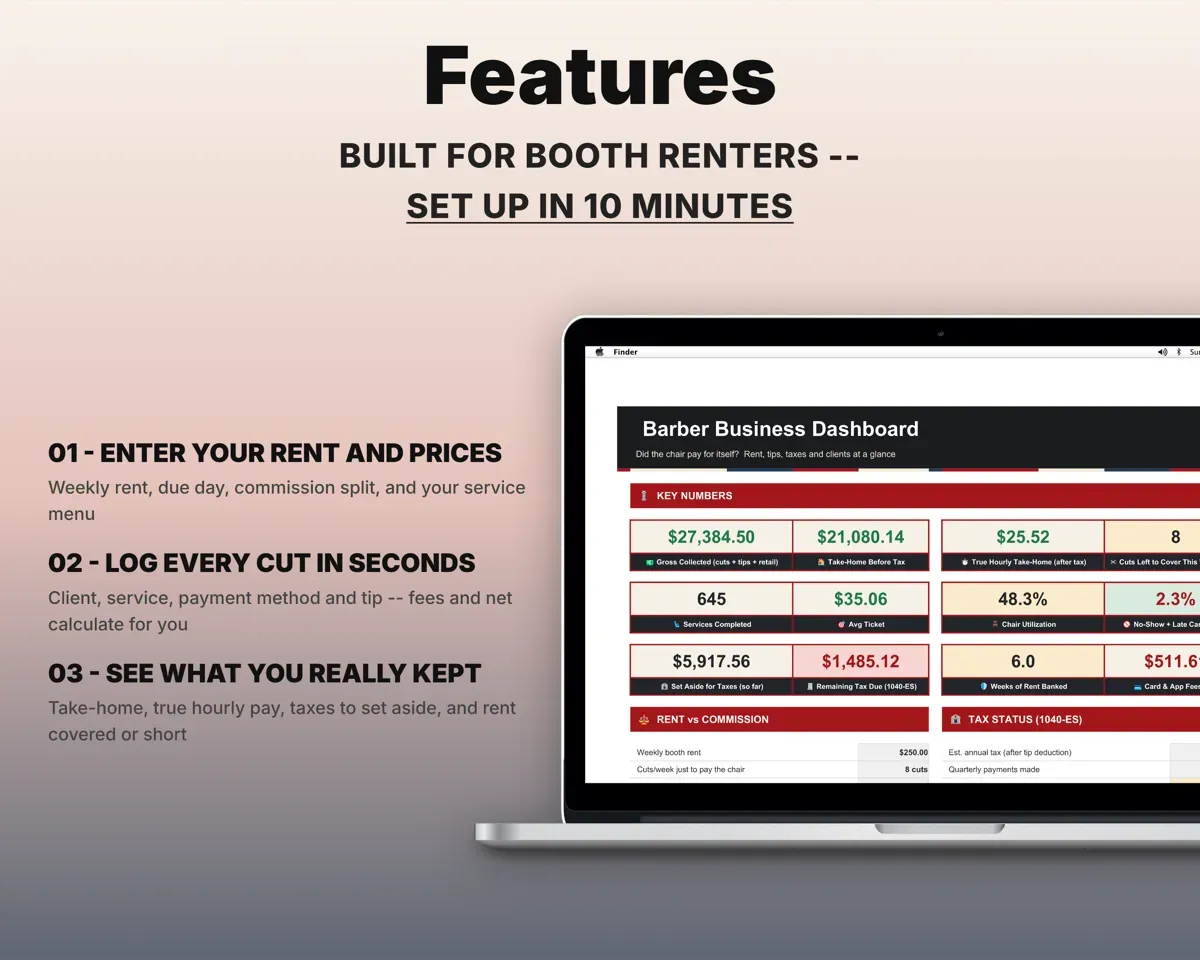
Client, service, payment method, and cash or card tips. The card or app fee is worked out from your rates, along with what you net.
Cut, payment, tipNet to youKnow if renting still beats commission
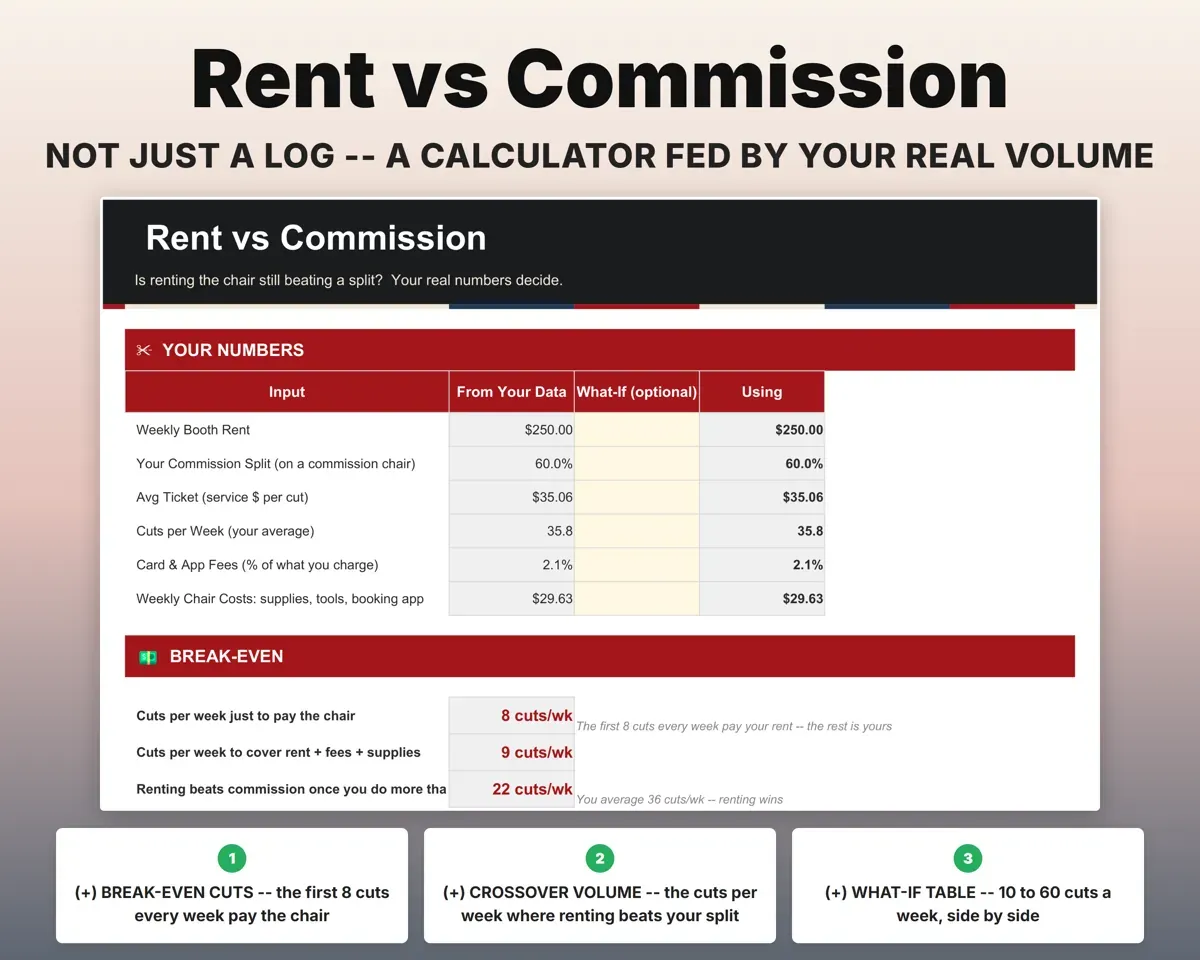
Your real average ticket and cuts per week show how many cuts pay the chair, the volume where renting wins, and what each model would have earned.
Your service logBreak-even cutsAdd up what every app takes
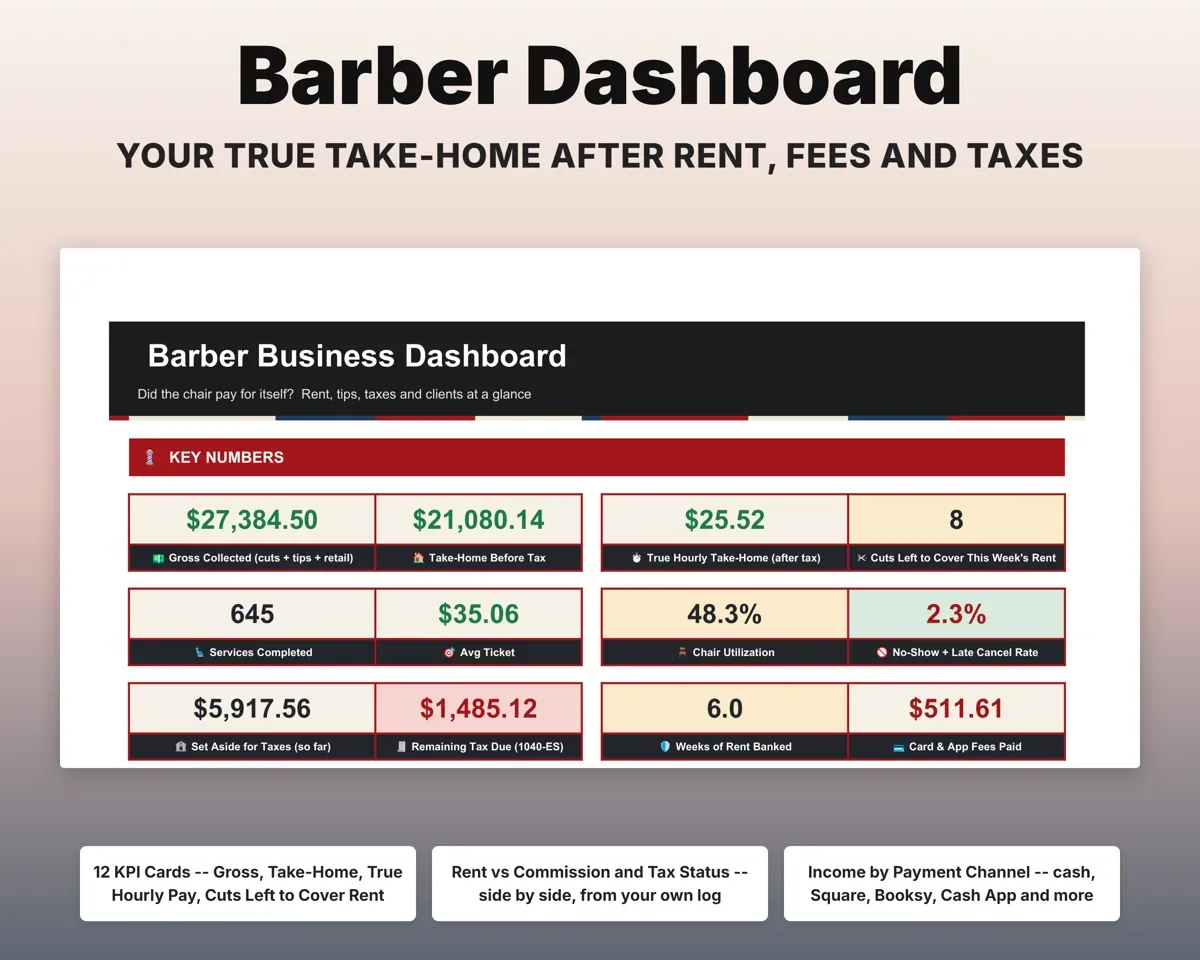
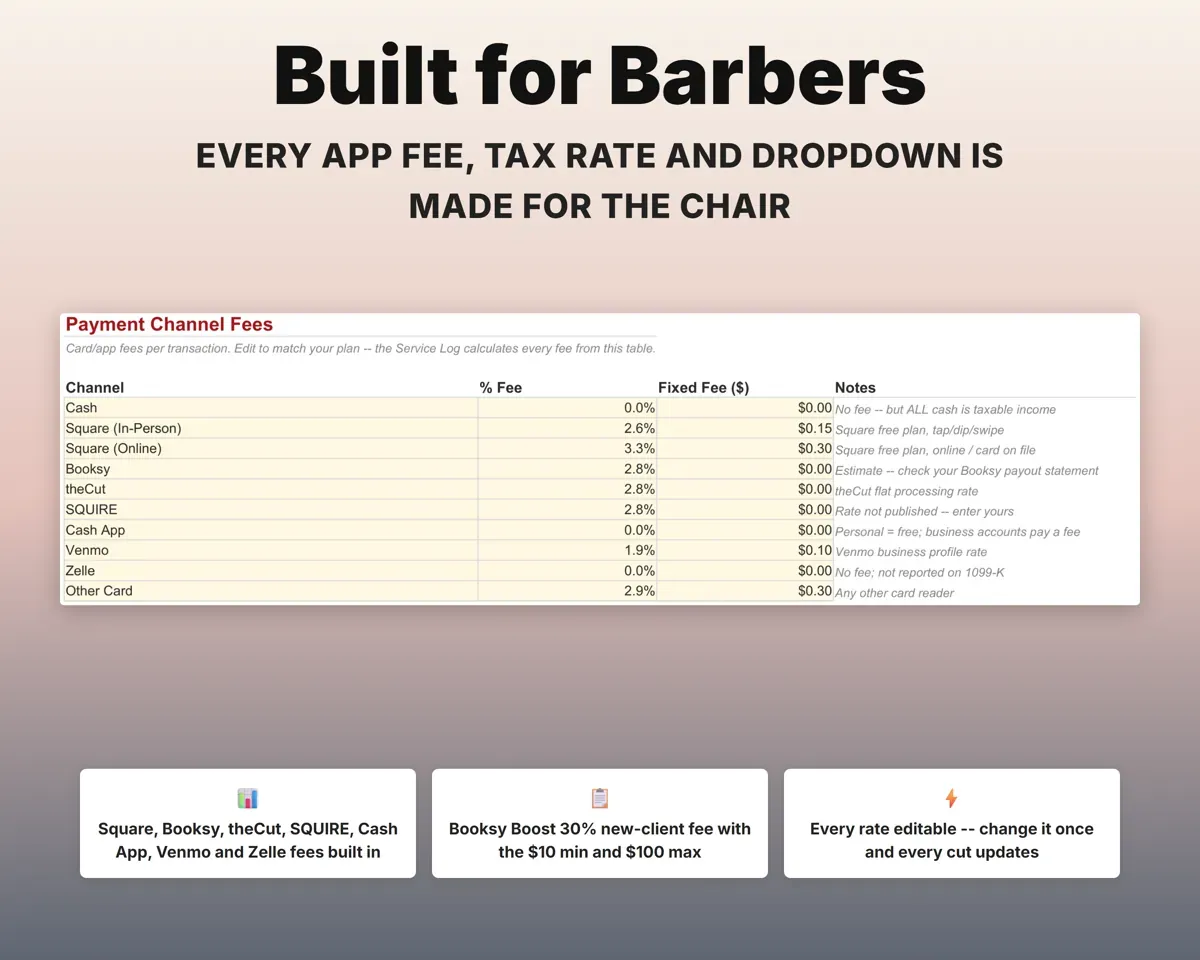
Each channel, from Square and Booksy to theCut, SQUIRE, Cash App, Venmo, Zelle and cash, has an editable fee, and the Booksy Boost charge is included. The Dashboard totals fees by channel.
Payment methodFees by channelSet money aside for taxes each week
Quarterly estimates with self-employment tax and due dates, a weekly set-aside, and cash and card tips kept apart for the tips deduction.
Income, tipsWeekly set-asideStay ahead on chair rent
All 52 weeks of rent with due dates, late fees and status. Weeks your income fell short are flagged, and the Dashboard counts the weeks of rent you have saved up.
Rent paidWeeks bankedKeep regulars coming back
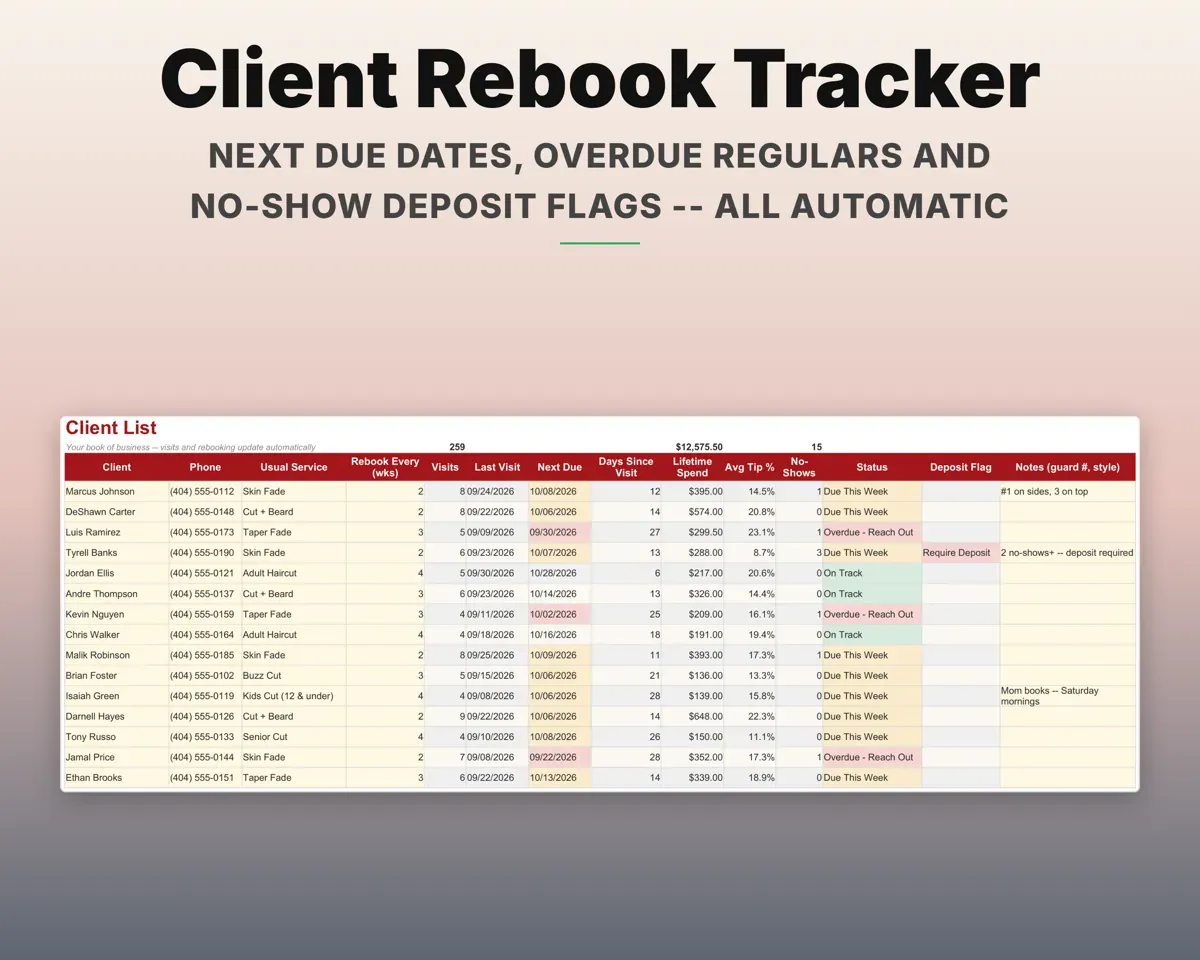
Visits, last visit, next due, spend, average tip and no-shows for each client. Repeat no-shows get a deposit flag.
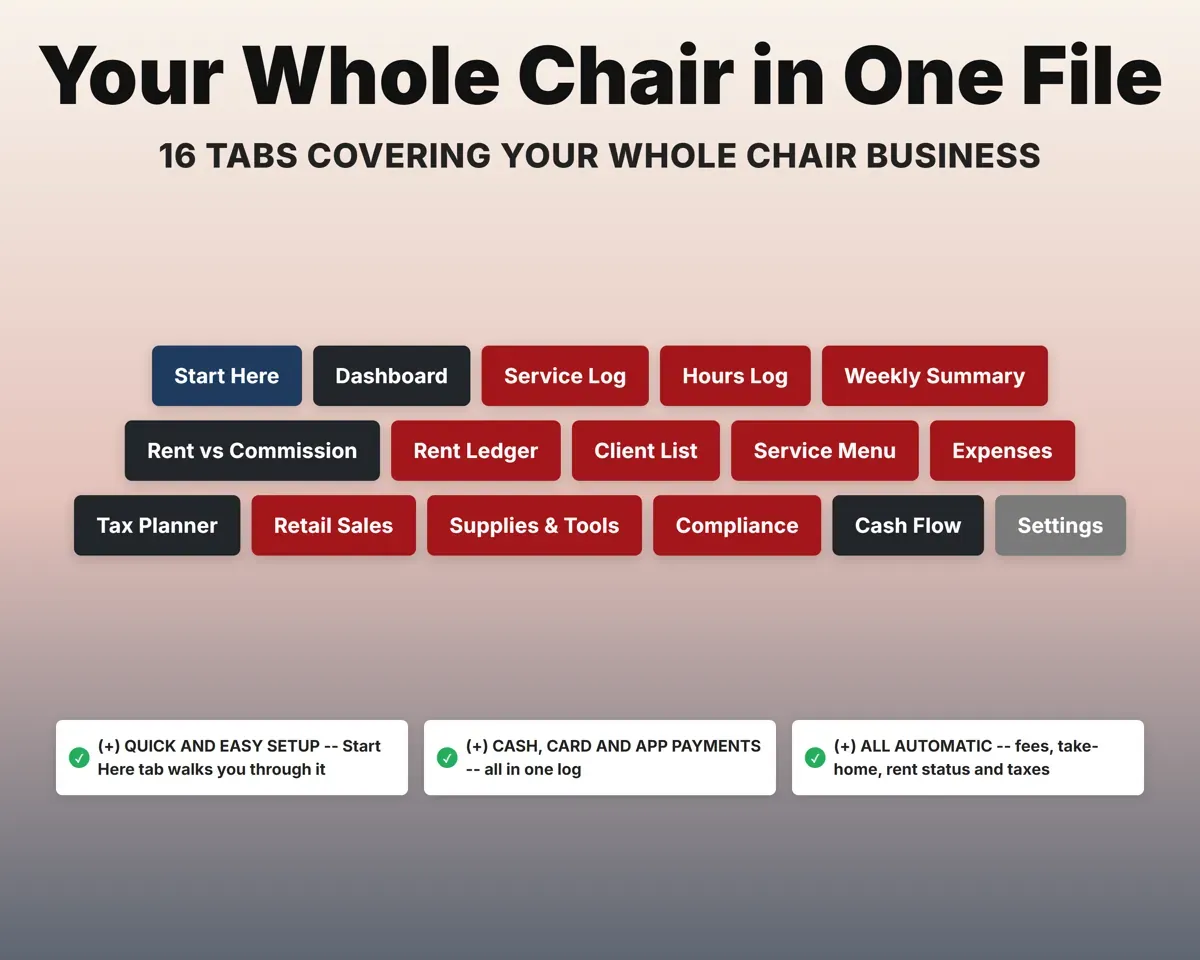
Client visitsOverdue or lapsed16 tabs in one file
- Start Here
- Dashboard
- Service Log
- Hours Log
- Weekly Summary
- Rent vs Commission
- Rent Ledger
- Client List
- Service Menu
- Expenses
- Tax Planner
- Retail Sales
- Supplies & Tools
- Compliance
- Cash Flow
- Settings
- Start Here
- Setup steps and a color key.
- Dashboard
- Take-home, hourly pay, rent coverage, taxes and alerts.
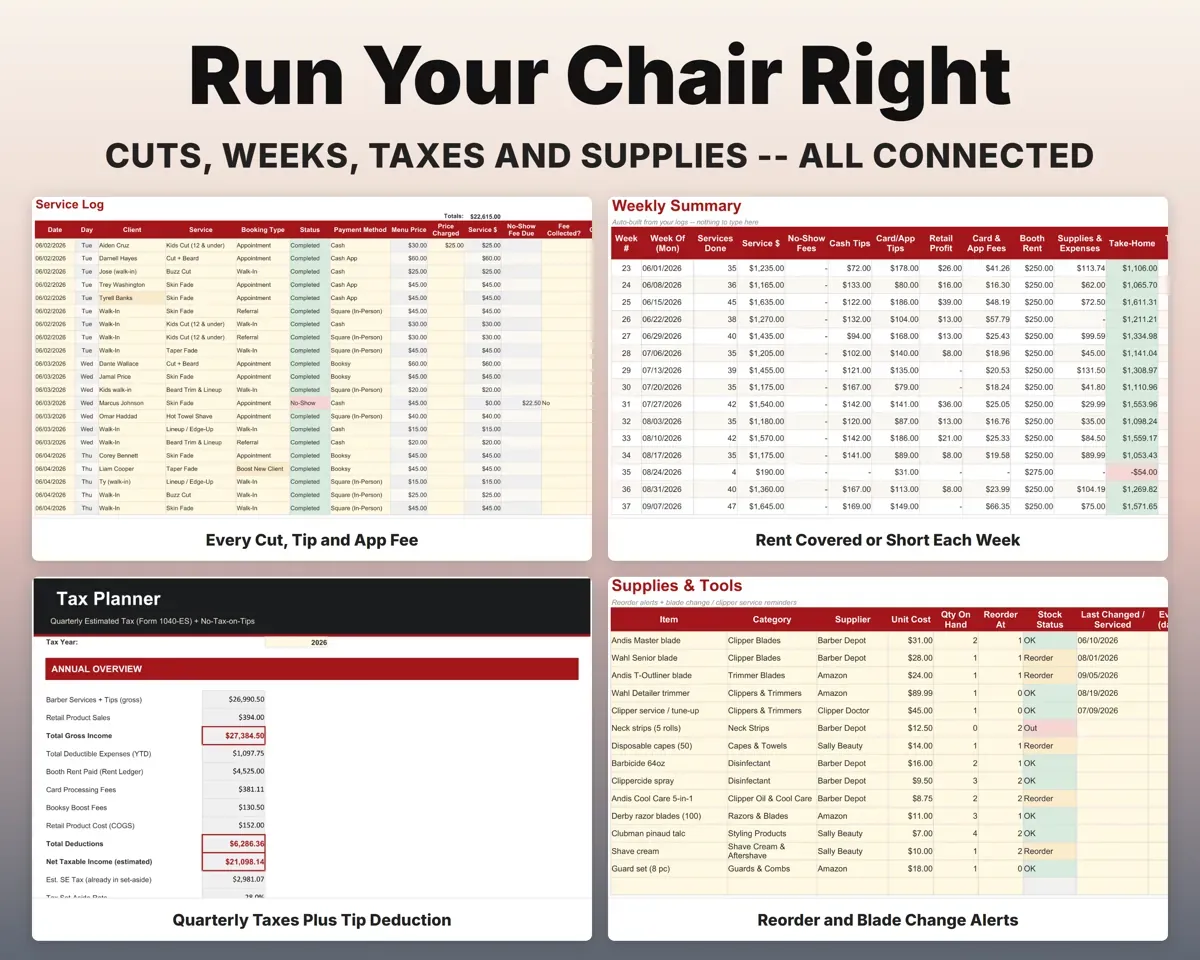
- Service Log
- One line per cut or no-show, with fees and net.
- Hours Log
- Daily clock in and out, with chair utilization.
- Weekly Summary
- All 52 weeks of take-home, set-aside and rent coverage.
- Rent vs Commission
- Break-even cuts and a what-if table by weekly volume.
- Rent Ledger
- Weekly rent with due dates, late fees and status.
- Client List
- Visits, spend, tips, no-shows and next-due dates.
- Service Menu
- Your prices and minutes, with revenue per chair-hour.
- Expenses
- Supplies, tools, insurance and licenses mapped to Schedule C.
- Tax Planner
- Quarterly estimates with self-employment tax and the tips deduction.
- Retail Sales
- Product sales with cost, profit and margin.
- Supplies & Tools
- Reorder alerts and blade and clipper service dates.
- Compliance
- License, permit, insurance and CE hours with renewal countdowns.
- Cash Flow
- Twelve months of income by channel and every cost.
- Settings
- Rent, commission split, tax rates, channel fees and lists.
Pair it with
“Excellent! Very easy to use.”
“Nice Organization for 4H projects”
Before you buy
I'm on commission now. Is it still useful?
Yes. Keep logging your cuts, and the Rent vs Commission tab works out your take-home if you rented a chair at the volume you do now.
Does it connect to Booksy or Square?
No. You log each cut yourself, and the fee is worked out from the rates on the Settings tab, which you can edit to match yours.
I take a lot of cash. Is that covered?
Yes. Pick cash as the payment method, and cash tips go in a separate column from card tips, so none of it is missed at tax time.
Is this tax advice?
No. It organizes your numbers, with Schedule C mapping, quarterly estimates and tip records, for you or your tax preparer.
What do I get?
An Excel file (.xlsx), a filled-in sample to look at, and a quick-start PDF guide with a link that makes your own copy in Google Sheets.
How does delivery work?
You get your download links right after checkout, and Stripe emails your receipt. There is nothing to ship and nothing to wait for.
How do I set it up in Google Sheets?
Open the quick-start PDF and click the Google Sheets link. Google makes a copy in your own Drive that only you can edit. You need a free Google account.
Will it work on a Mac?
Yes. It works in Excel on Mac and Windows, and in Google Sheets in any browser.
I'm not a spreadsheet person. Is that a problem?
No. You only type in the yellow cells. Everything in gray works itself out, and the Start Here tab shows you where to begin.
Can I get a refund?
Templates are digital downloads, so sales are final. If a file won't open, is broken or doesn't match its description, email hello@cleanpixelstudios.com within 30 days and we'll fix it, or refund you if we can't.
What if I get stuck?
Email hello@cleanpixelstudios.com and we'll help you get it working.
More in Beauty & wellness pros
See all Beauty & wellness pros templates
 Made by Clean Pixel Studios
We start every template by reading what people in that line of work say they struggle with, then build the spreadsheet around those problems. This one was made for booth-renting barbers and nobody else.
How we build templatesBarber Booth Rent Tracker$18.99 · Excel + Google Sheets